Email: Disabling two-factor verification (2FA)
Valid for Mail Basic and Mail Business.
This article explains how to disable two-factor verification for your webmail login.
To disable two-factor authentication, complete the following:
- Log in to Webmail.
- Click on your My account icon (your initials) in the top right corner of the menu, next to Sign out. A menu list will open.
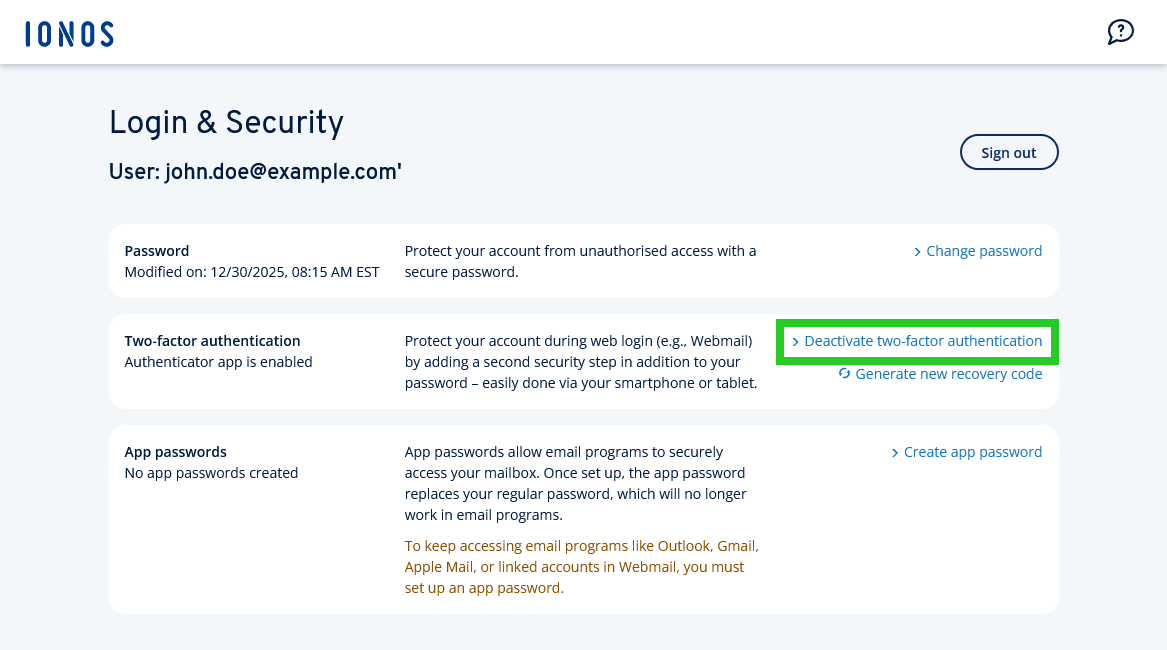
- Click on Login & Security in the list. The Login & Security page opens in a new tab.
- Click on Deactivate two-factor authentication in the Two-factor authentication section. The Deactivate two-factor authentication verification window opens.
- Click on Deactivate now.
Two-factor authentication will now be deactivated.