Setting up the main SFTP user
Valid for Web Hosting (purchased until September 9, 2024), Managed Servers, and Hosting for WordPress (purchased until September 27, 2022)
The SFTP main user is the default SFTP user of your hosting package. It is created when the package is initialised, and is also your SSH user. However, you still need to set it up the main user before you can use it. This article will guide you through the necessary setup steps.
- Log in to your IONOS account.
- Click Menu > Hosting in the title bar. If you have multiple contracts, select the desired Hosting contract.
When you open the Hosting section in your IONOS account for the first time, you will be shown a welcome page. To continue, click on Set Up Infrastructure. You will then be redirected to the hosting overview. There you will find all the important settings for your hosting environment.
- Click on Set Up in the SFTP & SSH tile in your hosting overview.
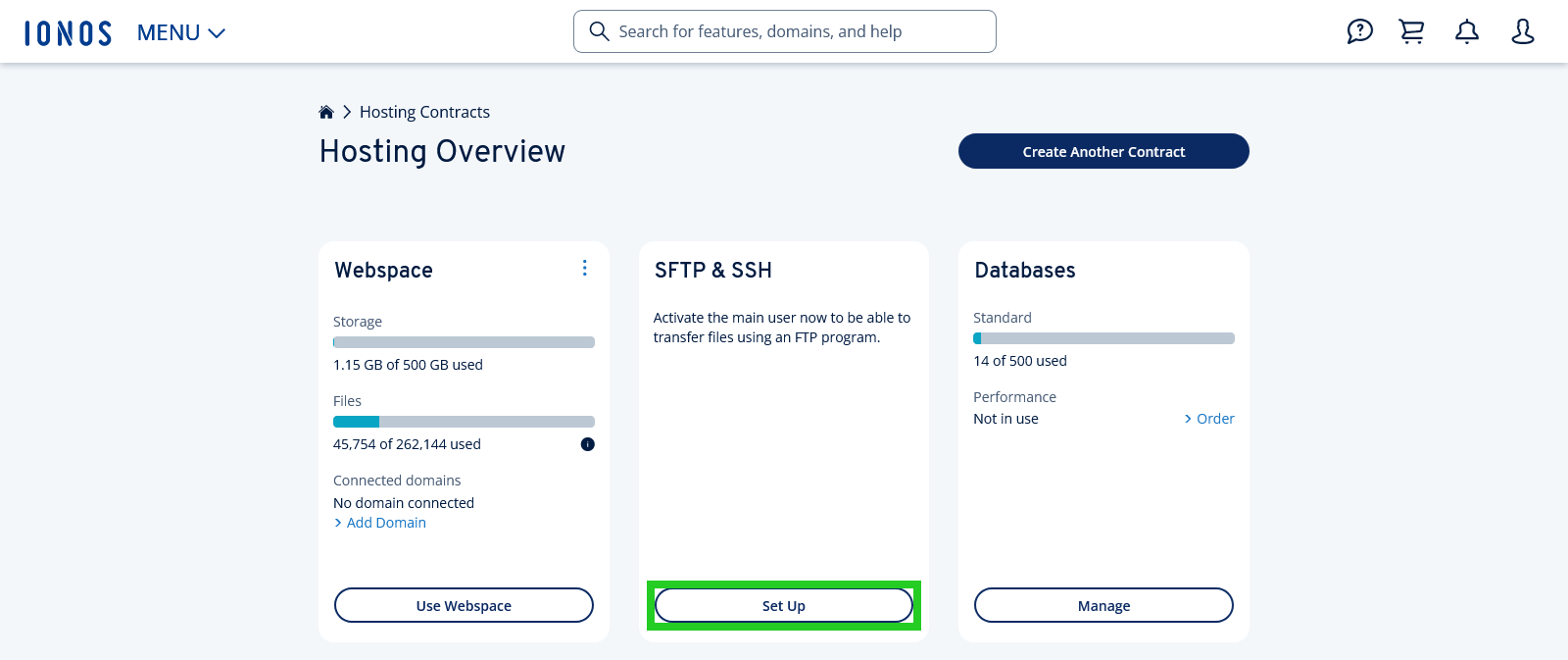
- Click on Create password in the setup dialog.
- Enter the desired password for your main SFTP user.
- To finish the setup, click on Save.
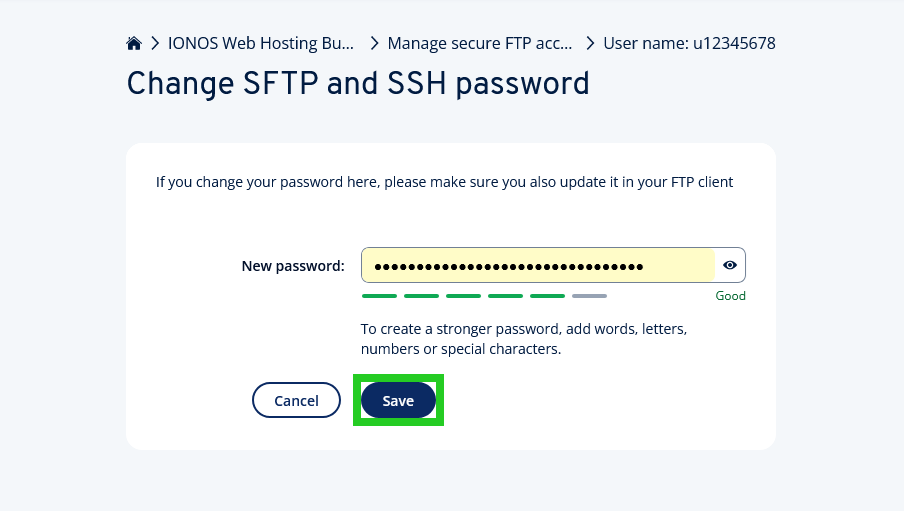
Note
If the button is labelled Manage instead of Set Up, then your main user has already been set up. In this case, the button will take you to the overview of SFTP users. If there are several users, the main user is always the first in the list.
Your SFTP main user will now be set up.
We will also immediately show you your access data. These are required to be able to connect to your webspace. You can open the access data again at any time in your IONOS account by clicking on the desired SFTP account in the overview of your SFTP accounts.
Note
Please note that it can take up to 5 minutes until the setup is complete and access is active.
Set up an additional SFTP account
You can add more SFTP accounts in addition to the main user. For example, to restrict access to a specific website or directory for other people. How many additional accounts you can set up depends on your package.
We show you how to set up an additional SFTP account in the article Creating new FTP accounts.
Further information
You can find more information about SFTP/SSH in the following articles: