Object Storage: Enabling or disabling Versioning
Valid for VPS+ and migrated Cloud Servers.
This articles shows you how to enable or disable bucket Versioning.
Versioning allows you to save multiple versions of the same object. When you enable Versioning for your bucket, each version of an object is considered a separate unit that contributes to your storage usage. Each version represents the entire object, not just the differences from its predecessor. This aspect is reflected in your usage reports and affects your usage-based billing.
Versioning can be used as a backup solution for your data. If you accidentally overwrite or delete an object, you can restore it to an earlier version.
Versioning can be used to track changes to your data over time. This can be useful for debugging purposes or to verify changes to your data.
Notes
- Versioning cannot be disabled if the Object Lock is activated for the bucket.
- Objects that were in your bucket before Versioning was activated have a version ID of 0. As soon as Versioning is activated, it can no longer be deactivated, but can be suspended. No new object versions are created during the suspension. Existing object versions are retained. You can resume Versioning at any time so that new versions are created from then on.
- Once Versioning has been activated for a bucket, each object version is assigned a unique, unchangeable version ID that serves as a reliable reference for different object versions. New object versions are generated exclusively by PUT operations, whereby actions such as COPY result in a PUT operation and thus create a new version. In particular, each version is assigned a new version ID, even if the object content remains unchanged. Objects that were in the bucket before Versioning was activated have a version ID of zero.
- If an object is deleted, all of its versions remain in the bucket, while Object Storage introduces a deletion marker, which is also assigned a version ID.
Activate Versioning
- Log in to your IONOS account.
Click on Menu > Servers & Cloud in the title bar.
Optional: If you have multiple server contracts, select the desired contract.
- Click on Infrastructure > Object Storage.
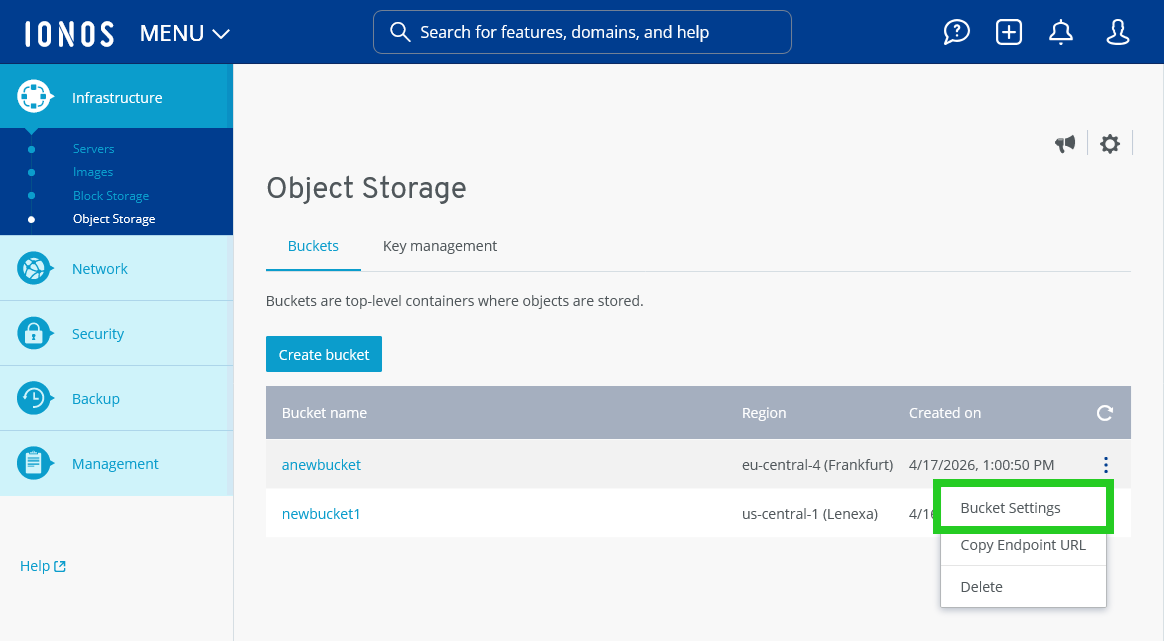
- Click on the three-dot icon in the line with the bucket name.
- Click on Bucket Settings. The Bucket settings area opens.
- Click on Versioning in the Data management section.
- To enable Versioning, click on Enable.
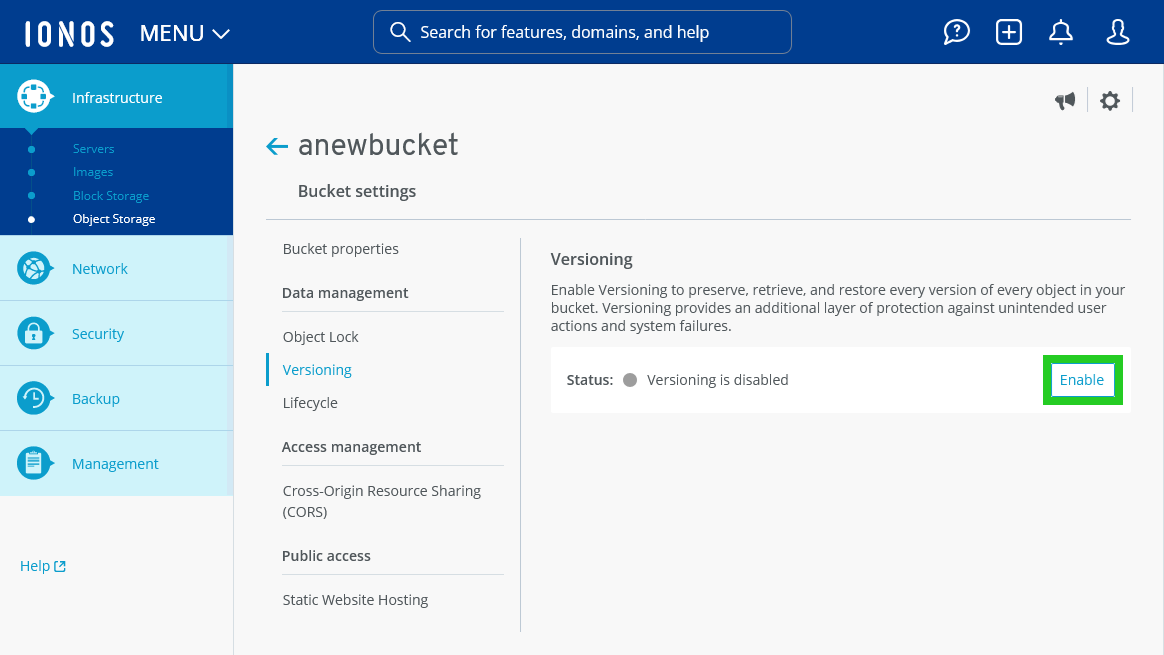
Versioning will now be enabled.