Adding more permissions to a role (VPS+)
Valid for VPS+.
This article will walk you through adding additional permissions to a role in the Cloud Panel.
When you create a role, only permissions that allow read access to all areas of Cloud Panel are assigned. If you add additional permissions, the assigned users can perform additional actions in the Cloud Panel.
Note
The administration role cannot be changed.
- Log in to your IONOS account.
Click on Menu > Servers & Cloud in the title bar.
Optional: If you have multiple server contracts, select the desired contract.
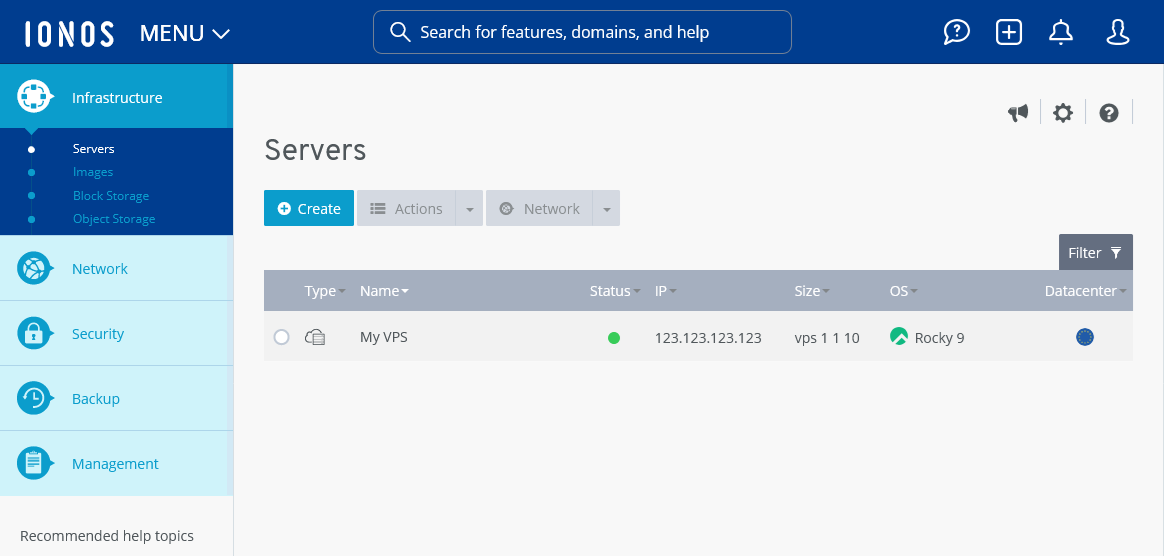
- Click on Management > Roles in the navigation bar on the left of the Cloud Panel. The Roles area opens.
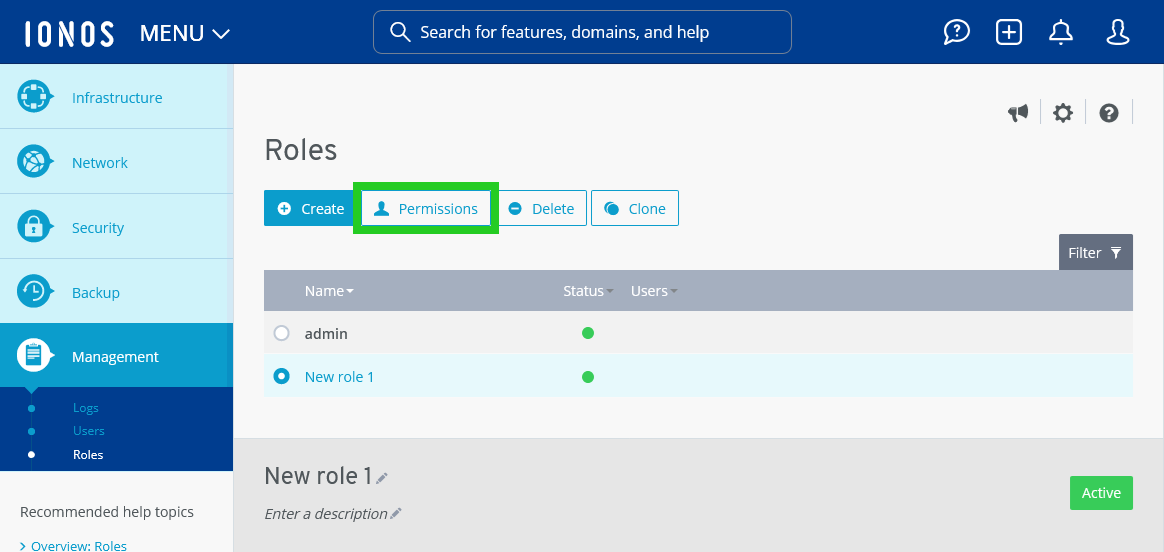
- Click on the desired role.
- Click on Permissions. The Permissions for [NAME_of_ROLE] area opens.
- Optional: Activate the desired permission groups in the Permissions for [NAME_OF_ROLE] area.
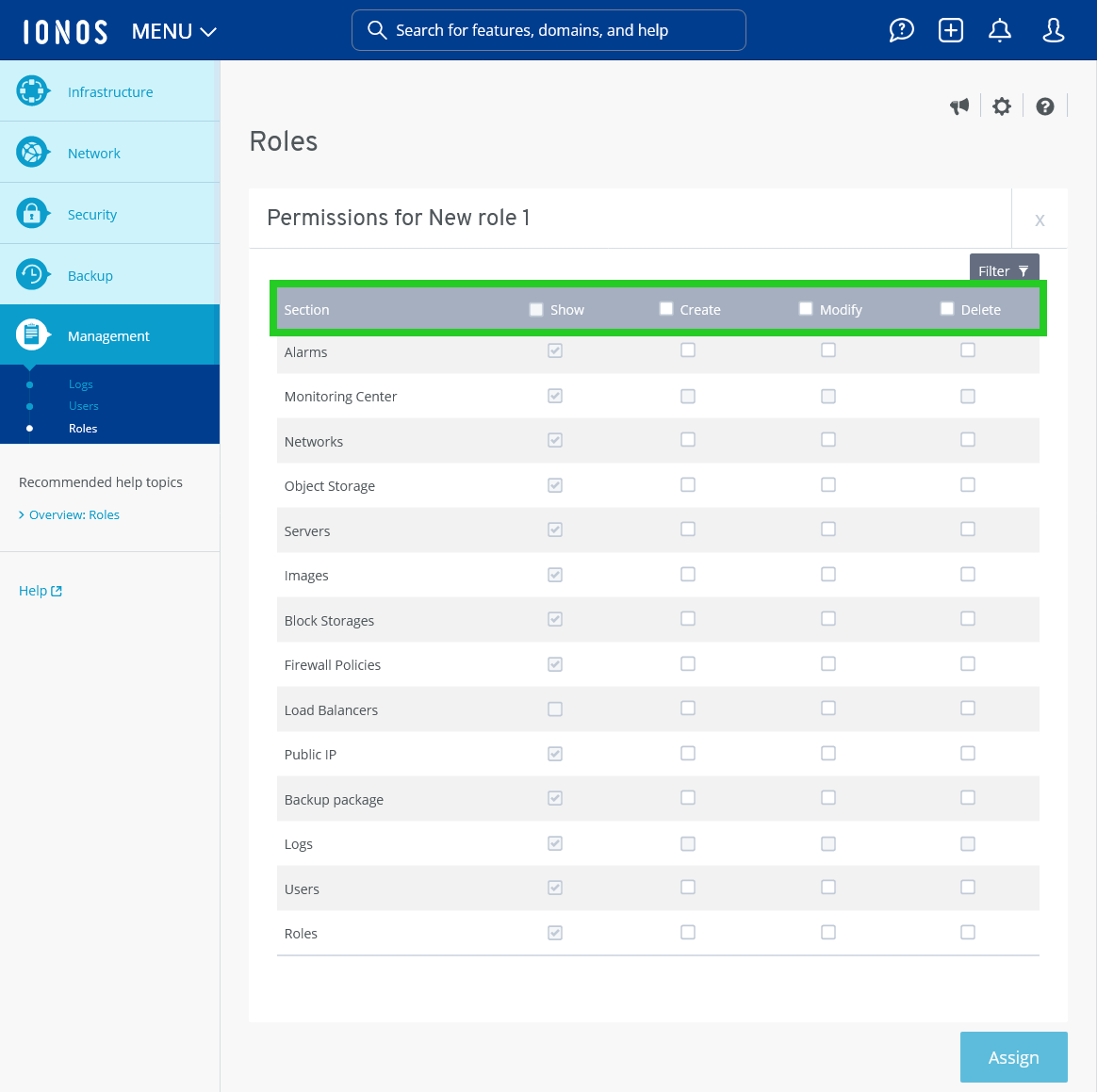
- Optional: Tick the desired permission checkboxes to add individual permission entries.
- Click on Assign.
The permissions will be added to the role.