Disabling Webmail AI
Valid for: Mail Basic and Mail Business
This article walks you through disabling the optional Webmail AI add-on for your email account.
Deactivate Webmail AI
- Log in to your IONOS account.
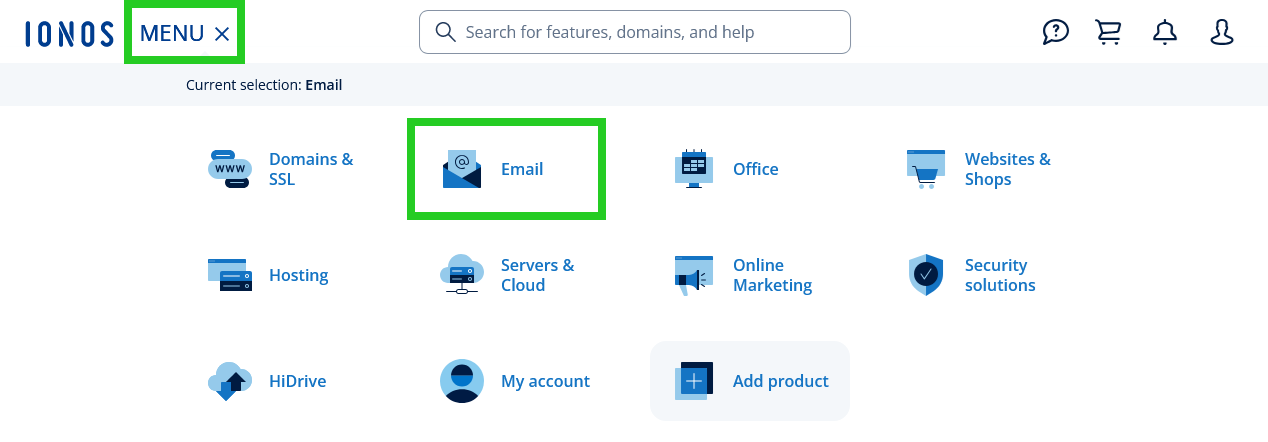
In the main navigation, click Menu in the top left corner and then click Email.
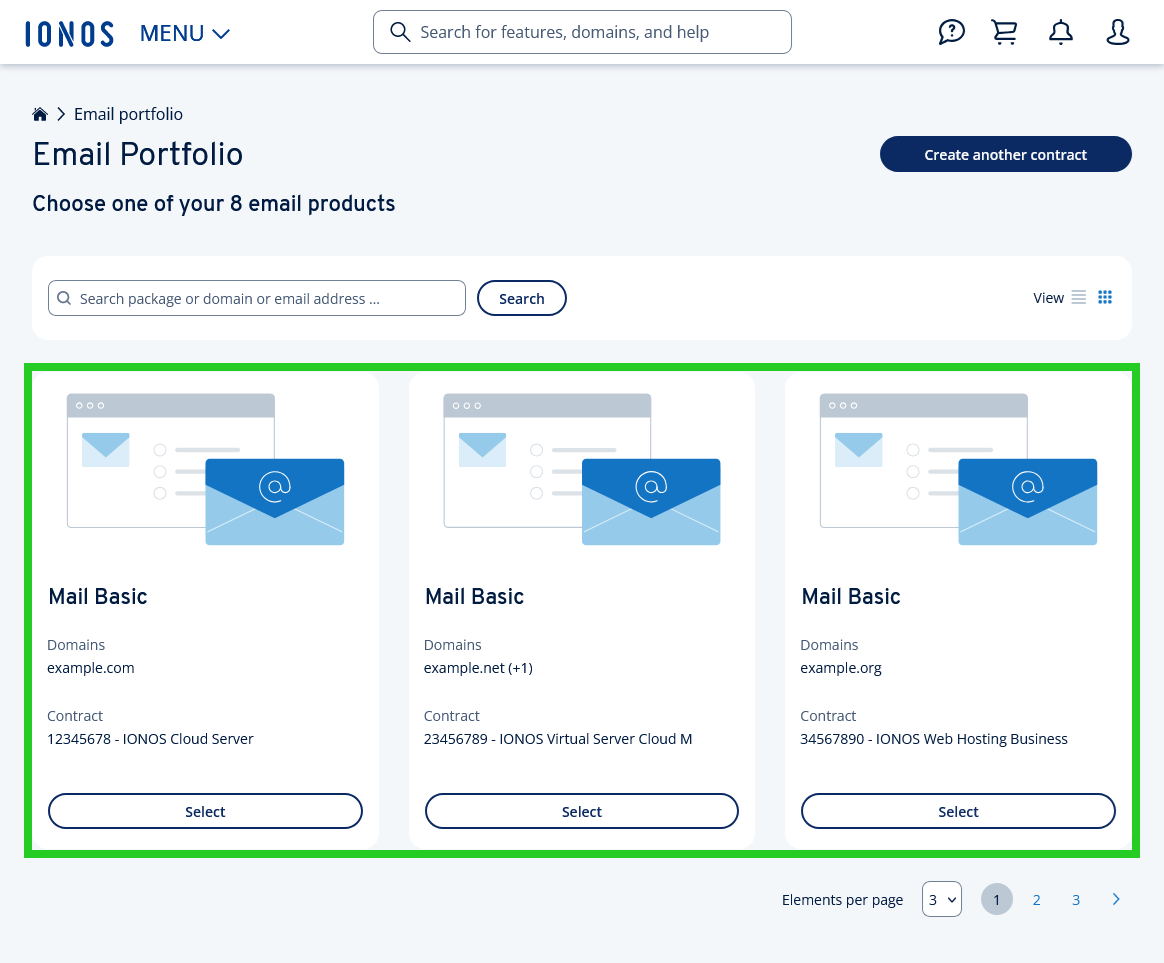
- If you have more than one email contract, select the contract in which you want to perform the desired action.
- Click on the email address of the mailbox for which you wish to disable Webmail AI. A new page will open.
- Click on Webmail AI. The Webmail AI page opens.
- To disable the Webmail AI for the selected email address, move the slider to the left.
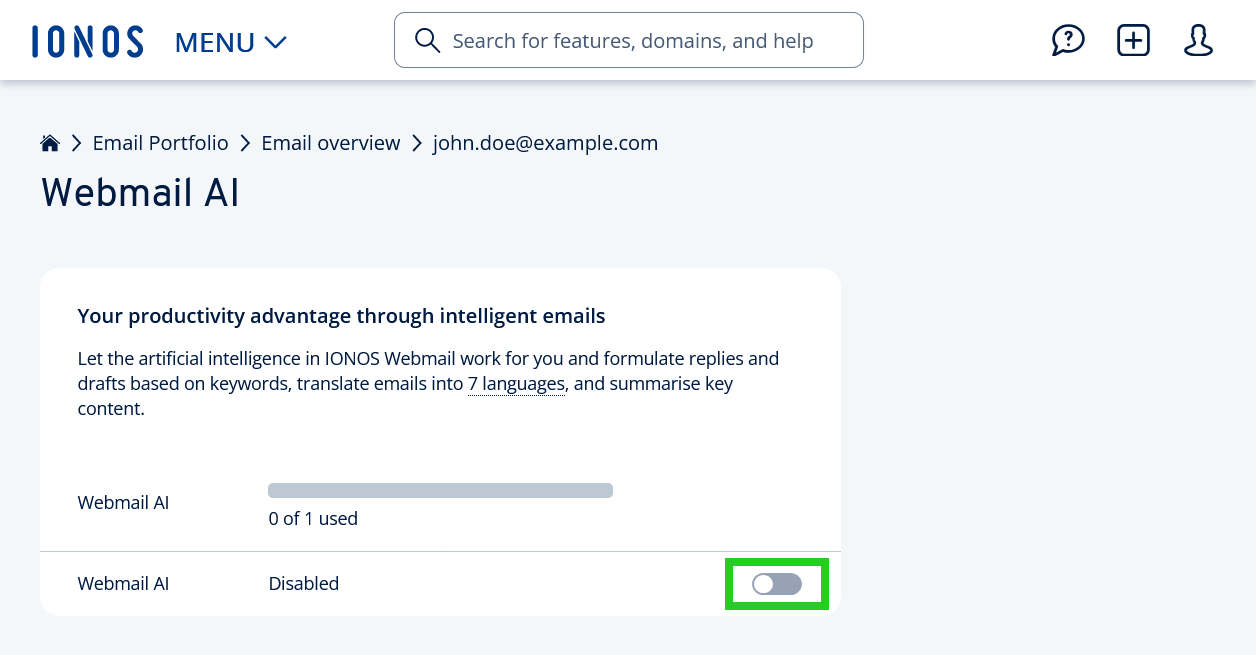
Webmail AI will now be disabled.
Please Note
Deactivating IONOS Webmail AI only deactivates the corresponding function for that mailbox. However, Webmail AI remains in place as a contract extension. The relevant charges will therefore continue to apply. You can subsequently use it with a different mailbox. If, on the other hand, you wish to remove Webmail AI from your contract, please follow the steps described in the following article: Cancelling contract features
Alternatively, you can contact IONOS Customer Support. You can find the contact details on the following page: IONOS Customer Support