Cancelling your entire IONOS contract
This article explains how to cancel an IONOS contract.
Note
Details regarding applicable notice periods can be found in the Help Centre article "Deadlines for contract termination".
Before you cancel - secure benefits now
In many conditions, there are options that better suit your needs, and can help you to save money. Talk to us and secure exclusive terms.
Talk to us now and receive a personalised offer: (+44) 800 917 6273.
Details of the cancellation process (contract)
Call us to conveniently cancel your IONOS contract by phone: (+44) 800 917 6273.
As a private customer, you will only receive your invoices by email if you have authorised IONOS to send them. Before the cancellation date, check that you have received all invoices. If necessary, download them from your IONOS account.
It is essential that you carry out a complete data backup of the relevant product before cancelling. The Help Centre section Exporting data from your IONOS products explains how.
When cancelling an email product: If you use many email addresses, create a list of all required email accounts, mailboxes, and any forwarding.
For your security: If Domain Guard is active to protect domains, this protection must be switched off before cancellation.
If no other contracts exist under your customer number, you will no longer have access to your IONOS account after the cancellation takes effect.
Cancellation via the IONOS account
To cancel a contract or additional services:
Log in to your IONOS account account.
Click on Menu > My account in the title bar. The My account page opens.
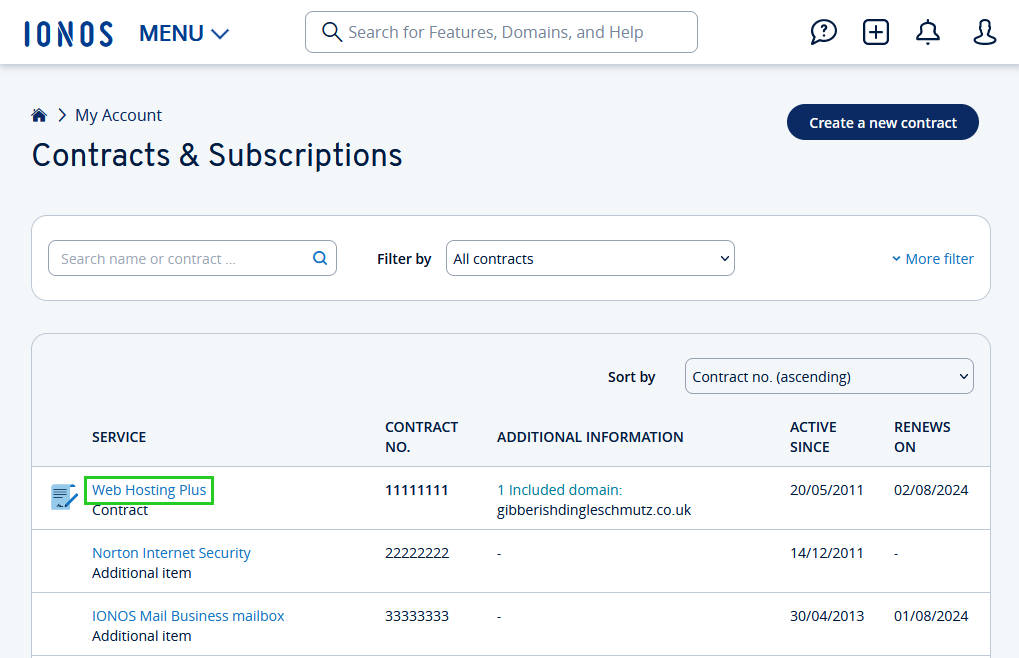
Click on the Contracts & subscriptions tile. The Contracts & subscriptions page opens.
Click on the name of the contract you wish to cancel in the Service column. The contract details are displayed.
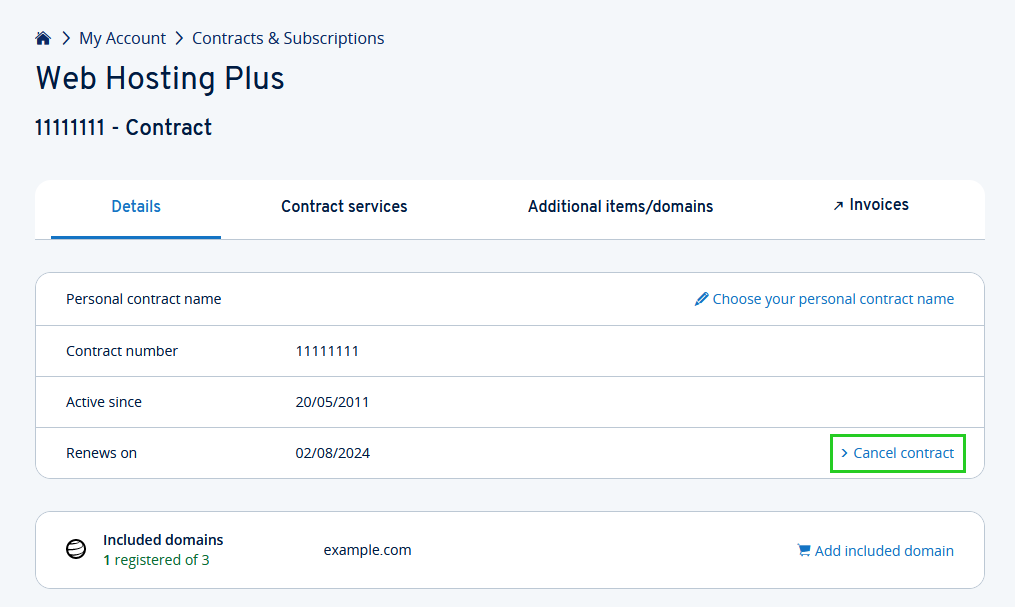
Click on Cancel contract in the Details tab.
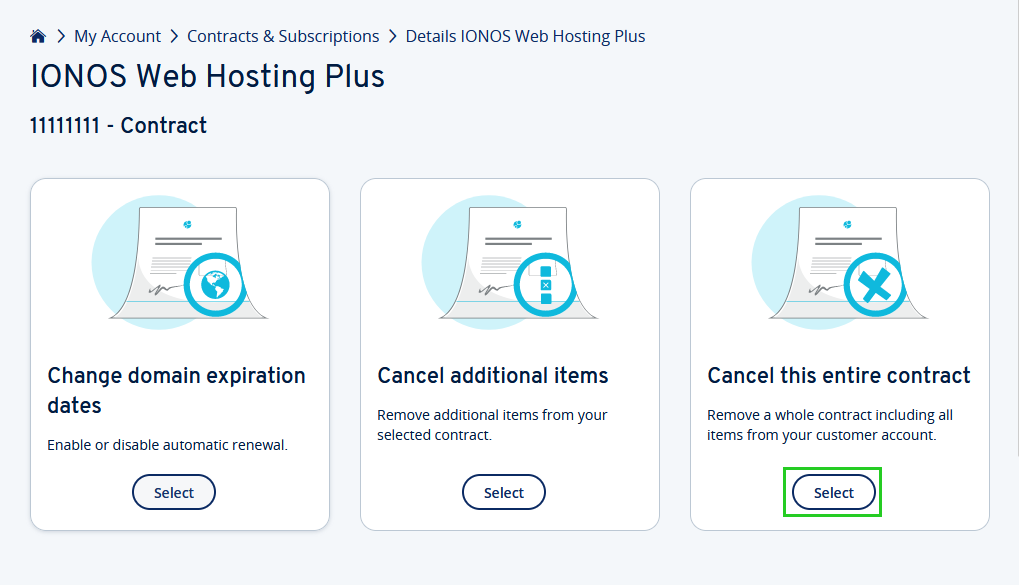
Click on Select in the Cancel this entire contract tile.
Select the reason for your cancellation and click Next.
Optional: Depending on the elements included in your contract (domains or features), you may need to select certain cancellation details, such as cancellation date or cancellation type. You will also be shown the cancellation date.
Click on Next or Continue cancellation .
The page Important information about the cancellation of your entire contract is displayed.
Tick the checkbox for I am aware of the effects of my cancellation and confirm that I have backed up all data. Deletion can be performed. to indicate that you have backed up your data, and that you understand the consequences of cancellation.
Click on Make a note of cancellation now to cancel your contract. A confirmation with the cancellation date will be displayed. You will also receive confirmation of the cancellation by email to the email address you have stored with IONOS.
Contact us
This article did not help you or you need help with another topic?