Cancelling contract features
In this article, we will show you how you can cancel individual contract items (additional features) in your IONOS account.
Note
Details on the notice periods to be observed can be found in the Help Centre article "Terms of contract cancellation".
Details of the cancellation process
You can cancel your contract online in your IONOS account. In this way, you also ensure that all required data, such as contract and customer number, is sent with the cancellation.
If you wish to cancel your entire contract, please proceed as described in the article Cancelling your IONOS contract.
Be sure to carry out a complete data backup before cancelling. For example, archive all your email, back up the content of your website via FTP, and, if necessary, existing databases. It is also advisable to make a list of all required email accounts, mailboxes, and any forwarding.
For your security: If you have activated Domain Guard to protect domains, the protection must first be deactivated before you can cancel the contract that includes Domain Guard or the add-on.
Cancellation of additional items via the IONOS account
How to cancel an additional item:
- Log in to your IONOS account.
Click Menu > My account in the title bar. The My account page opens.
Click on the Contracts & subscriptions tile. The Contracts & subscriptions page opens.
- In the Service column, click on the name of the additional product you wish to cancel.
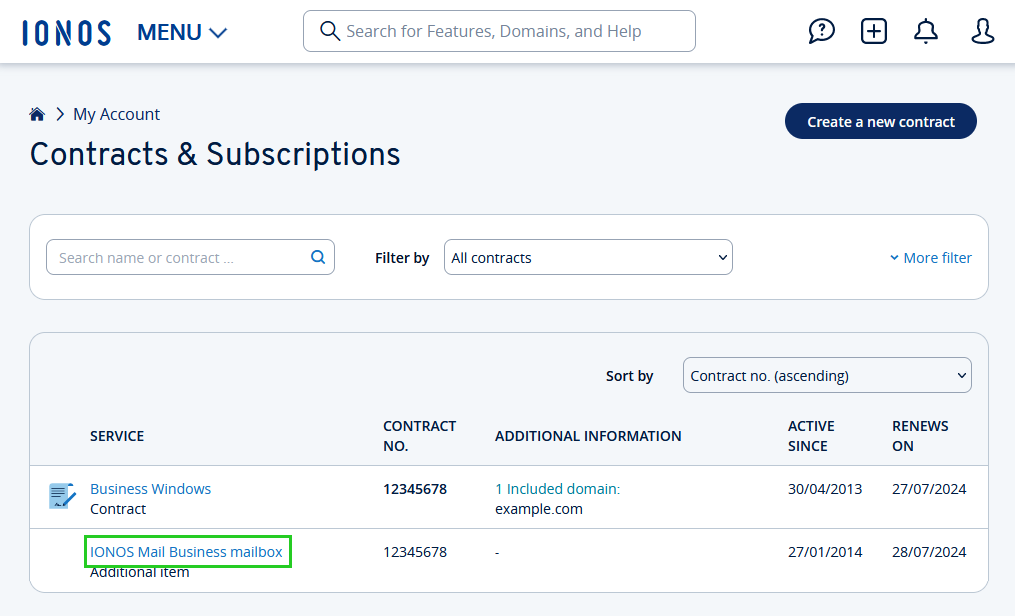
In the Renews on line, click on Cancel additional item. The Cancel additional items window opens.
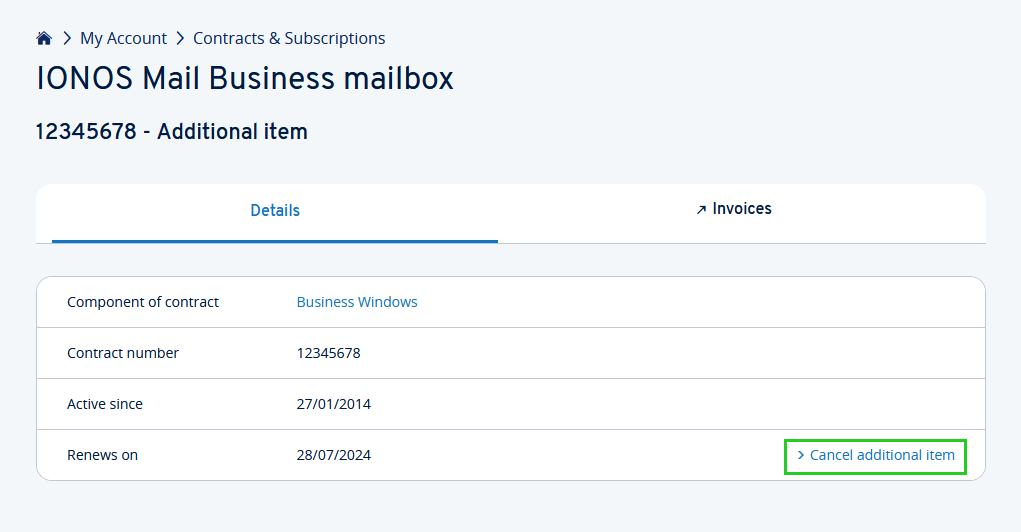
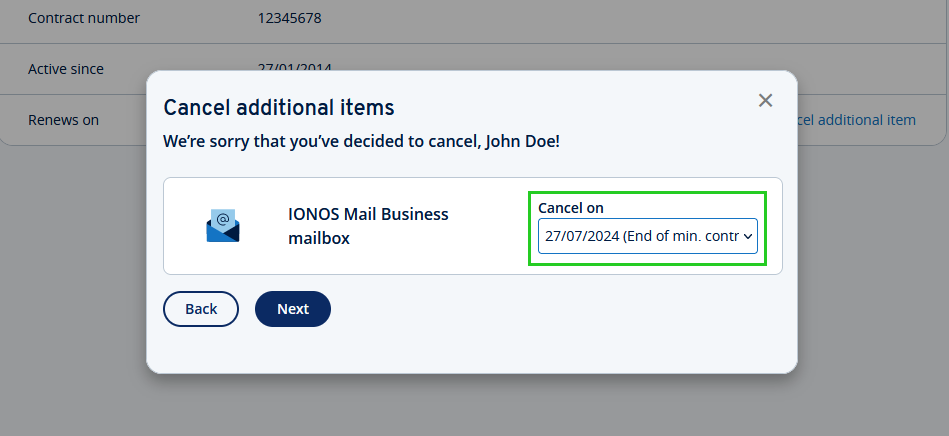
If possible, select the desired cancellation date and click Next.
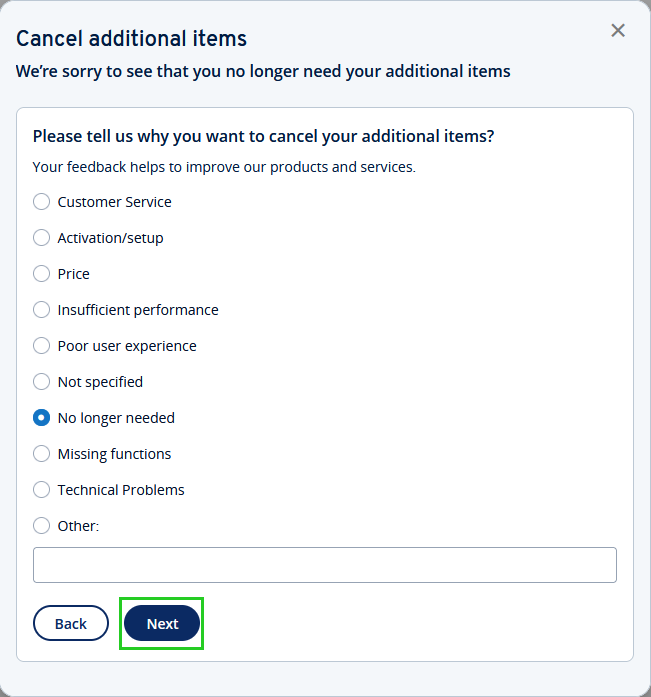
- Select a reason for cancellation and click on Next.
- You will receive a preliminary summary of your cancellation. Please check that everything is correct.
- To edit the cancellation, click on Back.
- To continue with the cancellation, click on Next.
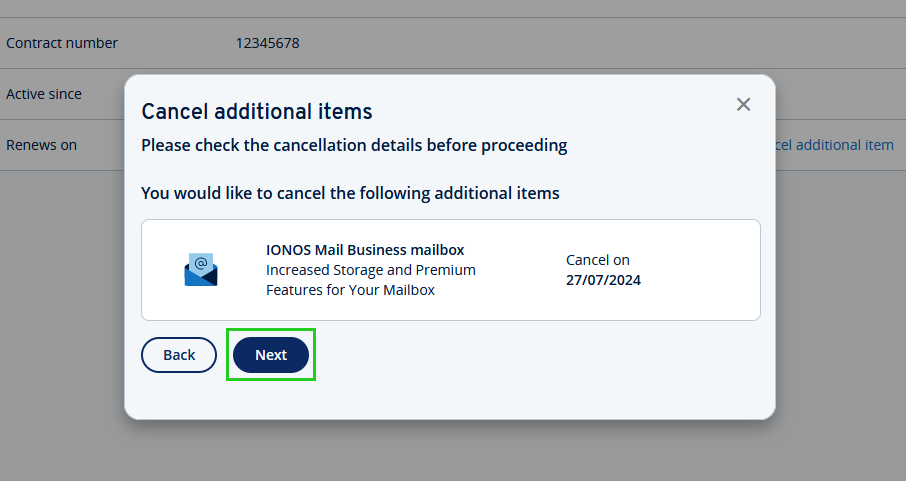
- You will now be informed about the effects of your cancellation.
- To abort your cancellation, click Keep additional items.
- To continue with the cancellation, activate the I am aware of the effects option (the contract will remain active and may incur additional costs).
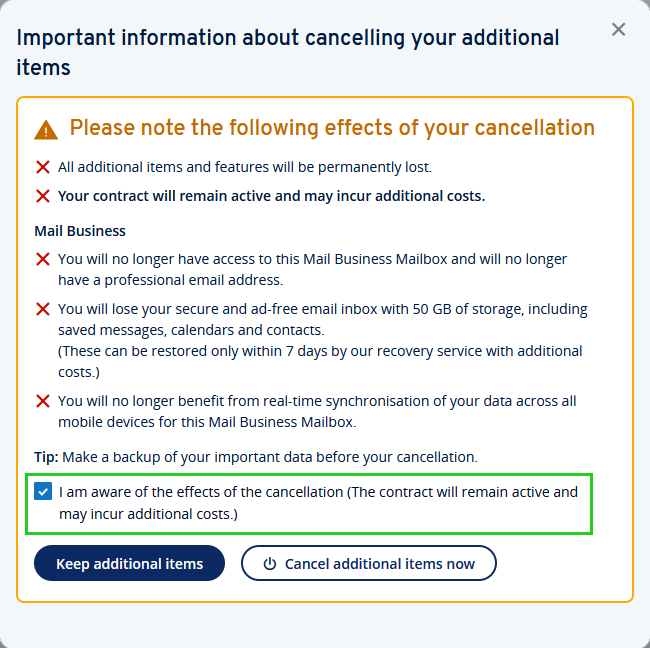
To cancel your additional items, click on Cancel additional items now.
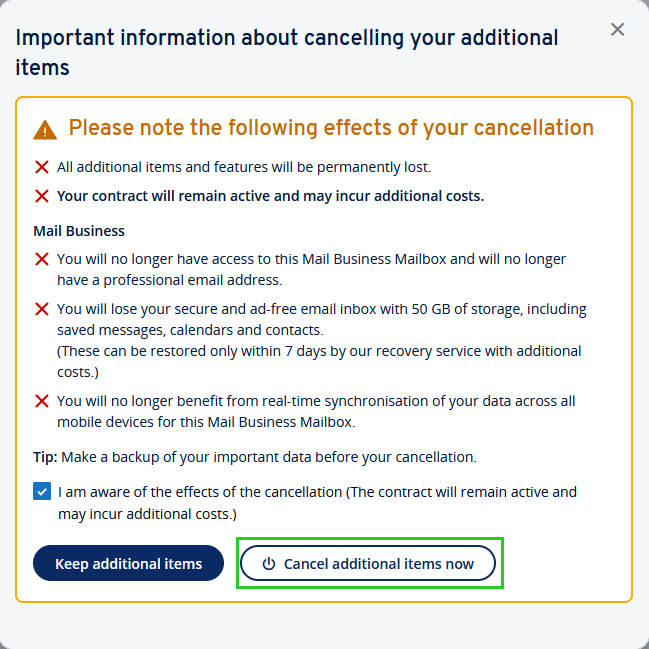
You will then receive a confirmation showing the cancellation date. You will also receive confirmation of the cancellation by email to the email address you have stored with IONOS.
This article did not help you or you need help with another topic?