

Which media players are the best iTunes alternatives?

iTunes is an undisputed classic among media players. Apple’s free software features a clear user interface, whilst still offering a considerable range of functions. Additionally, iTunes is perfectly compatible with iPods and iPhones, which are among the most popular portable music devices. iOS is also compatible with some other players other than iTunes. However, iTunes can sometimes irritate users with unwanted updates, which often encourage you to visit the iTunes store or try to collect more user data. The media player seems to be moving further and further away from its main function of providing users with a comprehensive, easy-to-use music program. A single player is rarely going to satisfy all users anyway – after all, each user has different requirements for what they consider to be a good media player. The good news is that there are plenty of great alternatives to iTunes. Whether you are a music specialist, an occasional user, or a social media fan, there is a decent iTunes alternative for everyone. Here we list the best media players available, give an overview of features, and explain the key differences to iTunes.
The best iTunes alternatives – a comparison
There are now countless good alternatives to iTunes. Thanks to the growing supply of media players, the range of functions they provide has also increased. However, there are still two core functions that are key for a good iTunes alternative: On the one hand, the player should be able to play media files easily – including high sound quality, and the media player should be able to run on different operating systems and support many file formats. On the other hand, your alternative needs to be able to organise your media database as easily as iTunes does: this means that the player needs to present data in a clear user interface, process metadata about music files (ID3 tags), or integrate online streaming services like Spotify or SoundCloud.
So, what are the best alternatives to iTunes? To answer that, here is a list of the best iTunes alternatives, including their advantages and disadvantages.
MediaMonkey
The software MediaMonkey focuses on the essentials: effectively managing music data and supporting many file formats. With numerous settings, options, and features, MediaMonkey is ideal for users with a large video and music collection: Managing a large media database is easier, and faster and more systematic with MediaMonkey than iTunes, making it a powerful alternative.
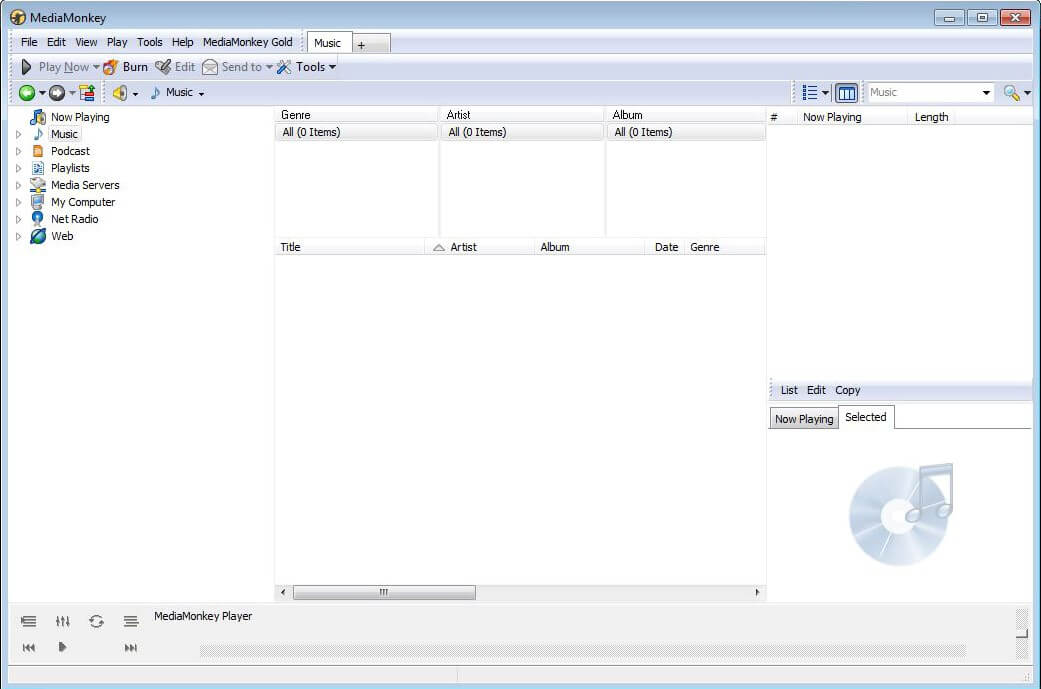
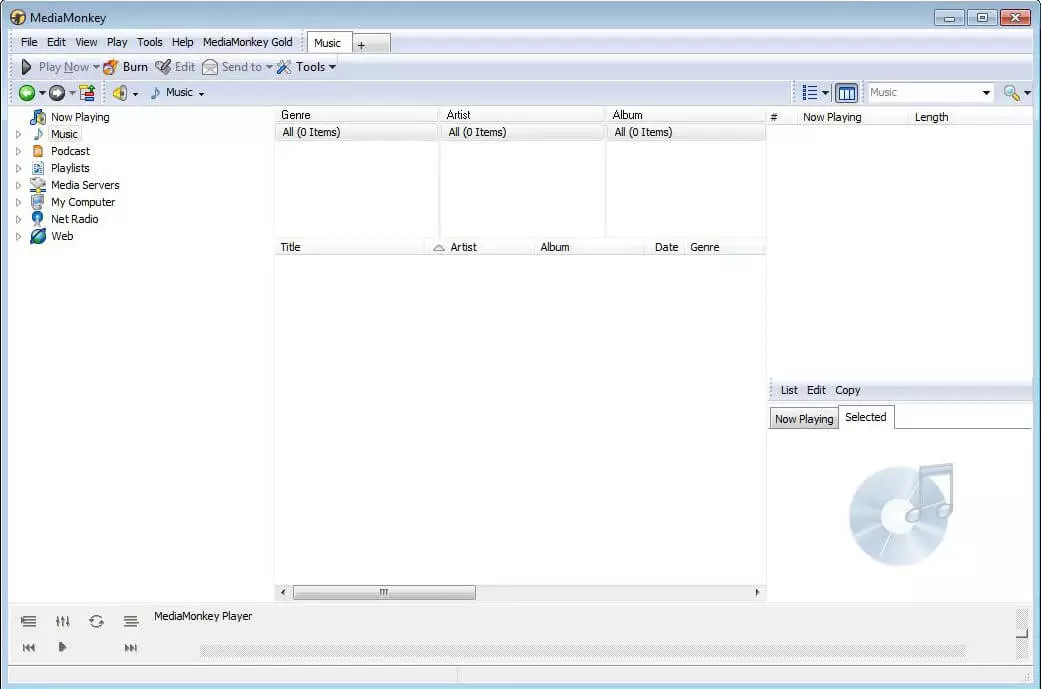
MediaMonkey has an impressive range of functions: you can download podcasts, create ID3 tags (metadata to audio files) and even convert file formats with the program. Additionally, the program includes a CD ripper and a burning program which can be used to create CD’s or DVD’s directly from the database. This iTunes alternative is also one of the few that automatically pulls missing file information from the web and adds it to the system – unlike iTunes. Another important feature is that MediaMonkey is also compatible with iPods and iPhones. The media player also contains a ‘party mode’: if this mode is activated, no files can be moved or deleted, meaning you can entrust your media library to your party gusts.
One of MediaMonkey’s weaker aspects is its user interface. The player instead relies on complex functions (like iTunes), rather than an intuitive and stylish design. As a result, there is a certain amount of adjustment and training time required when it comes to using MediaMonkey, making it more suitable for users who use their music databases regularly. Another limitation of the program is that you can only download MediaMonkey for Windows – as of yet, there is no Mac version.
The program is more extensive than iTunes, but also requires a training period. The basic version is free and supports most features. However, for the one-time fee of $24.95, users can opt for the gold version which has additional features. For the one-time fee of $49.95, users can get the gold version, with a lifetime license available on all upgrades. This makes MediaMonkey one of the best alternatives to iTunes.
Advantages:
- Quickly processes a large media library
- Broad range of functions
- Automatically adds missing information to media files
- Remembers users’ musical preferences and creates coordinated playlists
Disadvantages:
- Longer training period is required for the program
- Only supports Windows
Winamp
Aside from iTunes, the only other media player that might be deserving of the term classic is Winamp. During the 2000s, Winamp was a very popular media player, but has lost much of its popularity today. However, it still captivates its audience with its simple design, well organised media database, and a healthy dose of nostalgia.
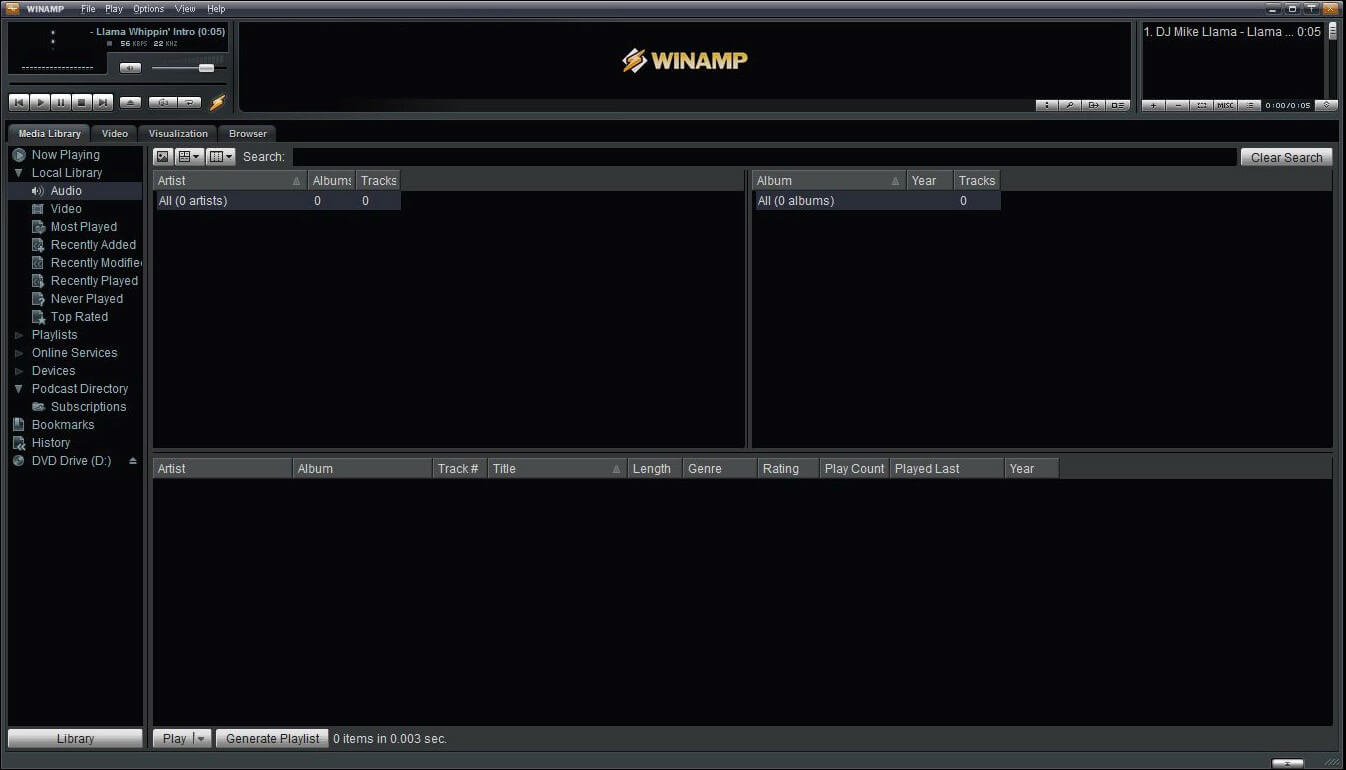
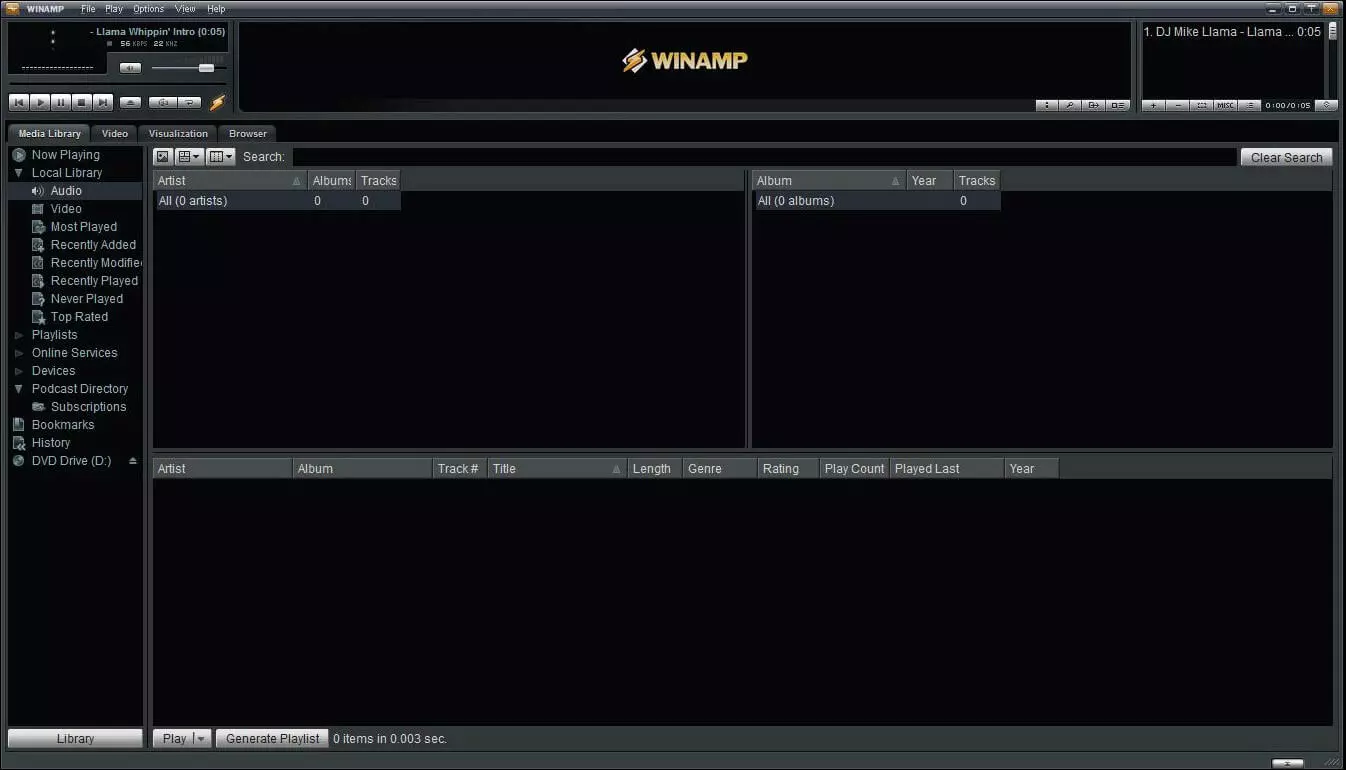
The Winamp player supports numerous file formats, plays DVDs, and has a built-in burner. It also scores well with a database that is simple and easy to navigate and manage. Using the appropriate plugin, you can also listen to iTunes alternative radio, or run TV streams. There are plenty of plugins available, including a plugin which shows the lyrics of a song as it plays, or provides information about concert tickets for your favorite bands. Thanks to these additional features, Winamp is more than just a nostalgic product, and belongs in every selection of the best alternatives to iTunes. However, there is a counter-argument against the media player’s design – one person’s nostalgic is another’s outdated. It should be noted, however, that Winamp does feature an option to change the “skin” of the design. As an alternative to iTunes, Winamp leaves something to be desired in terms of compatibility, too: since iPods are not usually displayed as removable media, you cannot sync the media player directly to the device. Several technical tricks are required to transfer media – a solution easily solved by simply using iTunes. However, if you use an Android device, or another mp3 player, and have no real interest in getting your music from the iTunes Store, then Winamp may be the media player for you. It can be downloaded for free and is available for both Windows and Mac. Advantages:
- Classic, easy-to-use media player
- User-friendly database organisation
- Many plugin options for internet radio, TV streams and more
Disadvantages:
- Cannot sync directly to an iPod
- High battery consumption
- Has not been updated in years, further development is highly unlikely
AnyTrans
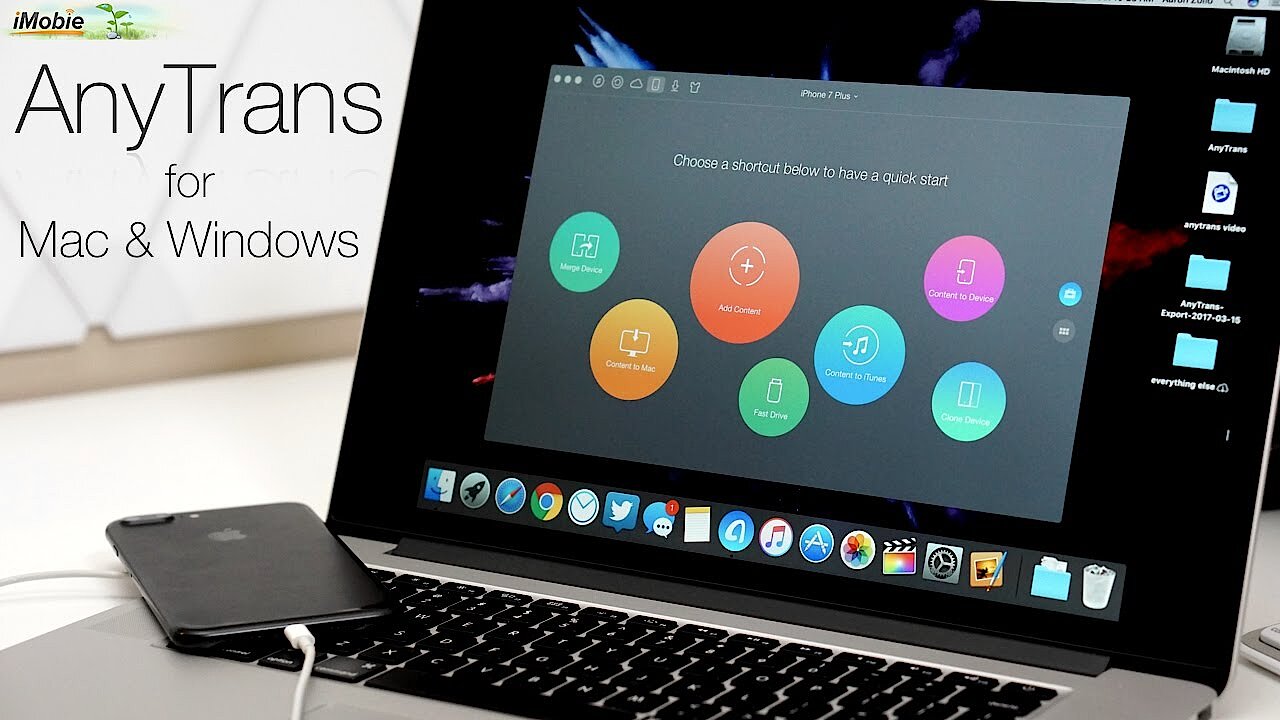
A player specifically designed to be an alternative to iTunes is AnyTrans. The best thing about this media player: it can do everything iTunes can. Unlike MediaMonkey, the player is also available for Mac, and unlike Winamp, it can also sync easily with iOS devices. Even in terms of design, AnyTrans is modelled on the Apple version. This means that AnyTrans can take over the role iTunes plays with any device. In addition, this alternative media player offers much more features than iTunes: comprehensive synchronization software with various data transfer options and backup functions. This allows the player to access all iOS file systems (iPod, iPhone, iTunes, or iCloud), easily transfer media from one iOS device to another (music, pictures, video, voice messenger) that sync iCloud to the computer, or backup individual apps.
 To display this video, third-party cookies are required. You can access and change your cookie settings here.
 AnyTrans relies heavily on iTunes for design, but still had to come up with something a little different to represent the many different Apple devices and services it manages. You select your desired category (audio, video, notes, voicemail etc.) from one of the small icons in the lower half of the interface, and different libraries for the computer, iPod, or iPhone appear as Art Tabs.
Among other things, a great argument for using the media player as an alternative to iTunes is that AnyTrans can copy and transfer a complete iTunes library. Additionally, the player bypasses one of the biggest iTunes limitations: it transfers music files from iPods back onto the computer. The automatic conversion of music and video into other file formats is another useful feature that goes beyond what iTunes is capable of.
The negative aspect of AnyTrans is that it is pricey: there is a seven-day free trial, but the program costs $40 to purchase. You should also keep in mind that the program has been specifically designed for Apple applications: iPhone, iPad, and iCloud are the applications that AnyTrans specialises in, and they are unbeatable in this area. If you are not a die-hard Apple user, however, cheaper iTunes alternatives can be found elsewhere.
Advantages:
- Offers all the same features as iTunes
- Extensive synchronisation software for different iOS databases
- Easy data transfer between iOS systems, also transfers music files from the iPod back to the computer
- Converts music and video files
Disadvantages:
- No free version available (other than a seven-day trial)
- Designed primarily for Apple applications
Tomahawk
The Tomahawk media player is one of the more controversial iTunes alternatives. Although it is certainly not ideal for every user, it is still unique: not only does the player organise users’ private music collection on the PC, but it also integrates numerous streaming services like Spotify, SoundCloud, and Last.fm. Thanks to this, you can access all your music collections, both those on the computer and those on the net, from a single media player. This feature really makes Tomahawk an outstanding option. If you enjoy listening to music from various Internet streaming services, this media player is a very attractive alternative to iTunes.
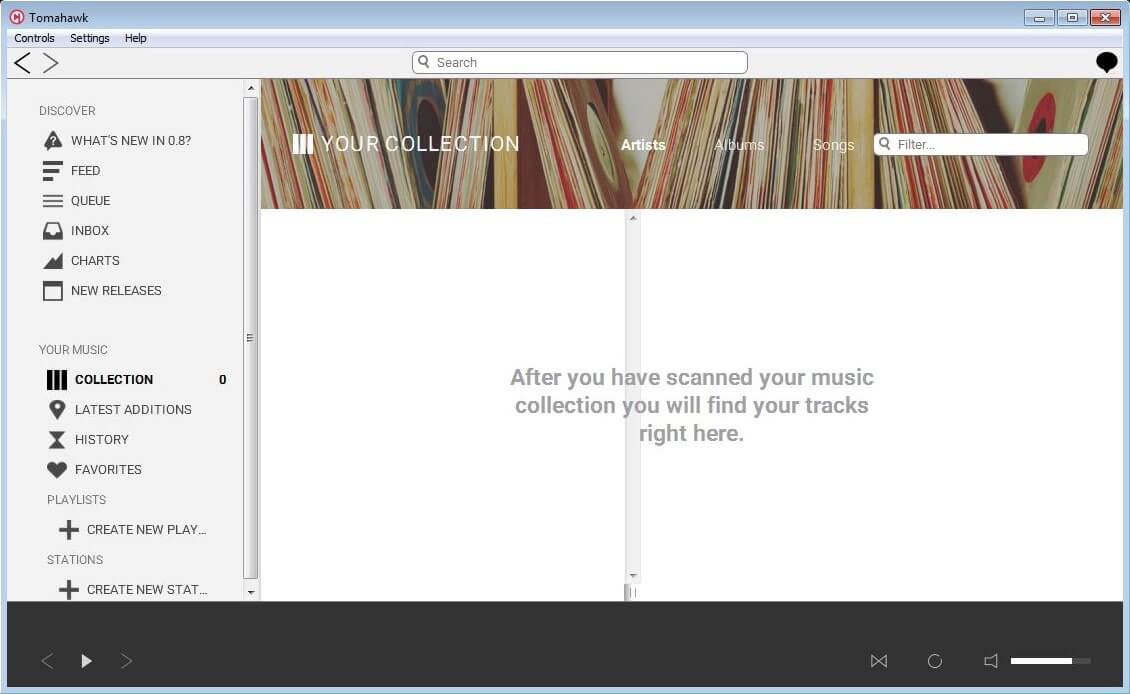
Tomahawk is the strongest contender in its field so far, since no other media services integrate as many digital platforms as it does. The open source application has been in development since 2011, and works like this: First, you need to install a basic version of the media player, which you can expand on with individual plugins, creating the perfect digital music service. This has the advantage that the program only needs to include features the user will actually use. In addition, the program can be extended as desired: if a plugin for a particular streaming service is not yet available, then a programmer can supplement this missing function without having to intervene in the system.
Some of the services supported by Tomahawk include: YouTube, Spotify, Amazon Music, Google Play Music, SoundCloud, Last.fm, Official.fm, Rhapsody, Billboard, iTunes, Jamendo, Tidal, Hype Machine, Deezer, Bandcamp, Ampache, Subsonic, and Jabber.
This alternative to iTunes has another special aspect: Tomahawk sees itself as a social music player. This means that it networks users to one another. By sharing music recommendations with friends, listening to music becomes a shared experience. Another interesting feature is the special radio function. If you search for a band name, Tomahawk searches for suitable related artists in its music database and plays them for you.
However, Tomahawk’s strength is also its weakness. Although the iTunes alternative supports almost twenty online services, it lacks connectivity. There are also some hurdles when it comes to merging music databases. You should keep in mind that Spotify can only be integrated with a premium account. Also, if you want to insert music files from your hard drive into the media player, there is an issue: Although the player searches your computer for MP3s independently – something iTunes does not do – only files with correct metadata will be uploaded to Tomahawk.
Hopefully, working on the software will continue to solve these issues. Tomahawk is a service with enormous potential, and already offers users many advantages.
Advantages:
- Integration of private music collection of music streaming services (Spotify, Google Play Music, and SoundCloud)
- Connects users to one another (social music player)
- Automatically scans the computer for music files
- Open source
Disadvantages:
- Some services are still missing (including Slacker or Pandora)
Songbird
Songbird is also a great alternative to iTunes. The player integrates the most important functions of many media players into a single program. This makes Songbird a strong all-rounder and an optimal choice for the everyday music listener who demands good design and functionality.
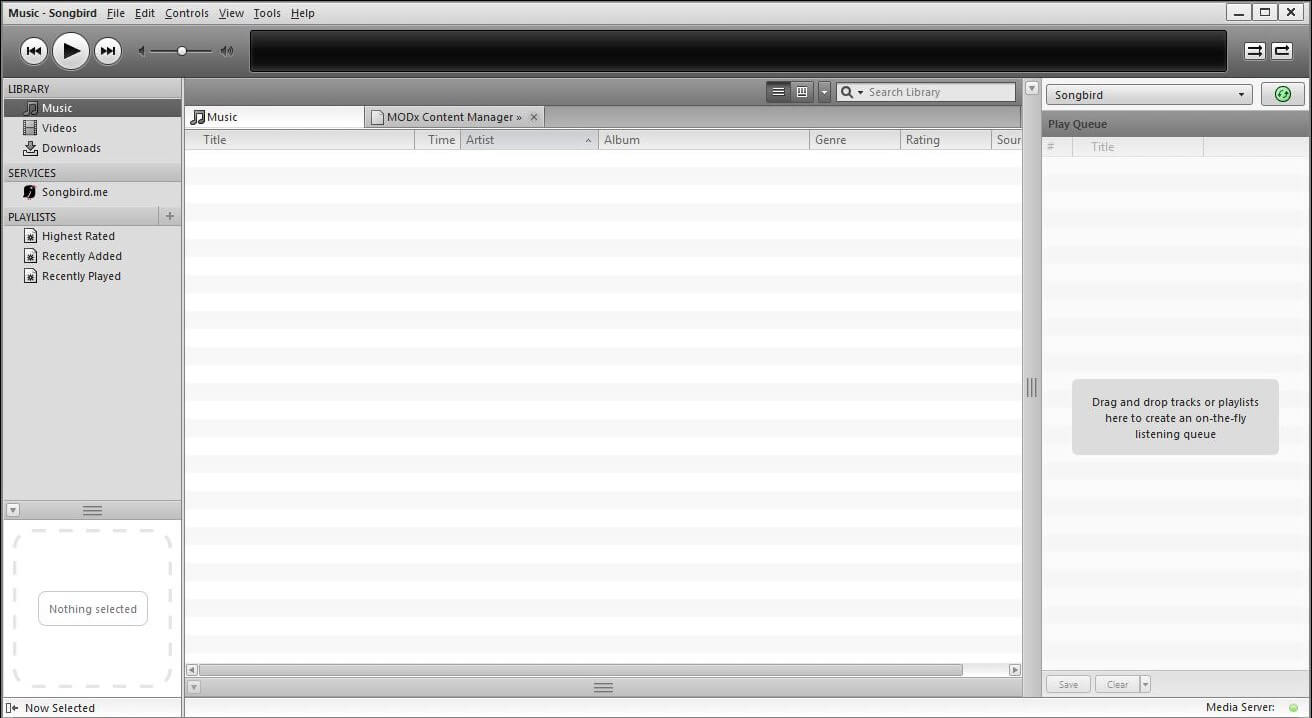
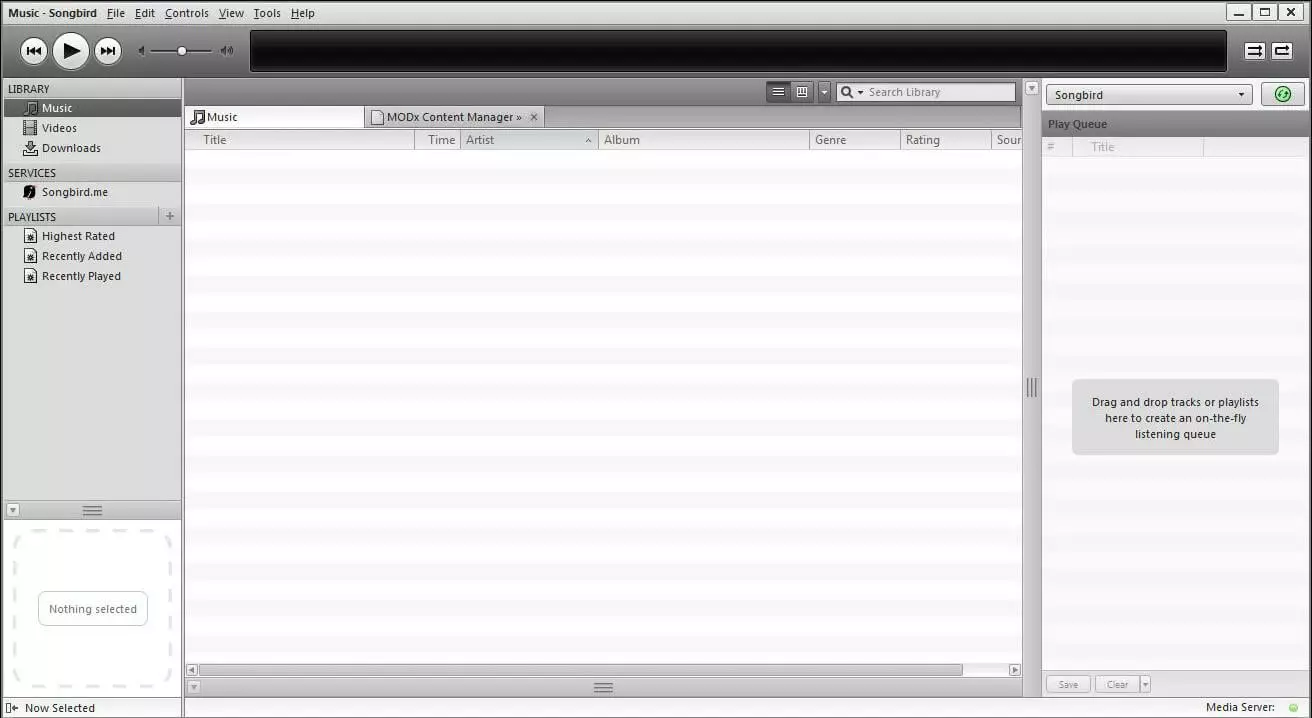
Songbird comes in two versions, one compatible with Windows, and one compatible with Mac. Both can be synchronized with iPods and iPhones easily using the appropriate plugins. Music is managed in the same way as iTunes, with the added bonus that you can transfer files back to the computer with Songbird. If you are looking for the most similar program to iTunes, Songbird comes closest – in terms of design, the two players are very similar. Songbird is also open source, and the programming community has developed a wide range of alternative skins, practical tools, and advanced features for it.
A special feature of Songbird is the integrated web browser. You can use it to search for additional information such as discographies, photos, or concert dates from inside the program. You can also even find missing metadata easily using the browser, and can feed it directly into the program. Since the player is based on VLC and XUL programs run by the Mozilla Foundation, it is operated similarly to Mozilla and Thunderbird.
But beware! This iTunes alternative has one major drawback: since 2013, ongoing development of Songbird has been discontinued. This also means that the program is not compatible with new versions of iOS. To synchronize with newer iPods or iPhones, you will need to go through iTunes instead. However, despite this lack of development, Songbird is an extensive, sophisticated alternative to iTunes. By intentionally modelling itself off the original, and integrating core features of other media players, this all-in-one solution is still a worthwhile option.
Advantages:
- All-in-one solution that is very similar to iTunes
- Integrated web browser
- Open source
Disadvantages:
- Has not been updated since 2013
- Not compatible with current iOS portable devices
An overview of the best alternatives to iTunes
Finally, let’s review the key features of the five best alternatives to iTunes:
| Central Features | Supported operating systems | Compatibility with iOS devices | Price | |
|---|---|---|---|---|
| Media-Monkey | Complex functions and quick processing of large media databases | Windows | Yes | Freeware + Two paid premium versions |
| Winamp | Easy access to music data and many extra features (radio, television) | Windows, Android, macOS | No | Freeware |
| AnyTrans | Extensive iOS sync options | Windows, macOS | Yes | Seven-day free trial, then a fee is required |
| Tomahawk | Music streaming services integrated in the player | Windows, Android, macOS, Linux | No | Open source |
| Songbird | All-round solution with integrated web browser | Windows, Android, macOS, iOS | Reduced | Open source |