

The best Windows Movie Maker alternatives

Up until now, Microsoft clients have always had the free, practical video editing software Windows Movie Maker available to them. This tool allowed users to make home videos, edit smaller film projects, and add sound and text to plain video files. The free Windows programme has become something of the past, however, as Microsoft officially discontinued support for Windows 10 in January 2017 and removed the download link for the program from its website. So, if you need a programme to work on video projects, it's time to look for an alternative to Windows Movie Maker.
Free alternatives to Windows Movie Maker
The best alternative to Windows Movie Maker should be free of charge, and there’s a good variety of options to choose from online. But which ones are really worth using? Below are some recommended free alternatives to Windows Movie Maker.
VirtualDub: the beginner-friendly editing programme
VirtualDub is a very simple programme that is primarily suitable for smaller tasks, such as video retouching or editing. Programmer Avery Lee wanted to create a compact tool for fast, linear video editing, meaning that VirtualDub has limited options, but what it can do is well done and efficient. This includes the separate processing of video and audio data, which the programme can handle for files up to 4 GB. For fine-tuning the video’s image, VirtualDub offers a small selection of filters. However, since it’s an open source software, you can always add third-party filters such as blur, brightness, and contrast adjustments via the plugin interface.
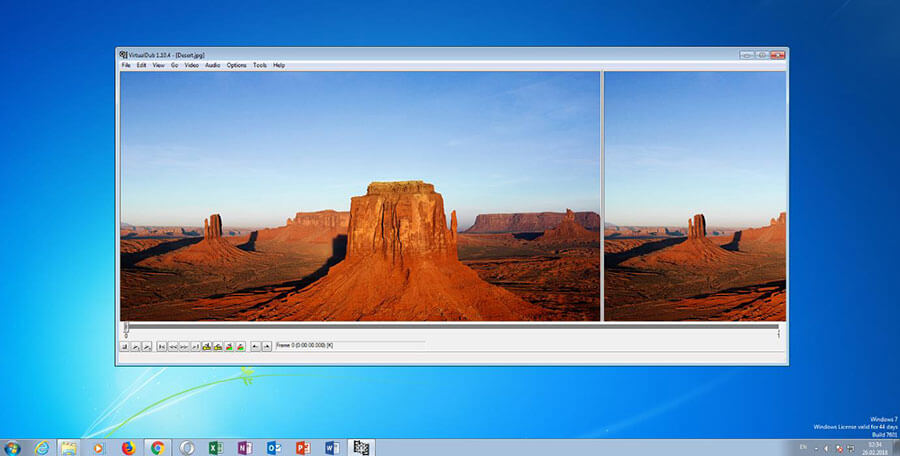
The application also has an integrated capture tool that allows you to capture movies from a TV card, connected webcam, or other video source. All video and audio codecs pre-installed on Windows can be used for real-time compression. VirtualDub is specialised for .avi format files, and the results with .avi files are very good. Although it also supports MPEG videos and various image file formats for editing, videos can only be saved as .avi files.
| Pros | Cons |
|---|---|
| ✓ Efficient and quick editing | ✗ Very few functions |
| ✓ File sizes of up to 4GB are not an issue | ✗ Interface requires some getting used to |
| ✓ Filters from external sources can be imported | ✗ Videos can only be saved in the .avi format |
| ✓ Integrated capture tool | ✗ Not all external filters work |
VSDC Free Video Editor: a tool for video editing enthusiasts
The VSDC Free Video Editor is a much more complex alternative to Windows Movie Maker than VirtualDub. With its wide range of functions, however, it offers users more possibilities than many paid programmes. As a non-linear video editing system, it allows you to cut, move, and edit all video, audio, image, and text elements in any order. It also offers a wide variety of effects, transitions, and filters. VSDC also has a desktop recording and sound recording tool. A large number of wizards (electronic instructions) will help you familiarise yourself with the various functions.
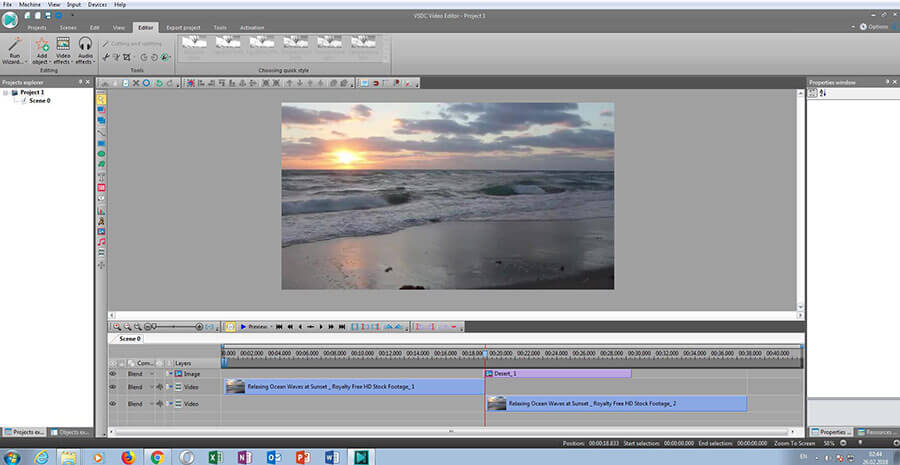
The sleekly-designed software supports all common file formats and also includes an integrated converter. 15 pre-installed output profiles make it easy to choose the right format and settings to create a video for a DVD player, smartphone, or Xbox One. VSDC's export algorithm enables fast rendering – if desired, the programme uses all CPU cores to achieve maximum video processing speed. Videos can be output in a resolution of up to 1980x1080 full HD, with stereo sound and a frame rate of 30 fps.
| Pros | Cons |
|---|---|
| ✓ Lots of different functions | ✗ Beginners need time to get used to it |
| ✓ Nice interface design | ✗ Many functions are somewhat hidden |
| ✓ Integrated tool for desktop recording | |
| ✓ Various file export possibilites | |
| ✓ Helpful wizards |
Lightworks: the software for professionals
Lightworks by Editshare has been around since 1989, and is one of the first tools for computer-based video editing which is used by Hollywood filmmakers. It has been used for the production of numerous internationally renowned and award-winning films (such as Shutter Island and Pulp Fiction), as well as TV productions.
It’s immediately evident that Lightworks was developed with the best of the business in mind. Even in its simplest version, the programme, which in the full version costs around 300 pounds, has many customizable modules, among them a media manager, a timeline with preview view, and a virtual editing console.
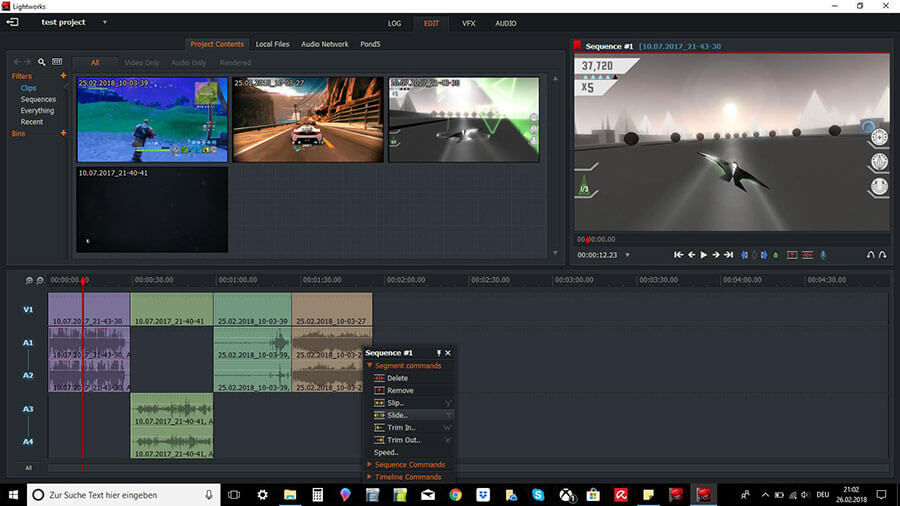
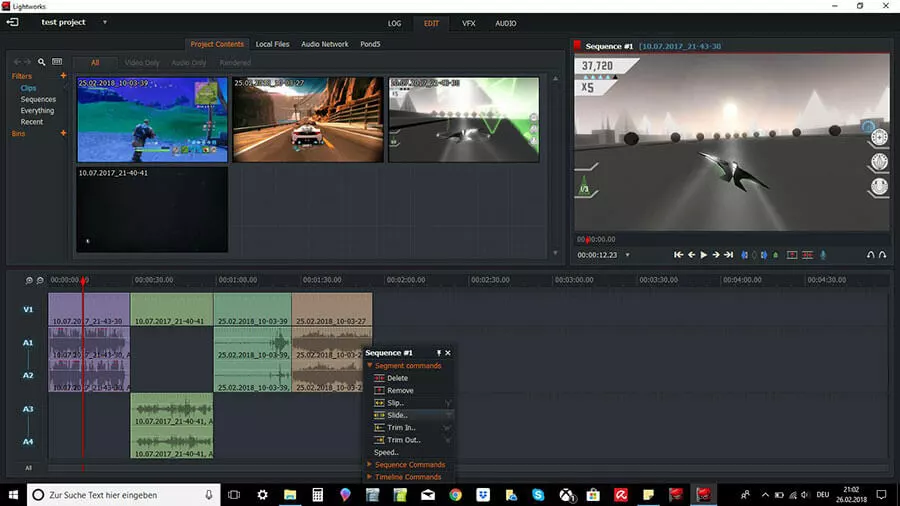
After importing the desired video and audio material, extensive editors allow you to edit the video with a variety of functions that fulfill every editing need.
Helpful analysis tools and a comprehensive toolbox with numerous effects enable experienced users to produce impressive results that can be output in HD and even 3D. The free version of Lightworks differs from the full version only in that it offers fewer export options, and supports fewer file formats.
| Pros | Cons |
|---|---|
| ✓ Modular interface | ✗ Too complex for amateurs |
| ✓ Almost unique function diversity in the Freeware segment | ✗ Limited export options compared to the full version (paid) |
| ✓ Compatible with other programmes such as After Effects or Sapphire |
Paid alternative to Windows Movie Maker: Adobe Premiere Elements
Last but not least, a paid alternative to Windows Movie Maker that is well worth the money – Adobe Premiere Elements, a scaled down version of the premium video editing software Adobe Premiere, is available for about 50 pounds. It provides all the functions and features a semi-professional user needs: frames and texts, effects and retouching tools, as well as themes and transitions. The finished videos with a refresh rate of up to 60 fps can be easily synchronised with mobile devices or shared directly via social networks such as Facebook or YouTube. What is striking is the different user interface compared to the Pro version, which together with a variety of helpful tutorials should make it easier for beginners to get started with video editing.
| Pros | Cons |
|---|---|
| ✓ Good price (plus a free trial) | ✗ Reduced features cost a lot to upgrade to full |
| ✓ Unbeatable variety of functions and features | |
| ✓ Simplified user interface for beginners |
The best alternatives to Windows Movie Maker at a glance
The market for Windows Movie Maker alternatives offers practical programmes for every target group – from beginners to enthusiasts to professionals. Many of them are simple freeware applications that don’t cost a cent. There are also some professional and semi-professional video editing tools available at reduced prices or even free of charge, which – although they usually offer less functions than the full price versions – provide very good results.
| Free? | Ideal for | Supported formats | |
|---|---|---|---|
| VirtualDub | Yes | Beginners | AVI (Import und Export); DIVX, MPG, MPEG, MPV, M1V, ANIM, PNG, BMP, TGA, JPG, JPEG, AVS, VDR (nur Import) |
| VSDC Free Video Editor | Yes | Enthusiats | AVI, MP4/M4V, 3GP/2G2, MOV, WMV, DVD, VCD/SVCD, MPEG, MKV, RM/RMVB, SWF, FLV, AMV, MTV, MP3, M4A, AAC, OGG, WAV, BMP, JPEG, PNG, GIF (Import und Export) QT, HDVideo/AVCHD, ASF, DVR-MS, VOB, MPG, DAT, DV, NUT, H.264/MPEG-4, DivX, XviD, MJPEG, MP2, WMA, FLAC, RA, RAM, VOC, AC3, AIFF, MPA, AU, APE, CUE, CDA, JPG, PSD, ICO, CUR (nur Import) AMR (nur Export) |
| Lightworks | Yes | Professionals | MXF OP1a, MXF OPAtom – P2, MXF OPAtom – native Avid support, Quicktime, AVI, MTS, M2TS, M2T, MPG, MP4 (Import und Export) TS, M2V, ASF, VOB (nur Import) WMV (nur Export) |
| Adobe Premiere Elements | No | Advanced enthusiats to professionals | MPEG-1, MPEG-2, MPEG-4, H.264, DV, AVI, QuickTime, 3GP, WAV, JPEG, DVD (Import und Export) JVC Everio MOD, ASF, WMA, PSD, PNG (nur Import) BluRay-Disc (nur Export) |