

NGINX — the quick and efficient web server

According to a statistic from W3Tech, Apache is the most popularly used webserver in 2016, occupying a market share of over 50% of all website operators. If, however, a different view of these numbers is taken and only the top 10,000 most visited websites are taken into account, then an alternative picture is painted: only about 30% of these sites make use of the server technology from 1995. And of the top 1,000 commonly used servers, this number shrinks to just 27%. This figure can be partly explained by the disproportionately high amount of Google web servers (roughly 10%) in operation on which all Google pages run. Another reason, however, can be attributed to the rapid rise of the Russian web server, NGINX. Just as recently as 2010, NGINX was just one of the many Apache alternatives, with a market share hovering around a meagre 4%. Nowadays, the BSD-licensed software is currently being used with every other web project in the top 10,000 and 1,000 respectively.
What is NGINX?
Russian software engineer, Igor Sysoev, is the main brain behind the 2004 release of the server software. As is the case today, back then, the main focus was to develop an exceptionally high-performing server that’s able to serve as many clients as possible without using too many resources. Due to the growing popularity of the server, Sysoev started NGINX Inc. in 2011, which has since been responsible for continuing the software’s development. And in addition to the free-of-charge standard version, the company also offers NGINX plus, a fee-based option with support and additional features, such as improved load balancing.
Like Apache, NGINX is modularly built. This means that its many different functions are available through corresponding modules, which administrators are able to activate or deactivate. Here’s a list of some features that you’ll have access to:
- Application Acceleration: enables content to be more quickly displayed
- Reverse proxying: allows NGINX to be used as a reverse proxy (HTTP, TCP, UDP) for web acceleration purposes or as an e-mail proxy (MAP, POP3, SMTP)
- TLS encryption: enables secure data transfer
- Bandwidth management: provides all services with optimal bandwidths
- Load balancing: relieves the man server by redirecting requests
- Video streaming that offers high operational performance when streaming MP4 and FLV media.
While Apache opens a new thread or process for every client request, NGINX servers operate in an event-oriented manner. This allows requests to be asynchronously processed, which saves both working memory as well as time. The server software is also supported by a range of operating systems, including numerous Unix/Linux variants, including Mac OS and Windows servers.
Installing and configuring NGINX
Those who’ve opted for the plus addition are walked through the installation process through the NGINX support. Generally, however, installation is carried out according to the notorious patterns of the packet manager, as most Linux distributers include the NGINX packet in their repository by default. In case the packet’s missing, its source code can be quickly and easily downloaded from NGINX’s official website [NGINX’s official website] (https://www.nginx.com/products/download-oss/). In the following steps, we’ll show you how the web server is installed and configured under Linux.
1. With the following command, update the packet manager so that your system then reverts to the newest version of the NGINX packet upon installation:
sudo apt-get update
sudo apt-get install nginx
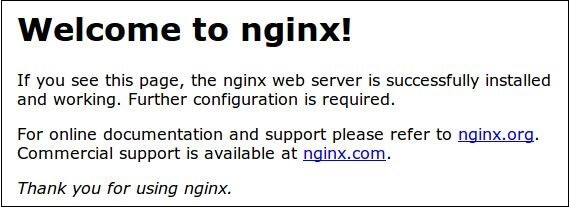
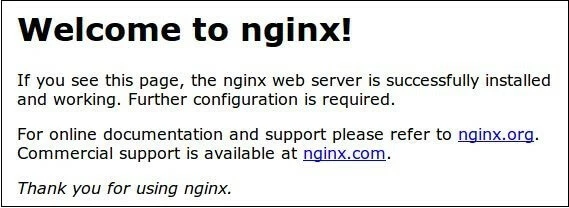
2. NGINX generally starts right after step one. In order to check whether or not the software is functioning properly, just call up the NGINX landing page via the server’s domain name or the public IP address in your browser. You should receive the following message after a successful installation:
3. Everything that’s needed for configuring NGINX can be found in the directory, /etc/nginx or also in the central configuration file, nginx.conf. Whenever you end up making changes to this file, you’ll need to restart the server with one of the two following commands in order for these changes to be accepted:
sudo service nginx reload
sudo service nginx restart
With the parameters, start and/or stop, users can completely turn off the service and start it back up again.
4. The configuration file’s syntax has the following characteristics:
- Settings: all settings begin with a corresponding variable name. Using a blank space, one or multiple arguments can be added — these end with semicolons.
worker_connections 768;- Primary settings: some settings, like the events variable, contain arguments that can then represent settings with their own arguments. These sub-instructions contain curly brackets ({}).
events {
    worker_connections 768;
    multi_accept on;
}- Hashtag (#): these are instructions that have been deactivated are commented out with a hashtag. Removing this symbol activates the settings again. So in the case of the following configuration…
# multi_accept on;the option to accept multiple clients simultaneously has been deactivated.
- Tab stops and multiple spaces: NGINX interprets set tabs and repeatedly set spaces as one single space. When configuring NGINX, you can make use of this aspect to ensure that the configuration file is both easily readable and structured.
5. Further information on individual modules as well as NGINX tutorials for setting up web or proxy servers based the server software can be found within the following documents from the provider.
What makes NGINX so popular
There are many reasons for NGINX’s increasing popularity. First of all, the web server software is in tune with the current requirements of many web projects. This is due to the fact that NGINX doesn’t only reach first-class results when processing large numbers of client requests; it also functions in an extremely efficient manner, making the software the perfect answer to the limited performance of many mobile data connections. As a website operator, NGINX supports you by quickly delivering content to all users, including those on mobile devices. What’s more, the open source product from the Russian development team has won over many users with the flexibility that the software offers. In addition to its classic HTTP web server option, NGINX also delivers a convincing performance when it comes to reverse proxying tasks (e.g. as an e-mail proxy server or a load balancer). Despite all these strengths, NGINX isn’t the be-all-end-all for server solutions: shared hosting that’s controlled via password-protected areas or internal redirects proves quite difficult to set up. Such sections and rewrites can only be created in the central configuration file and implemented by restarting the server. Following this, any occurring errors affect all participants of a shared-hosting instance. This is where Apache still comes in handy, as individual settings in separate .htaccess files can be recorded.