

The C++ framework Qt

Anyone developing applications knows how complex it is to create and structure the individual components. Therefore, libraries and frameworks with their ready-to-use components play an important role. These not only help with the standardisation of the development process, but they also simplify it. The cross-platform framework Qt, for example, saves a great deal of work in the development of graphic user interfaces and whole programs, where particularly a smooth cooperation between designers and developers is the focus. Components such as the integrated development environment Qt Creator, ensure it has its own markup language here, as well as various freely selectable modules.
What is Qt?
Dissatisfied with the tools for cross-platform software development, the two Norwegians Haavard Nord and Eirik Chambe-Eng began to develop Qt in 1990. Two years later they founded the company Trolltech, which was taken over by the telecommunications company Nokia, and in 2012 by the Finnish software company Digia. The Digia subsidiary, The Qt Company, has been responsible for development since 2014.
Over the years, Qt has developed from a simple class library into an extensive framework, which has gone through many changes to the license model. The current dual license system, which gives the user the choice between a proprietary license and the open-source licenses, GPL and LGPL, makes non-commercial as well as commercial use possible.
 To display this video, third-party cookies are required. You can access and change your cookie settings here.
 Qt is programmed in C++, where the programming language is extended by the pre-processor MOC (meta-object compiler) with features such as the elementary signal and slot mechanism (enables event-controlled communication between program objects). To do this, the pre-processor generates C++ conforming to the standard from the Qt source code, even before compiling, which means Qt applications with current C++ compilers such as GCC, ICC, MinGW or MSVC can be translated. Newer versions of the framework also offer access to the Qt’s own markup language QML, which ensures simplifications, particularly with GUI development. Aside from these internal language solutions, there are various connectivities supplied by third party providers for other program languages such as Python, Ruby, Go, Java and PHP.
With qmake (standard solution) and Qbs (Qt Build Suite) the framework holds two of its own build-systems, where other systems such as CMake can also be used. Users also have their own integrated development environment, Qt Creator, which has a code editor among other things, and enables quick access to selected components.
 To display this video, third-party cookies are required. You can access and change your cookie settings here.
 A summary of the most important Qt components
Over time, the Qt framework has become increasingly extensive. Work has not only been carried out intensively on the quality of the integrated Qt Creator development environment, as well as on the language and platform support, but also on providing programmers and designers with as wide a range of features as possible. The Qt team prioritises covering specific application scenarios from the desktop, as well as the mobile sector.
As only very few applications based on Qt rely on the complete range of features, the framework has been divided into modules which can be freely selected and put together since Version 4. This ensures a high degree of flexibility for the Qt team, as well as the users during development. In Version 5, the Qt team introduced an additional differentiation for the module in the basic module (Qt Essentials) and the additional module for special usage purposes (Qt add-ons).
Qt Essentials
Qt Essentials form the basis of Qt cross-platform. They are available on all supported development platforms as well as on all tested target platforms, and are relevant or useful for the majority of applications developed. The following modules are among the essential components of the framework:
| Module | Description |
|---|---|
| Qt core | Non-graphic core classes that were not required by all other modules |
| Qt GUI | Basic classes for the design of graphic user interfaces; includes OpenGL |
| Qt Multimedia | set of QML types and C++ classes for the processing of multimedia content (audio/video); APIs for access to camera and radio functionality |
| Qt multimedia widgets | Classes based on widgets for implementing multimedia functionality |
| Qt Network | APIs for applications rely on TCP/IP networks |
| Qt QML | Framework and types of Qt QML markup language |
| Qt Quick | Declarative framework for the development of highly dynamic applications with customised QML user interfaces |
| Qt Quick Controls 2 | Qt quick extension: Lightweight, very efficient QML types that simplify the interface formulation |
| Qt Quick Dialogs | Qt quick extension: Types for creation and interaction with system dialogs |
| Qt Quick Layouts | Qt quick extension: QML types for the layout of objects in the interface developed |
| Qt Quick Test | Test framework for QML applications; the test cases are described as JavaScript functions |
| Qt SQL | Classes for the integration of SQL databases |
| Qt Test | Classes for detailed tests of Qt applications and libraries |
| Qt widgets | Set of UI elements to create classic user interfaces based on widgets with Qt Designer |
The model that is deployed differs, as mentioned, from application to application. What is crucial to consider for each project is the requirements it must fulfil. However, in some cases, the tools you want to work with are also relevant: The Qt modules Core and Qt GUI are therefore integrated as standard if you want to work with qmake. If you select Qbs or another solution as a build system, such a predefined dependency does not exist.
 To display this video, third-party cookies are required. You can access and change your cookie settings here.
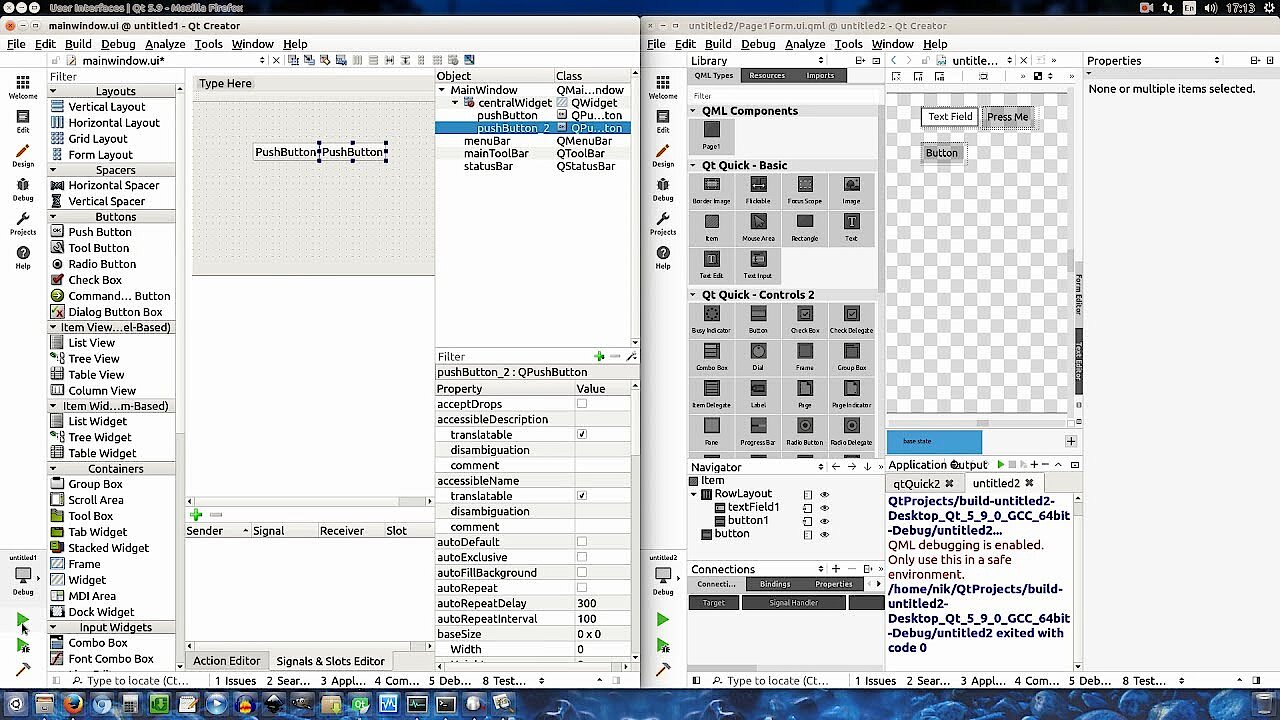
 When designing graphic user interfaces, Qt also offers two different options that influence the choice of core module: On the one hand, Qt Designer, a WYSIWYG editor that is closely associated with the Qt widgets. On the other hand, the alternative Qt Quick (including various extending modules), which enables development with the QML language.
Qt add-ons
With the label ‘Qt add-ons’ all modules are provided, which give users of Qt an additional use for specific purposes. While some of these additional modules such as the core module are designed for all supported development and target platforms, the majority of these components can only be used on certain platforms. The add-on Qt Bluetooth therefore only works by ensuring access to Bluetooth hardware, for example, only in Android, iOS, Linux and macOS applications; modules such as Qt Windows Extras, Qt Mac Extras or Qt Android Extras only work in programs for the corresponding target platforms.
There are also three add-ons, which are only available under the commercial license or under the GNU-GPLv3 license:
- Qt Charts: UI components for displaying optically appealing diagrams (based on static or dynamic data models)
- Qt Data visualisation: UI components for 3D visualisation of data
- Qt virtual keyboard: Framework for implementing different entry methods as well as virtual keyboards based on QML (target platforms: Linux and Windows)
After Qt 5, special additional models (“value added modules”) have existed, which are only available when using the commercial license. This includes, for example, the module Qt for automation, which comprises different libraries and tools from automation systems such as KNX (building automation).
Qt Creator
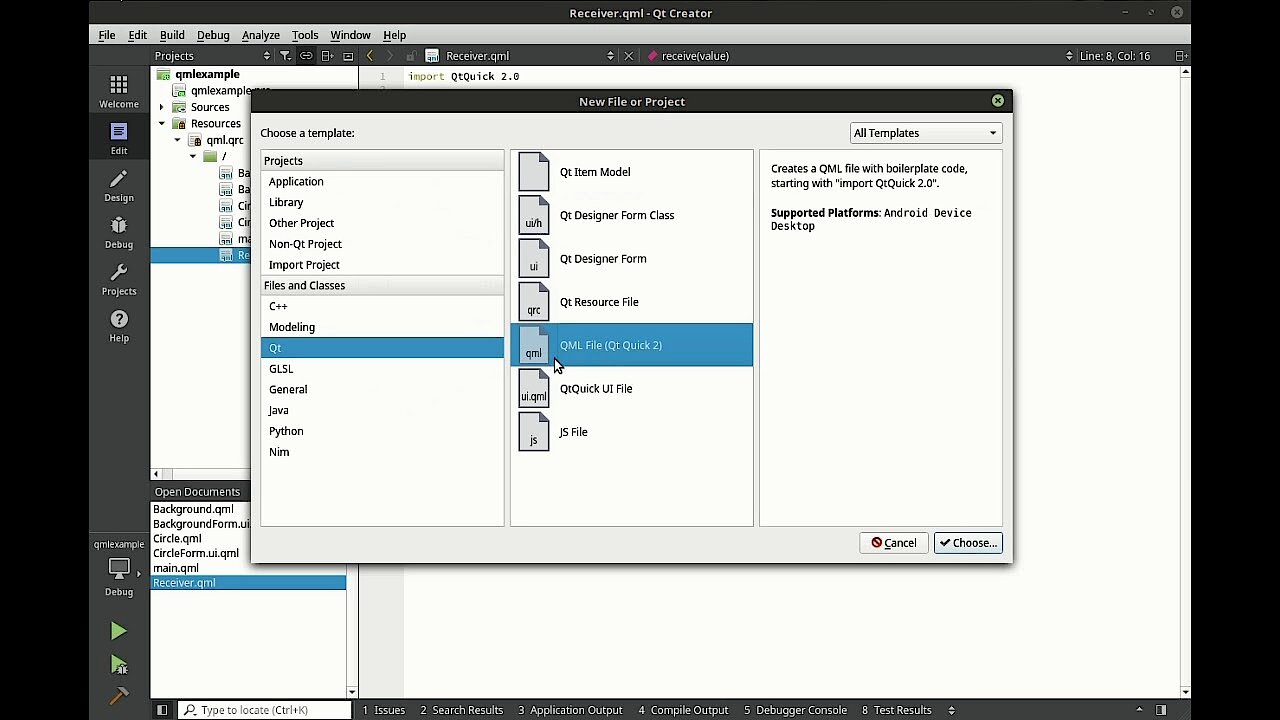
The integrated development environment (IDE) Qt Creator supplies you with numerous tools and automation mechanisms throughout the entire development process. A set-up manager therefore helps with the creation of a new project by leading you through the set-up process step by step and automatically creating all the computer files required. The IDE also speeds up the code writing. The integrated editor offers features for this, among other things, such as highlighting syntax, automatic code completion and error checking.
Binary packages installing Qt Creator (included in the Qt download) are available for the Windows operating system (from 7), Ubuntu Linux (from 16.04), and macOS (from 10.10).
The following tools are also integrated as standard into Qt Creator in addition to the code editor:
- qmake: As a standard build system of Qt, qmake is integrated directly into Qt Creator and can be selected in the project menu. However, other systems can also be exported into the IDE. To use Qbs, simply open a .qbs file, for example.
- Qt Designer: Qt Designer is the native program for designing and creating graphic user interfaces with the help of Qt widgets. The visual editor enables widgets to be put together and adapted as required.
- Qt Linguist: Applications can be localised linguistically directly in Qt Creator. Developers, translators and release managers will discover a suitable tool here in each case.
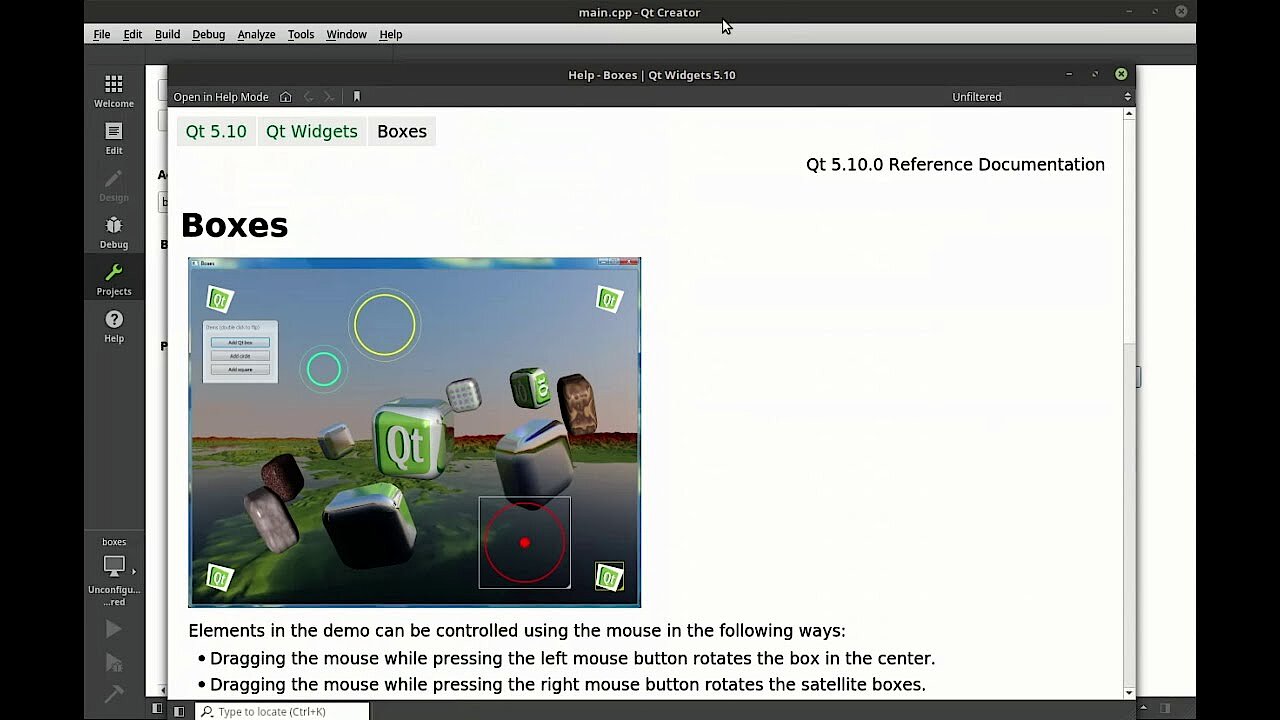
- Qt Assistant: With Qt Assistant, Qt Creator provides quick access to the official documentation of the framework. There is a help function for this.
 To display this video, third-party cookies are required. You can access and change your cookie settings here.
 Software development therefore works with signals and slots in Qt
Thanks to the connections to Python, Ruby, Go, etc. Qt supports various languages. The native programming language of the framework remains C++ in any case, and the extension of this object-orientated language with the MOC pre-processor ensures some new aspects and paradigms such as the signals and slots already mentioned. The concept enables event-controlled communication between program components used, and represents a flexible alternative to direct callback functions. This enables the linking of objects or modules, for example, without these necessarily having to be aware of one another.
Qt is the originator of the signal slot concept and has come to exemplify it over the years. However, since then, many other program libraries and frameworks such as Flow have come to rely upon the connection model.
For a signal, this has specifically to do with a message that sends an object as soon as a certain event occurs. Again, a slot is a regular function that can be linked to a signal, to then subsequently always be carried out if it receives the signal. It is possible to link a signal with several slots so that many functions can be called up as a result of a single event. The programming concept also allows the linking of several signals with a single slot. In this case, one and the same function is called up when different events occur.
The signals and slots help to bring an event-orientated functionality to the user interface of the application developed. However, in Qt, you do not have to create the signal slot relationships tediously and individually by hand – many of the classes of framework supplied provide access to diverse predefined signals and slots, but if required, you can also create your own object relationships.
What can the Qt’s own QML markup language do?
Since Version 4.7 Qt has been equipped with its own QML markup language, which has a JSON-like syntax and supports imperative JavaScript expressions. However, central to this is the declarative description of the GUI elements that ensure a clear program code. QML therefore brings together declarative and imperative approaches into a single programming language, which ensures a great deal of leeway for the developer. If you have selected the Qt Quick model with the Qt Quick Compiler you have a suitable tool for compiling QML codes in native C++. Besides this, you can use the designer of the same name (Qt Quick Designer) in Qt Creator, to work with pre-prepared QML components.
 To display this video, third-party cookies are required. You can access and change your cookie settings here.
 QML shows its strengths in particular in GUI development. Due to its simpler syntax, and support from JavaScript, it offers designers considerably better access than C++. For example, JSON-composed user interfaces can be created simply by exporting from Photoshop, which considerably speeds up the development process. Even if it is possible in theory to write the entire program in QML, markup language tends to be rarely used when programming the application logic.
QML has made creating the UI via widgets superfluous in many respects. Especially when it involves animations and complete user-specific layouts and control components (mobile, touchscreen, etc.), the markup language demonstrates its strengths. However, if it involves traditional desktop operating elements such as menu bars, symbol bars, or drag-and-drop components, widgets offer better support, which is why their use in classic desktop environments is still commonplace.
Which platforms does Qt run on?
Qt is supported by various 32-bit and 64-bit platforms. To use the framework, usually no more than GCC or another compiler is required, as well as a renderer such as Open GL, DirectX to use Qt Quick. The developer team lists the following officially supported platforms for the current Qt version:
| Platform | Version | Compiler |
|---|---|---|
| Windows | 10, 8.1, 7, UWP (universal Windows platform) | MSVC 2017, MSVC 2015, MinGW 5.3 |
| Linux/X11 | openSUSE 42.2, Red Hat Enterprise Linux 6.6 and 7.2, Ubuntu 16.04 | GCC (from 4.8), ICC |
| Android | from 4.1 | GCC, MinGW 5.3 |
| macOS etc. | macOS (ab 10.11), iOS 10 and 11, tvOS 10 and 11, watchOS 3 and 4 | Clang (Apple) |
| Embedded systems | Embedded Linux, Embedded Linux (Boot2Qt), QNX 6.6.0 and 7.0, INTEGRITY 11.4.4 | GCC |
Where is Qt used?
Probably the best known software project in which the Qt framework is used is KDE Plasma (previously KDE Plasma Workspaces), a range of desktop environments or, since Version 5, an individual flexible environment from the open-source community KDE for various devices (desktop, Notebook, Netbook, tablet, or smartphone). It provides layouts and control elements in its various desktop versions thanks to Qt, which is perfectly customised to the requirements of any devices.
Other prominent examples of software based on Qt show how varied the application scenarios of the framework are:
Multimedia:
- The image processing program, Adobe Photoshop Elements
- The image management program, Adobe Photoshop Album
- The free multimedia player VLC media player
- The Linux app of the music streaming service, Spotify
Communication:
- The Linux edition of the communication tool, Skype
- The instant messaging service, Telegram
- The voice conferencing software, TeamSpeak
File sharing:
- The P2P client, Marabunta
- The KDE download manager, KGet
- BitTorrent client transmission
3D graphics tools:
- The 3D modelling software, Adobe Muse CC
- The 3D virtualisation software, Autodesk Maya
- The CAD software, AutoQ3D
Games:
- Monkey Island
- Dust Racing 2D
Others:
- The layout program, Scribus
- The mathematics software, Mathematica
- The notation and composition software, Sibelius
Summary: a flexible framework for varied, cross-platform projects
Qt is a framework foundation that has continuously adapted to the requirement of modern GUIs. It's easy to understand why the tool collection written in C++ is still one of the most popular solutions for the platform-related development of graphic user interfaces more than two decades after its release. This is ensured in particular by tools such as Qt Creator or the markup language QML implemented in newer versions, which not only optimise the work process in general, but also cooperation between designers and programmers.