

What is CSS?

Cascading Style Sheets (CSS) is a programming language that’s useful to determine the design of electronic documents. With the help of simple instructions – presented as clear source code – website elements such as layout, colour, and typography can be adapted as is desired. Thanks to the Cascading Style Sheets, the semantic structure and the content of the document remain unaffected. CSS emerged in the mid-1990s and is now considered the standard stylesheet language across the World Wide Web.
- Loading 3x faster for happier customers
- Rock-solid 99.99% uptime and advanced protection
- Only at IONOS: up to 500 GB included
What is CSS?
CSS, just like HTML, is one of the core languages of the World Wide Web. While you add text to a website using HTML and structure it semantically, you define the design of its content using CSS. Although HTML and CSS are used in combination, the CSS design instructions and the HTML elements exist separately from one another. This means that a machine can read an electronic document even without CSS. With the help of CSS, browser content is visually prepared and presented in an appealing way.
CSS is a ‘living standard’ that continues to be developed by the World Wide Web Consortium. For this reason, there are always new functions and practical applications to discover. The widespread stylesheet language emerged in the 1990s. The idea of using stylesheets to display web content was no longer entirely new at that time. But CSS differed in one important aspect from other display-oriented elements that already existed in HTML: users now had the option to define design rules for groups of elements across multiple documents and in a single stylesheet.
A programming language for the visual design of websites. With Cascading Style Sheets you can determine, for example, the font, size, or colour in which to display HTML elements.
Advantages and areas of application of CSS
A successful website doesn’t just depend on content, but also on a good design. Users quickly lose interest in websites that aren’t user-friendly or well-structured. Here, CSS offers a range of design options that are not available in pure HTML.
For example, CSS lets you control some specifications centrally. This means that similar elements (such as all hyperlinks or images) within a single document can be recognised and formatted using a single command. The design instructions do not have to be in the form of an internal style sheet in the HTML document itself. If you save the CSS instructions in an external stylesheet, i.e., a separate file, this can also be used for other documents.
In addition to basic display instructions relating to the colours, shapes, and typography of the HTML elements, there are now more sophisticated modules in CSS. With these you can, for example, define animations or different representations depending on the output medium. In this way, the same HTML document can be prepared identically for all possible media. Since the content and design are separate in this document, the code of the website is clearer. The related style language SASS offers even more possibilities, but it doesn’t entirely replace CSS.
You can create an appealing website design with the MyWebsite Website Builder, thanks to professional design templates. Choose from a wide range of templates and find a style that works for you in just a few clicks. Prefer to hand your website design to the professionals? In that case, the IONOS Website Design Service is a great alternative.
The structure of a CSS statement
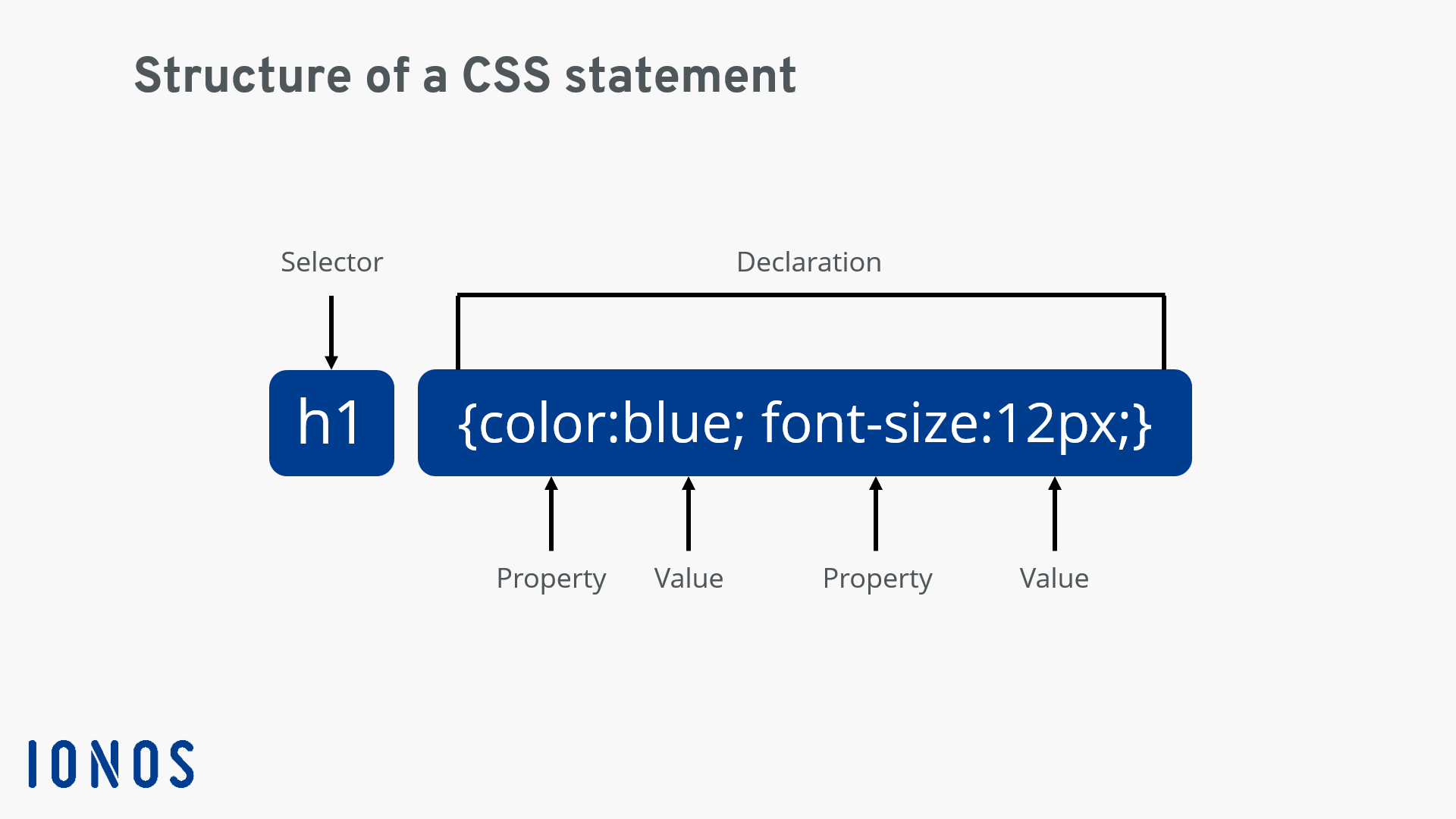
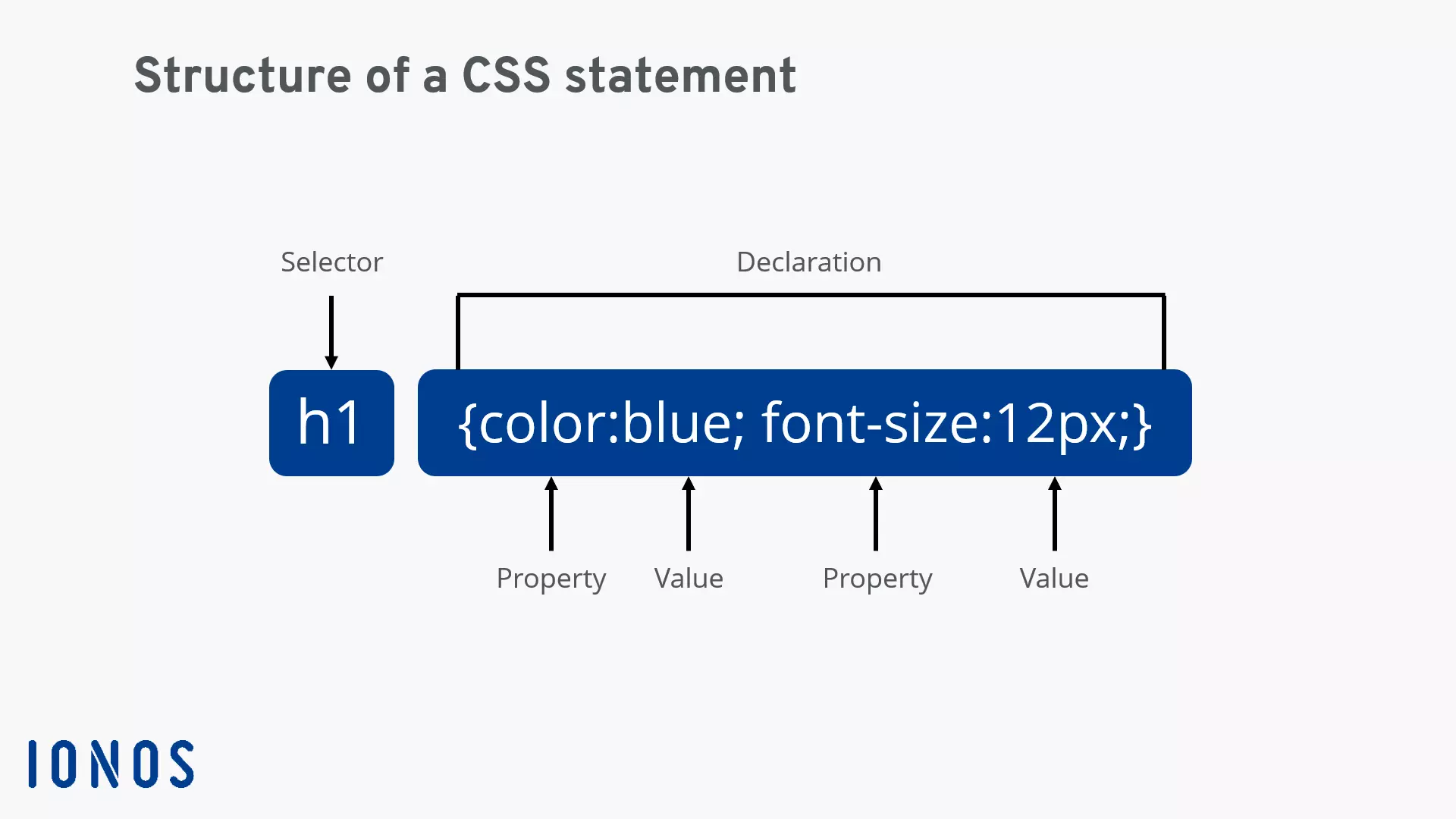
A CSS statement determines the values or properties that elements in your electronic document should have. In its basic structure, the instruction consists of a selector and curly brackets. Declarations are listed within the brackets, separated by semicolons. Each declaration consists of the name, a colon, and a specific value. After the final declaration and before the closing bracket, another semicolon can be added, but isn’t mandatory. For example, the CSS instruction in the example below calls for the heading h1 to be displayed in blue and in font size 12:
Further information on the different selector types and on the CSS syntax can be found in our detailed CSS tutorial.
How to integrate CSS in your website?
It’s possible to incorporate CSS into an electronic document using internal and external style sheets. In addition, properties can be placed directly in the HTML source code of an element using the inline style. In the following, we provide an overview of the three methods to integrate CSS in HTML.
External style sheets
In external style sheets, the CSS instructions are defined in external files via the ending ‘.css’ and integrated into the HTML file via a ‘link’ tag. This is the most common method because the content and design are neatly separated and changes can easily be made. The link is made in the ‘head’ area of the HTML document as follows:
<!DOCTYPE html>
<html>
<head>
<link rel="stylesheet" href="stylesheet.css">
</head>
<body>
<h1>This is a headline</h1>
<p>This is a paragraph</p>
</body>
</html>
Internal style sheets
This is where you add all CSS instructions into the HTML file. Please note that these only apply to the relevant document. For internal style sheets, insert the ‘style’ element in the ‘head’ area of the HTML document as follows:
<!DOCTYPE html>
<html>
<head>
<style>
h1 {color:blue; font-size:12px;}
</style>
</head>
<body>
<h1>This is a headline</h1>
<p>This is a paragraph</p>
</body>
</html>
Inline style
As with the internal stylesheet, the CSS instructions are contained in the HTML file. However, there is one important difference: The corresponding attributes are located directly in the start tag of the element and do not apply to any other element. This method is particularly useful if you do not want to make general design instructions.
<!DOCTYPE html>
<html>
<body>
<h1 style="color:blue; font-size:12px;">This is a headline</h1>
<p>This is a paragraph</p>
</body>
</html>
The interaction of CSS and HTML
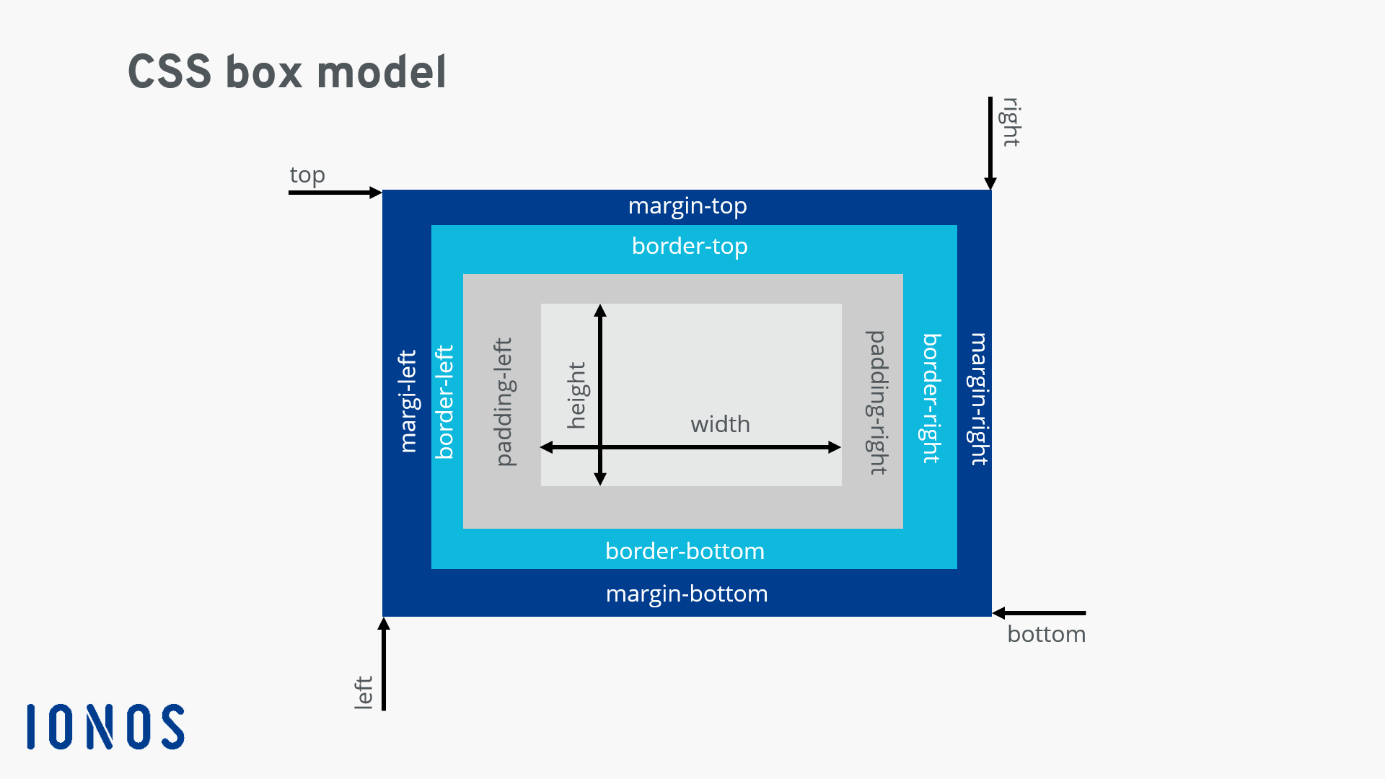
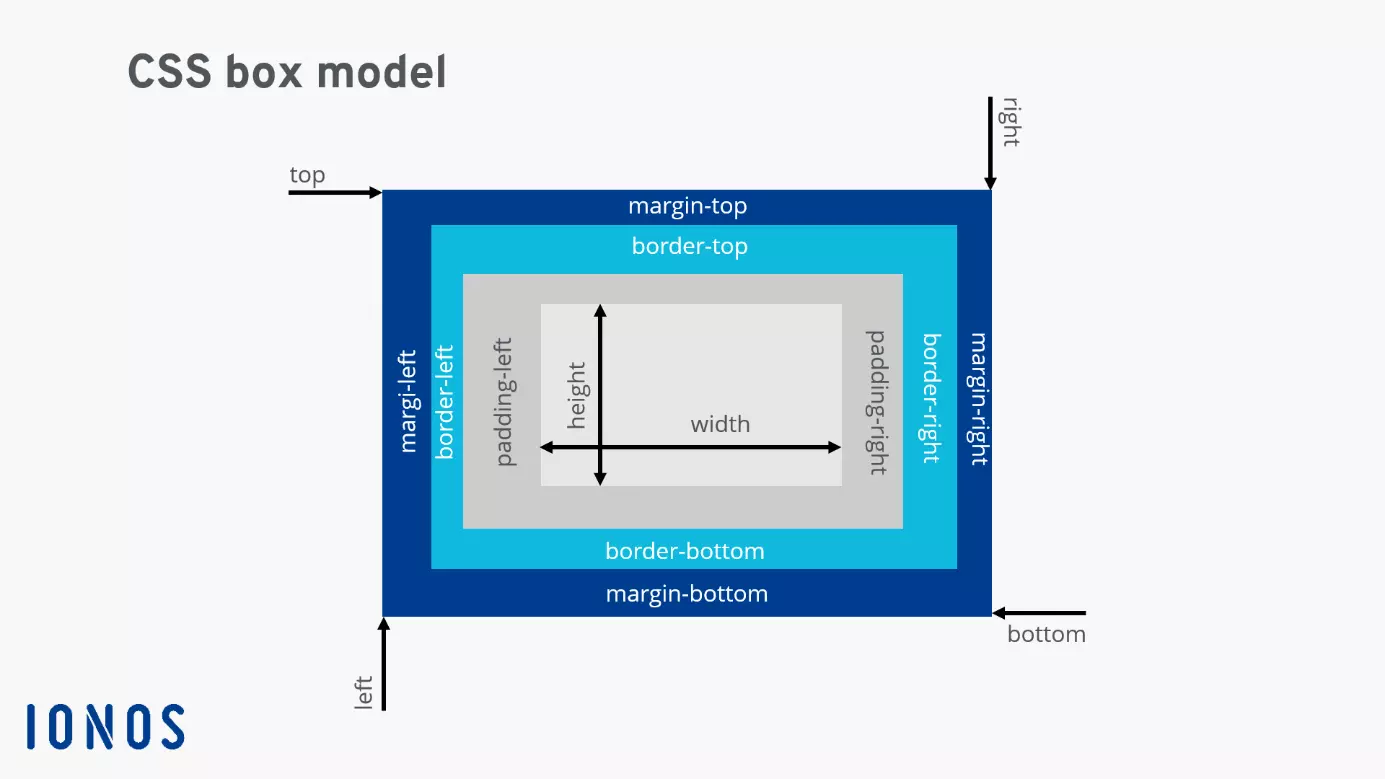
The examples above show that CSS can only be used in conjunction with a classic HTML structure. Since HTML structures content through paragraphs, lists and tables and CSS takes care of the visual design, the two web languages complement each other and are closely interlinked this way. Writing cascading style sheets often revolves around designing ‘boxes’. The structure of an HTML document is based on the nesting principle, in which the individual elements sit on top of one another like boxes. Every ‘box’ that takes up space on a website has the following properties:
- padding: The space surrounding the content of an element
- border: The line that sits just outside of the padding
- margin: The space outside of the border
These ‘boxes’ are then formatted by specifying the size, shape, and colour. In addition to these simple attributes, there are more sophisticated CSS instructions for inserting shadows in text, adding filter functions for images and highlighting forms and other elements.
Once you understand the basic principles of stylesheet language, their application is simple enough. Learn more about the top CSS tricks that will make your website look even more professional.