

How to enable JavaScript in Firefox

In order to enable JavaScript in Firefox, you need to use the command about:config. By default, the scripting language is enabled in all popular browsers and should only be disabled under special circumstances.
- Free website protection with SSL Wildcard included
- Free private registration for greater privacy
- Free Domain Connect for easy DNS setup
Step-by-step instructions on how to enable JavaScript in Firefox
Want to enable JavaScript for Firefox? You can enable the scripting language in the Config file of your browser. Since other settings that can potentially affect the functionality of your browser can also be changed in this file, it’s best to closely follow the steps outlined below:
- First open Firefox.
- In the address bar at the top, type
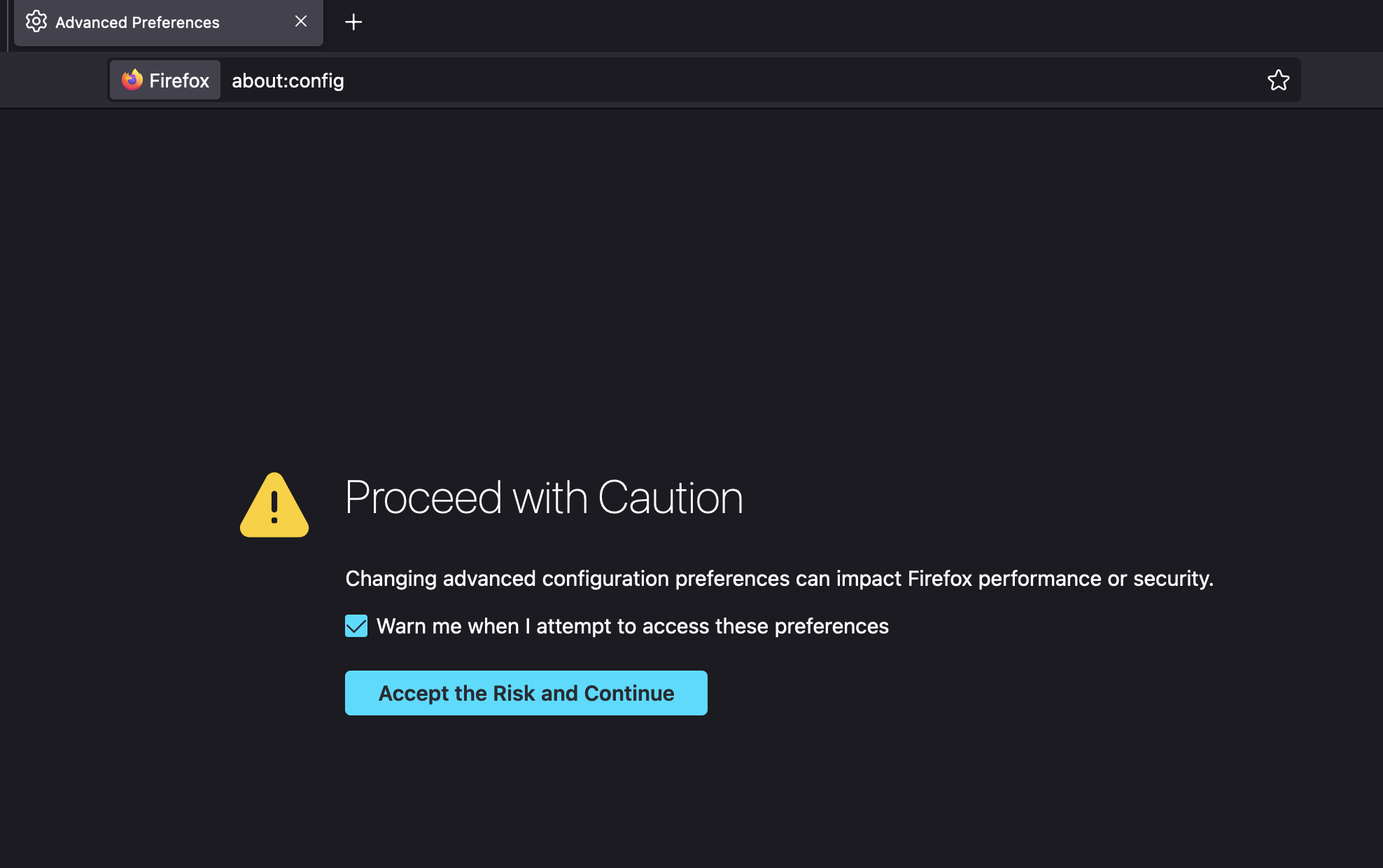
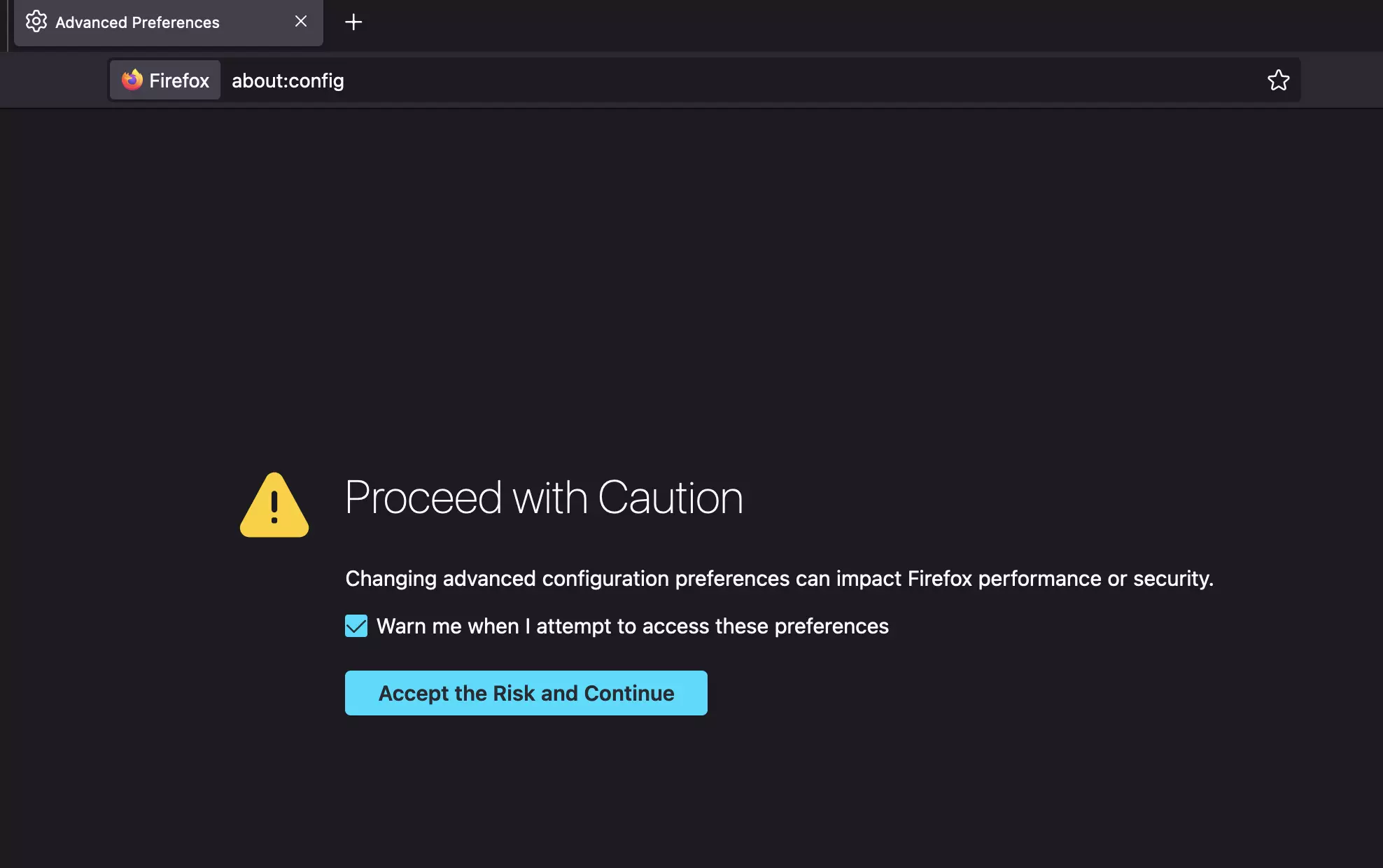
about:configand then press Enter. This will open the settings. - Most likely a warning message will appear informing you that changing the settings can negatively impact the performance and security of the browser. If you don’t want to see this notice again, you can untick the box by clicking on it. To proceed to the settings, click Accept the Risk and Continue.
- A new page opens that contains a search field directly below the address bar. In the search field, type
javascript.enabled. - While you are typing, various options will be displayed. Once you have entered the search term completely, there should only be one option left. On the left side, you should see ‘javascript.enabled’ and in the middle, the Boolean value ‘true’ or ‘false’. If ‘true’ is shown, JavaScript is currently enabled. ‘False’, on the other hand, means JavaScript is currently disabled.
- If you want to change the Boolean value in order to disable or enable JavaScript in Firefox, click on the two-way arrow symbol on the right.


- To finish, restart your browser. The changes you have made to settings will be applied and JavaScript will either be enabled or disabled.
Why should you enable JavaScript in Firefox?
JavaScript is a browser-based scripting language that ensures that dynamic elements of a website are displayed as intended. This is why all modern web browsers have the language enabled by default. Disabling the language can cause many interactive websites to not function properly. Videos, updates, ads, dropdown menus and dialog boxes often rely on JavaScript. Additionally, data is sometimes stored and retrieved through the scripting language. In most cases, it’s best to have JavaScript enabled in Firefox.
It’s also possible to enable or disable JavaScript if you are using a different browser. In our Digital Guide, you can find easy-to-understand instructions for enabling JavaScript in different popular browsers:
- Enable JavaScript in Safari
- Enable JavaScript in Internet Explorer
- Enable JavaScript in Microsoft Edge
You can also find out how to set or change your homepage in Firefox.
b64cbf62c47e200afc020546349c6eb6
c2889e6b8a9d628142f4ced27e3a7bd6
6773494190fe8f8dca4be9c2e29b38d5