

What are HTML lists? How to use , and tags

With HTML lists, you can present information in a structured and clear format. Depending on your needs, you can create an ordered list with numbering, an unordered list or a definition list. The HTML tags you’ll need for these types of lists are <li>, <ol>, <ul>, and <dl>.
What are lists in HTML?
HTML lists are used in HTML to present information and elements in a structured and easy-to-read list format. You can format content as an ordered list with numbers or an unordered list without numbers. With the introduction of HTML5, a third option for lists became available: definition lists. This latest addition is perfect for creating lists where you need to describe or define items.
HTML lists are an essential element for creating clearly structured websites that are visually appealing. They help ensure information is communicated in a clear and quick manner. Whether you’re simply listing items, providing a step-by-step tutorial or presenting detailed definitions, lists can help you to organise your content.
- Free WordPress with .co.uk
- Free website protection with one Wildcard SSL
- Free Domain Connect for easy DNS setup
What types of lists does HTML have?
Lists can be displayed in various forms in HTML. While ordered and unordered lists are commonly used, definition lists (also known as description lists) are much less common. In the sections below, we’ll take a closer look at the different types of HTML lists and their syntax.
Ordered lists
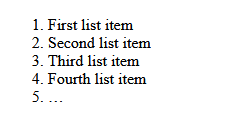
An ordered HTML list is a list made up of items that you can arrange in a sequential order using number or letters. To create an ordered list, use the HTML tags <ol> and </ol>. Between the opening and closing tags, you can use multiple <li>…</li> tags for the different list items. Ordered lists are great for displaying rankings, step-by-step instructions and lists of questions.
The syntax for ordered lists looks like this:
<ol>
<li>First list item</li>
<li>Second list item</li>
<li>Third list item</li>
<li>Fourth list item</li>
<li>…</li>
</ol>Here’s what the output looks like:

In a separate article, we take a closer look at how ordered lists work and the possibilities they offer.
Unordered lists
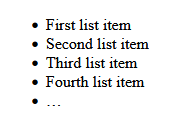
In an unordered HTML list, list items aren’t assigned numbers or letters. Instead, bullet points or symbols like dashes, arrows or ticks are used to separate list items. This allows you to present information in a structured way without having to arrange it hierarchically.
Recipe ingredients and lists of cities and countries are two common examples where an unordered list works great. To create an unordered list, use the opening HTML tag <ul>, the closing tag </ul>, and multiple <li>…</li> tags.
The syntax for unordered lists is as follows:
<ul>
<li>First list item</li>
<li>Second list item</li>
<li>Third list item</li>
<li>Fourth list item</li>
<li>…</li>
</ul>Here’s the output:

You can find more information about unordered lists in a separate article in our Digital Guide.
Description lists
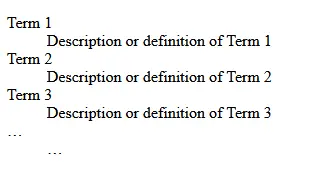
With a description list, you can organise selected terms and their definitions/descriptions in a structured format. This type of HTML list is especially useful for glossaries, product lists and FAQs. To create a definition list, you’ll need the following three components:
<dl>…</dl>: This stands for definition list and marks the beginning and end of the list.<dt>…</dt>: This stands for definition term and marks the term that is going to be defined.<dd>…</dd>: This stands for definition description and marks the definition or description of the term between the<dt>tags. This comes directly after the<dt>tags.
You can create HTML definition lists using the following syntax:
<dl>
<dt>Term 1</dt>
<dd>Description or definition of Term 1</dd>
<dt>Term 2</dt>
<dd>Description or definition of Term 2</dd>
<dt>Term 3</dt>
<dd>Description or definition of Term 3</dd>
<dt>…</dt>
<dd>…</dd>
</dl>
Overview of different ways to use HTML lists
Below is a quick summary of the various ways you can use the different types of HTML lists:
| Ordered List | Unordered List | Description List |
|---|---|---|
| Step-by-step instructions | List of advantages or disadvantages | Glossaries |
| Tutorials | Dropdown or context menus | FAQs |
| Rankings | Collections of links | Product lists |
| Comparisons | Sources and references | Categories |
- Loading 3x faster for happier customers
- Rock-solid 99.99% uptime and advanced protection
- Only at IONOS: up to 500 GB included
Why you should use HTML lists
Using HTML lists helps improve efficiency and organisation when presenting content and information on your website. Some of the benefits of using lists include:
- Enhanced structure, clarity and organisation of information
- More variety and improved search engine ranking due to diverse page elements
- Optimised accessibility and better readability through clear semantic structuring of pages
- Customised visual presentation of content, particularly when combined with CSS styling
Check out our HTML tutorial for beginners for essential information on getting started with the standard markup language for the web.