

Visual programming – the easy path to the digital world

Virtually everyone uses the internet, and many would also like to make their own mark. Everyday life comes with many challenges that can be solved with programmed applications (or apps) and corresponding end devices. But the obstacles to programming are often great. A functioning program comprises a range of components in the form of a programming language with a huge amount of “vocabulary”: variables, constants, looped processes, conditions, formulas, actions, and regular expressions.
Working with such text-based programming languages takes extensive knowledge, a strong ability to abstract, and the ability to maintain a high concentration for long periods of time. Learning a text-based programming language can be put on equal footing with learning a foreign language. To overcome these hurdles, visual development environments have been created since the 1960s. Here, programmers don’t use tediously composed text codes but instead make use of graphical elements.
What Is Visual Programming?
With visual programming, the elements of a programming language are provided in the form of graphical building blocks. That’s why the approach is also called graphical programming. Based on the appearance and labels of these elements, you can tell which tasks in programming can be solved using which components. The pictograms help provide reference points and avoid highly complex structures or great abstractions.
Visual programming language is commonly abbreviated to VPL.
The fundamental programming style – or programming paradigm – has the following attributes:
- Visual: Elements are inserted into the program sequence using drag and drop.
- Event-based: Each program step starts once a previously defined event occurs.
- Imperative: Programming comprises a sequence of commands.
- Object-based: The individual objects are assigned defined tasks.
Depending on the visual programming language, programmers use many pre-made program elements. These can include texts and images, be organised logically, and be changed in their appearance or expression. Control elements allow actions to be inserted, which are dependent on conditions. Operators permit connections and mathematical calculations, while variables or links can be inserted, removed or changed. The programming elements are designed to fit together like puzzle pieces. If elements don’t logically fit together, this is detected by the editor and indicated using colour – e.g. by greying out – and sometimes even using sounds. The programming elements are usually split into colour-coded groups. This makes it easier to select the right element.
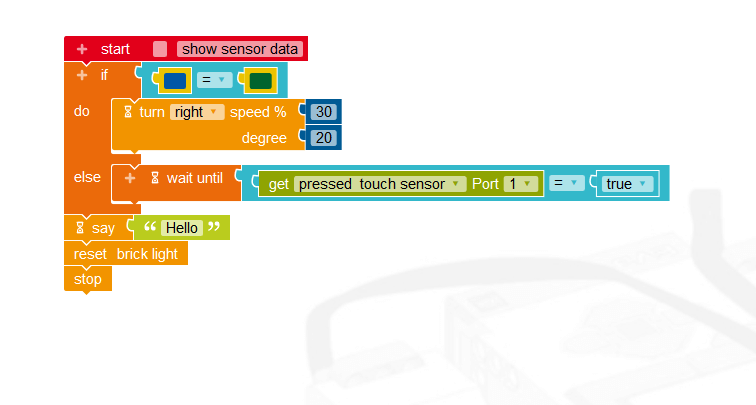
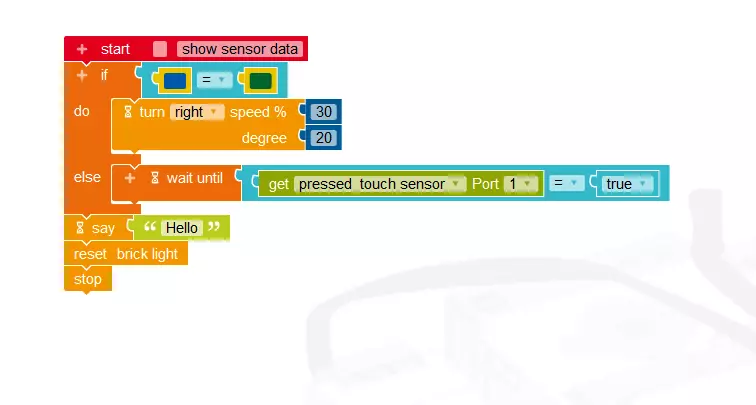
The descriptions of the individual elements and the underlying processes represent human expressions or actions, such as “do...”, “say...”, “press the key...” or “wait until...” The elements of the program are assembled using drag and drop. You can tell whether graphical elements can be connected based on the recesses and protrusions, which have to fit together like puzzle pieces. This makes assembly processes easy and intuitive, without having to know a text-based programming language.
How visual programming differs from “normal” programming
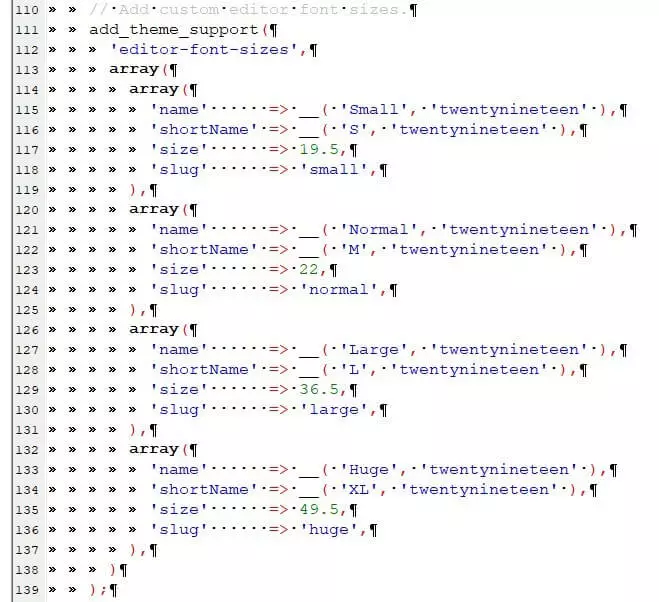
The biggest difference is that visual programmers don’t need to work with huge amounts of command syntax. The difficult process of learning “vocabulary” for a programming language is also unnecessary. In the case of “normal” processing, a strong ability to abstract is required in order to achieve the intended outcome based on the instructions of the programming language. Although many programming editors offer the function “auto complete”, which automatically finishes instructions and processes, the programmers still need to be careful of typing mistakes when entering code; just one forgotten underscore and the whole routine would result in an error message. This often means that programmers have to spend hours reviewing their code for errors.
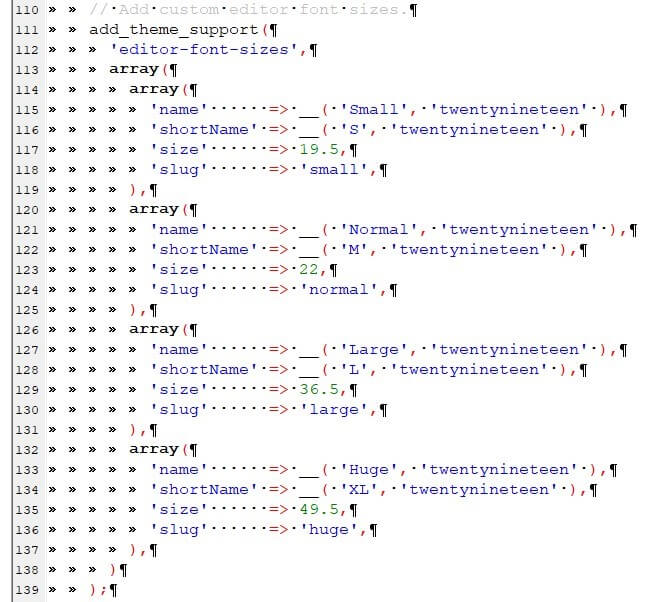
Just like learning a foreign language, when programming you need to first learn the most important “vocabulary” to “get by”. Each new programming task requires you to learn new terms. The scope of modern, text-based programming languages has expanded massively over the years, in order to keep pace with the needs of the modern internet. Programming sections can be placed in separate files and integrated in the programming process. Although this simplifies text-based programming, it requires a comprehensive overview, well-annotated code, and careful documentation.
What are the advantages and disadvantages of visual programming?
Visual programming breaks down technical barriers and makes programming more accessible. This way, for example, children can benefit from the playful approach to programming. Programmers can focus on the logical processes in their program, free from distraction. Usable results are quickly achieved, providing motivation for new and bigger projects.
By mid-2015 – after launching in March 2007 – the visual programming language Scratch had around 1.3 million registered online users aged between 8 and 16 years. More than 3 million self-developed Scratch projects have been created online.
Advantages of visual programming
Only a small amount of learning is required. Essentially, an idea can be “written” as a program straight away. Illustrative symbols ensure easy comprehension. Since there’s no syntax, no typos can creep in. This helps programmers understand the basic concept of a programming language.
Visual programming languages enable a process known as explorative programming. Simply begin and build a program step by step, before an exact solution has been fully thought through. Existing programming steps can be tested for their functionality time and again. Programmers mainly work with browser-based solutions that work regardless of the computer operating system. The results can normally be exported to other, text-based programming languages.
Disadvantages of visual programming
Part of graphical programming is tied to special applications or certain systems, hardware or end devices. In general, it’s not possible to create individual elements or add comments for project team members to review. This makes it hard to maintain an overview even with only slightly more complex programs. Moreover, visually programmed projects can only be scaled to a limited extent. Adjusting them to large or rapidly growing projects is therefore difficult. In the case of big projects, the advantage of explorative programming can quickly become a disadvantage in the form of unstructured code. Programs like these are awkward to maintain and expand.
What visual programming languages exist?
A wide range of visual programming languages is available. Here’s just a selection:
Scratch
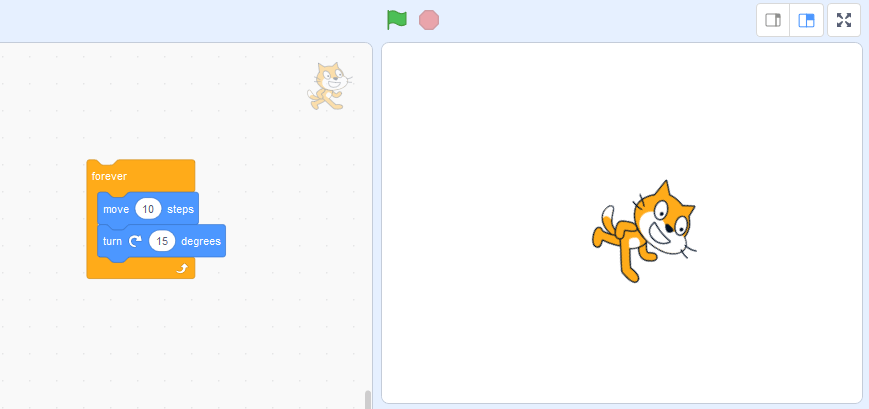
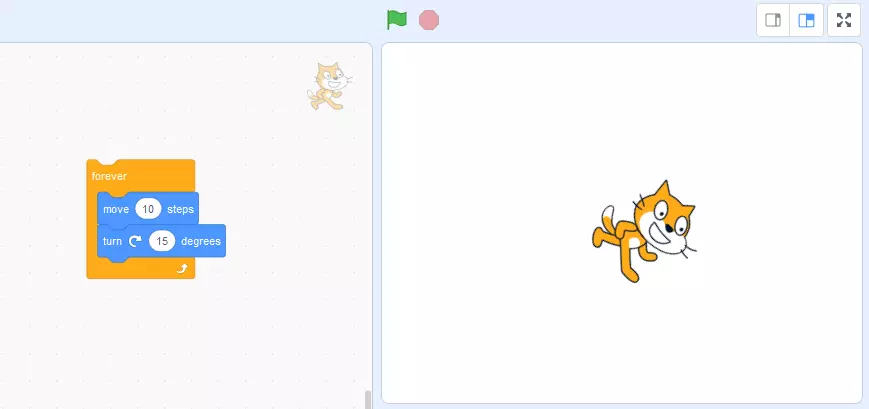
The best-known and, by far, the most widespread visual programming language is Scratch. It was first released in 2007 and is intended to make learning programming easy for children. The offshoot ScratchJr is a free app intended for children aged between 5 and 7 years. Some other languages for graphical programming have been developed based on Scratch, such as BYOB 4.0/Snap!.
Blockly
Blockly is a type of library. It offers a visual programming editor that is added to Android, iOS and web applications. Blockly also uses interlinked, graphical blocks. The programmed algorithms can be exported as JavaScript or Python code, for example.
NEPO
NEPO is based on Scratch and uses the freely available library Blockly. It has been expanded with its own functionalities. An advantage of NEPO includes the open interfaces that can also control other hardware or robotic systems.
Grape
Grape is a graphical development environment. It allows even programming novices to code microcontrollers in simple steps.
App Inventor
App Inventor originally comes from Google. The graphical interface enables applications for Android phones to be programmed with graphical blocks.
Ardublock
This graphical programming language is especially suited to programming the microcontroller Arduino without text entries.
Pure Data
This visual programming language is based on data flows and is also a development environment. Pure Data is used to produce interactive multimedia software – such as for synthesizers.
Lego Mindstorms
A product line from the toy manufacturer Lego, it revolves around programmable Lego blocks: Using electric motors, sensors, and Lego technology pieces, it’s possible to build and program robots and other interactive systems.