

Marking up your website with JSON-LD according to Schema.org

Structured data helps search engines to better understand websites. A semantic annotation makes it possible to establish new meanings/contexts, automatically read information, and transfer it to other forms. Google, by far the most used search engine, bases itself on structured data with the aim of providing users with rich search results and other such SERP elements. The advantage to the website operator is these sorts of search results greatly increase the visibility and are much more likely to get the attention of potential customers.
One requirement is that all relevant information is appropriately marked. Over time, the internet community has developed various standards for data structuring. Here we outline why you should choose JSON-LD alternative data formats like Microformats, RDFa or Microdata.
Ask, create and research with the European alternative to ChatGPT. Robust security and unlimited chats give you peace of mind.
What is JSON-LD?
JSON-LD stands for JavaScript Object Notation for Linked Data. It is a JSON-based method of embedding structured data in a website. Unlike other formats of data structuring like Microformats, RDFa, and Microdata, the marking is not done as source text annotation. Instead the metadata is implemented as a script tag separate from the website content in the head or body element of a HTML document. JSON-LD uses the JSON notation and extends this with a syntax that allows data to be distinguished according to universally valid, globally standardised schemata.
JSON-LD’s specification comes from Digital Bazaar’s founder, Manu Sporny, and since 16 January 2014 has been the official W3C recommendation.
JSON-LD is a W3C-recommended syntax with which it is possible to embed structured data as well as universal schemata in the compact JSON format.
JSON
The acronym JSON stands for JavaScript Object Notation and refers to the compact, text-based format for exchanging data. It is easy to process both for humans and machines. JSON is a derivative of JavaScript, however, it can be implemented across various platforms regardless of the respective programming language. As a data format for serialisation – the mapping of programmable objects into a sequential representation format – JSON is used for transferring and storing structured data for websites and mobile apps. The syntax of a JSON object is essentially made up of name value pairs (with the exception of figures) placed in double quotation marks and noted separately by a colon. Each name value pair normally begins in a new line and ends with a comma. The exception here is the last name value pair before the closing bracket which is noted without a comma.
The following example makes clear the basic schema of JSON syntax:
{
"name": "Manu Sporny",
"homepage": "http://manu.sporny.org/about/"
}
In the opening sentence, you see the word pair ‘Manu Sporny’. A human reader would quickly figure out from the sequence of letters that this is a name and that the hyperlink is a reference to the web presence of the JSON LD developer. Programs like web browsers and search engine crawlers require metadata to create such a connection. This is what JSON offers.
The example code shows both name elements ‘name’ and ‘homepage’ with their respective values. This ensures that a program that reads a website with this JSON object is in a position to identify ‘Manu Sporny’ as a name and ‘http://manu.sporny.org/about/’ as a homepage.
Linked Data (LD)
While the assignment of meaning with JSON works perfectly within a website, the analysis of JSON data from different websites quickly leads to an ambiguity problem. Usually it is the case that programs parse a large number of websites and evaluate the information obtained in databases. For example, with the above-mentioned JSON code, it cannot be guaranteed that the elements ‘name’ and ‘homepage’ are always used in the same meaning context across different websites. To avoid ambiguities, JSON-LD adds contextual elements to the classic JSON notation. This is done on the basis of linked data – freely-available data on the Internet that can be accessed via Uniform Resource Identifier (URI).
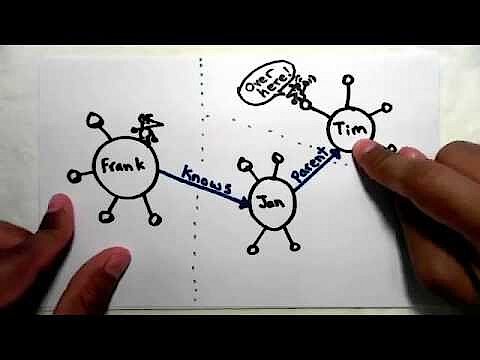
Further information on linked data can be found in the following video from the JSON-LD developer Manu Sporny:
 To display this video, third-party cookies are required. You can access and change your cookie settings here.
In order to prepare JSON for linked data, JSON-LD supplements the classic name value pairs of JSON notation with so-called keywords. Keywords are introduced in the syntax of JSON-LD preceded by the @ symbol. The keywords @context und @type are of particular significance here. While @context defines the underlying vocabulary of the label, @type specifies the data type (schema) used.
A standardised schema database for data structuring is offered by the project Schema.org. On the project website of the same name, website operators can find various data schemata (types) as well as the ‘properties’ assigned to these data types, which make a detailed semantic display of the website’s content possible.
In principle, JSON-LD is not tied to any specific vocabulary. However, search engine providers Bing, Google, and Yahoo! are considered the standard for the semantic annotation of website content.
When the appropriate context elements are added, the following code results for the above example:
{
  "@context": "http://schema.org/",
  "@type": "Person",
  "name": "Manu Sporny",
  "url": "http://manu.sporny.org/about/"
 }
The keyword @context in column 2 defines the vocabulary on which the semantic label is based – in this case Schema.org. In column 3, the data type ‘Person’ is implemented with the help of the keyword @type. This data type is specified further in columns 4 and 5 through the characteristics ‘name’ and ‘url’. So, a program that parses this sample code can identify the text element ‘Manu Sporny’, which is marked as ‘name’, as the name of a person. This is according to the data type ‘person’ according to Schema.org. The name value pairs introduced by ‘name’ and ‘url’ are processed as properties of the ‘Person’ schema. The underlying vocabulary determines which properties can be assigned to a schema.
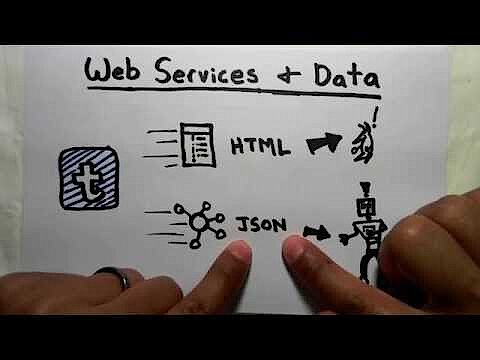 To display this video, third-party cookies are required. You can access and change your cookie settings here.
Advantages of JSON-LD compared to other data formats
With JSON-LD, the assignment of schemas and properties takes place by analogy to other formats for the semantic marking of web page contents. Converted in a source text annotation, the above example script could also be identified by Microdata or RDFa according to Schema.org, and this without any loss of information.
Microdata syntax according to Schema.org:
<div itemscope itemtype="http://schema.org/Person">
    <span itemprop="name">Manu Sporny</span>
    <span itemprop="url">http://manu.sporny.org/about/</span>
</div>
RDFa syntax according to Schema.org:
<div vocab="http://schema.org/" typeof="Person">
    <span property="name">Manu Sporny</span>
    <span property="url">http://manu.sporny.org/about/</span>
</div>
The biggest advantage of JSON-LD compared to other competitors lies in the fact that metadata is not embedded directly in the HTML code, and instead can be implemented separately in the desired place. The implementation of JSON-LD can be done with the help of a script tag according to the following schema:
<script type="application/ld+json">
{
    JSON-LD
}
</script>
Relating to the above example, the following award is made according to Schema.org:
<script type="application/ld+json">
{
  "@context": "http://schema.org/",
  "@type": "Person",
  "name": "Manu Sporny",
  "url": "http://manu.sporny.org/about/"
 }
</script>- KVM based dev servers for developers
- Scalable to enterprise cloud level
- Pay-as-you-go, per-minute billing
Even if JSON is noted in a script tag, this does not mean we are dealing with an executable code.
The strict separation between HTML and semantic annotation not only scores points with clearly superior readability of source texts. An implementation of this sort also makes it possible for a dynamic generation of data structures, regardless of visible content. With JSON-LD metadata can be imported via the backend, selected from a database, and then automatically generated via a template. This makes possible a more convenient semantic annotation, even for dynamic web content, that requires more space online.
JSON-LD and search engine optimisation
Since June 2013, the web project Schema.org named JSON-LD one of the most prominent data formats. Google also recommends (where possible) the script-based embedding of metadata via JSON-LD. Such a distinction is the basis for diverse SERP elements, which Google uses to present users with extended search results.
Google uses various presentation forms for search results: In addition to the basic results, for years now users have also had access to featured results and knowledge graph results – depending on the exact search query. While basic results only have simple extensions like breadcrumbs, if at all, featured results and knowledge graph results offer the potential for comprehensive extensions – also called enhancements or search result features by Google.
In Google terminology, the term ‘featured results’ is used in relation to extended search results, for which the content presented originates from only one source – the linked website. Other names for SERP elements of this type are rich search results and rich cards. If a featured result makes possible a user interaction, Google refers to this as an ‘enriched search result’. ‘Knowledge graph results’ are not based on individual websites, but on the knowledge graph algorithm, which brings together content from various online sources. Knowledge graph results are also known as ‘knowledge graph boxes’ or ‘knowledge graph displays’. If Google finds several relevant rich cards for a search query, these will be displayed as a carousel, i.e. a list format for different data types on the SERPs.
Currently, Google supports a JSON-LD markup for the following extensions below. An example for every search result feature can be found in the search gallery on developers.google.com.
- Breadcrumbs: The so-called ‘breadcrumb’ navigation shows the position of the current web page in the hierarchy of the website. Web page operators that semantically feature breadcrumbs allow Google to display these in the SERPs. Breadcrumbs belong to the few search result features that Google also includes in the basic results.
- Contact information: If the contact details for a business are featured semantically, Google can show this as a knowledge graph display; a display form of the knowledge graph algorithm.
- Logos: With a logo markup, website operators make clear which graphic should be used by the search engine as the company logo. This makes it possible for Google to extend the search results for the company in question to include the business logo.
- Sitelinks search box: If a website provides a search function and has been written semantically, Google may use a sitelink search box to find results about the website.
- Social media profile links: If you are using a markup for links to social media profiles, Google extends the knowledge graph display to include people or organisations, and their corresponding buttons. Currently Google supports a JSON-LD markup for Facebook, Twitter, Google+, Instagram, YouTube, LinkedIn, Myspace, Pinterest, SoundCloud, and Tumblr.
Website operators who wish to make sure their content is well-placed and visible in the Google SERPs have the possibility of semantically featuring various data types. Here it is worth noting that only Google chooses whether a search result is shown as a basic result or as one with extensions. Currently, Google supports a JSON-LD markup for multiple data types and uses these to process information as rich search results, enriched search results, or knowledge graph results.
- Articles: Website operators, who wish to semantically feature news and/or blog articles on their page, allow Google to include these in the top story carousel or add search result features such as headlines or thumbnails to the SERPs.
- Books: It may be the case that those in charge of a website wish to offer a JSON-LD markup for information pertaining to books. If so, Google will create a knowledge graph card for the relevant search queries. These contain not just descriptive information on the book, but also, if necessary, make it possible for search engine users to get the relevant information directly from the search engine.
- Music (entries for artists and albums): Similar to information on books, musical offers can also be annotated. This means that it is possible for Google to generate knowledge graph cards for music content. This not only offers search engine users information about albums and artists, but also allows for interactions with the music, e.g. playback or even purchasing.
- Course offers: Website operators, who provide courses (e.g. language courses) with a JSON-LD markup, make it possible to automatically read the course title, a short description, and the course provider. There is also the strong possibility that Google will use this information as extended search results in the SERPs.
- Events: Those offering public events like concerts and festivals have the possibility of annotating all the relevant information (e.g. event location, date, time, etc.) via JSON-LD, so that Google can automatically extract this information and list it in the SERPs, as well as in other Google applications, e.g. Maps.
- Job advertisements: Even job vacancies that organisations publish on their website can be drawn up in such a way that Google can read the relevant information and display it within extended search results.
- Local businesses: Local businesses that feature structured data on the website of their store or restaurant make it possible for Google to generate knowledge graph cards. These will then be displayed in the SERPS or in Google Maps during any relevant search queries. For example, if a Google user is searching for a Vietnamese restaurant, Google will subsequently display a carousel with all relevant suitors in the area.
- Data sets: Even data sets like CSV tables or files in proprietary formats can be made accessible for search engines via JSON-LD.
- Podcasts: Google also supports a JSON-LD markup for podcasts. The relevant featured offers can be viewed and even played directly in the search engine.
- Videos: Content providers that provide structured data for videos on your website, such as a description, a link to a thumbnail, the upload date, or playback time, allow Google to extract this information and display it as rich cards or in the form of carousels on the SERPs.
- Films and shows: If a website delivers structured data on films or shows, Google can transfer it to the search results pages as knowledge graph cards for relevant search queries. If required, these can be expanded with interactive elements that enable the consumer to watch or purchase the product
- Recipes: For several years now, Google has gone as far as offer cooking recipes as a featured result in their search engine. One precondition for this is that the provider of the content presents all the relevant information as structured data. One possible presentation after a search query is in the SERPs in a carousel with the suitable rich cards.
- Ratings: Google supports ratings for various Schema.org data types like local businesses, restaurants, products, books, films, and creative works. The presentation of this content is carried out as a snippet. With this, Google differentiates between the critiques made by individual authors and entries on other rating portals. As long as they feature a semantic annotation, both types of rating will appear as a featured result in the SERPs as a result of the relevant search query.
- Products: Online retailers that present product information (e.g. price, availability, ratings, etc.) on their website as structured data make it possible for Google to display this information as a rich search result after a search has been submitted.
Advanced search results can be very advantageous for website operators. Regardless of whether we are dealing with featured results or knowledge graph displays, they will always stand out from the other search results.
Google places displays and carousels in a very visible location above the basic results. This is also known as ‘position 0’. Knowledge graph displays will appear either as a carousel at the top of the page or else in a separate frame to the right of the organic web search. What this then means is that advanced search results offer website operators the chance to achieve the pole position in the search results page without having to invest lots of time and money into improving organic rankings.
It is not only the highlighted position but also various extensions, such as thumbnails, ratings, text excerpts, and interactive elements that attract the attention of the user and encourage clicks. Website operators can expect that the click-through rate for advanced search results will significantly increase when compared to the basic results.
In addition to this, it is said that advanced search results have a positive effect on the bounce rate. Unlike basic results, which usually only include the meta-title, a URL, and a short description, advanced search results give Google users a comprehensive view of what they can expect to find on the linked site. This then means that a user can check the relevance of a website for their own search query before they click on it, and therefore click only if necessary.
However, Google does not see the presence or absence of a semantic markup via JSON-LD as a ranking factor. The former head of the Google web spam team, Matt Cutts, clarified this in the following YouTube video from the Google Web Masters series in 2012:
 To display this video, third-party cookies are required. You can access and change your cookie settings here.
As with the application, JSON-LD also scores points for its crawlability by moving the markup to separate script sections. Compared to alternative annotations such as Microdata or RDFa, JSON-LD allows a lean source code. This is despite semantic annotation, which can be searched quickly and easily indexed by Google bot and other crawlers.
But the outsourcing of structured data also has its disadvantages. In principle, Google and other search engine providers apply the basic rule that only the content that is available to human visitors is machine-readable. However, with JSON-LD it is theoretically possible to implement any markup, even if there is no equivalent for the metadata in the actual website content. In this case, both the search engine and the user are promised a possible added value; something which a more embellished website does not offer. In terms of ease and practicality, this approach is not advisable, as web site operators run the risk of being punished for online spamming.
To prevent website visitors from accidentally exceeding the limits of semantic annotation in search engines, Google’s Structured Data General Guidelines provide a detailed set of rules. These can be reduced to the following points:
- Format: Structured data needs to be in one of the three established formats; Microdata, RDFa, or JSON-LD. Google recommends the latter.
- Accessibility: Web pages with structured data need to be accessible for the Google bot. Access control methods (e.g. via robots.txt or noindex) prevent the reading of metadata.
- Content equivalency: The JSON-LD markup can only describe entities, which can also be described in HTML code.
- Relevance: A JSON-LD markup should refer only to relevant equivalents of the data types used. For example, a website operator, who features a technical manual as a recipe, violates the directive of relevance.
- Completeness: All data types listed in the JSON-LD markup need to be marked completely and include the required properties. In fact, data types that lack essential properties are not suitable for advanced search results.
- Specificity: Linked data projects like Schema.org offer a variety of data types. In order for your content to qualify for an extended search result presentation, website operators should choose schemata that are as specific as possible.
Generally, it is the case that the more properties that are provided in the form of structured data, the higher the value for Google users. Therefore, Google takes the amount of information provided into account when ranking rich cards. And website operators also benefit from the most complete markup possible, since according to Google, users prefer job advertisements with salary details or ratings, including star ratings.
JSON-LD according to Schema.org: a step-by-step guide
In the following paragraphs we show, with the use of an example, how to enrich a website in the most efficient way possible with relevant metadata. The JSON-LD tutorial is based on the vocabulary of the Schema.org project.
Step 1: initial considerations
The implementation of structured data can be more or less time-consuming, depending on the size of the website. Therefore, you should consider beforehand which goals you would like to achieve with the semantic award, as well as how much time you would like to invest in the annotation.
As a rule, a markup should structure and present website information in a form that can be read by search engines. The goal is to demonstrate to Google and co. that the optimised website provides the best resources for any relevant search queries relating to the web project’s focus. You should ask yourself the following questions:
- What is the central content of your website?
- Of what value could it be to potential visitors?
- Which content in particular is relevant to the focus of your website in order to make it ‘search engine friendly’?
Step 2: determining relevant content
Create a list of all content that is of some value. Then decide which content potential visitors should be made aware of before they click on the website, i.e. in the search results page.
For example, Google recommends an annotation with JSON-LD for information that has to do with events. In HTML, you can display event announcements for concerts, musicals, or theatre performances according to the following scheme:
<p>
<a href="http://www.example.org/zambini/2017-11-20-2000">The great Zambini – an evening full of magic</a>,<br>
Once again (and for one night only), the great Zambini invites you to an evening full of wonder that goes against all reason. He will also be joined by Max the Eagle and Sonja, his elastic assistant.<br>
Date: 20th November 2017<br>
Doors open: 8 pm<br>
Show begins: 8.30 (until 11 pm)
<a href="http://www.example.org/events/zambini/2017-11-20-2000/tickets">Tickets</a><br>
Price: £100,<br>
Tickets available here,<br>
<a href="http://www.example.com">Magicville</a>,<br>
1 Magic St.,<br>
L11 2XF,<br>
</p>
Typical information of the data type ‘event’ includes date, time, price, availability of tickets, address of the venue, as well as links to further information on the event or venue. Human page visitors can take this information from a text section, a table, or other forms of presentation, and then assign it to the corresponding context. On the other hand, programs such as search engine crawlers require metadata that contains instructions on how to process the information presented. JSON-LD delivers these in the form of a data format, which is inserted at any position of the HTML source code, separately from the content.
Step 3: choose a schemata
Schema.org offers website operators a wide and comprehensive vocabulary for data structuring. In total, the database comprises of around 600 types, which can be specified with more than 860 properties.
When it comes to the selection of suitable data types there are two strategies to choose between:
- In theory, they could compare all previously determined content with the available data types of the Schema.org vocabulary, and then select the most specific data type for each content element. However, such an approach is lengthy and usually unnecessary.
- In practice, website operators usually limit themselves to a subset of Schema.org data types. If you only use the JSON-LD markup with the goal of providing the search engine with structured data, it is sufficient to first limit yourself to the data types that are currently supported by Google and described in detail in the Google developer area.
We recommend the latter of these options for the following reason: Google offers detailed documentation for all data types supported by the search engine. An example markup is provided for each data type.
Use the examples listed by Google in the developer section as a template for your own JSON-LD markup.
To equip your website with structured data, you don’t necessarily have to reinvent the wheel. This is especially the case if you have no experience with the JSON-LD syntax. It will save you both time and energy to revert to prefabricated patterns instead of rewriting the markup for each data type from scratch.
In the following Google document, website operators can find the following markup example for events:
<script type="application/ld+json">
{
    "@context": "http://schema.org",
    "@type": "Event",
    "name": "Jan Lieberman Concert Series: Journey in Jazz",
    "startDate": "2017-04-24T19:30-08:00",
    "location": {
        "@type": "Place",
        "name": "City Public Library",
        "address": {
            "@type": "PostalAddress",
            "streetAddress": "2635 Homestead Rd",
            "addressLocality": "Hackney",
            "postalCode": "L11 2XF",
            "addressRegion": "L",
            "addressCountry": "UK"
        }
    },
    "image": [
        "https://example.com/photos/1x1/photo.jpg",
        "https://example.com/photos/4x3/photo.jpg",
        "https://example.com/photos/16x9/photo.jpg"
     ],
    "description": "Join us for an afternoon of Jazz with Santa Clara resident and pianist Andy Lagunoff. Complimentary food and beverages will be served.",
    "endDate": "2017-04-24T23:00-08:00",
    "offers": {
        "@type": "Offer",
        "url": "https://www.example.com/event_offer/12345_201803180430",
        "price": "30",
        "priceCurrency": "GBP",
        "availability": "http://schema.org/InStock",
        "validFrom": "2017-01-20T16:20-08:00"
    },
    "performer": {
        "@type": "PerformingGroup",
        "name": "Andy Lagunoff"
    }
}
</script>
The script tags define the element from line 01 to 39 as a script type ‘application/ld+json’. The following information is intended for programs that can read linked data in JSON format.
The first level contains the keywords ‘@context’ and ‘@type’ with the values ‘http://schema.org’ and ‘Event’ (lines 03 and 04). A parsing program receives the instruction that the following information is to be assigned to the schema ‘Event’ according to Schema.org, meaning that it is a specific property of the event which is being described. These are displayed in the form of name value pairs.
Similarly, the first level also contains the properties ‘name’, ‘startDate’, ‘location’, ‘image’, ‘description’, ‘enddate’, ‘offers’, and ‘performer’, to which the respective event information is assigned as values. A search engine crawler can then identify the information ‘Jan Lieberman Concert Series: Journey in Jazz’ as the title of the event (name) and ‘2017-04-24T19:30-08:00’ as the exact start time (StartDate).
Similar to RDFa and Microdata, JSON-LD syntax supports nesting. A property is not assigned a value, but a (sub-)schema that can be determined with specific properties. You will find such a case on the second level of the code example in lines 08, 27, and 35.
For example, in line 08 the event property ‘location’ is defined as a (sub-)schema of the type ‘Place’ and provided with the properties ‘name’ and ‘address’. In turn, line 11 sees the property ‘address’ being defined as a (sub) schema of the type ‘PostalAddress’, and as a result is marked with the schema specific properties ‘streetAddress’, ‘addressLocality’, ‘postalCode’, ‘addressRegion’, and ‘addressCountry’.
Each nested level is placed in brackets and sectioned off from the superordinate level.
Section (Line 07 to 18):
"location": {
        "@type": "Place",
        "name": "City Public Library",
        "address": {
            "@type": "PostalAddress",
            "streetAddress": "2635 Homestead Rd",
            "addressLocality": "Hackney",
            "postalCode": " L11 2XF ",
            "addressRegion": "L",
            "addressCountry": "UK"
        }
    },
As such, Schema.org provides website operators with data types in the form of a hierarchical tree structure. This is something which is becoming more and more specific based on the most general data type ‘Thing’.
In the following step, we will show you how to adapt the Google example for the data type ‘Event’ to fit the above-mentioned event announcement.
Step 4: customising JSON-LD markup
The Google documentation contains only examples that show how the listed data types can be distinguished via JSON-LD. If these are used as templates for your own metadata markup, the code must always be adapted individually. It may be helpful to refer to the Schema.org documentation for the corresponding data type to learn more about using a schema and possible properties. The following example shows an individual customisation of the Google pattern code for the data type ‘Event’:
<script type="application/ld+json">
{
  "@context": "http://schema.org",
  "@type": "Event",
  "name": "The great Zambini – an evening full of magic",
  "startDate": "2017-11-20T20:00",
  "url": " http://www.example.org/zambini/2017-11-20-2000",
  "location": {
    "@type": "Place",
    "sameAs": "http://www.example.org",
    "name": "Zauberberg",
    "address": {
      "@type": "PostalAddress",
      "streetAddress": "1 Magic St.",
      "addressLocality": "Magicville",
      "postalCode": "10243",
      "addressCountry": "Magicland"
    }
  },
  "image": [
    "https://example.com/photos/1x1/zambini.jpg",
    "https://example.com/photos/4x3/zambini.jpg",
    "https://example.com/photos/16x9/zambini.jpg"
   ],
  "description": " Once again (and for one night only), the great Zambini invites you to an evening full of wonder that goes against all reason. He will also be joined by Max the Eagle and Sonja, his elastic assistant.<.",
 "endDate": "2017-11-20T23:00",
 "doorTime": "2017-11-20T20:30",
  "offers": {
    "@type": "Offer",
    "url": "http://www.example.org/events/zambini/2017-11-20-2000/tickets ",
    "price": "100",
    "priceCurrency": "GBP",
    "availability": "http://schema.org/InStock",
    "validFrom": "2017-11-01T20:00"
  },
  "performer": {
    "@type": "Person",
    "name": "The Great Zambini"
  }
}
</script>
What we have done in the first step is replace all values of the sample markup with corresponding values of the above event announcement. Incorrect (sub-)schemata and properties have been replaced. Instead of ‘PerformingGroup’ we use the (sub-)scheme ‘Person’ under ‘performer’, because we are not dealing with a band but with a single performing artist. Finally, we added information that was not included in the Google template to the markup. For example, line 07 and line 10 contain URLs relating to the event or event location. For possible properties, please refer to the Schema.org documentation.
Even if you decide to create your JSON-LD markup from scratch and without a template, you should still look at the Google documentation page for each data type. Here, Google specifies both the required as well as the recommended properties for all supported data types.
Make sure that your JSON-LD markup always contains all the necessary properties. Only then will your website participate in the rankings for advanced search results, such as rich cards. You should also try to provide values for all the recommended properties to increase your ranking chances.
The examples in the Google documentation always include all required and recommended properties.
Checking whether your markup lacks important properties is best done with the validation tool provided by Google.
The examples in the Google documentation always include all required and recommended properties.
Checking whether your markup lacks important properties is best done with the validation tool provided by Google.
Step 5: testing the JSON-LD markup
By nesting types, sub types, and properties within one another, complex JSON LD scripts are made possible. Separating HTML markup and semantic annotation ensures vastly clearer readability than what’s normally seen in other formants, like RDFa and Microdata, that rely on source text annotation. In order to avoid programming mistakes, Google offers a free-of-charge tool that lets developers validate JSON-LD scripts for data structuring.
Proceed as follows:
- Copy and paste the JSON-LD code into the required field
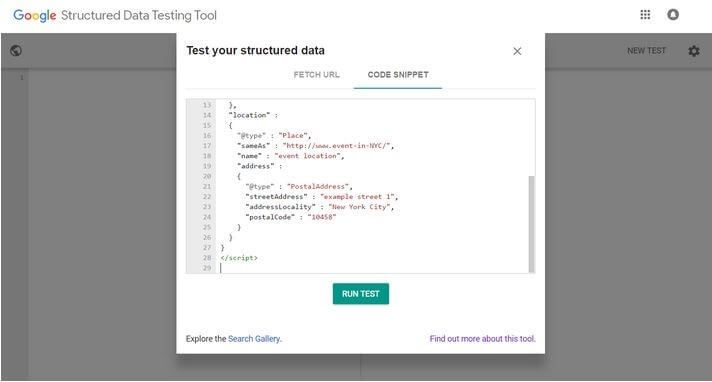
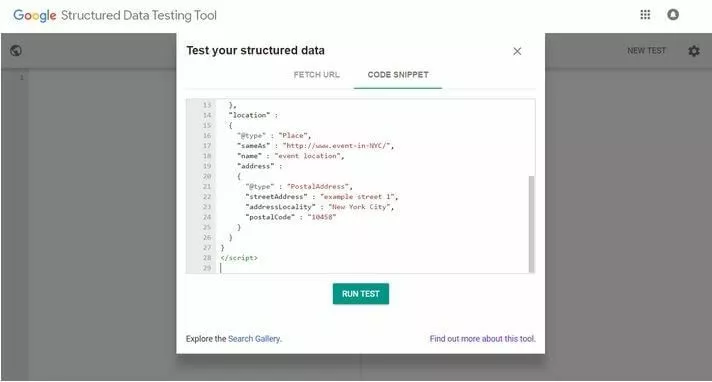
There is also the option of inserting the markup itself or the URL of the website whose metadata markup you want to test.
- Start the validation by clicking on ‘Run Test’
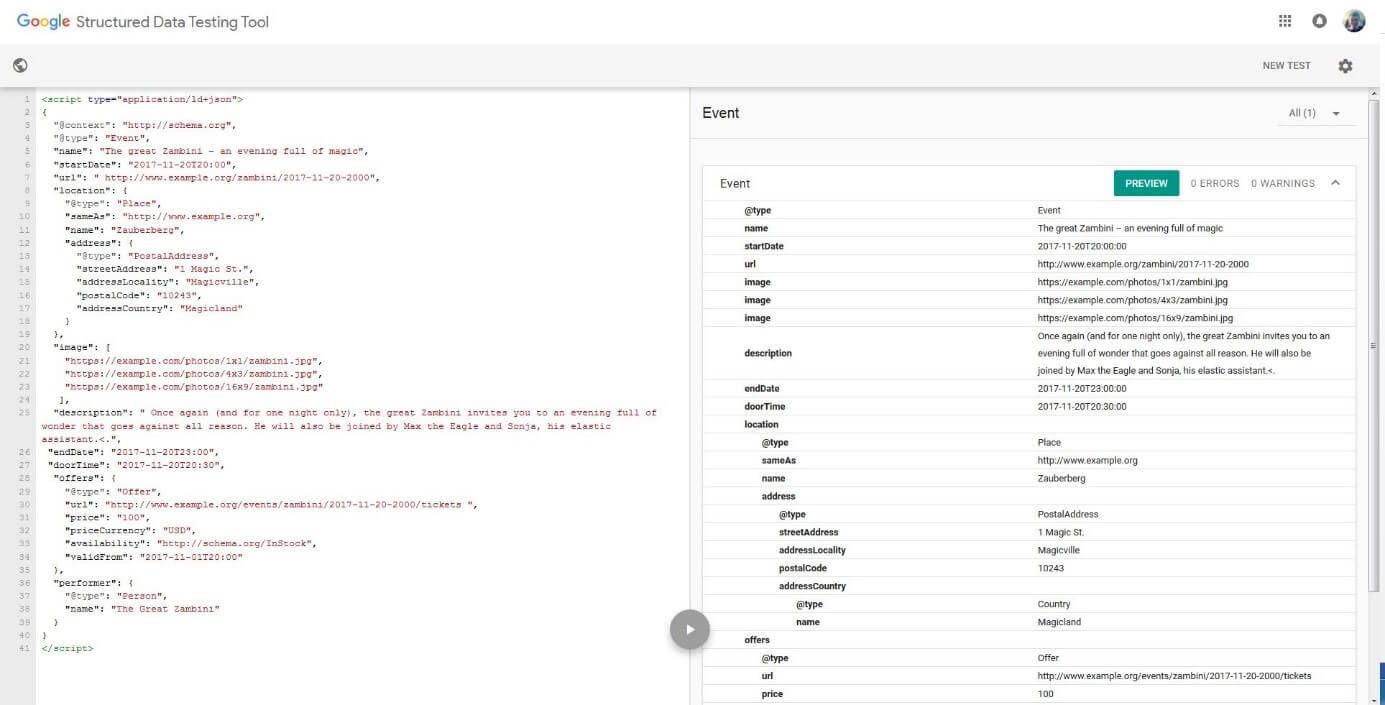
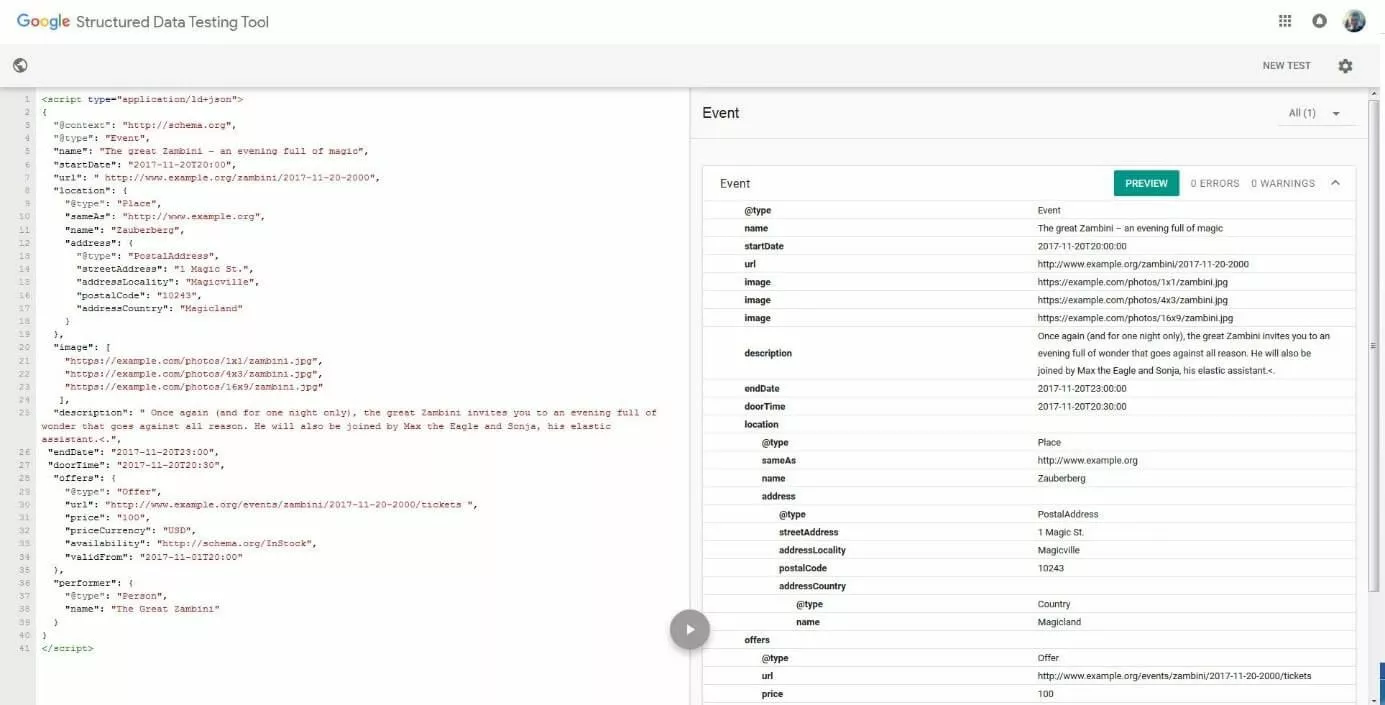
During the validation process, the tool reads the structured data of the JSON-LD markup and checks it for completeness. Users are then presented with the read data in a tabular overview. This overview also contains notes and warnings if the tool has detected syntax errors or missing data.
The test script that we have created is error-free and contains all required properties. However, if we were now to delete the required property ‘startDate’, we get the following output:
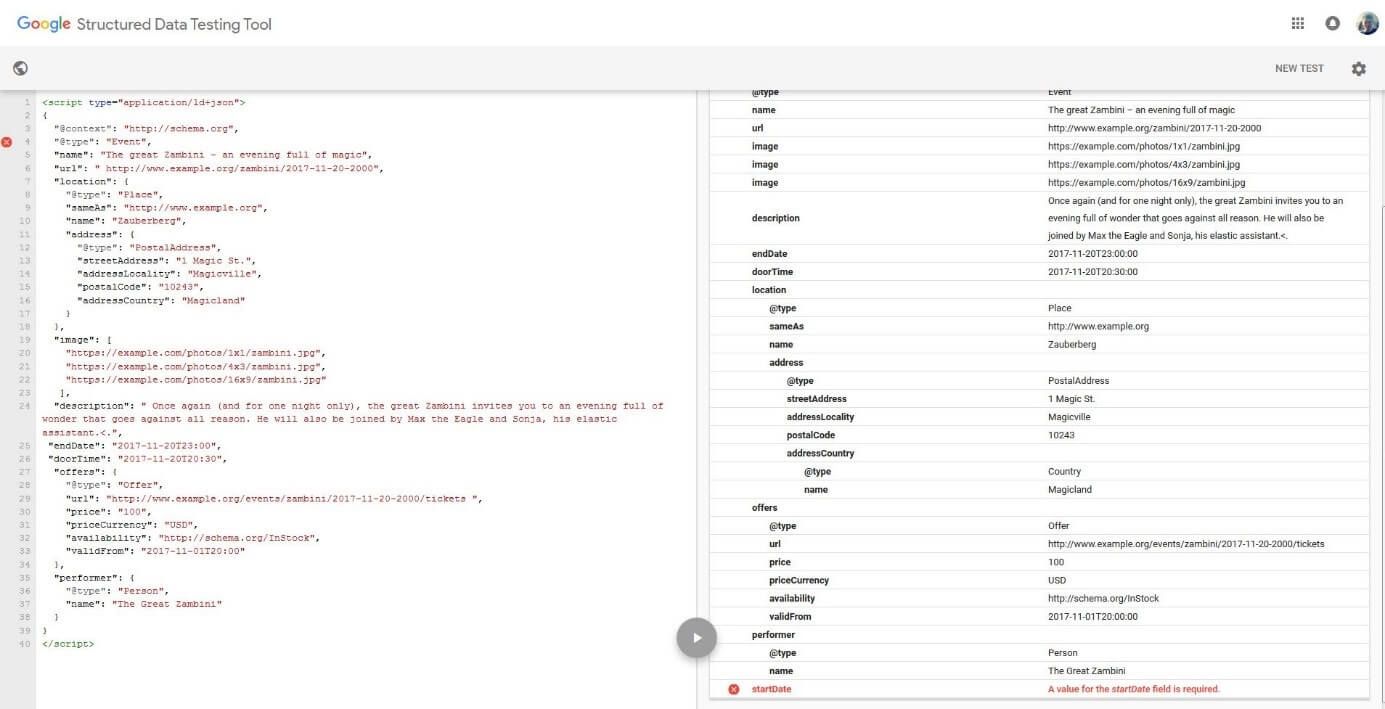
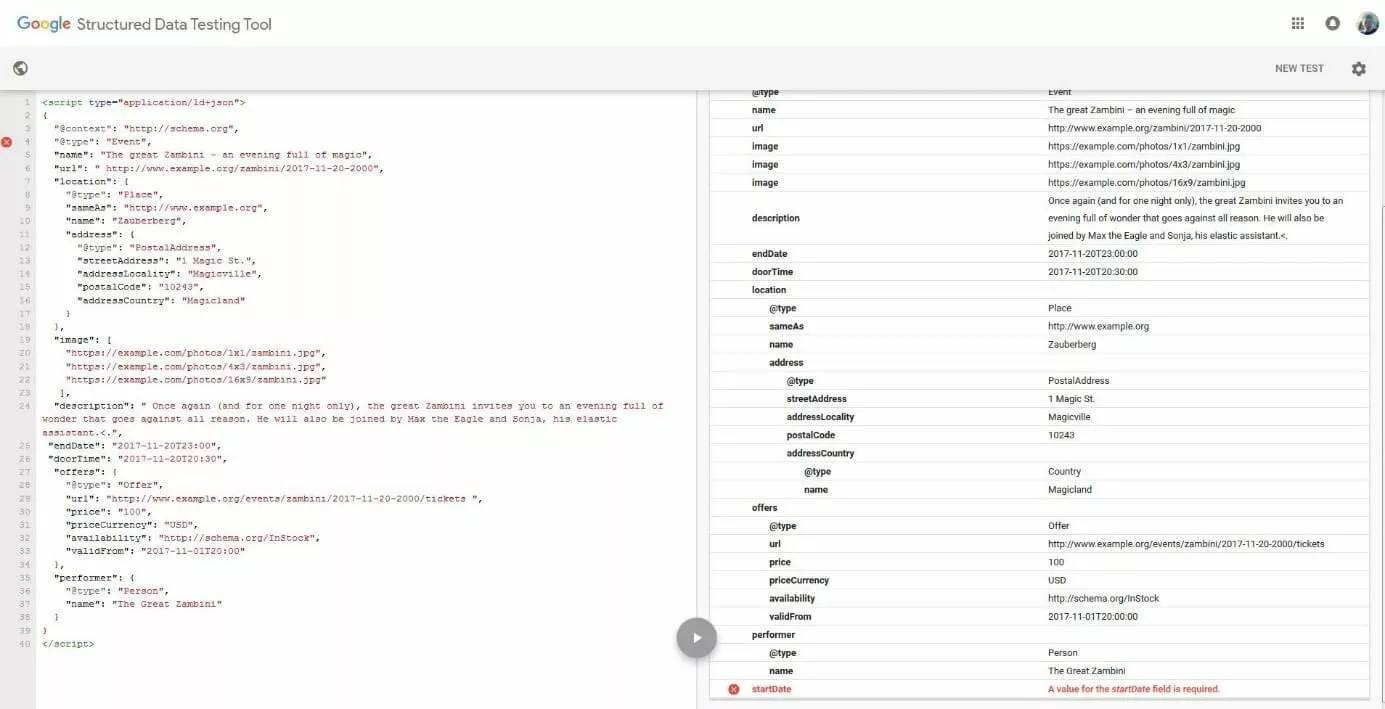
Syntax errors, such as a missing comma at the end of a name-word pair, can also be easily localised.
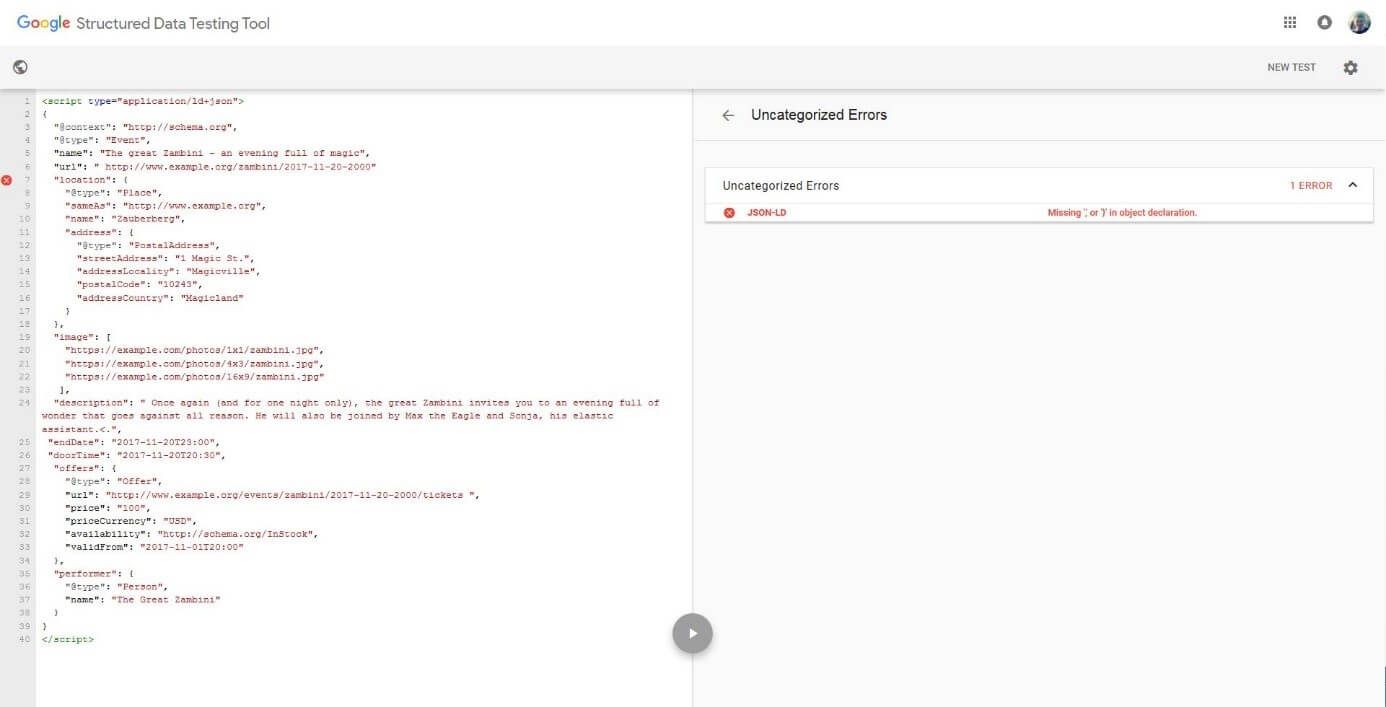
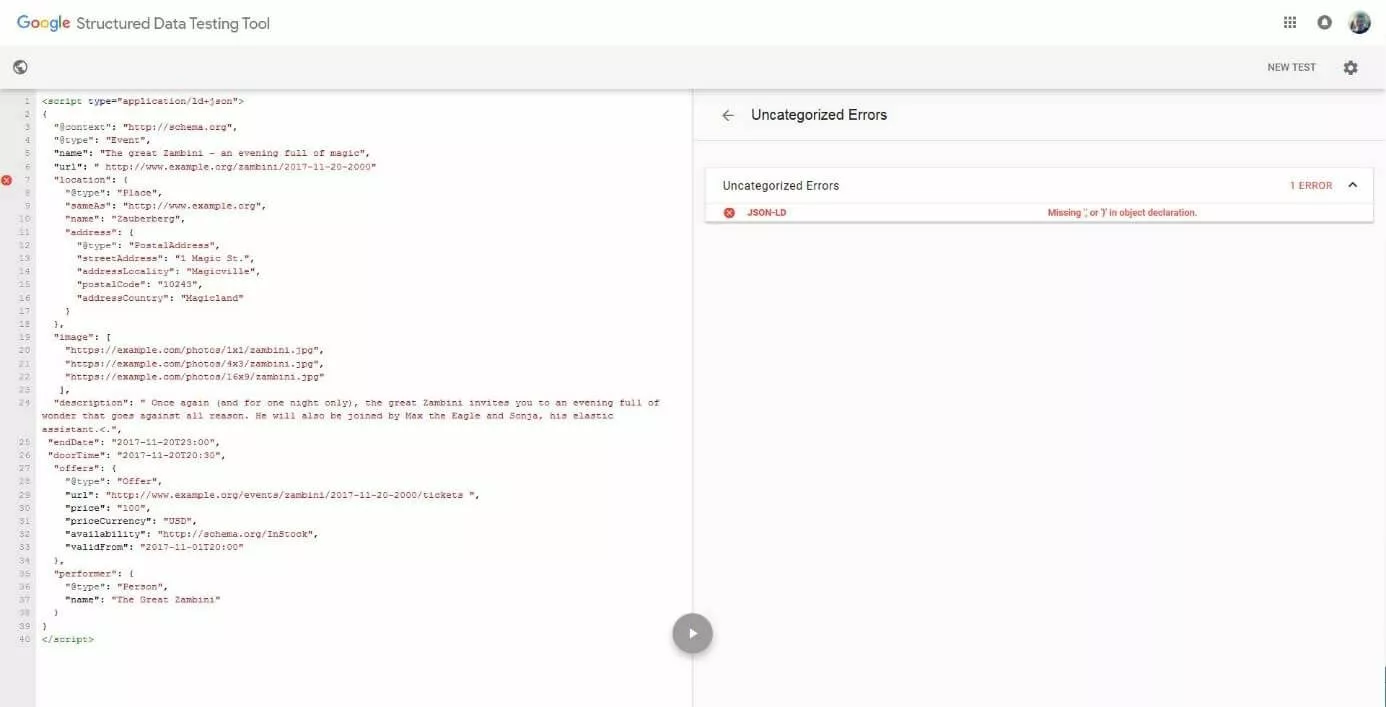
- Generate preview
In addition to the test function, the Google Structured Data Testing Tool also offers a preview mode. This gives website operators a taste of what an advanced search result could look like, based on the tested validated markup.
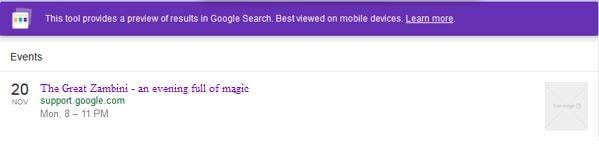
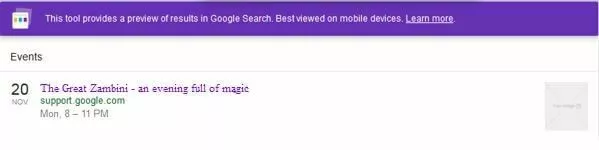
Error with the implementation of the JSON-LD markup
If Google does not display advanced search results for your website, despite JSON-LD markup, it is usually the case that you have made a data structuring error. Check your code again and check the following possible error sources:
-
Syntax error: The JSON-LD syntax is clear and simple. But as with any other markup language, mistakes can creep in from time to time. One known source of error is the difference between double coding characters (“…“) and typographical quotation marks (“…“). While coding characters are used during programming, quotation marks are used to mark the verbatim speech in written language. Since it is often the case that word processing programs automatically convert duplicate encoding characters into quotation marks, it is best to use an editor such as Notepad to create your JSON-LD markup. JSON also does not allow single quotation marks, which are commonly used in program code.
-
Incomplete, incorrect, or unspecific vocabulary: The hierarchical tree structure of Schema.org defines exactly which properties can be used with which data type. If you use a property for a data type that does not support it, the corresponding value cannot be interpreted by Google. In 6 such a case, the code is classified as faulty. The Google Structured Data Testing Tool also detects such errors.


All types and properties of the Schema.org vocabulary are case sensitive, so there is a difference in meaning between upper and lower case letters.
You should always make sure to use the documentation pages of Schema.org and validate your JSON-LD code using the Structured Data Testing Tool. Also note the Structured Data General Guidelines as well as Google’s general Webmaster Guidelines to avoid rule violations, which could lead to exclusion from advanced search result ranking.
Author

Vladimir Simovic
Vladimir Simović has been building web projects with WordPress since 2004. He was one of the first German-speaking WordPress bloggers and has published several specialised books as well as over 60 expert articles, and has managed well over a hundred WordPress projects.
Reviewers

Sven Ignor
Sven Ignor is a TYPO3 web developer with over 15 years of experience and specialises in bespoke solutions based on TYPO3. He is happy to share his knowledge and is committed to TYPO3 and the community

Melissa Senn
Melissa Senn has been with IONOS since 2016 and focuses on website, e-commerce, social media, and AI in the Digital Guide. As a digital strategist, she uses her extensive SEO and GEO experience to transform complex technological trends into practical content.