Which free AI phone assistant options are there?

AI phone assistants answer incoming calls automatically, understand what callers want and use artificial intelligence to respond to or route requests. They combine speech recognition, natural language processing, and automation to handle tasks typically managed by a receptionist.
Are there free AI phone assistants?
Free assistants do exist, but they come with limitations. Most “free” tools cap the number of calls, minutes or features you can use. Often free access comes either as part of a freemium model or a trial period. You can test the product, but full functionality requires an upgrade. Some providers offer basic features at no cost, which may be enough for individuals or small teams. However, general speaking, free rarely means unlimited. Common restrictions include limits on call volume, minutes or the number of phone numbers as well as reduced AI capabilities. It may also involve limited integrations with CRM tools or missing features, such as GDPR‑compliant recordings. For most businesses, free plans work best as a starting point to test the technology, not as a long-term solution.
- Makes appointments, gives advice, forwards calls
- Picks up immediately, day and night
- Can be seamlessly integrated into existing systems
- Test free of charge
What are the main limitations of free tools?
Free AI phone assistants usually cover the basics. They can answer calls, recognize speech and convert it into text, and respond to simple questions. More advanced features like custom call flows, real-time appointment scheduling or deep CRM integration usually require a paid version. Accuracy can also be an issue. Free tools often struggle with technical language or unfamiliar accents.
Data protection is another limitation. Features like GDPR-compliant call recording and secure data transfer are often only available in paid versions. Many free tools also offer limited customization. You may only be able to adjust basic elements like greetings or call forwarding rules. For small businesses or startups, this is often enough to get started. But as call volumes grow or processes become more complex, free tools quickly hit their limits in terms of what they can do.
How do different pricing models compare?
Most AI phone assistants are not free long term. Instead, providers offer different ways to get started, such as free plans, freemium models, trial periods, or low-cost starter plans.
A free AI phone assistant usually offers basic features on an ongoing basis, but with limits on call volume or functionality. A freemium model combines free core access with optional paid upgrades for more advanced features. A trial period, by contrast, provides full access to premium features for a limited time, typically 14 to 30 days, so you can fully test the product out. Starter plans are usually the most affordable paid option. They offer a clear set of features, higher call volumes and additional integrations.
The main difference is that freemium and free plans limit features, usage or both, while trial periods and starter plans give you full functionality for a limited time or at a low ongoing cost. Tools like the IONOS AI Receptionist follow this model, offering an easy way to get started with the option to upgrade.
Which free AI phone assistants and trials are available?
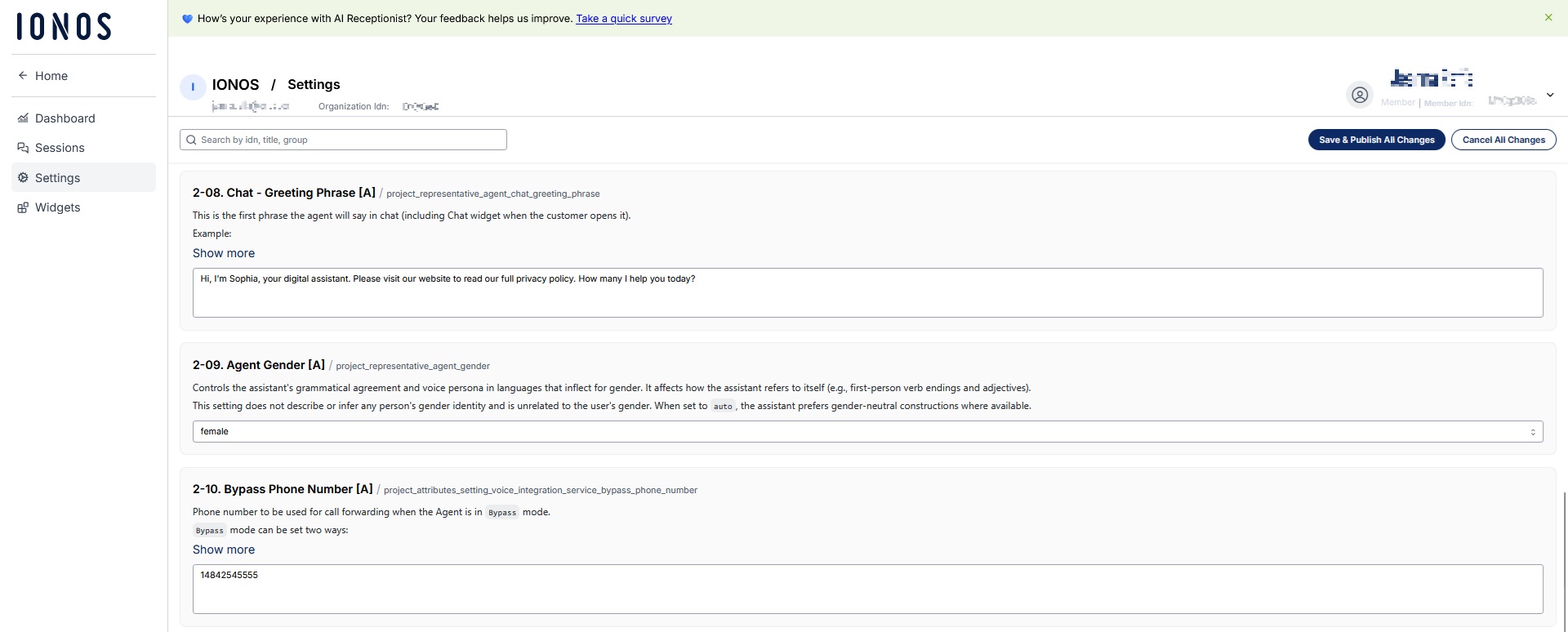
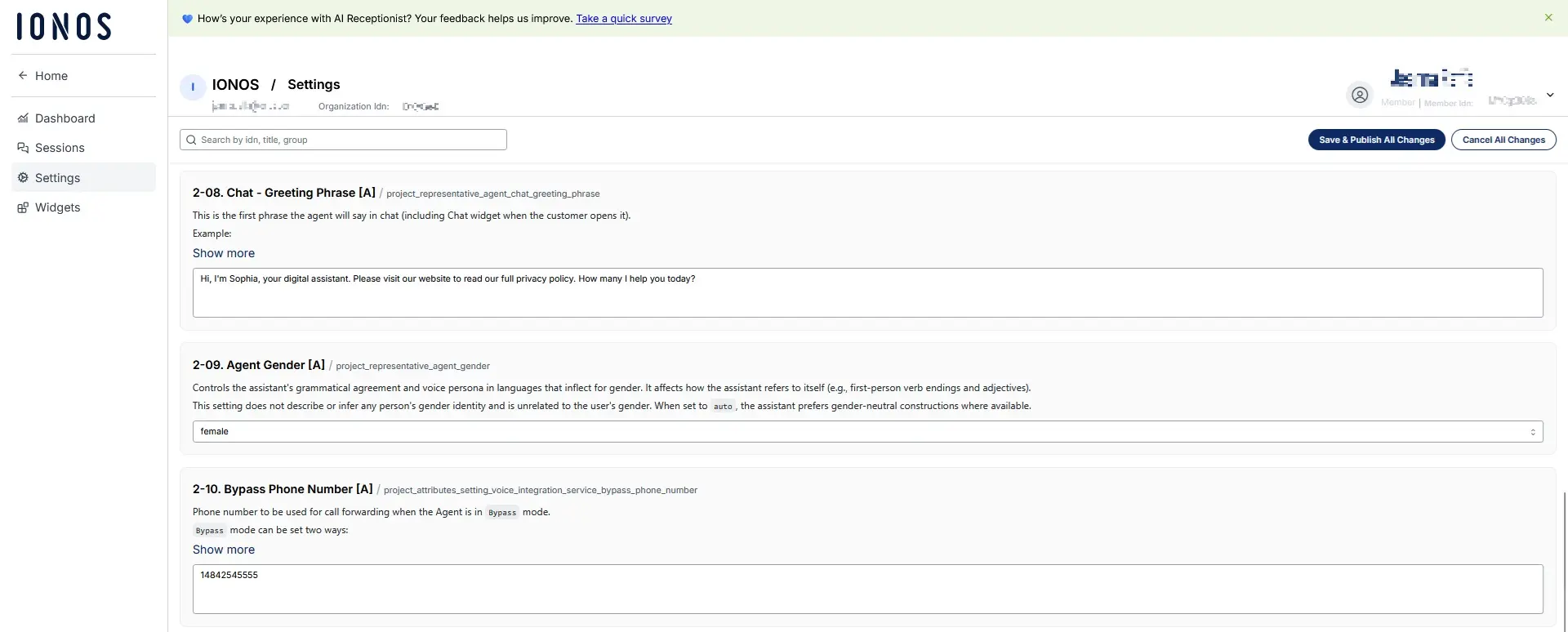
IONOS AI Receptionist
The IONOS AI Receptionist offers a free trial to test all its features. These include call answering, summaries, appointment booking and call forwarding. The trial runs for up to 30 days. During that time, you can see how calls are answered, how customer inquiries are handled and how information is forwarded. After the trial, you can continue with a paid plan or switch to a different tier based on your call volume. Depending on how heavily you use the assistant during the trial, moving to a different plan may make sense.
Google Dialogflow
Google Dialogflow lets you build your own AI phone assistant, but it does require programming skills. The standard version includes free quotas that cover basic queries, speech recognition and speech output as long as you stay within the limits. These quotas are quite restrictive. For example, request duration is typically capped at around 60 seconds regardless of the language, which limits how much it can be used in practice. As a result, Dialogflow is best suited for testing, prototypes or low-volume use cases. For production environments and in AI-powered call centers, paid resources are usually required.
Twilio
Twilio lets you build communication features like phone calls, messaging and voice bots into your own apps, so you can set up and test an AI phone assistant for free. You can create a Twilio account without a credit card and start building right away. Twilio provides a starting credit that you can use to test features or APIs and to build your first voice application, including for AI telephony. The free credit is mainly intended for development and proof-of-concept projects and not for running a production system long term. Once the credit has been used up, pricing switches to a usage-based model.
Microsoft Azure Bot Service
Microsoft’s Azure AI Bot Service lets you build an AI call bot that can be integrated into your existing phone system. You can create a free account with a starting credit to test its AI services, including building and running call bots. Some services also remain free as long as you stay within certain usage limits. This makes Azure a good option for companies that are just getting started. You can build and test an AI phone assistant for free and only start paying as usage levels increase.
Who are free AI phone assistants best for?
Free AI phone assistants are best suited for smaller teams or businesses looking to try out AI-powered call handling. Upgrading to a paid assistant makes sense when call volumes increase, requests get more complex or integrations with CRM or accounting systems are needed. Starting with a free assistant lets you test new processes, take pressure off employees, and understand the potential value before committing to a paid setup. Tools like the IONOS AI Receptionist let you move from testing to a full setup without having to switch systems.
How does an AI phone assistant compare to a traditional receptionist?
Whether an AI phone assistant delivers a good return on investment (ROI), depends on call volume, the type of requests it handles and staffing costs. A traditional receptionist creates ongoing fixed costs. Salaries, benefits, vacation and sick leave all add up, and availability is limited to working hours. An AI phone assistant works differently. It runs 24/7, handles multiple calls at once, and doesn’t create additional costs per employee or shift.
The difference is clearest with routine inquiries. Questions about opening hours, appointment scheduling, call forwarding or status updates follow predictable patterns and use up valuable working time. An AI assistant handles them automatically and consistently. This reduces the cost per call, shortens wait times and improves overall customer satisfaction.
Scalability is another key factor. When call volume increases, say during seasonal peaks, a receptionist team needs to grow. An AI assistant scales automatically and handles additional calls without requiring extra staff.
Free versions or trial periods play an important role here as well. They allow companies to evaluate real performance data before making a commitment. You can track how many calls are handled automatically, how much time your team saves and how often calls are transferred. This makes it easier to decide whether a paid plan is worth it.
That said, an AI phone assistant does not fully replace a receptionist. Its strength lies in handling routine requests, relieving pressure on your team and allowing them to focus on tasks that add real value to the business.