

ProcessWire - The WordPress alternative for developers

ProcessWire is a free open source content management framework (CMF) and content management system (CMS). The backend is clean and structured so it can be easily operated. This tool gives you all the freedom you need to design your website. It is not as well-known as the CMS giant WordPress or its competitors, Joomla!, Drupal, and TYPO3, but the streamlined software stands out from the bigger competition thanks to its advantages. For this reason, it’s worth taking a look at ProcessWire.
ProcessWire: the history
Under the name Dictator CMS, this CMS was in use as early on as 2003. In 2007, Ryan Cramer finally released the software under the name ProcessWire 1.0. However, both Dictator CMS and ProcessWire 1.0 were not yet open source, although efforts were made for them to be so. Version 2.0 was finally released under the Mozilla Public License 2.0 in 2010. According to the community, version 2.3 was a special milestone for the developers, as it was the first release where the community had worked together on the core software. Version 3.0 (released in 2016) is the latest major release. Thanks to the active community, localisation packs are also available for several languages, including Spanish, German, French, and Italian.
The ProcessWire CMS: the most important components
The ProcessWire back end is well structured and the user interface is extremely user friendly. You build web pages with ProcessWire from individual elements, so-called fields, and you can determine which function a field has and place it on the page. To define the page structure, you can create a template with ProcessWire. You then place the fields to your liking. If you assign pages to a template, your website displays all these pages according to the structure you specified.
Templates and aspect ratios
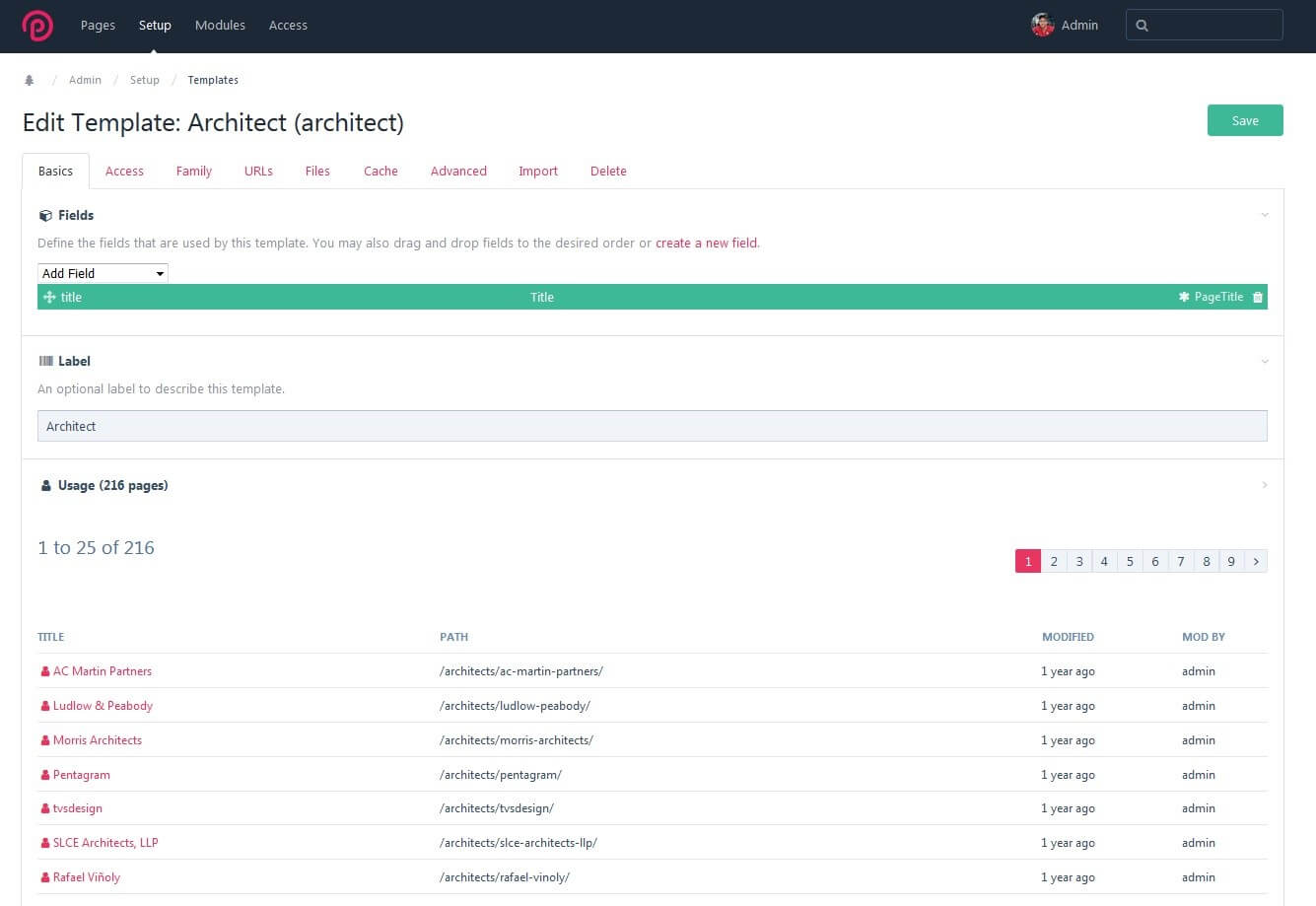
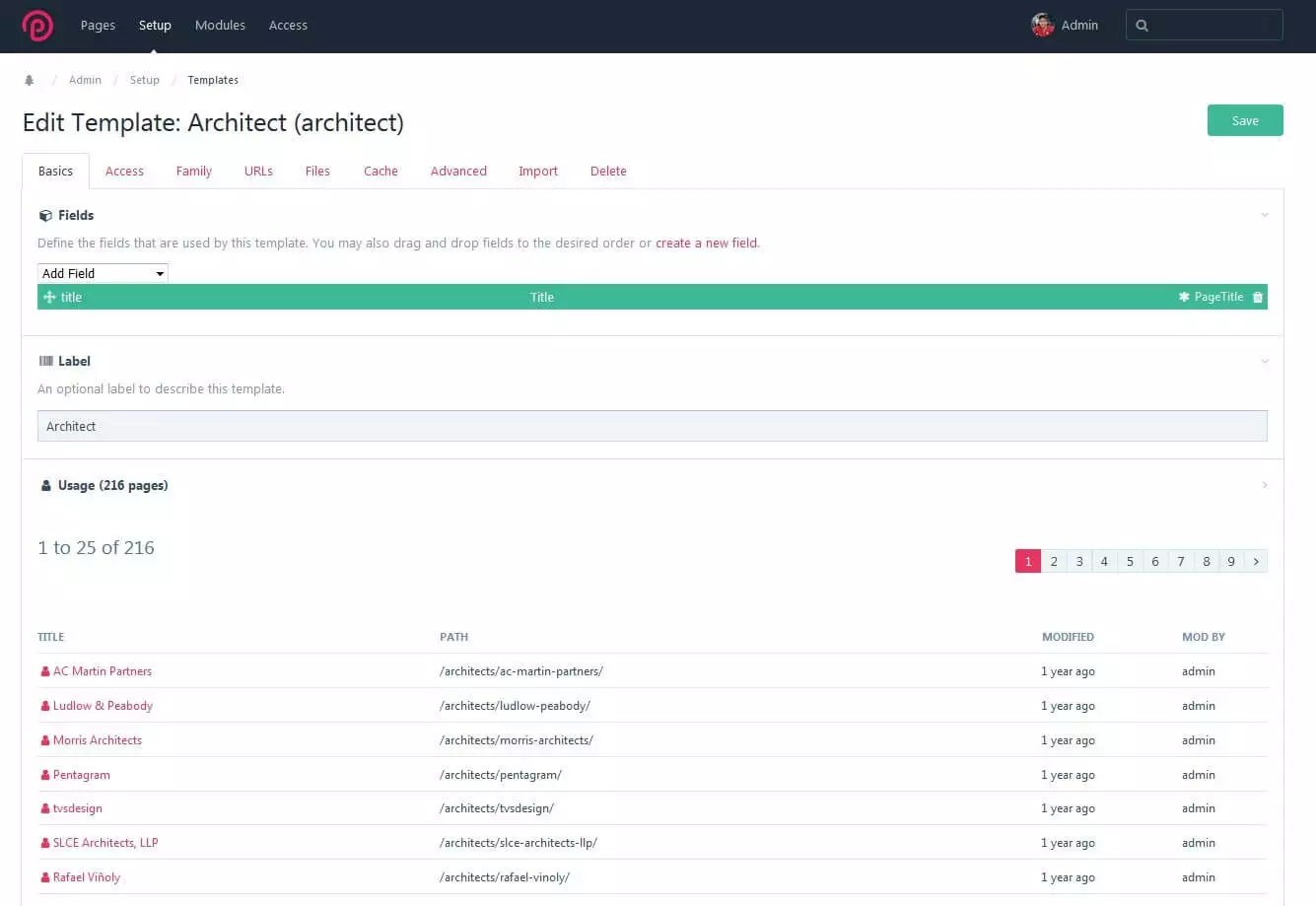
The sample image below shows the back end of the demo installation of ProcessWire, which is available online for testing. Under “Setup,” you will find the template editor. The “Architecture” template defines the page properties (layout, text boxes, input fields, etc.) for 216 web pages within the domain.
When you click on the template, the editor (that you can edit the selected template with) opens up. Here you will find the “Basics” tab. This enables you to edit or add fields. You also manage access rights, page hierarchies, URLs, the cache, settings for tags and icons, import fields from other themes, or delete superfluous templates.
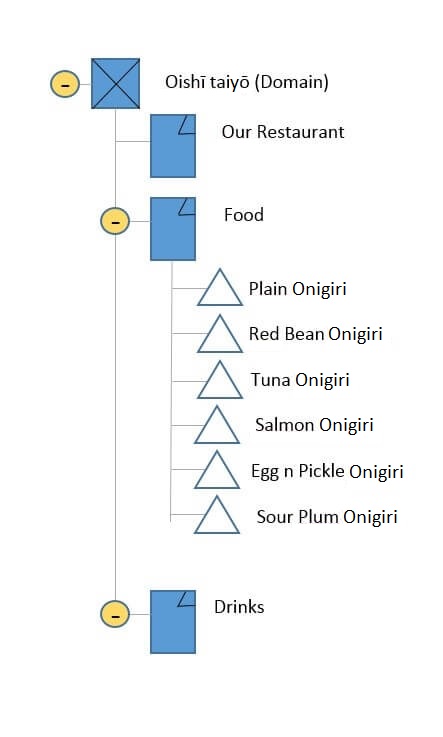
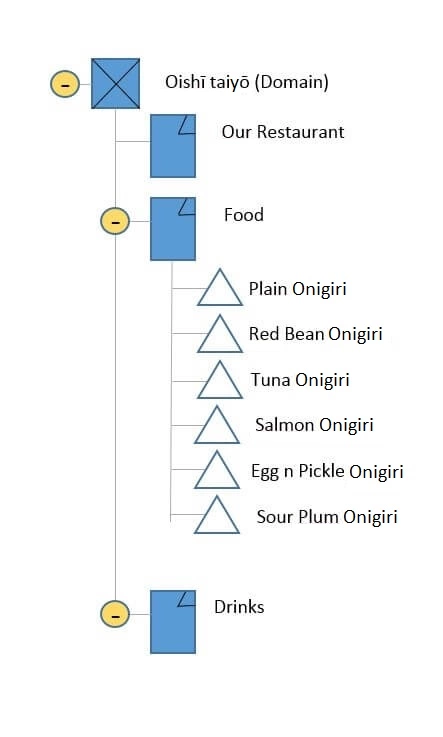
In the tab entitled “Family,” you determine the internal web page relationships. When you build a website or app with ProcessWire, each component receives a page. The individual pages have “children” or subpages. ProcessWire displays the page relationships in a page tree, similar to the document object model (DOM). Ryan Cramer, author of ProcessWire, orientated himself around the very clear jQuery. There is no limit to how deep or branched the structure can be.
Since each part of your website is assigned a web page, the CMS works with hidden pages. These are either always hidden and are used, for example, as content storage for other pages, or they control navigation. Another possibility: the page appears when users interact with the website in some way. For example, the 404 error message is displayed when an invalid URL is entered.
A stable API
The CMF is proud of its stable programming interface (abbreviated API for “Application Programming Interface”). Due to the modular structure of ProcessWire, the system requires internal interfaces that users can utilise to find, change, or create new data. You edit this data using interface variables and selectors. In the script, you can link necessary commands and place them in one line. In addition to integrated modules, the API also enables fluid data exchange with third-party plugins.
Fields
The pages mentioned above consist of fields. These also have a special feature. Unlike WordPress, for example, there is no single large input field for entering all content on a page. You can customise all fields to suit your needs, then combine several fields on this page – be it simple text fields or videos. You assign these fields to the ProcessWire templates. Whether simple HTML file or complex PHP application, the template files can be placed into the CMS in just a few steps via drag-and-drop. Most developers use templates with PHP tags to display dynamic content.
How templates work with ProcessWire can be explained as follows: when a user loads a page, the CMS accesses the template assigned to the page. It assigns API variables to the template and then executes it as a PHP script.
Modules
The core program already includes some stable plugins. There are modules for:
- Admin themes
- Spam blocker from Akismet for the comment column
- Field type plugins (checkbox, images, selection options, page titles, etc.)
- Folder settings
- Images
- Input fields (buttons, email, name, selector, text area, etc.)
- jQuery
- Languages
- Hooks
- Markups
- Pages
- Processes (editing pages, permissions, editing fields, etc.)
- Sessions
- The system
- Text formatting
You can customise the methodology using hooks. Instead of changing the source code, connect to a plugin or theme at a specific point in the code. Additional modules can be found in the plugin directory, where community members upload new open source modules. You can use module packages without any problems: These include Form Builder – a tool that makes creating forms easier – and ProFields, which can process more data in fewer fields.
The cache is also worth mentioning. In both the included version and the paid professional versions (the revenue price of ProCache is fully used for its development), the cache is a practical tool that speeds up page construction.
ProcessWire: requirements
Minimum requirements
- A web server based on Unix or Windows
- Apache (potentially an equivalent like NGINX or IIS if a replacement for .htaccess e.g. web.config for IIS, is available)
- modrewrite must be enabled in Apache
- Apache must support .htaccess
- PHP from version 5.3.8 with PDO database support
- GD2 library bundle for PHP
Best case:
- The latest stable PHP version
- Short tags for PHP are activated
- Multibyte string support compiled with PHP (-enable-mbstring)
A comparison: ProcessWire vs. WordPress
Both tools first appeared on the scene in 2003. WordPress is the CMS giant with a market share of 60% (as of January 2018), meaning it’s in the lead when it comes to rankings among content management systems worldwide. The user figures for ProcessWire are only in the four-digit range, which means a market share of less than 0.1%. A big difference between the two tools is that WordPress is very easy to set up and use and requires no HTML or PHP knowledge.
It’s a little bit like music. You don’t need much talent or time to create a generic pop song. The arrangement is put together automatically with auto-tune correcting any errors. The music can often be heard on the radio since it’s low entry level. More complex music usually offers more variety, but also needs more skill to compose.
User-friendliness
ProcessWire has some features that make life easier for web designers and developers – such as drag-and-drop file uploading. The installation also takes relatively little time. But the freedom to design any website according to your own ideas also requires previous knowledge of the programming languages. The target group of ProcessWire is therefore different from that of WordPress. The market leader boasts that it can be installed and set up in less than 5 minutes, with existing themes and templates providing a framework, so even beginners can create a respectable blog in just a short time.
The website developer assigns the ProcessWire templates to the respective pages. You practically have to merge the framework of the website yourself using commands, making ProcessWire more aimed at professional web designers or leisure programmers. However, the end user of the finished website doesn’t need much prior knowledge: once the framework is in place, updating and adding new pages won’t be a problem, even for beginners. The out-of-the-box function, which can be used to create several localised domains for a website, is particularly practical. Thanks to the language packages, you can also work in the respective target language in the back end. With WordPress, the language integration usually does not run so smoothly.
SEO friendliness
If you’re creating a website, you obviously want it to be found by people on the net. Both ProcessWire and WordPress offer support for optimising pages. The core software optimizes URLs for search engine crawlers and readers, for example. The ProcessWire tree structure is very well suited for creating clear hierarchies. However, pagination can be a problem. Empty pages that only link to other pages don’t mean anything to the crawlers and, in the worst case, simply send them in a loop. ProcessWire developers recommend preparing 404 error pages for possible loading errors, with the cache (the basic version is sufficient for small projects) increasing the loading speed. With WordPress, you have to add an extension for this.
You will find many optimisation tools in the WordPress plugin section. Yoast SEO, for example, offers the most important SEO functions in one package. These include functions for integrating social media, meta data optimisation, and website analysis. With the Google XML Sitemaps plugin, you can create a sitemap to improve navigation. ProcessWire also provides a module for this purpose. The MarkupSEO extension is suitable as a complete solution. This tool creates an SEO tab in the “Pages” section where you can enter the title, preview images, and other metadata. In the upper area, you can see a Google preview at the same time as being able to edit. ProFields: AutoLinks automatically links selected keywords to given URLs, and with the ProcessWire accessibility tools module, you can improve your website’s accessibility.
Do you want to know more about WordPress? In this article, we show you what WordPress can do – and it’s not just blogs.
Basic structure and plugins
As already mentioned, you’re working with an almost endlessly expandable tree structure when it comes to ProcessWire. You have a solid and streamlined software for website development at your disposal. The programming interface can be used to integrate modules that are useful for the project, although some are already included in the core software during installation. Community applications are also based on the open source software, and lead developers test them before they make them available to users. The program is considered a content management framework, since you can create your own personal content management system at will within the software.
WordPress is based on the software b2, which was originally developed as weblog software. You can also maintain hierarchical pages and use it as a CMS. The API has often been criticised: unlike ProcessWire, where core software and modules intertwine, the large WordPress community constantly adds (sometimes unsafe and overloaded) plugins. Because of overlapping responsibilities, different plugins end up competing with each other. Due to the large amount, not all applications can be tested for compatibility. The frequently automated updates mean that new plugin versions may restrict other functions of your website without you even noticing.
Another feature of the CMF software ProcessWire: all visible and invisible components of the website are pages. You then arrange several data fields tailored to the input method. With WordPress, you work in a large input field and only have a few data fields for categorisation.
Security
WordPress is known all over the world. Its popularity, of course, attracts hackers. CVE Details listed a total of 273 vulnerabilities in WordPress applications up to March 2018 and many of them were critical. In addition, the number of reported vulnerabilities had more than doubled by 2017, compared to the previous year. The cross-site scripting method (XSS) led the list of the most common cyber attacks. WordPress is constantly working on security updates, but many pages use an abundance of plugins that also require updates. Many website operators forget that the plugins also need regular updates. Overloaded themes can come with security gaps.
ProcessWire still insists on testing community modules before releasing them, despite the open source cooperation. The plugin library is smaller but more manageable, and the plugins are comparatively secure. ProcessWire is also constantly working on security updates.
| ProcessWire | WordPress | |
|---|---|---|
| Operating system | Platform independent | Platform independent |
| Category | CMF, CMS | Weblog software, CMS |
| License | Mozilla Public License 2.0 | GNU GPLv2+ |
| Supported web servers | Windows or Unix-based web server with support for Apache, PHP, and MySQL | Web server with MySQL and PHP support |
| Supported databases | MySQL, MariaDB 5.0.15 onwards | MySqL, MariaDB |
| Template language | PHP | PHP |
| Browser-based back end | ✓ | ✓ |
| Offer of hosting | No | Yes |
| Tools for search engine optimisation | ✓ | ✓ |
| Responsive web design | ✓ | ✓ |
| Security | Small user group isn’t very appealing for hackers | Wide distribution attracts hackers |
| Only test plugins | Some unsafe plugins | |
| Regular system updates | ||
| User management | Multi-client capable, user groups, user access restrictions, multi-level access control also for individual fields | Multi-client capable, user groups, user access restrictions, multi-level access control |
| Operation | PHP scripts in data tree, WYSIWYG editor, preview, labels, search, back end with admin themes | WYSIWYG editor, blog system, preview, search, tags |
| Multimedia elements | Free to file in data field | With extension |
| Multi languages | Easy out-of-the-box management | With extension/integrated translations for frontend and back end |
| Localised URLs | ||
| Documentation | ✓ | ✓ |
| Tutorials and community | ✓✓ | ✓✓ |
| Suitable for | Complex websites with special design requirements | Blogs |
| Multi-lingual websites | Content-limited pages with many design changes | |
| Online catalogues | Small business or individuals with informative or representations websites | |
| Small websites that don’t require many design changes | When programming is too expensive | |
| Development: professionals and advanced users | ||
| Use: suitable for beginners although requires some familiarisation | Beginners and advanced users |
Tutorial: first steps with ProcessWire
Brief instructions for installation
There are several download methods, but most users download the program through GitHub. If you have downloaded the zip file this way, you have to unpack it, upload the file package to a server, and continue with the web installation. The program performs a compatibility check and informs you if the basic requirements are not met. Make sure that PHP is enabled in the .htaccess file, then enter the required information about your database in the admin area, which you can find out from your host. Lastly, the CMF requires an e-mail address so that you receive your access data and can start immediately.
ProcessWire doesn’t offer hosting. If you haven’t got a host yet, the offers at IONOS could interest you.
The first steps in the back end
After logging in for the first time, you will be greeted by an empty template, which you can design however you want. You can find it on the ProcessWire website under “Modules” > “Site Profiles” > “ProcessWire Blank Profile.” Alternatively, you can install one of the sample templates. This will give you a first impression of how to build and manage your site in the back end. Of course, you also have the possibility to create templates for the admin area or to load them as a module. This way, you could create a CMS that is tailored to the needs of future website administrators, for example.
Customised fields
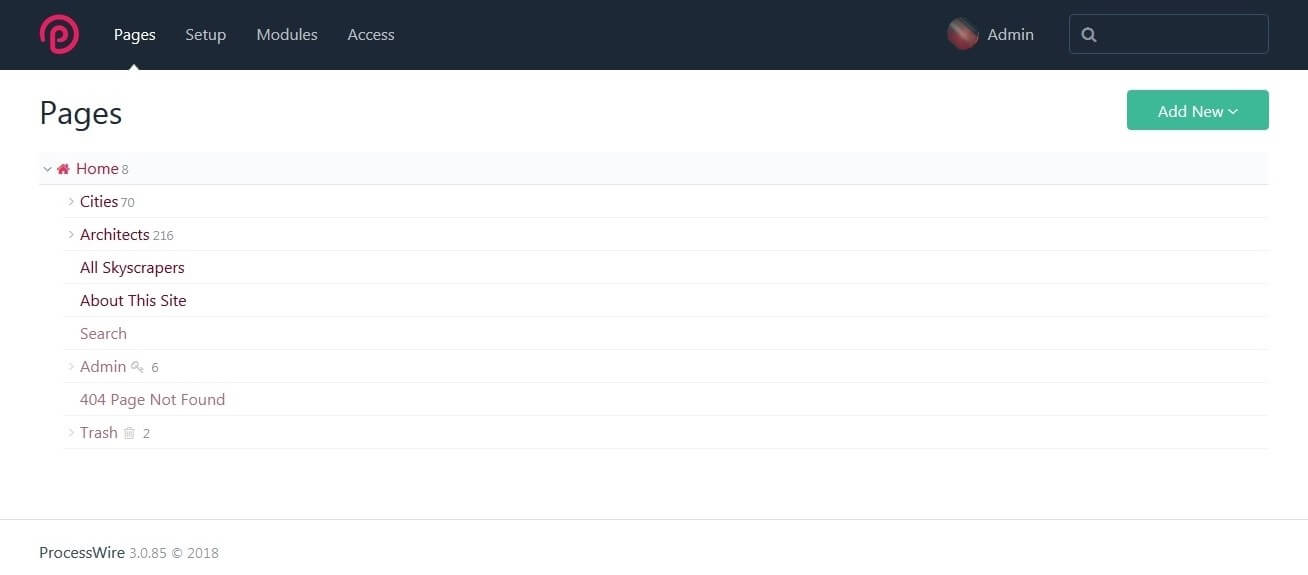
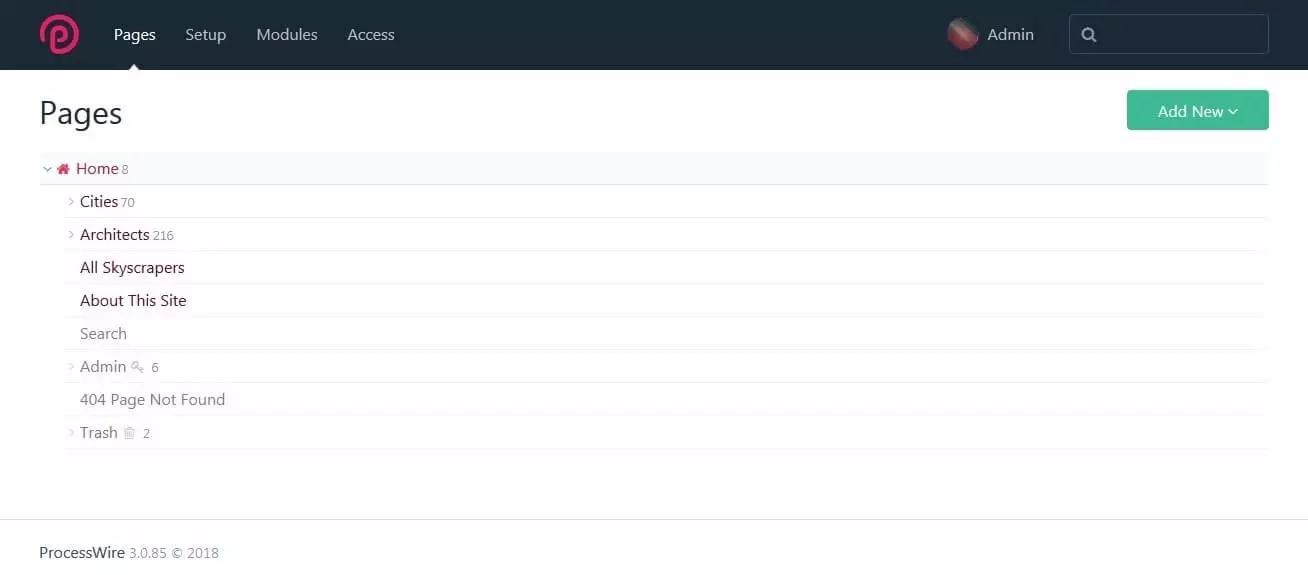
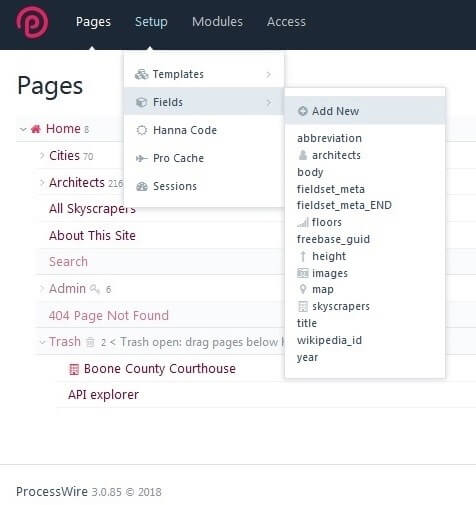
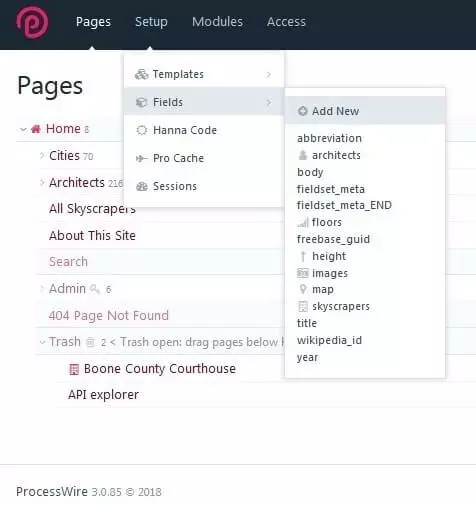
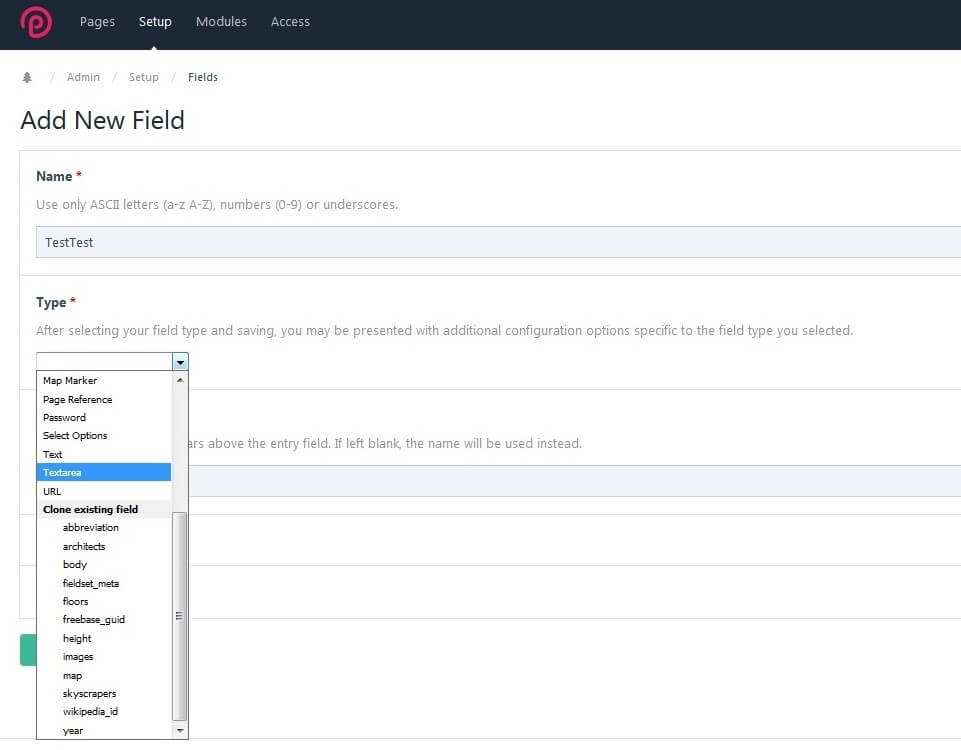
The following explanation uses screenshots from ProcessWire’s demo version. The picture above shows the back end with the page tree. Once you have set up the page, you add begin adding pages and fill them with content. But we’ll come back to that later. First, go to the neighbouring tab “Setup” and select the sub item entitled “Fields.” Select “Add New” to create a new field, as shown in the following image.
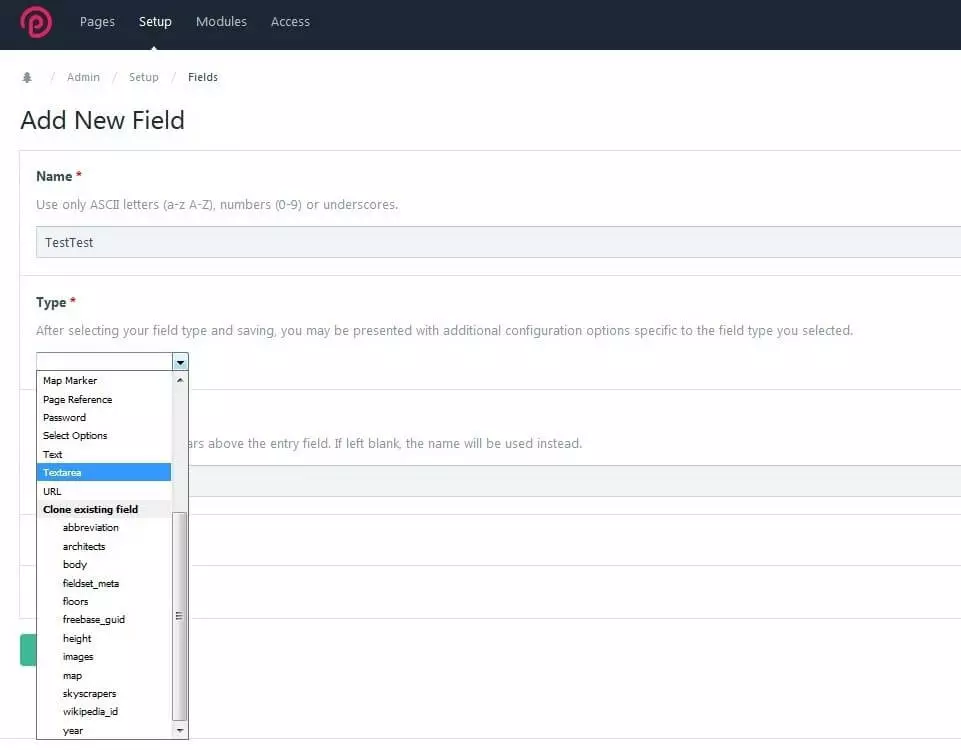
Fill-in all field attributes, such as the name, type, and label. You can also decide whether you want to include a tick box, date, text, or image. Save the new field and create even more in the same way until you have created enough for your website. It’s also possible to add more fields later. The settings for the new field are shown in the lower screen. The name is “TestTest.” “Type” shows that a field should be used for text input. Below this you can enter the desired label. Otherwise, the entered name will be used as the label.
Templates determine the structure
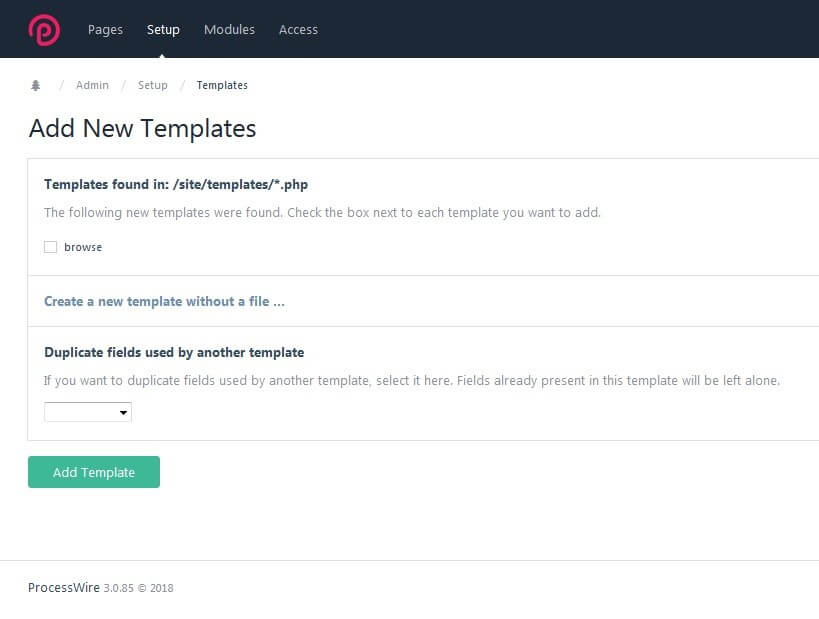
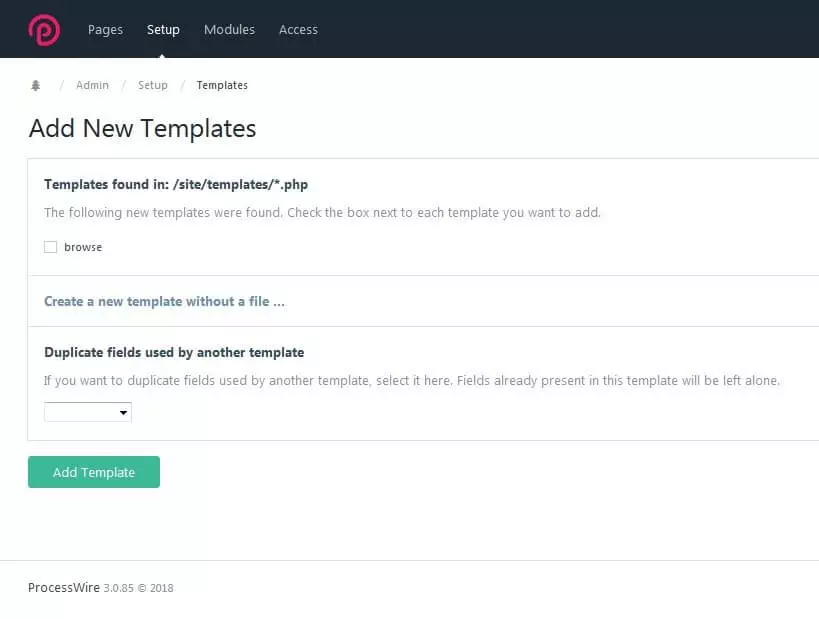
Next, go to the “Templates” menu item, which you’ll find in the settings (Setup). The templates ensure all pages with the same tasks look the same. Select “Add New Templates” from a PHP file on your server or write them down. If a template already exists (like the basic template from the downloads), you can duplicate this template for a new theme. Select a template from the drop-down menu under “Duplicate fields used by another template.” Your new template contains all fields from the original template. Existing fields are retained.
Make sure that the name is clear. This will make it easier for users to operate the website later on.
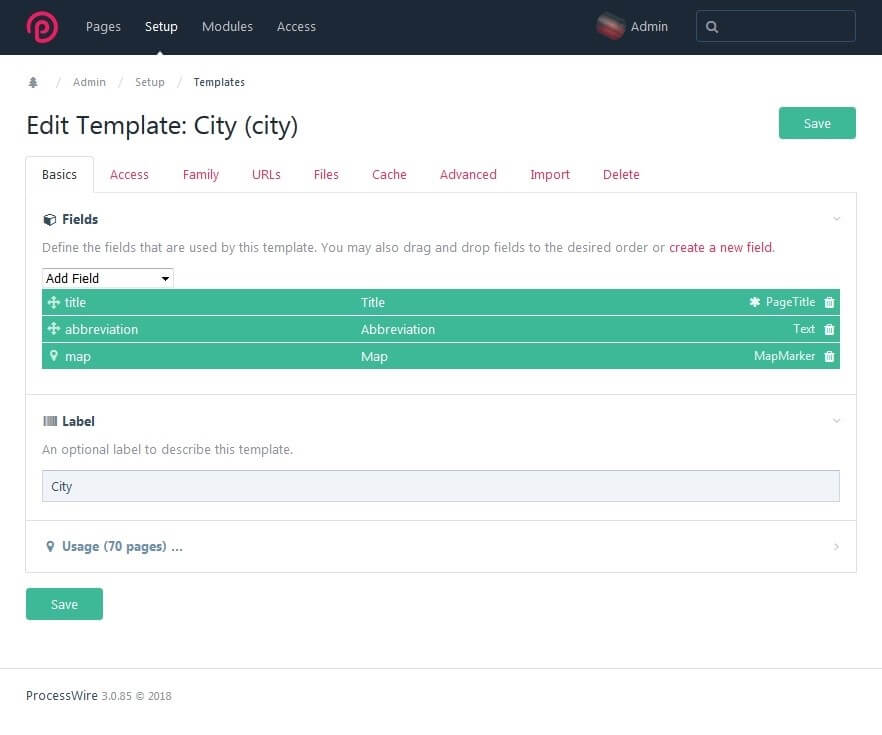
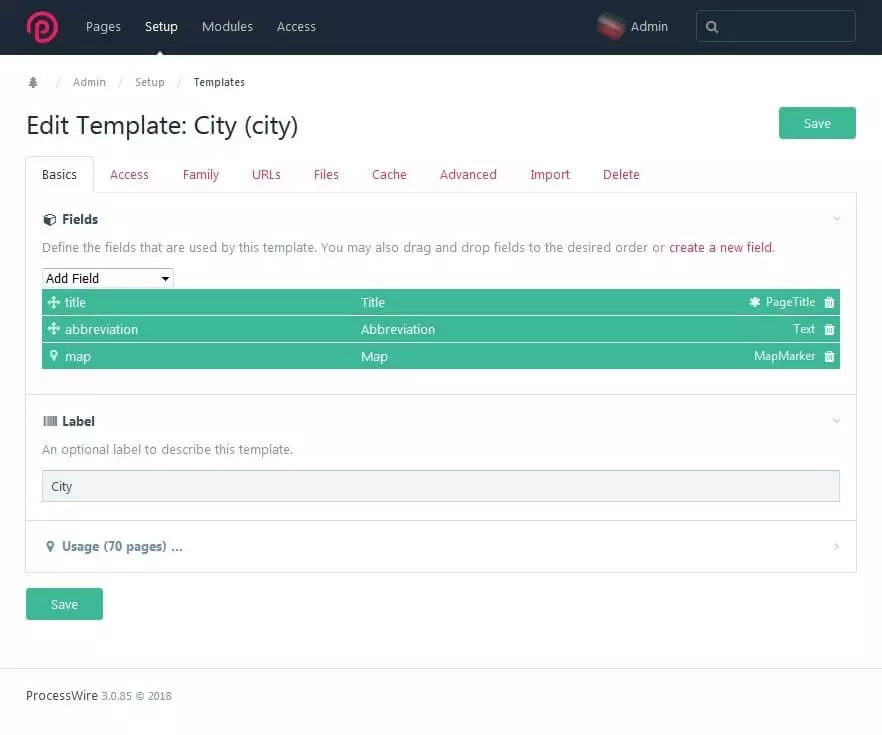
You have now created a new template, which you can subsequently define in more detail. The ProcessWire demo version uses a website about high-rise buildings as an example to highlight some of the possible uses of ProcessWire themes. The “City” template, shown in the image below, uses a total of 70 subpages on the website. The first tab “Basics” enables you to insert the fields you have created into the template. The “City” template has three fields: title (type: PageTitle), abbreviation (type: Text), and map (type: MapMarker). All pages under this template have a title in the header, an optional title shortcut, and a map.
You can arrange the fields using the drag-and-drop function. New fields can be added via the drop-down menu item “Add Field” or you can create a new field directly in the template. A label additionally defines the theme. Under “Usage,” it’s possible to see all the pages that use the template.
In the “Access” tab, determine who has access to which pages in the template. There are many possible applications for this. For example, forum pages can be created that are only visible to logged-in users. You may also want to build a page that all visitors can see, but whose content can only be edited by moderators. Under “Family,” define whether the template allows subpages and also which templates apply to the children and parent pages. Pagination and website optimisation can be prepared through clear path structures using the URL settings.
The cache improves the loading times of complexly designed websites. Under the category “Advanced,” find tags, toggles, and icons. Since ProcessWire tries to place tools where you need them, you can also copy fields from other themes into the template editor under “Import.” Use the “Delete” option to get rid of a template.
Everything is a page
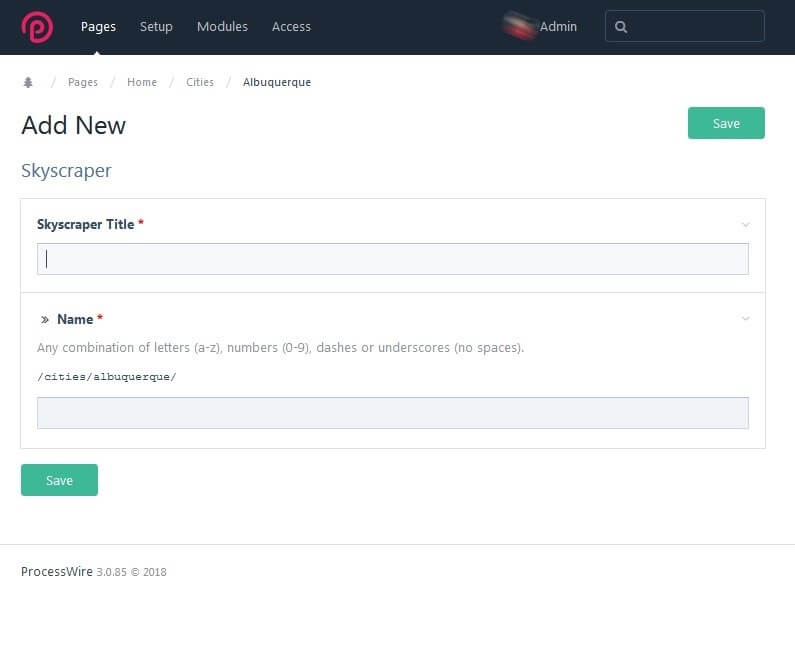
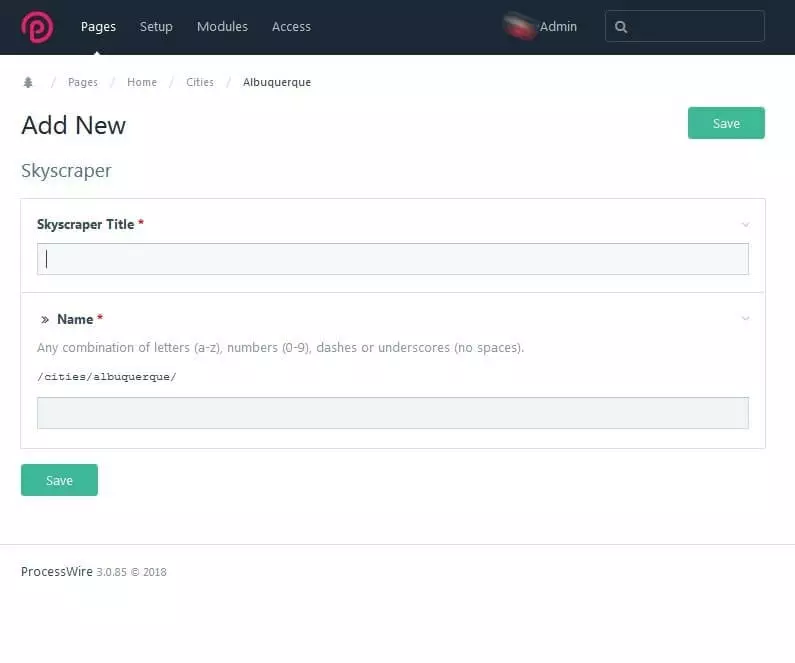
Considering everything as a page means that you get an overview of every element in your architecture. You have already defined fields and created templates so you’ve got the necessary basis to create a page. To do this, go back to the “Pages” homepage and click on “Add New.” In the drop-down menu, find all templates that have already been created. Select the desired theme, for example “Skyscrapers” as shown in the picture below.
The new page will be built according to the template defined in “Skyscrapers.” In the demo version, the family relationships for the page are already determined. For the “Skyscrapers” template, select a parent page from the given cities. Then give the page the title for the heading and a name for the URL.
As a developer, you can also rename tabs. Editors will later find the content area for high-rise building pages under the title “Skyscrapers.” For example, if you go to the “Albuquerque” page in the admin area, you will see various tabs that you can customise as admin. In the first tab, you can edit the page content. Next to it, you will find a tab for determining which children the page has. As an admin, you can rename this tab, for example, under the name “Skyscrapers” – the template for all children’s pages that are subordinate to pages with a city template.
First save the page by clicking on “Save,” go to “Pages” > “Cities” > “Albuquerque,” and select the example page (Albuquerque Petroleum Building) and click on “Edit.” The Settings tab is where you define the page properties. The name and template are already created. The parent page in the example is Albuquerque. Here you decide on the status (hidden, locked, or unpublished), access rights, and the cache. Customise your individual fields in the content area (here: Skyscraper Info). The Skyscraper template specifies 12 fields:
- Title (Page Title)
- Height (Float)
- Floors (Integer)
- Year (Integer)
- Architects (Page)
- Body (Text Area)
- Map (Map Marker)
- Images (Images)
- Fieldset_Meta (FieldsetOpen)
- FreebaseGuid (Text)
- WikipediaID (Integer)
- FieldsetMeta-END
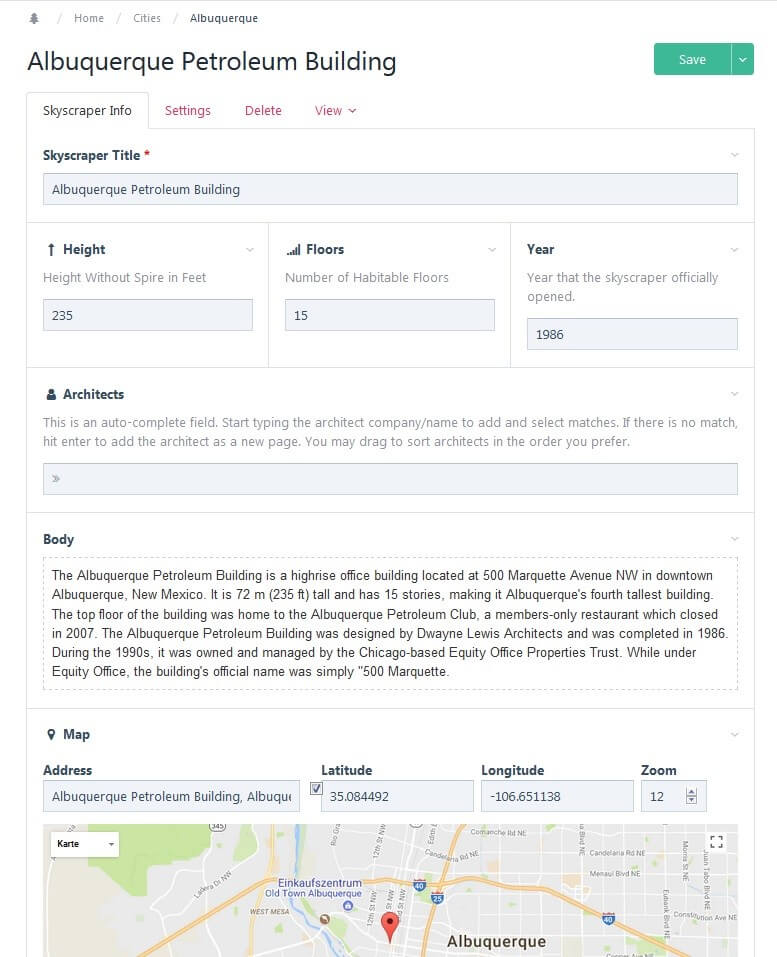
In the page editor, fill text and number fields with content, enter the marking coordinates on the map, and upload images to the corresponding field using drag-and-drop. You can use the image tool to change size and format. Once you have filled in all the fields, select one of the preview views in the “View” tab. If everything is how you’d like it to be, then save the page. With these first steps, you can build a simple, individually designed website. For more design freedom, better user experience, and an optimised admin area, have a look through the open source modules.
ProcessWire is a versatile CMF that is suitable for both small websites and large projects with multiple domains and target languages. Whoever uses it to build a website should be experienced in HTML and PHP. Website operators and content editors are usually able to work without encountering any problems after a short familiarisation period. User-friendliness is increased thanks to admin modules. ProcessWire scores points with a lightweight software package, stable API, numerous possibilities for individualisation, and a helpful community.
Reviewer

Julia Hertler
With over 18 years of experience in content marketing, Julia Hertler has deep expertise in digital communications. For the past 10 years, she has specialised in the areas of domains and hosting at the IONOS Digital Guide, making complex technical topics easy to understand.