

Add a Website to Windows Server 2016 using host headers

Learn how to configure a host header in order to add additional websites to a server with Windows Server 2016. This process allows you to host multiple websites with unique domain names on the same server and IP address.
Requirements
- A Cloud Server with Windows Server 2016.
- A registered domain name which is pointing to the server’s IP address.
Looking for an alternative to the traditional .co.uk extension, or want to grow your online presence? Give .uk a try today.
£1 for 1 year!
Configure a host header
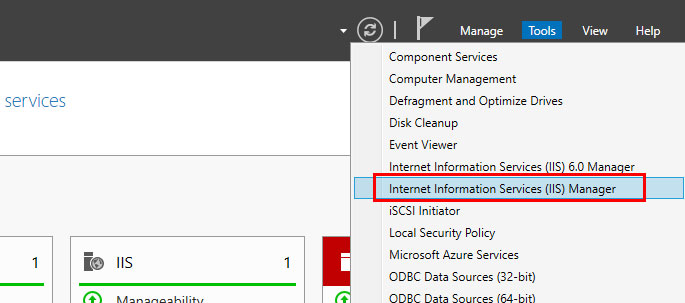
Use Remote Desktop to connect to the server. On the Server Manager Dashboard, click Tools > Internet Information Services (IIS) Manager.
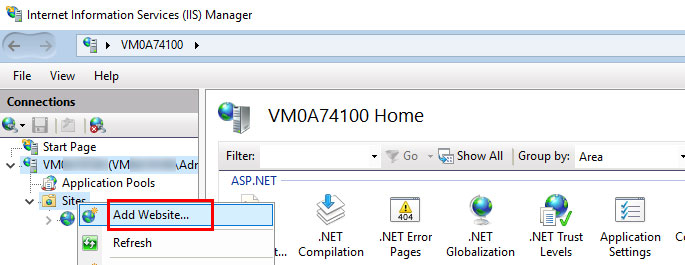
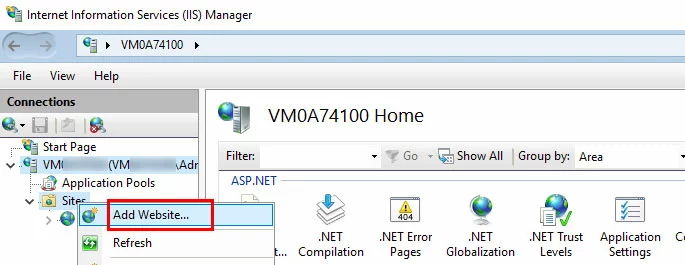
In the Connections pane, click to expand the server entry, then right-click Sites.
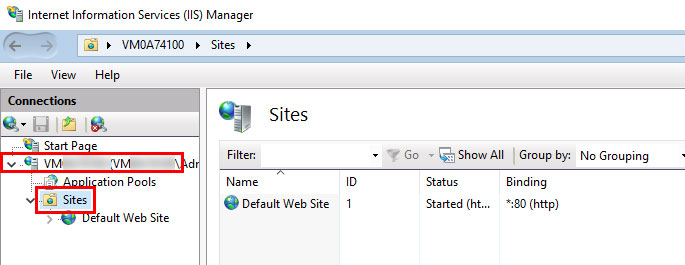
Click Add Website…
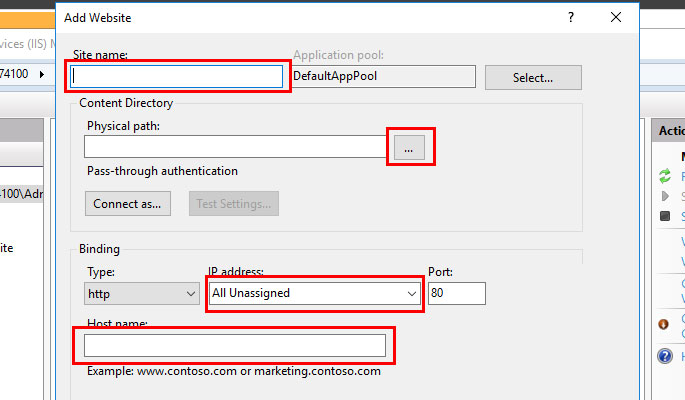
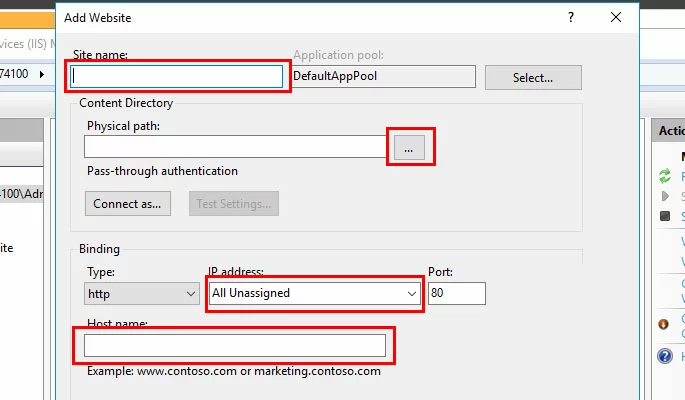
Fill out the following information:
- Intuitive website builder with AI assistance
- Create captivating images and texts in seconds
- Domain, SSL and email included
- Site name: A title for the site (like Example Site)
- Physical Path: Click … and choose the directory where the site’s files will be stored.
- IP Address: Click the drop-down menu and select the server’s IP address.
- Host name: Enter the domain name for the site (like example.com).
Click OK to add the site.
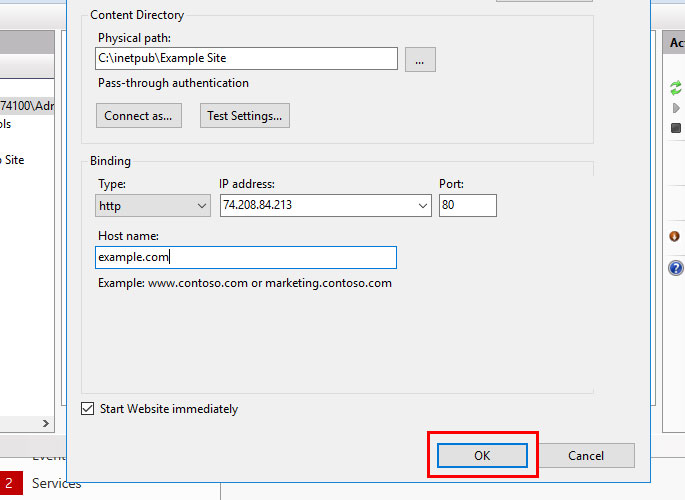
The website will be added, and you will be able to view the website’s files in a browser.
Ask, create and research with the European alternative to ChatGPT. Robust security and unlimited chats give you peace of mind.
Reviewer

Julia Hertler
With over 18 years of experience in content marketing, Julia Hertler has deep expertise in digital communications. For the past 10 years, she has specialised in the areas of domains and hosting at the IONOS Digital Guide, making complex technical topics easy to understand.