

What are the best Raspberry Pi alternatives 2024?

Raspberry Pi has basically become a synonym for single board computer. The current Raspberry Pi 5 model is more powerful than ever with features such as the 2.4 GHz Quad Core and up to 8 GB RAM. The downside is that this also has an impact on costs. What cost-effective alternatives to the Raspberry Pi are there?
What are some of the best alternatives to Raspberry Pi?
There is an impressive variety of Raspberry Pi alternatives out there. Our overview only represents a small selection. The current Raspberry Pi 5 serves as the starting point for the comparison, and the performance scope of this model was also the basis for selecting the respective alternatives.
A direct comparison of Raspberry Pi alternatives
| Raspberry Pi 5 | Banana Pi M5 | Orange Pi CM 4 | Libre Alta AI | ODROID-M1S | Pine64 Quartz64 B | |
|---|---|---|---|---|---|---|
| Processor core | Quad Core | Quad Core | Quad Core | Quad Core + Dual Core | Quad Core | Quad Core |
| Max clocking | 2.4 GHz | 2.0 GHz | 1.8 GHz | 2.2 GHz + 1.8 GHz | 1.8 GHz | 2.0 GHz |
| RAM | 4 GB / 8 GB | 4 GB | 1 / 2 / 4 / 8 GB | 4 GB | 4 GB / 8 GB | 4 GB |
| Ethernet port | ✓ | ✓ | ✓ | ✓ | ✓ | ✓ |
| Storage solution | microSD | flash memory; microSD | flash memory | microSD | flash memory; microSD | microSD; eMMC slot |
| GPIO pins | 40 | 40 | 40 | 40 | 56 | 40 |
| WiFi | Dual-band 802.11ac | ✗ | 802.11ac | ✗ | ✗ | 802.11 B/G/N/AC |
| Dimensions | 85 x 56 mm | 85 x 56 mm | 55 x 40 mm | 85 x 56 mm | 90 x 65 mm | 133 x 80 mm |
| Price | 4 GB: from £45 8 GB: from £62 |
from £70 | 1 GB: from £25 8 GB: from £45 |
from £55 | 4 GB: from £39 8 GB: from £45 |
from £48 |
Correct as of Februar 2024
Banana Pi M5
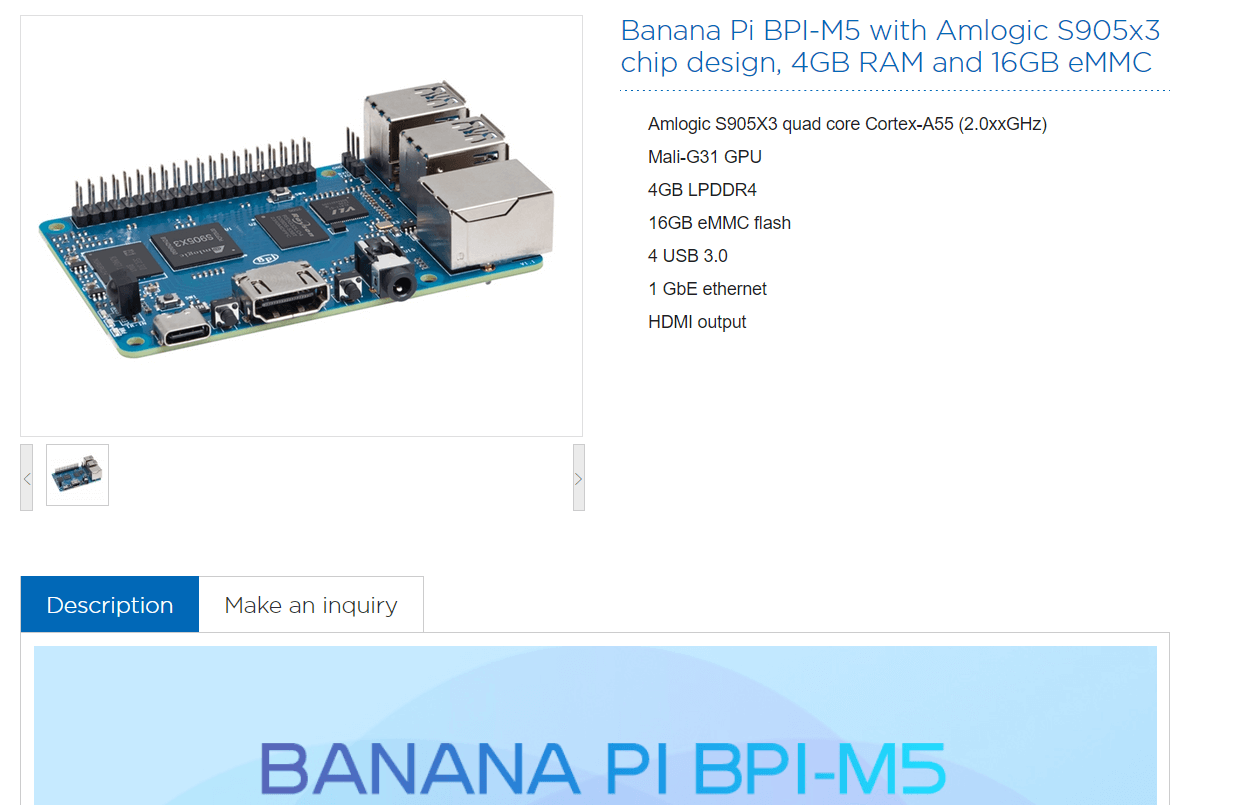
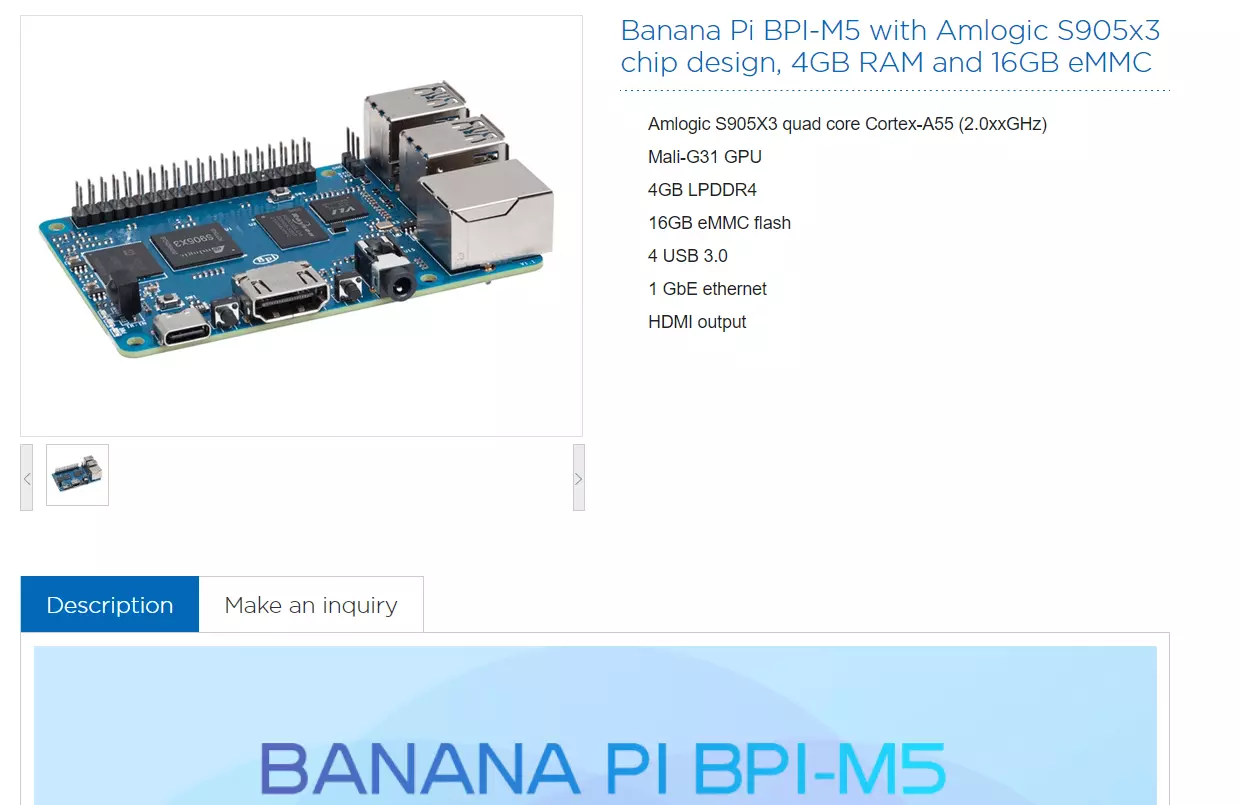
The resounding success and influence of the model is reflected in the name of this Raspberry Pi alternative. Banana Pi M5 is more than just a copy of the famous model. The powerful Amlogic S905X3 processor with four ARM Cortex-A55 cores and a maximum clock speed of 2.0 GHz provides plenty of power. The model also comes with 4 GB of RAM and 16 GB of integrated eMMC flash memory. A microSD card slot is also available.
To connect the Banana Pi M5 to networks, simply use the integrated Ethernet port. If you also want to work with wireless connections, you will also need to purchase the Banana Pi WIFI&BT Expansion Board. Like the Raspberry Pi, the Banana Pi uses a 40 GPIO pin header. According to the manufacturer, many of the common operating systems for single-board computers can be installed on the Banana Pi M5. This includes various Linux derivatives such as Ubuntu and Debian as well as Android and the Raspberry Pi system Raspbian.
| Advantages | Disadvantages |
|---|---|
| ✓ Integrated 16 GB flash memory | ✗ WiFi adapter not included in standard package |
| ✓ Supports many operating systems |
Orange Pi CM 4
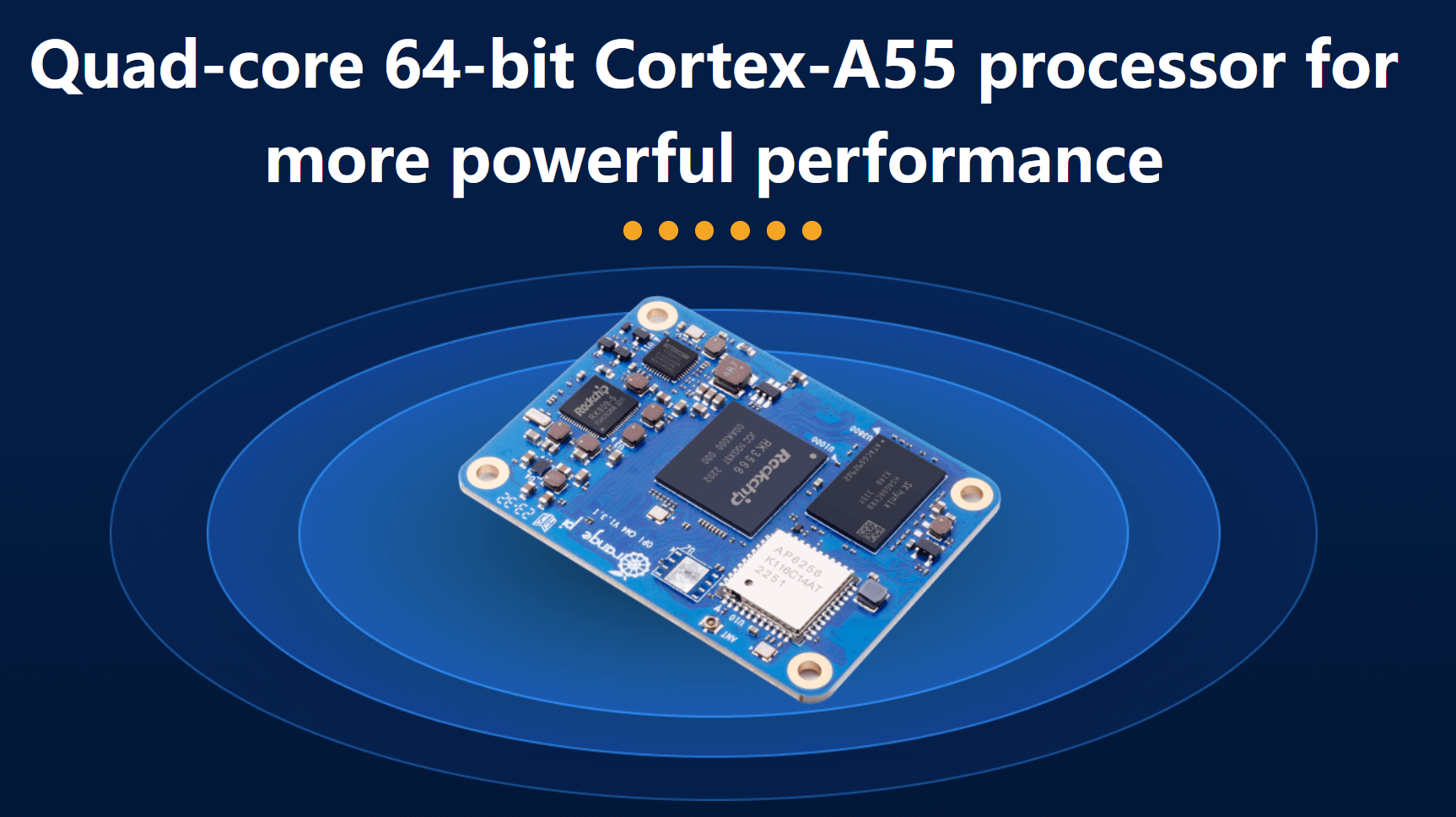
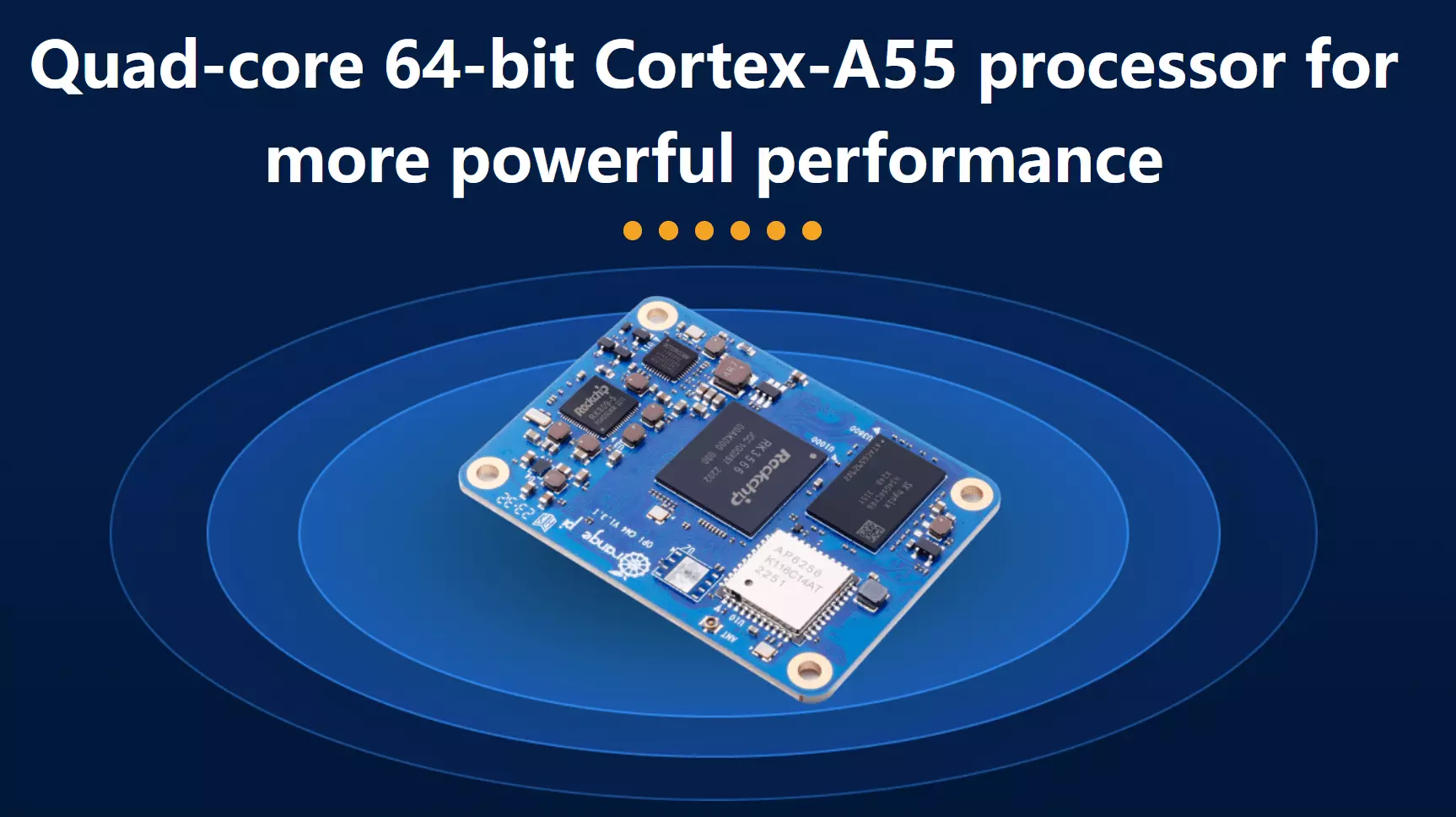
With the Orange Pi CM 4 -orangepi.org you get a compact (55 x 40 mm) and inexpensive, yet powerful Raspberry Pi alternative. At its heart is a Cortex-A55 processor (Quad Core) that boasts up to 1.8 GHz computing power, while you can choose between 1, 2, 4 and 8 GB of RAM. An integrated 8 to 128 GB eMMC flash memory is available for data storage.
Similar to the Raspberry Pi 5, the Orange Pi CM 4 features a 40-pin GPIO interface, making it an excellent platform for interfacing with external devices and building circuits. It also comes equipped with an Ethernet chip and a WiFi adapter. The device supports a range of operating systems, including Android 11, Ubuntu 22.04 and 20.04, as well as Debian 12. For those seeking higher performance, the manufacturers offer an alternative to the Raspberry Pi 5 in the form of the Orange Pi 5, which boasts an 8-core processor (2.4 GHz) and up to 16 GB of RAM, though at a higher cost.
| Advantages | Disadvantages |
|---|---|
| ✓ Cost-effective | ✗ Only works in combination with base board |
| ✓ Integrated memory | ✗ Max. 1.8 GHz |
Libre Computer Alta AI
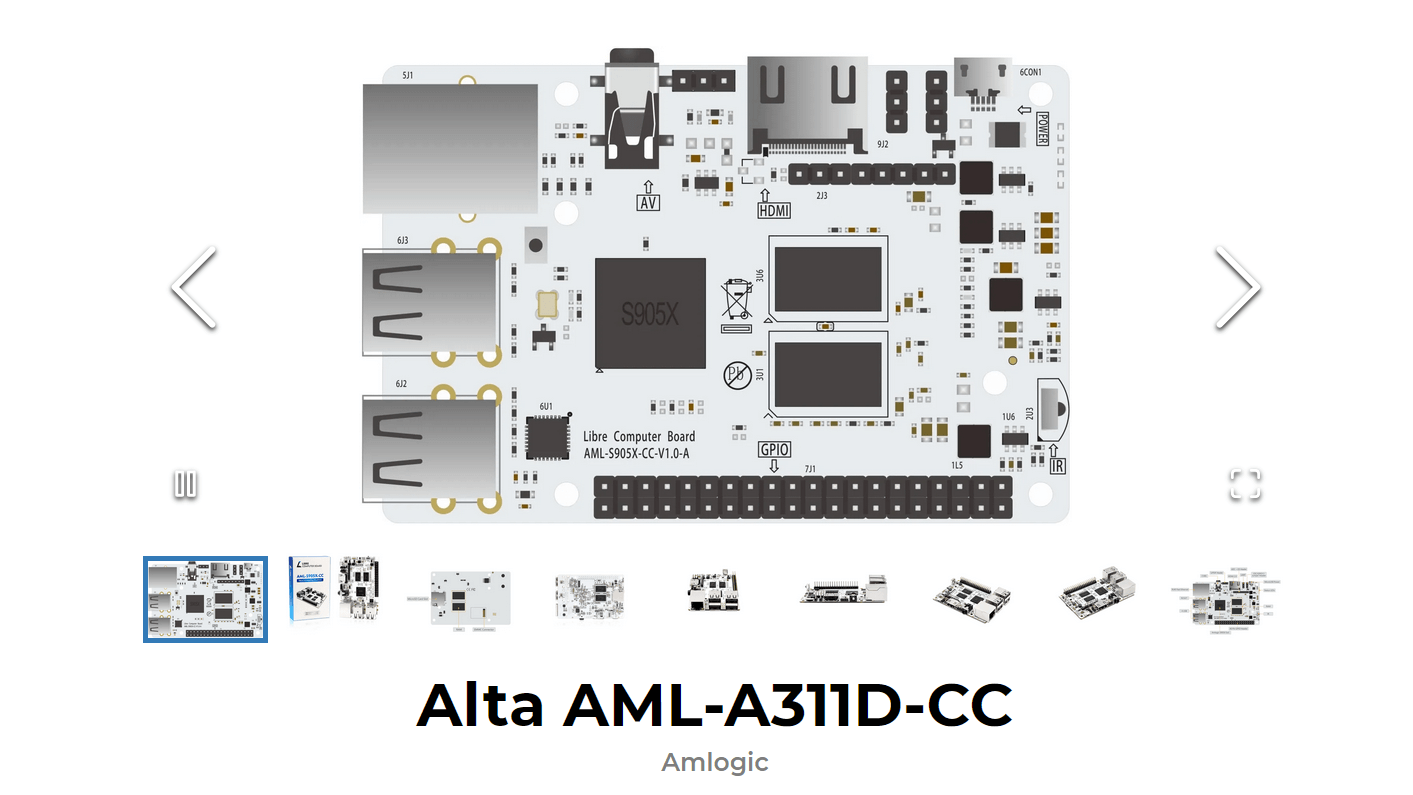
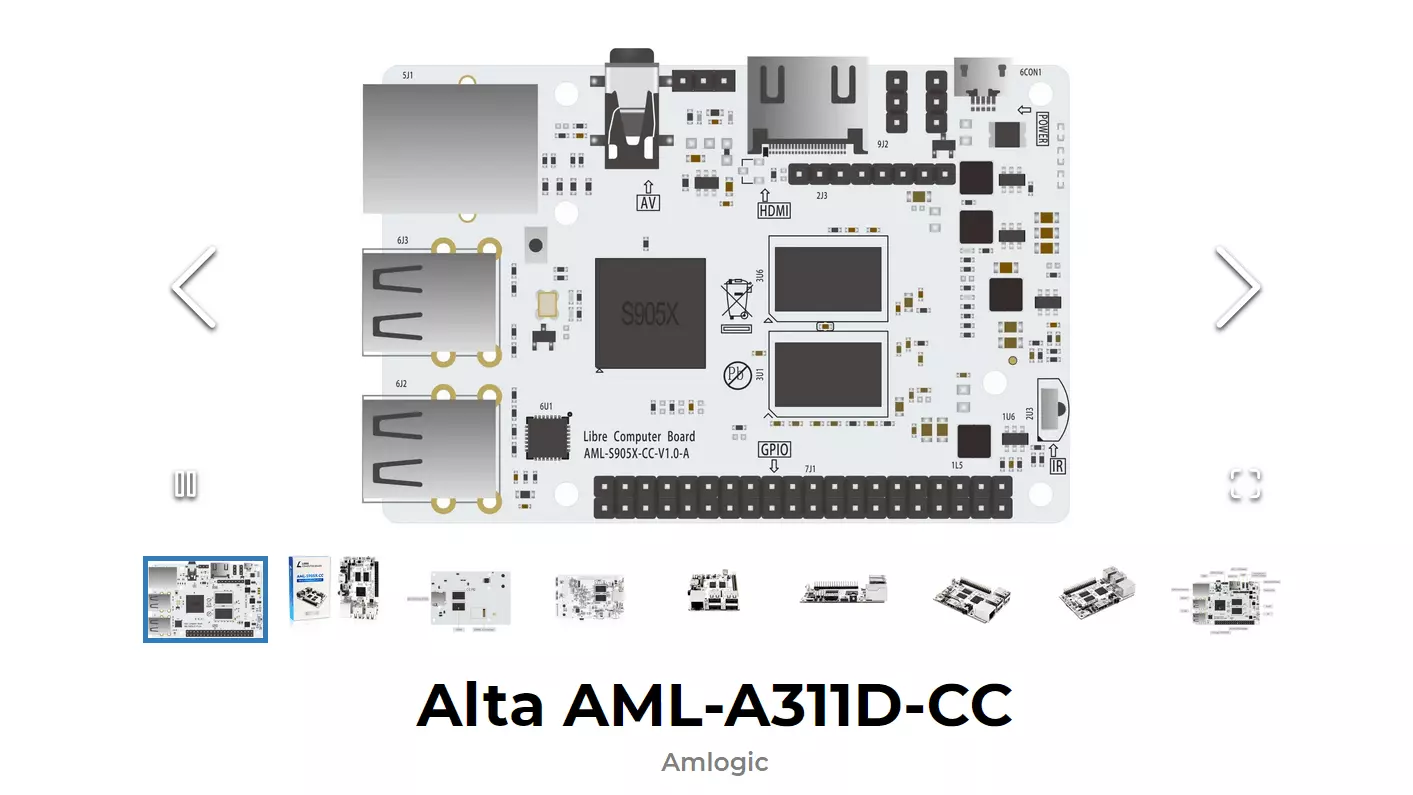
With the Alta AML-A311D-CC, also known as Alta AI, the manufacturer Libre Computer has a Raspberry Pi alternative in its portfolio that has a special approach. This is because the built-in Amlogic A311D processor combines four 2.2 GHz Cortex-A73 cores with two Cortex-A53 cores (up to 1.8 GHz). The Alta also relies on an NPU (Neural Processing Unit) with 5 TOPS (Tera Operations per Second) to speed up AI applications, which is why the single-board computer is particularly suitable for this type of software. It also has 4 GB of RAM.
Are you working on your own website or web application that has a lot to do with the topic of artificial intelligence? Make sure to register an .ai domain with IONOS today!
The Alta AI also comes with a 40 pin GPIO interface to provide sufficient scope for circuits and external connections. The board also offers a high level of compatibility with the Raspberry Pi interface. The Alta AML-A311D-CC is equipped with an integrated Ethernet port for network connectivity and does not include a WiFi adapter. According to Libre Computer, you can operate the Alta AML-A311D-CC with all common Linux distributions.
| Advantages | Disadvantages |
|---|---|
| ✓ Neural processing unit with 5 TOPS | ✗ No WiFi adapter |
| ✓ High compatibility with the Raspberry PI interface | ✗ Low availability |
ODROID-M1S
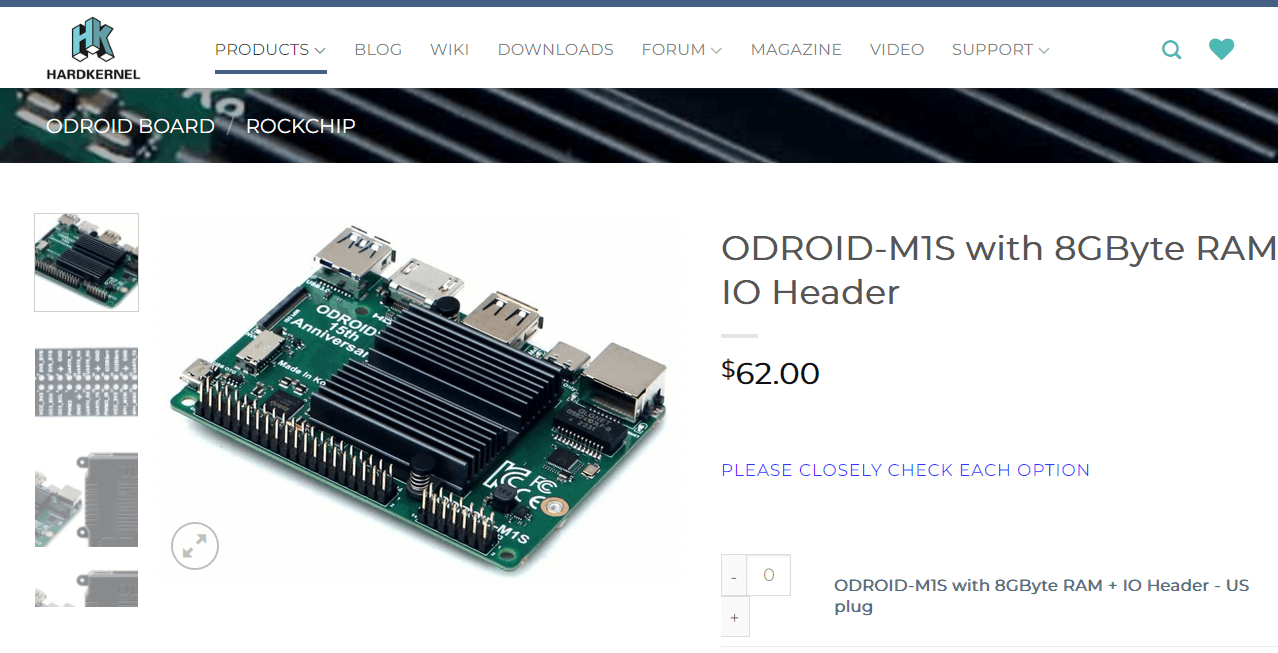
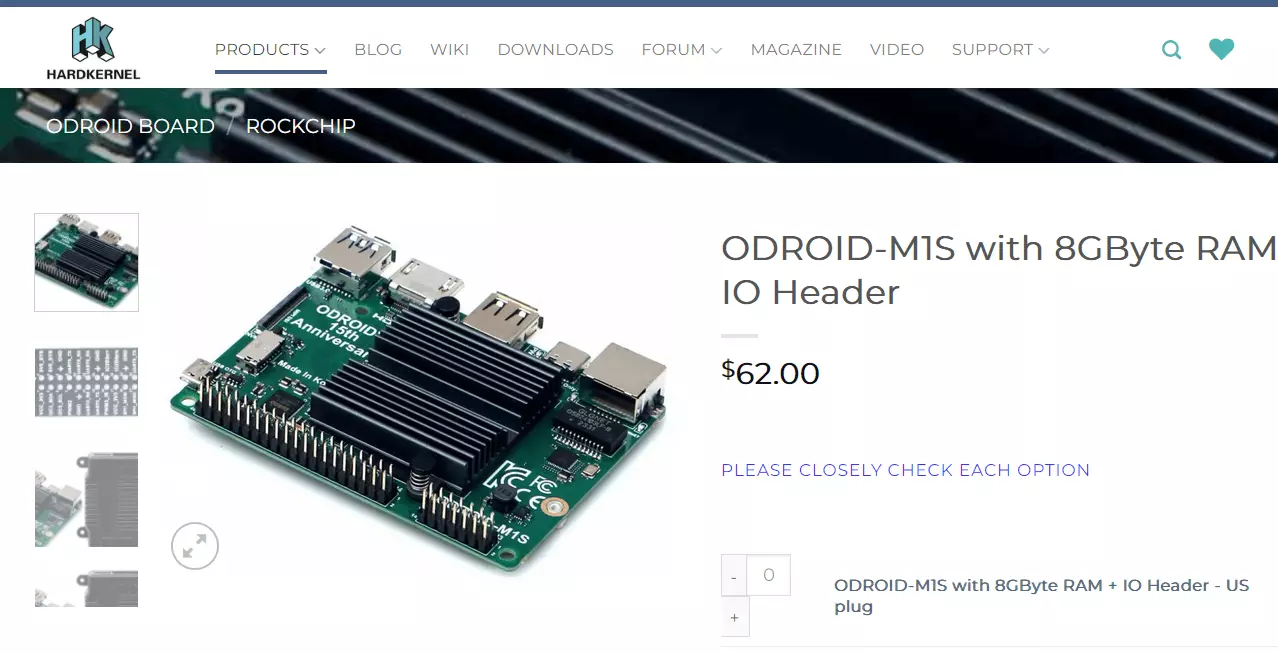
The ODROID-M1S product page“) is a good Raspberry Pi alternative from the South Korean manufacturer HARDKERNEL. The processor used is a Rockchip RK3566 Quad Core with up to 1.8 GHz. As with the Alta AI, an NPU (0.8 TOPS) is also integrated for AI software. When it comes to RAM, you can choose between a 4 GB and an 8 GB version. You can save files either on the internal eMMC memory module with 64 GB capacity or on an external SD card, thanks to the microSD slot.
Network connections are only possible via cable as standard, as the ODROID-M1S has an Ethernet port but no WiFi adapter. In contrast to the other alternatives and the Raspberry Pi itself, the South Korean single-board computer offers a total of 56 interfaces. This is due to an additional strip with 16 pins, supplementing the 40-pin GPIO interface. The supported operating systems are Android 11, Ubuntu 22.04 and Ubuntu 20.04
There is also an edition of ODROID-M1S available that doesn’t have the two strips with GPIO pins, which is a few pounds cheaper. So pay close attention to which version you order if you opt for this Raspberry Pi alternative.
| Advantages | Disadvantages |
|---|---|
| ✓ 56 GPIO pins | ✗ No WiFi adapter |
| ✓ Integrated eMMC memory and microSD slot | ✗ Max. 1.8 GHz |
Pine64 Quartz64 Model B
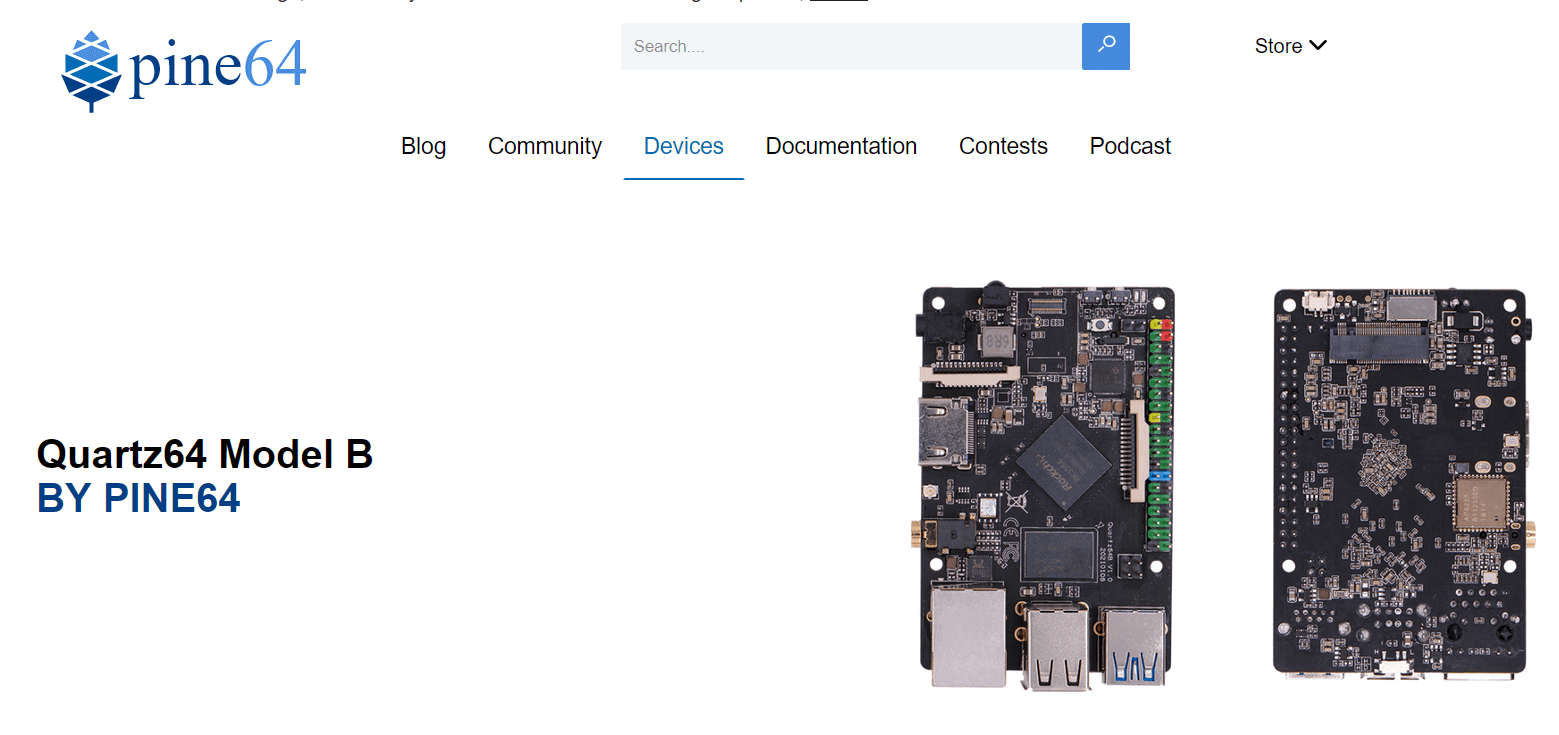
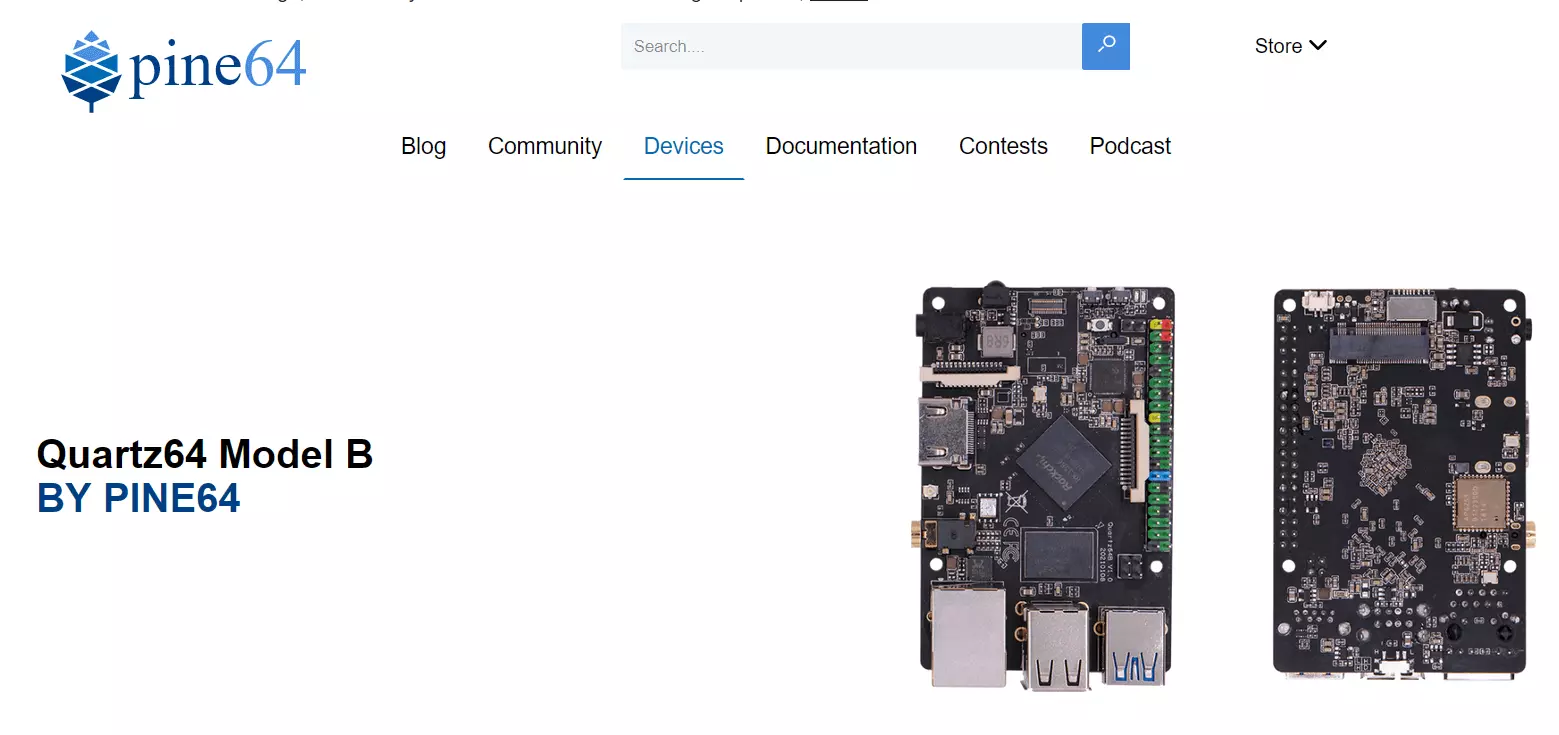
PINE64 is a community that works together on ARM and RISC-V devices such as the Raspberry Pi alternative Quartz64 Model B. The single-board computer uses a Rockchip RK3566 Quad Core ARM Cortex A55 (64-bit), which you can clock up to 2 GHz (integrated NPU with 0.8 TOPS). The board computer is currently only available in the official PINE64 store with 4 GB RAM, although further editions are planned according to the manufacturer. There is no integrated memory solution, but there is a slot for both microSD and eMMC memory modules.
There are 40 GPIO pins available for connecting to external devices and WiFi and Ethernet adapters for network connections. This means you can connect the Quartz64 to the internet or your private network either by cable or wirelessly. When it comes to the operating system, you practically have free rein since Linux distributions such as Ubuntu, Debian and Arch are supported as well as BSD (Berkeley Software Distribution) and Android.
| Advantages | Disadvantages |
|---|---|
| ✓ Supports various operating systems | ✗ Relatively large |
| ✓ Slots for microSD and eMMC memory |
Summary of the best alternatives to Raspberry Pi
Which Raspberry Pi alternatives are the best depends on many factors – above all, the intended purpose and the experience of the user. If you want to run a pure data server, you can use the weaker and therefore cheaper Raspberry Pi alternatives. Orange Pi falls into this category, for example. For AI applications, on the other hand, single-board computers with their own computing unit and high TOPS such as the Libre Computer Alta AI are recommended.
The software side shouldn’t be neglected, however. Hardware can only work to its full potential when sufficient software is supported. In this respect, Raspberry Pi still proves to be a perfect all-rounder – especially for beginners. There is also a large community offering suggestions and support. But even the inexpensive or less expensive alternatives to Raspberry Pi still offer superior hardware.