

30 Raspberry Pi projects that show the possibilities of the mini computer

At first glance, Raspberry Pi looks unspectacular. The device resembles a credit-card sized circuit board with added components. But its compact size makes the Pi’s vast range of options even more impressive.
Developed by British company, the Raspberry Pi foundation, this little computer is great value for money. Its low cost is one of many factors that have contributed to the Pi becoming one of the best-selling British computers of all time. Originally designed for young people with an interest in web design, Raspberry Pi’s reduced features and lack of casing make it particularly well suited for beginners who want to learn more about the hardware structure of a computer and the basics of programming.
But the innovative micro-computer soon caught the attention of innovative programmers and hobbyists, who were keen to explore the Raspberry Pi’s potential and test new ideas. That’s how many of the original Raspberry Pi applications and projects came about. In this introduction, we present 20 useful and successful Raspberry Pi projects that you can build at home.
Try out your VPS for 30 days. If you're not satisfied, we'll fully reimburse you.
What is Raspberry Pi?
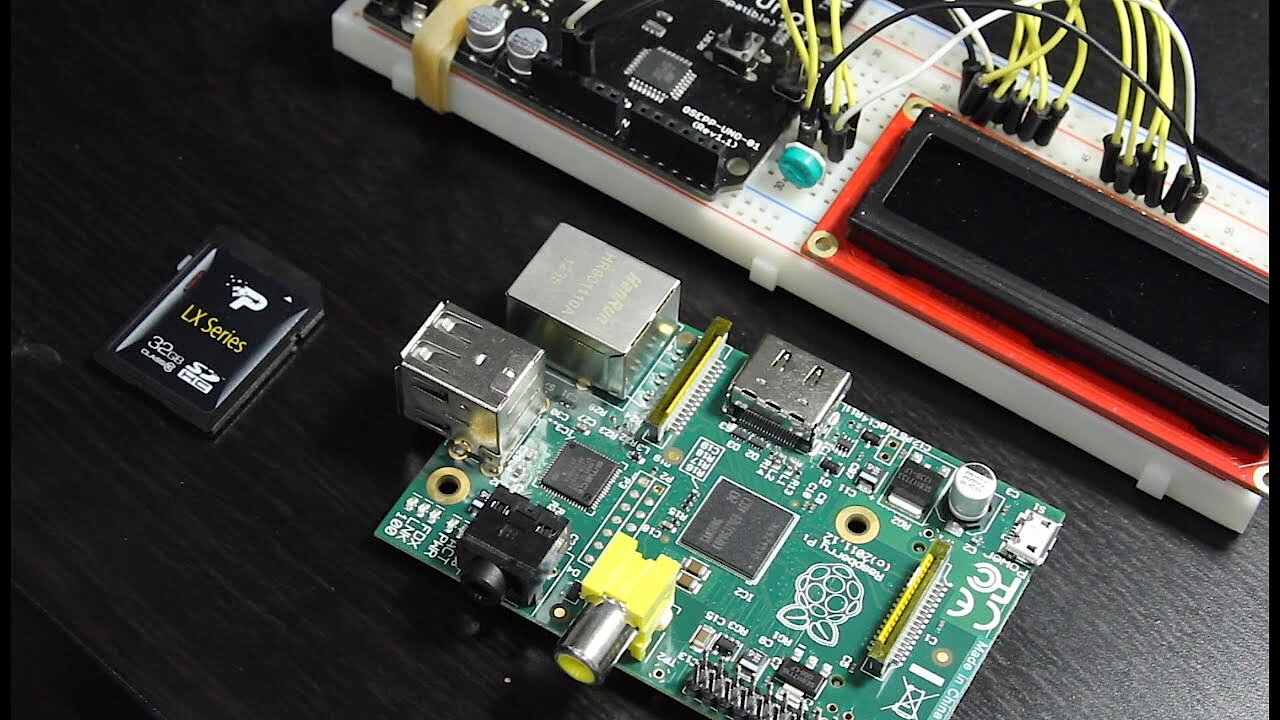
Roughly the same size as a credit card, Raspberry Pi is an example of a single-board computer, which has all the basic hardware components of a computer (processor, memory, etc.) and various extensions (USB, HDMI, video, sound, etc.). A micro SD card serves as a hard drive while also providing the operating system. The Debian-based Raspbian is recommended, but other Linux distributions and special Windows versions can also be used. A micro USB charger (for example, a smartphone charger) can be used as the power supply. An Internet connection can be set up with a network cable over the Ethernet interface. The USB sockets make it easy to connect various external devices, such as a mouse, keyboard or external hard drive. The HDMI connection is the simplest way to connect a screen to the Raspberry Pi device. The device also comes with several pins, which can be programmed for additional functions.
The components vary depending on the model. The very first edition, Raspberry Pi 1, was launched in February 2012. Since then, the company has developed a range of Pi follow-up models, each at a face value of around £25, making them incredibly cost-effective micro-computers. The Raspberry Pi 4 (Model B) has been available since May 2020. It has a CPU with 1.5 GHz, offers connections for two 4K HMDI screens, and has WLAN and Bluetooth (5.0). Buyers can also choose between 2, 4, and 8 GB of working memory. Raspberry Pi Zero 2 W has been available since October 2021. The little brother of the original Raspberry Pi boasts 512 MB memory, is available from approximately £20 and lets users create many exciting Raspberry Pi Zero projects.
A wordplay on the beloved dessert, the name ‘Raspberry Pi’ follows a tradition by IT manufacturers to incorporate fruit denominations (for example, Apple, Blackberry, and Acorn). But it also hints at its functions. Here, ‘Pi’ is an abbreviation for ‘Python interpreter’, as Python is Raspberry Pi’s main programming language. However, those with little or no Python experience can use Scratch, which is a simpler, more visual programming language.
30 useful Raspberry Pi projects you can try at home
Raspberry Pi’s applications are wonderfully diverse. In addition to fulfilling many standard tasks, the micro-computer has evolved to perform more unusual jobs. To implement a Raspberry Pi project, users sometimes require a lot of preliminary knowledge, and at other times require barely any. But if you’re interested in a project, lack of prior knowledge shouldn’t be an obstacle. On the contrary, the Pi has been specifically designed for experimentation with the circuit board and to help users develop new computing skills.
The internet provides a wealth of information on Raspberry Pi’s various uses, alongside tips on implementation of different applications and projects. The following examples highlight the range of possibilities the micro-computer offers. Below, you’ll also find links to some of the most popular and helpful projects, alongside brief guides on how to implement them.
Web server
For many users, Raspberry Pi functions as a web server. There are many different web server programs available (such as Apache, lighttpd and nginx. However, in most cases, Raspberry Pi’s performance is insufficient for hosting extensive, dynamic web content, hiccup-free. The mini-computer is instead far better suited to performing as a local testing environment. However, simple static websites with low visitor counts may be hosted by a Raspberry Pi server. Learn how to create a Raspberry Pi web server here.
 To display this video, third-party cookies are required. You can access and change your cookie settings here.
Video conferencing station for Zoom, Skype, etc.
2020 forced lots of people to work from home. One of the elementary work tools in home office: software for video conferencing such as Zoom, Jitsi Meet, Skype, or Microsoft Teams. Since not every company provides the equipment needed for this, many rely on using their own private devices - unless they build a video conferencing station using the Raspberry Pi for this sole purpose. Alasdair Allan has published his thoughts on a video conferencing station based on a Raspberry Pi 4 Model B in the official Raspberry Pi blog for Zoom, Skype, and Google Hangouts.
 To display this video, third-party cookies are required. You can access and change your cookie settings here.
Air Quality Monitor
The quality of the air in large cities in particular needs improvement. An Air Quality Monitor can be used to measure the exact quality of the air, for example the level of particulate matter concentration or the humidity. David Ghergita and Ioan Herisanu have published instructions on hackster.io on how to build this monitor yourself using a Raspberry Pi and an SPS30 fine dust sensor for indoor and outdoor measurements. The data is read and processed using Rust and uploaded to the Microsoft Azure Cloud. Here, helpful real-time analyses are created thanks to Azure Stream Analytics.
Watering system for your houseplants
Plants enliven your home and contribute to a relaxed working atmosphere. But it’s easy to forget to water them when caught in the stress of daily life. While some species cope well with little water, others such as bonsai trees, for example, are more demanding. That’s why there’s now a tutorial for building a Raspberry Pi bonsai watering system, which ensures that your plant’s getting the right amount of water.
For this purpose, a humidity sensor is used in conjunction with a pump. The Python 3 source code for the project is available on GitHub. All houseplants can be watered this way.
Ripeness metre for fruits and vegetables
Neural networks are among core future concepts and can make life a lot easier. Raspberry Pi hobbyist Kutluhan Aktar took advantage of this and developed a ripeness metre for fruit and vegetables based on a Raspberry Pi. The homemade machine uses a light sensor to detect the colouration of food. The neural network was trained with a dataset that maps the ripeness of different fruits and vegetables over ten days at all possible stages. This rather elaborate project is perhaps less suitable for home use, but it provides a great opportunity for the agricultural sector. Farmers, for example, could reduce the time they spend manually sorting spoiled crops.
Smart coffee machine pump
Coffee machines have become near indispensable whether at home or in the office. Modern coffee makers are capable of brewing everyone’s favourite cup of coffee with a single push of a button – as long as the water tank has been refilled recently. Alex Stakhanov and his colleagues set out to address this shortcoming and developed an automated water pumping system for their office coffee machine – a SAECO Aulika Focus. At the heart of the system is a Raspberry Pi. The micro-computer is connected to a HC-SR04 ultra-sonic sensor that consistently measures the remaining water level. The developers programmed the sensor using Python. A detailed explanation of the Raspberry Pi project and Python scripts are available via medium.com.
 To display this video, third-party cookies are required. You can access and change your cookie settings here.
Smart Home Headquarters
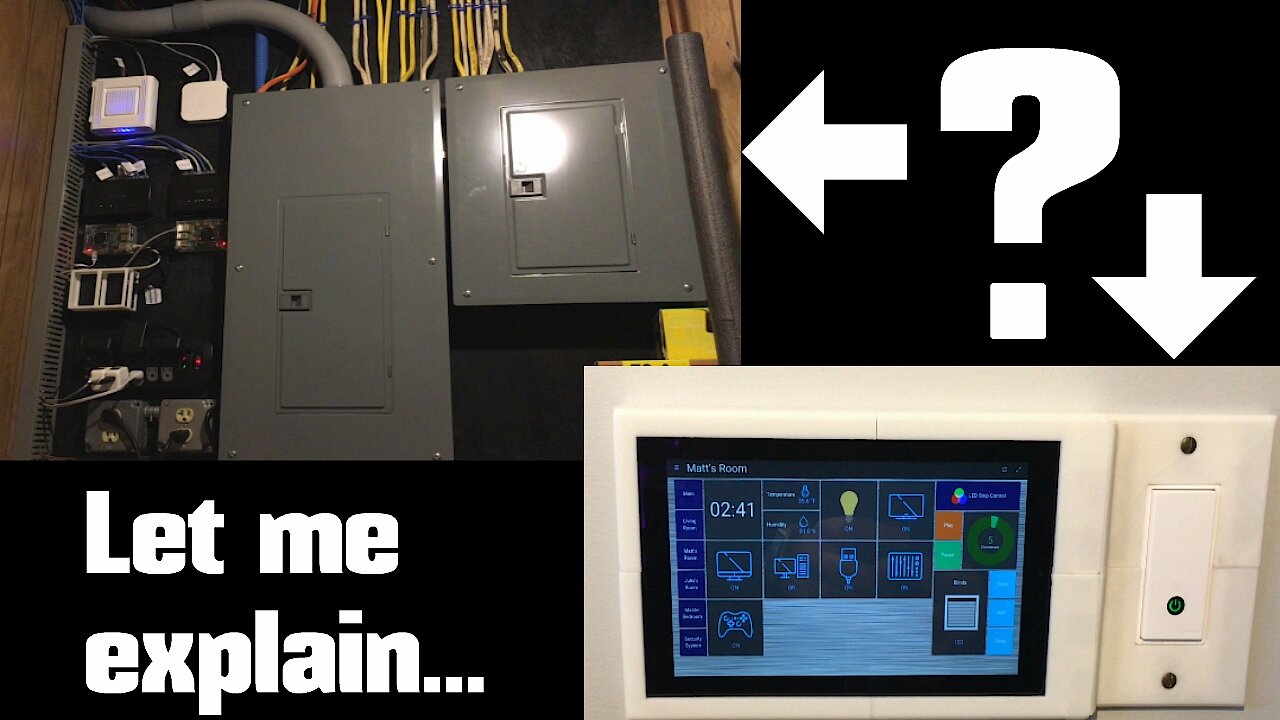
Networking all your domestic technology and household appliances is becoming increasingly popular. The smart home approach, and allows you to centrally control and management home heating, lamps, blinds, refrigerators, washing machines, etc. It doesn’t just improve your quality of life, but also contributes to efficient energy consumption. Thanks to it’s low price, internet capability and status as a fully functioning system with excellent hardware support, more and more hobby craftsmen are relying on Raspberry Pi to implement projects for their own homes. The required software basis is formed by open source tools like openHAB or Home Assistant.
 To display this video, third-party cookies are required. You can access and change your cookie settings here.
Streaming device for music, images, and videos
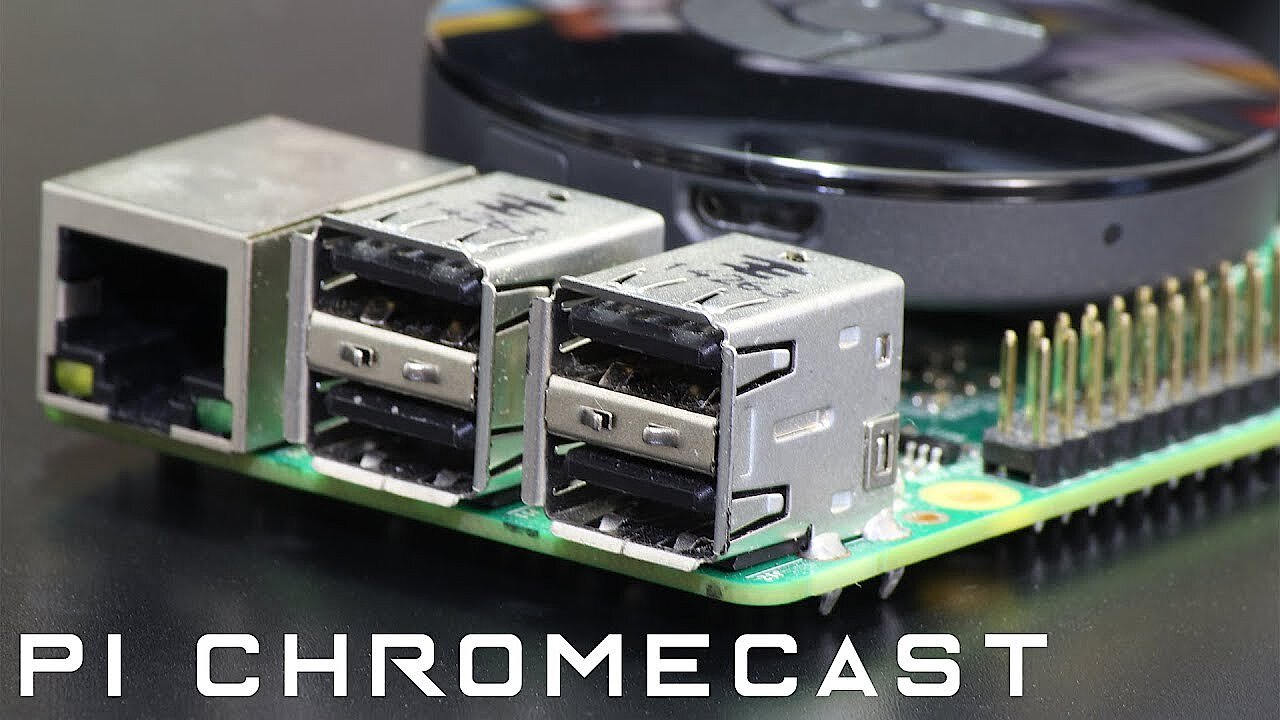
Those who do not have a modern smart TV that can connect to the Internet have to rely on a separate streaming device to play Netflix, Spotify, Amazon Prime Video, YouTube, etc. directly on their TV. The selection of sticks and boxes is huge, with the hardware by market leaders like the Google Chromecast, the Amazon Fire TV Stick, or the Apple TV box being particularly in demand.
However, this can be replaced with a little time and the right tricks by implementing a home-made construction. Using Raspberry Pi, an SD card, a mouse and a keyboard, you can create a streaming device, as user Maggie Shah proves in her examples of the ‘Raspicast’ on instructables.com. The Chromecast alternative brings Google’s YouTube video portal to your old, offline device, and allows you to stream all of your own media files that are on the Raspberry.
 To display this video, third-party cookies are required. You can access and change your cookie settings here.
Ambient lighting for the TV
LED backlighting for televisions is becoming increasingly popular. However, respective devices available to purchase are rather expensive. You can build your own ambient lighting with a little skill and a Raspberry Pi. The device changes colour to match the images displayed on the TV, making it even more powerful than traditional LED lighting. All you need besides a Raspberry Pi is a colour-adjustable RGB light bulb and a USB web camera. The latter scans the colours of the displayed image.
Mail server
When used as a mail server, emails are saved exclusively on Raspberry Pi, so no other provider or server has access to your messages. With a Raspberry Pi mail server, users have complete control over their mail system, and the ability to set up any number of email addresses using their own domain. As the central platform for your electronic communications, the micro-computer provides superior privacy and security and a high degree of flexibility. A more detailed list of the advantages and possibilities and step-by-step instructions for setting up a mail server using Raspberry Pi can be found here.
Raspberry Pi security system
The Raspberry Pi offers more than just convenience – it makes for a great addition to a home security system. Max Williams has shown how to build a neat security system with the Raspberry Pi 3 A+ at the core. When switched on, Williams’ security device scans the surrounding area in real-time and alerts a user by sending a photo message. Users are also warned each time the device is turned on or off. If you want to give this Raspberry Pi project a go at home, take a look at hackster.io. The instructions include the Python code to remote-control the camera.
Interactive LED surface
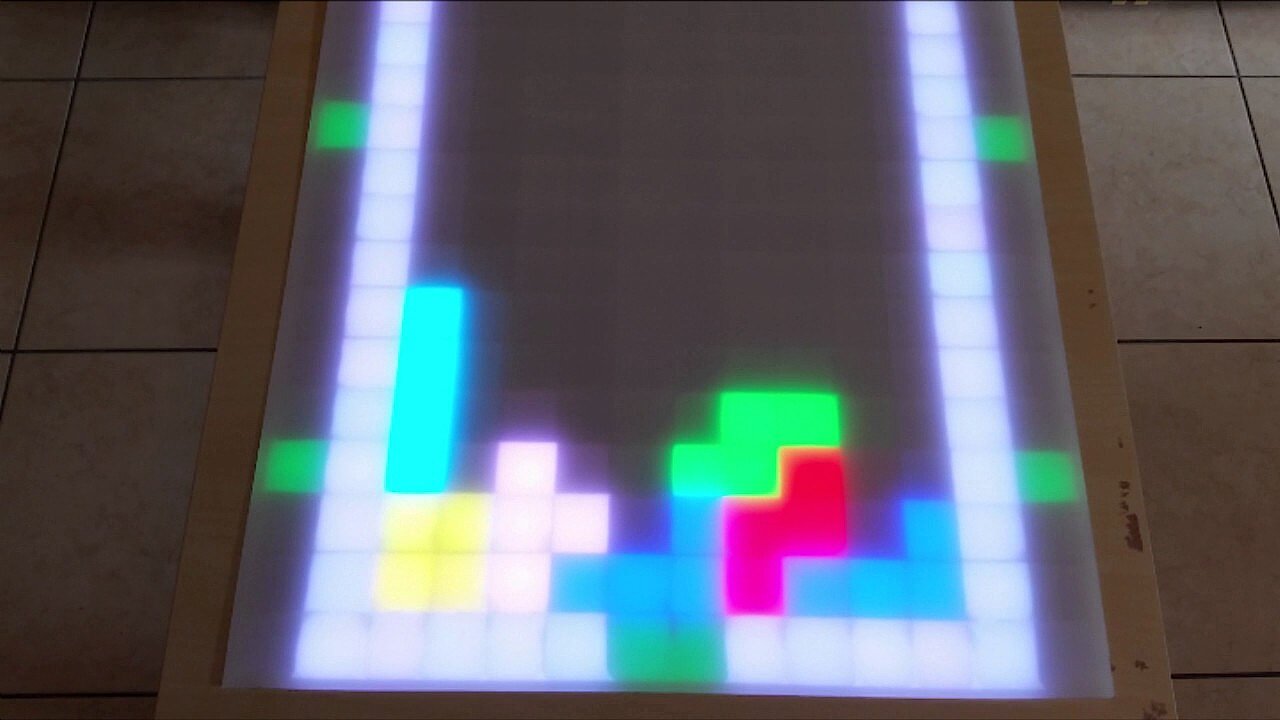
The hobbyist Vincent Deconinck has shown that Raspberry Pi isn’t just for amateur projects. For around €130 (£125), he equipped a standard IKEA table with an interactive display that reacts to objects with colourful animations and even allows users to play Tetris. At the heart of the project is a Raspberry Pi that processes all interactions recorded by Arduino microcontrollers and converts them into animations using Glediator software. On his website, Deconinck has published a detailed guide to building an interactive LED table.
 To display this video, third-party cookies are required. You can access and change your cookie settings here.
LED windows
The combination of LED units and the Raspberry Pi isn’t limited to playful, game-like projects. User dannyk9 published a guide to building a handy LED window that fakes sunlight on instructables.com. Rooms without windows, like basements, can be brightened up and change the mood of any room. The ‘fake’ window can be controlled via a web interface, whereby the brightness can either be adjusted manually or automatically according to time of day and weather (through the Yahoo! API).
If you’re interested in the individual components and steps and are curious about the result, you should definitely take a look at the forum article.
Minecraft programmable world
Minecraft has been one of the most popular computer games for years now, especially among younger gamers. The many possibilities offered by the game let your imagination run wild. The Minecraft: Pi Edition even goes one step further - the software can be installed on a Raspberry Pi and gives you the option to customise the Minecraft code to manipulate the objects of the virtual world in any way you want. To this end, Pi Edition offers support for various programming languages such as Python. For a deeper look into the programmable Minecraft edition for the Raspberry Pi, check out the article published by Lucy Hattersley in MagPi Magazine ‘The best Minecraft with Raspberry Pi resources’. To set up your own Minecraft server, check out our dedicated article on Minecraft server set-up.
To set up your own Minecraft server, check out our dedicated article on Minecraft server set-up.
 To display this video, third-party cookies are required. You can access and change your cookie settings here.
VPN server
With a Raspberry Pi VPN (virtual private network), you can encrypt all data traffic in a network. This is particularly useful to establish a secure connection when using public WiFi; without encryption, sensitive personal data is at risk of being intercepted at any time. Using a Raspberry Pi VPN server is a relatively easy way to prevent this from happening. As a VPN server, the Pi is suitable for both private and corporate environments. Find out how it works.
 To display this video, third-party cookies are required. You can access and change your cookie settings here.
Binary Clock
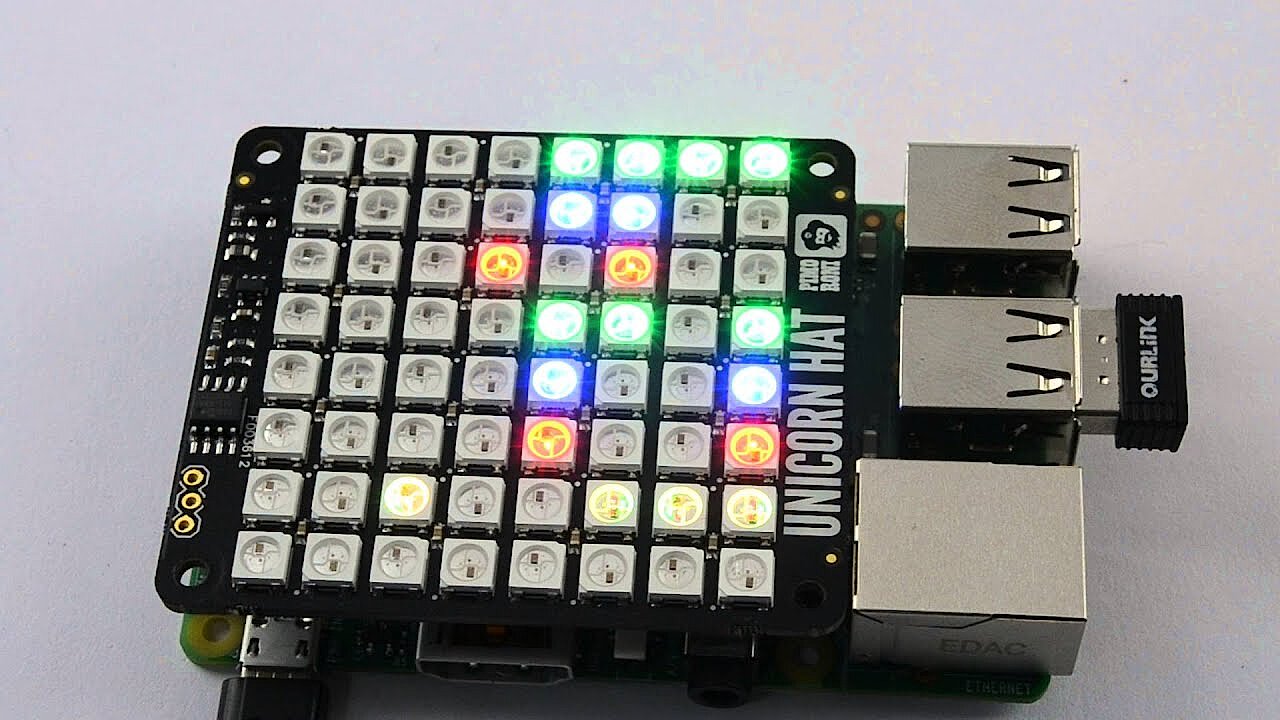
If you’ve always dreamed of owning a binary clock, Simon Monck’s Raspberry Pi project is the one for you. The developer and writer equipped the Pi with a Unicorn Hat – an expansion board with 64 RGB LEDs which displays the current time in a binary code. Viewed from top to bottom, this special watch displays year (the last two digits), month, day, hour (24-hour format), minute, second and even hundredth of a second. A detailed manual was published in issue 42 of The MagPi magazine, and is available in a condensed form on the Raspberry-Pi-Website.
 To display this video, third-party cookies are required. You can access and change your cookie settings here.
Ted – the talking toaster
Voice control is among the most important topics in modern history of technology. That’s precisely what developer duo ‘8 Bits and a Byte’ thought and developed a toaster that can talk and recognise voices. Although the fun factor is evidently central here, this entertaining Raspberry Pi project shows the impressive range of possibilities and flexibility of the micro-computer. The voice function of the toaster is based on the Google AIY Voice Kit. The Raspberry Pi 3 B (including camera module) provides the computing power. You can find out more about the project in the article ‘Ted and the talking toaster’ on instructables.com.
DNS server
The name resolution of a domain in an IP address takes place via a DNS server, also known as a name server. This process can be accelerated in a home network by setting up a private DNS server with Raspberry Pi. Having your own DNS server offers several advantages. Check out this article on how to use Raspberry Pi as a DNS server for additional information on the benefits of using Raspberry Pi as a DNS server, and how you can implement it yourself.
‘AirPi’ mobile weather and air measuring station
High levels of air pollution are an established health hazard. However, it’s difficult to maintain consistently good air quality in your own home. The AirPi is an effective solution. It consists of a Raspberry Pi combined with various sensors that, depending on configuration, measure the temperature, humidity, air pressure, UV level, carbon monoxide or nitrogen dioxide level in your home. In addition to air quality, the Raspberry Pi application also provides information about the weather. Thanks to the micro-computer’s internet capability, the measured values can be compared on a web interface.
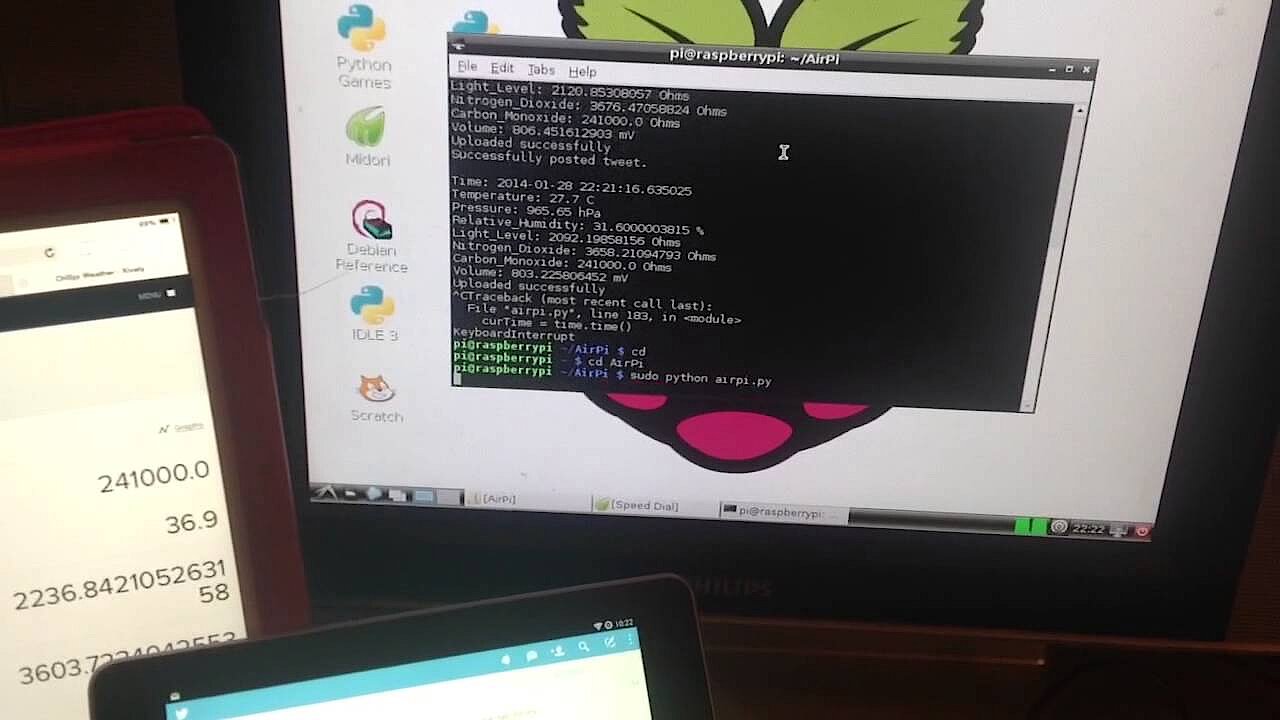 To display this video, third-party cookies are required. You can access and change your cookie settings here.
ownCloud
The micro-computer lets users create their own private cloud server when combined with the free software, ownCloud. Here, Raspberry Pi functions as a server to upload and access files with. A personal cloud server offers one massive advantage over commercial file-hosting services like Dropbox or iCloud: users have full control over the server and the stored files. Users can, therefore, confidently store their sensitive data. Check out this tutorial to learn more about how ownCloud works and its advantages.
 To display this video, third-party cookies are required. You can access and change your cookie settings here.
WiFi Extender
Wireless Internet connections are practical, but strongly dependent on the signal strength that is output by the router and received. It is not unusual that you get the best reception in the lounge, but get frustrated due to constant connection interruptions in the next room. A WiFi extender that receives the signal from the router and redistributes it can help. On the PiMyLifeUp site, the Raspberry Pi user Gus has published instructions how to easily build an extender with a Raspberry Pi. Depending on the model, you will also need one to two WiFi adapters (also called WiFi dongles) - the crucial question is whether the model has its own WiFi adapter or not.
 To display this video, third-party cookies are required. You can access and change your cookie settings here.
Digital photo frame
Boring photo frames are so yesterday. There is another way. An ideal project for Raspberry Pi beginners is the digital picture frame. You just need a Raspberry Pi 4, a 7 inch touch display and a memory card storing your photos. It is entirely up to you which images you select to be displayed. Filtering for certain keywords in search engines like Google Images or displaying your vacation photos is no problem for the digital picture frame.
Google wall calendar
Paper pocket calendars are a thing of the past. Smartphones and laptops are the devices of choice to keep track of our appointments. But paper calendars still adorn our walls. Wouldn’t it be more practical to connect your wall calendar to your smartphone? That’s exactly what Instructables user Piney thought, using a Raspberry Pi to build a Google Wall Calendar. A monitor attached to the wall ensures that all appointments can be kept track of. Moreover, with the keyboard connected to the Raspberry Pi, new appointments can be added and are synchronised thanks to the Raspberry Pi connecting to its own WLAN.
Advice Machine
Nick Johnson’s Advice Machine proves that good advice doesn’t always have to come at a high price. The home-made speech robot, operated by a Raspberry Pi, gives free advice. The quality of the advice, handed over on a small piece of paper (thanks to a thermal printer), depends on how high the coin contribution was. This advice is usually in the form of humorous tips, pearls of wisdom and jokes which it gets from the Fortune database, which provides humorous content on Unix and Linux systems.
 To display this video, third-party cookies are required. You can access and change your cookie settings here.
Home server & media centre
Users who wish to connect their data across multiple devices can set up a home server, which is a fileserver that can host any kind of file (documents, images, videos, music, etc.), and provides access to any device connected to that server (PCs, laptops, smartphones, tablets, etc.). Devices can be connected via cable or WiFi. You can also go a step further and use the Raspberry Pi as a complete media centre. The micro-computer not only serves as a storage location for your media content, but also as a central platform for playing movies, music, and images from a hard disk, or for accessing streaming services such as YouTube or Spotify.
One of the most commonly used applications for running a Raspberry Pi media centre is the open source software Kodi, which sorts media by type, among other options.
3D Printer
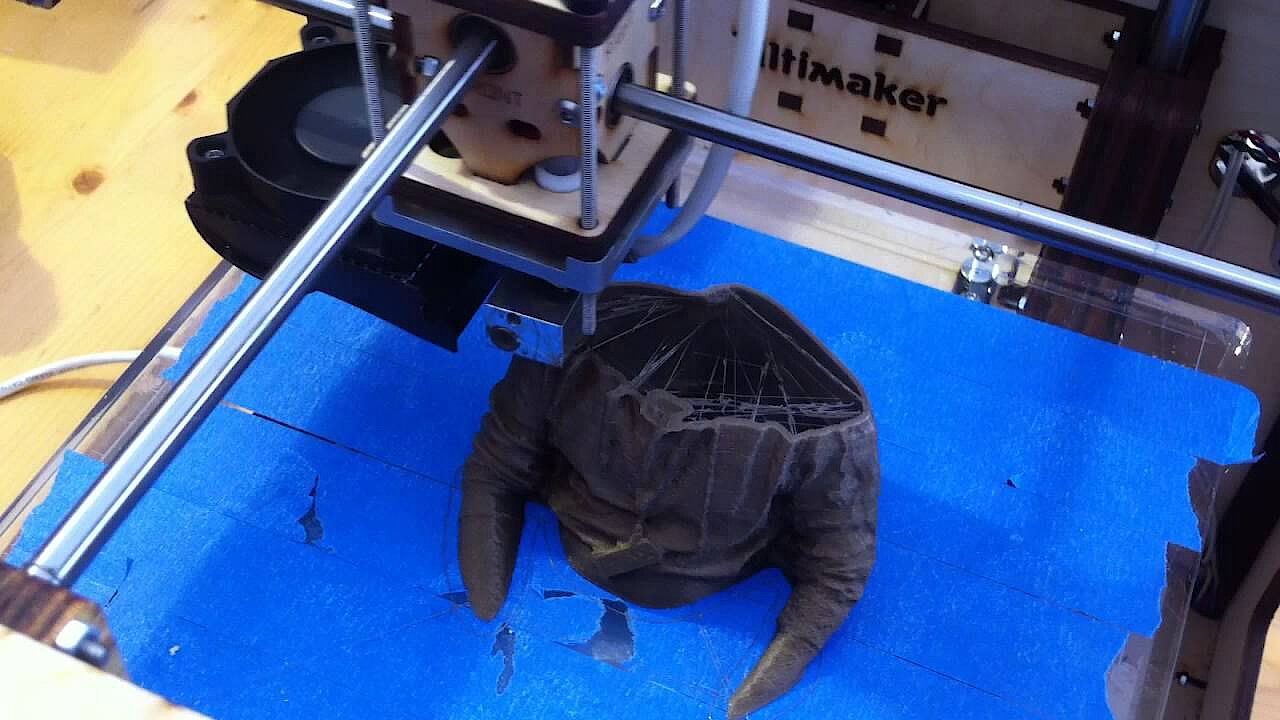
The Pi 3D Scanner, developed and perfected by the Dutch Richard Garsthagen is an expensive but equally breathtaking Raspberry Pi project. One hundred Raspberry Pis, each with their own SD card and camera modules, form the basic structure of this two-metre high, full-body scanning machine. Thanks to a home-made 3D scanning management software, the recorded values can be optimised and then used to print a 3D model.
 To display this video, third-party cookies are required. You can access and change your cookie settings here.
Video game console
Raspberry Pi’s abilities enable users to play arcade video games or games in the style of early-generation gaming consoles. Enthusiasts have managed to replicate the arcade machines both in miniature form and also in their original size. Some machines even come equipped with a coin slot for an authentic arcade feel. The combination of Raspbian and the emulator application RetroPie form a popular software basis for these Raspberry Pi projects.
 To display this video, third-party cookies are required. You can access and change your cookie settings here.
Magic Mirror
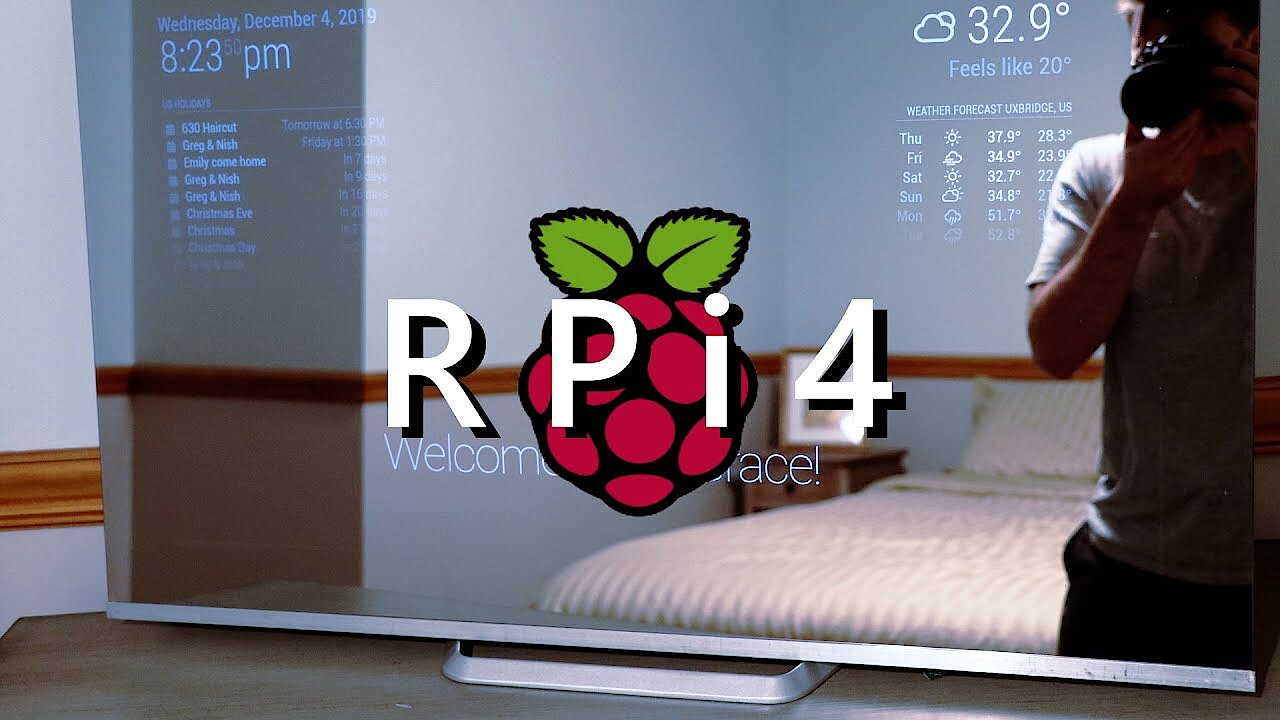
Magic Mirror is a Raspberry Pi project created by Dutch developer, Michael Teeuw. This is a one-way-mirror, which conceals a monitor and the micro-computer. The time, weather, upcoming appointments, and more can be displayed on the mirror’s glass. Due to the popularity and publicity the developer has received since publishing his DIY manual, he’s created a second, optimised version of the MagicMirror, which can be extended endlessly due to its modular structure. Since the code is completely open source, the MagicMirror has developed into a huge community in recent years, with the magicmirror.builders page serving as a central exchange platform and contact point for all interested parties.
 To display this video, third-party cookies are required. You can access and change your cookie settings here.
Zelda Automated Home
YouTuber Allen Pan, aka Sufficiently Advanced came up with a special Raspberry Pi project. He has created a ‘smart home’ environment to control the technical devices within his own four walls, all operated by a Raspberry Pi. However, this home automation system is not engaged using voice or text commands nor a web interface. Instead, it is controlled by playing melodies from the game ‘The Legend of Zelda: Ocarina of Time’ by Nintendo. Much like Link - the hero of the video game - the YouTube star uses an ocarina to play ‘Zelda’s Lullaby’ to open his front door, for example.
 To display this video, third-party cookies are required. You can access and change your cookie settings here.
Voice command for garage door
Towards the end of 2012, user Dark Therapy showed that Raspberry Pi can be used to open a garage door in just a few steps. In his official Raspberry Pi forum editorial, the amateur enthusiast explained how he converted his iPhone to function as a remote control using a Raspberry Pi and Siri proxy software. Siri, which is pre-installed on most modern iPhones, acts as the voice recording application.
 To display this video, third-party cookies are required. You can access and change your cookie settings here.
The Banana Pi single-board computer is considered a powerful alternative. We present useful applications and ideas for Banana Pi projects.
Reviewer

Christian Heldmaier
Christian Heldmaier is an experienced online marketing and SEO specialist from Karlsruhe. He has been working as an SEO Manager at IONOS since July 2020.