

How to make a routing table

Routing describes transmission paths and interfaces used to send data packets in a network. A routing table with dynamic or static entries from specific routing information is used for efficient transmission of data packets. The more complex a network, including routers and network-enabled end devices, the more comprehensive the routing table.
What are routing tables?
A routing table refers to a collection of policies and routing information for networks, routers and network-enabled endpoints - based on the Internet Protocol. The information output (in tabular form) defines the rules of how to transport data packets between network, routers and end devices.
Routers and switches (interfaces) as well as end devices such as computers, laptops, printers or scanners use routing tables to deliver data as efficiently as possible. The more instances a network comprises, the larger the routing table. In addition, devices usually create their own routing table for each routing protocol used. If network nodes use several protocols, there are different routing tables.
What are the contents of a routing table?
The entries in a routing table contain specific information about the route taken and the desired transport path of data packets. If a packet is received by an intermediate instance such as a router or an interface, these match the information with their own routing table. This makes it possible to trace where the packet originated and which data transmission path is suitable for the most efficient transmission. For this purpose, data packets are provided with the IP identification and the respective destination address. The table provides the device receiving the packet with important information about which hops are suitable for transport in the network.
- Destination address/IP address range/subnet mask: Information about the IP address, destination and the IP address range for the destination of the respective data packet.
- Interfaces: Details of the respective switches (interfaces) in the network via which packets are sent on their way to the destination address.
- Next hop/gateway in each case: IP addresses of the hops and interfaces to which packets are transported; in most cases, the router addresses are near IP-layer routers or, in the case of BGP entries, border routers.
- Effort metrics: Metrics for routes can be used to determine the best possible route (with the lowest connection costs or the smallest bandwidth, among other things) based on the lowest possible factor or preference. However, effort metrics only matter when multiple routes are available for selection for a routing path. Therefore, the route with the smallest metric path is the most efficient. Balancing of data transmissions on equal-ranking routes happens for the same metric values for different routes.
- Transport routes: The entries include routes in connected or indirect subnets that can be reached by hops. Standard routes for specific traffic or in case of missing information can also be found. Route entries can be distinguished between directly connected routes, static routes and dynamic routes.
Example of the structure of a routing table
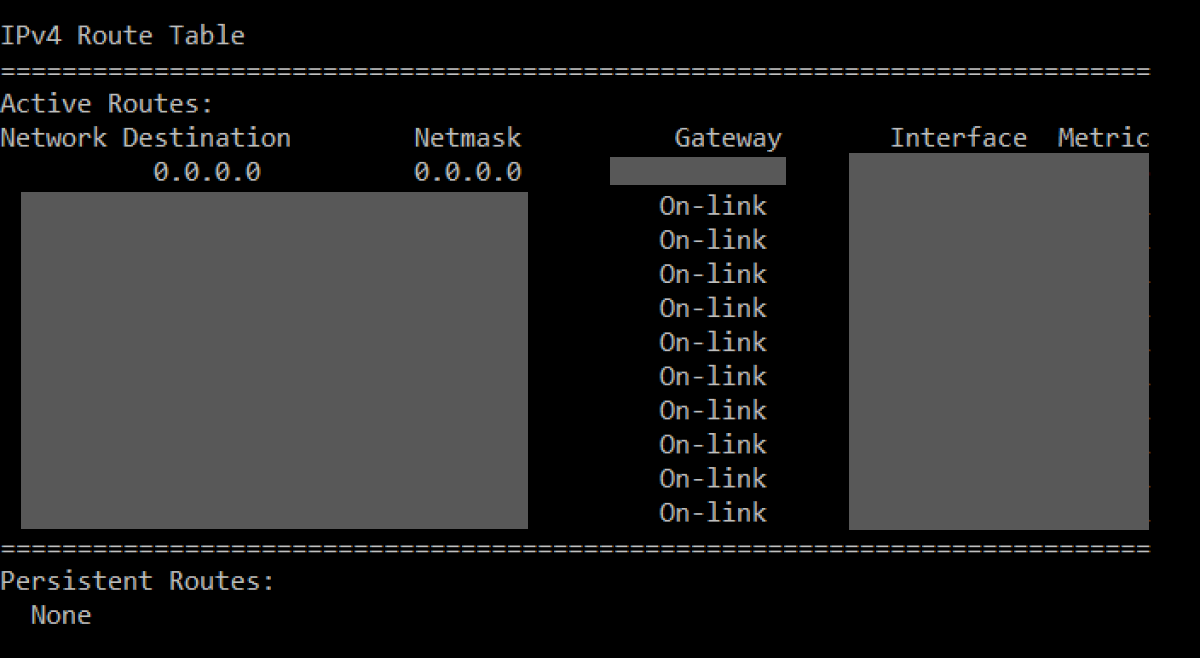
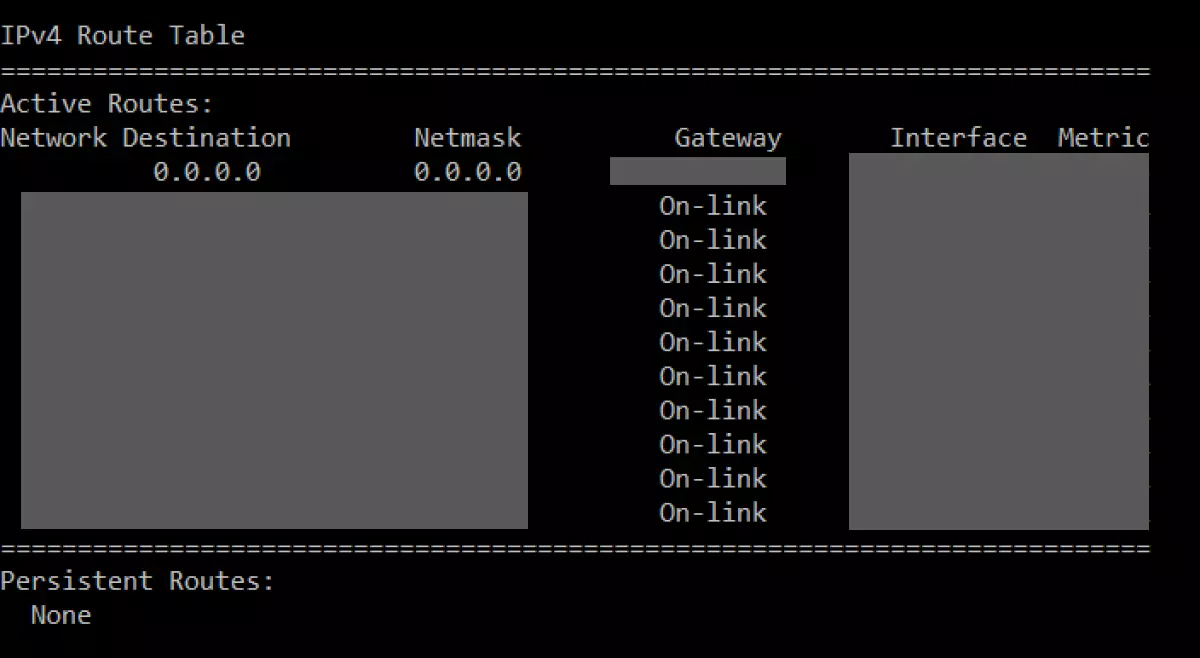
The structure of a routing table contains entries for the destination network address, subnet masks, gateways (routers), interfaces as well as metrics such as the number of hops or the routing effort. To illustrate what a rudimentary table looks like, below is an example of a network routing table. This can be displayed with the ‘netstat -r’ command in the Windows command prompt.
Difference between entries in the routing table
The entries of a routing table and the specific routing information for networks can be distinguished by three variants. The main difference is the way switches, routers and end devices learn to create network paths and corresponding table entries.
The three types of routing entries include:
Static/manual entries
Manual entries are static table information created by an administrator. Changing the entries must be done manually. Protocols that are used include RIP, OSPF, BGP, IGP and EIGRP. Static entries have the advantage that the defined routes cannot be easily manipulated. However, they’re only practical when dealing with manageable entries and networks. In case of large and complex tables, manual entries can quickly lead to security gaps or network errors.
Dynamic entries
If the routing table entries are dynamic, the table is auto-filled using routing protocols such as BGP, IGP, RIP, EIGRP, or OSPF. Connected devices use routing protocols to collect necessary routing and network information and automatically generate table entries. Even networks that are connected to routers can be automatically entered into a table. Dynamic entries can react to network changes, failures of network nodes and switches, select a new route and record it in the table. In addition, information about network status and high utilisation can be detected. Y can define routing priorities to avoid contradictions caused by different paths with the same destination.
Entries to connected routers
Networks connected to routers are automatically transferred into the routing table so long as the computer interface has been IP-configured.
Entries with special functions
There are also table entries with special functions. These include entries for a default route that can be identified with the network mask ‘0.0.0.0’. Data packets without corresponding routing entries are automatically forwarded to the default gateway of the device via this entry. Entries marked ‘127.0.0.0’ refer to a loopback address of the local network interface. Packets for this address remain in the local network. Other separate entries include the IP ranges ‘224.0.0.0’ or ‘255.255.255.255’. For routes with identical metrics, a load balancer is used.
How to create a routing table
In dynamic routing, the respective routing protocols are automatically applied to create a routing table. The protocols serve the following purposes:
- Border Gateway Protocol (BGP): Establishes online connections between autonomous systems (AS)
- Enhanced Interior Gateway Routing Protocol (EIGRP): Enables efficient communication between routers
- Interior Gateway Protocol (IGP): Exchanges routing information in autonomous systems
- Open Shortest Path First (OSPF): Determines the most efficient path for data packets
- Routing Information Protocol (RIP): Serves as standard protocol in autonomous IP networks
Required entries are automatically read and added by the respective end devices, routers and interfaces. This means the nodes know which hops a data packet has already passed and which hops will get it to its destination fastest. Depending on the size of the network or in case of subnetting, administrators can create the routing table manually using the appropriate entries. Alternatively, a table with dynamic routing can be supplemented with specific static routes.
Looking for web hosting that’s secure, fast and flexibly scalable? Book Webhosting with IONOS.
How to access a routing table?
Depending on your operating system and the Internet Protocol you’re using, the current routing table can be displayed as follows:
Via IPv4:
- Windows: Type the netstat-command
netstat -rin the command prompt. Alternatively, theroute printorroute -4 printcommands work in Windows. - macOS: Enter
netstat -nrin the terminal. - Unix-/Linux systems: Use
netstat -ror in Linuxiproute2oriproute.
Via IPv6:
- Windows: Enter the command
netsh interface ipv6 show routeorroute -6 print. - Linux: Use the command
route -6orip -6 route. Alternatively, you can use netstat by enteringnetstat -6 -r. - Unix systems: Enter the command
netstat -f inet6 -r.