

What is a reverse proxy? Core components in security architecture

Reverse proxies are used as an intermediary network component to secure servers of public online services. They accept server requests on behalf of the servers and forward them to the users.
How does a reverse proxy work?
Essentially, a proxy server functions as a communication intermediary in the network, receiving requests and passing them along to a target server on behalf of the client. A reverse proxy is positioned between clients (e.g., web browsers) and backend servers (e.g., web servers, database servers, or applications). It activates when a client request is made, determining whether and to which internal server component the request should be directed. The process follows these four basic steps:
-
Receiving the client request: The reverse proxy accepts HTTP, HTTPS, or other requests like FTP or WebSocket.
-
Analysing the request: The proxy examines whether the request is valid, whether it presents any security risks, and if there is a cached version available.
-
Forwarding to the appropriate server: If the request cannot be answered from the cache, the reverse proxy sends the request to one of the internal servers.
-
Response to the client: The reverse proxy receives the response from the backend server, processes it further if necessary (e.g., encryption), and sends it back to the requesting client.
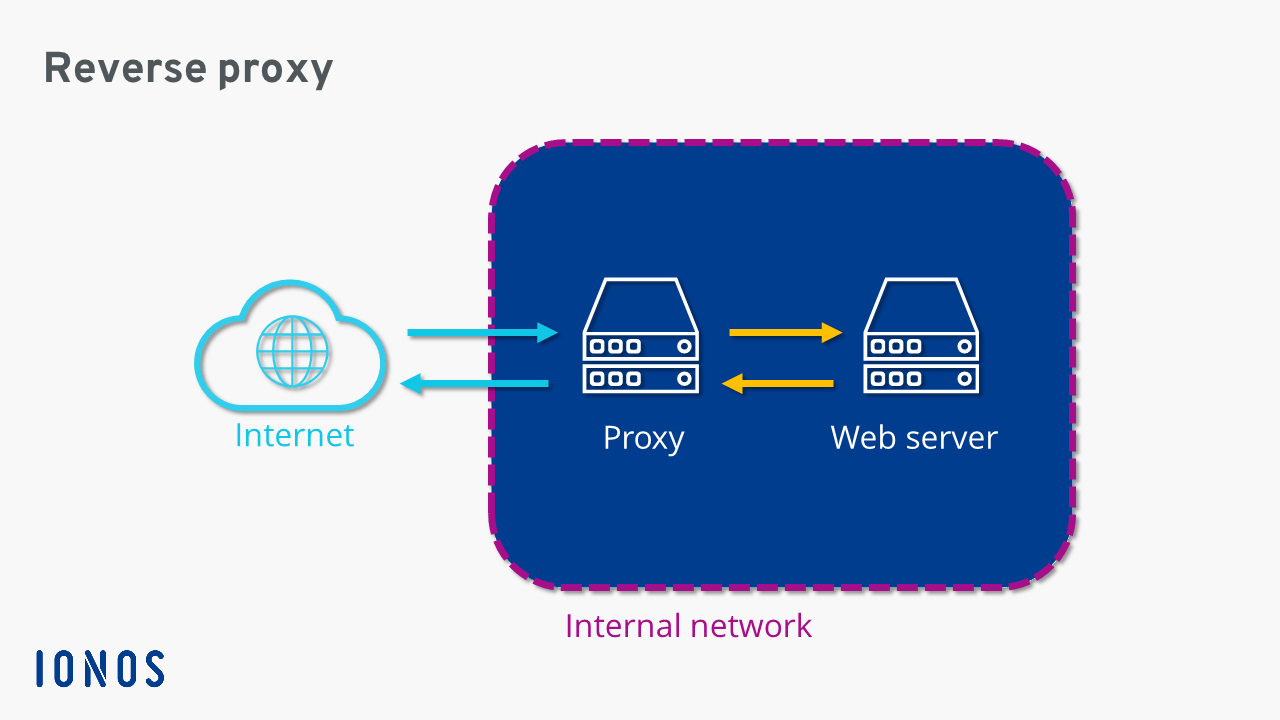
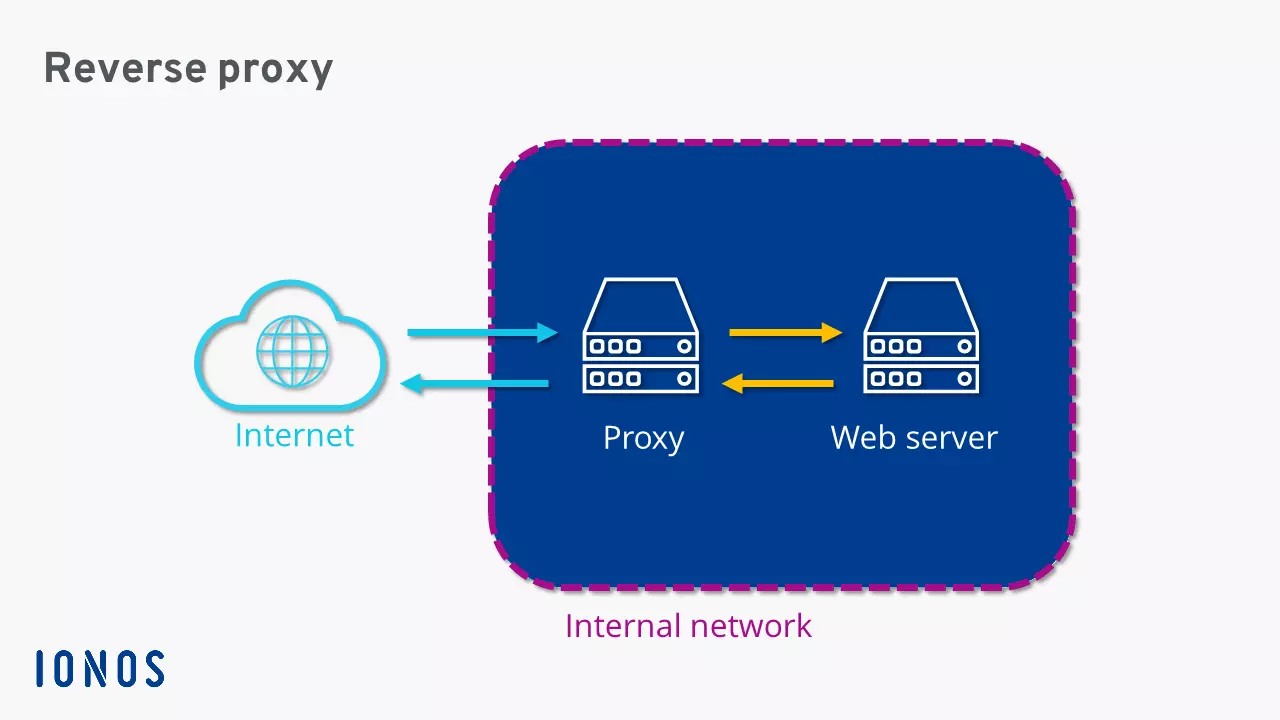
Reverse proxies are usually secured by a firewall and installed in a private network or an upstream demilitarized zone (DMZ).
What is the difference compared to forward proxies?
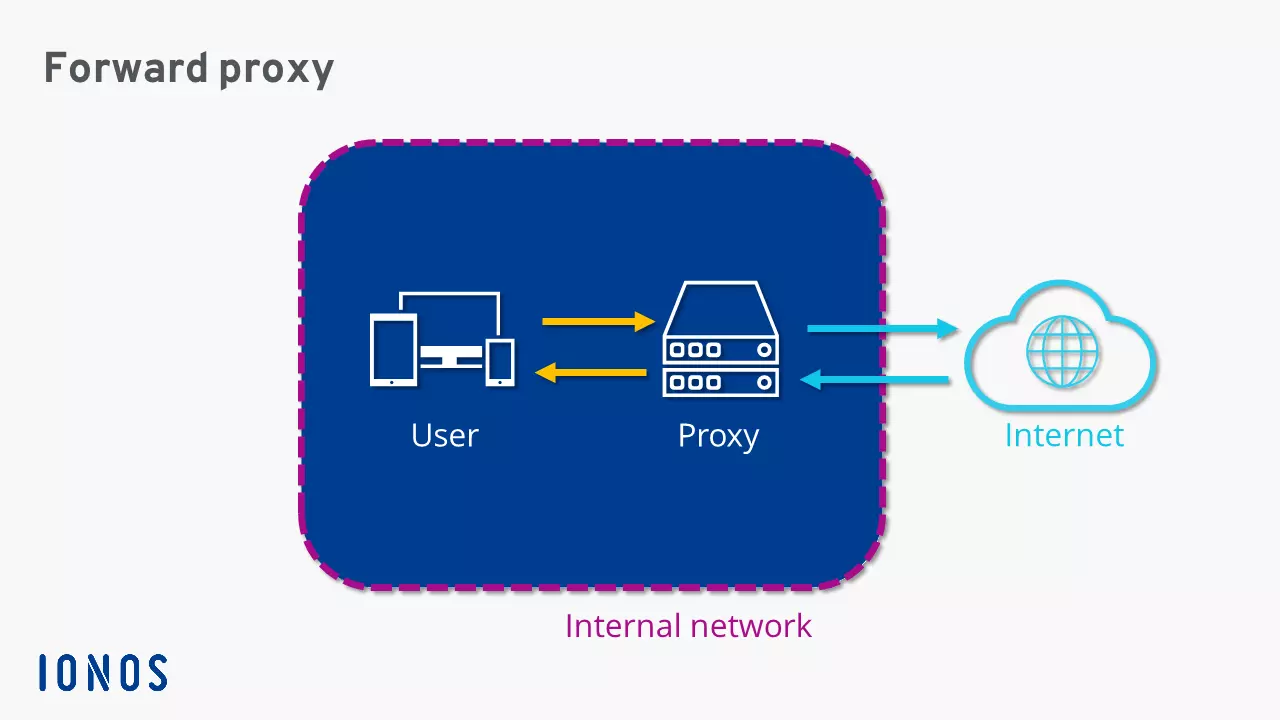
While reverse proxies, as mentioned earlier, are placed between clients and backend servers, forward proxies are positioned between clients and the internet. A forward proxy channels all client requests and forwards them with its own sender address to the target servers on the internet. Server responses also reach the proxy first before being distributed to the respective client devices. These remain anonymous—unless it is a transparent proxy. While a forward proxy protects clients in the internal network from external threats, a reverse proxy secures servers in a public network and optimises their accessibility.
While reverse proxies offer clear advantages for server structures through features like load balancing and various security functions, the strengths of forward proxies lie in client protection.
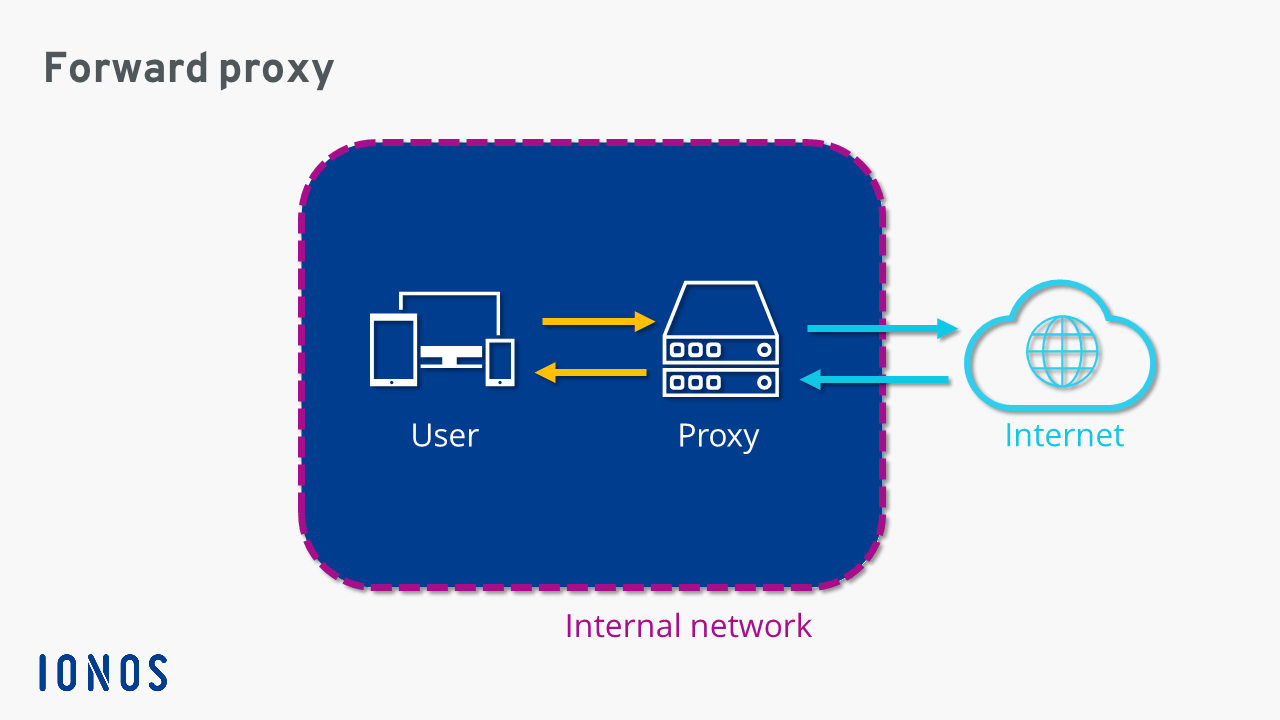
Forward proxies are often used to control internet access in corporate networks. Other areas of use include anonymisation in VPN services and bypassing geo-blocks.
Areas of application for reverse proxies
Bundling client requests allows reverse proxies to highly control incoming traffic. Among other things, this makes it possible to provide multiple servers under the same URL, evenly distribute requests across different servers, and speed up data retrieval through caching. Below are the key areas of application for a reverse proxy server.
- Cost-effective vCPUs and powerful dedicated cores
- Flexibility with no minimum contract
- 24/7 expert support included
Load balancing
A reverse proxy placed in front allows a URL to be linked with various servers in the private network. This distributes incoming requests across multiple servers. Such load balancing prevents overload of individual systems and compensates during failures. If a server is unreachable due to hardware or software errors, the proxy’s load balancing module redistributes incoming requests to remaining servers. This ensures the availability of server services even during failures.
Caching
To speed up server services, reverse proxies can offer a feature that allows frequently requested content to be cached. This caching enables the proxy server to answer repetitive requests either partially or completely on its own. Static content like images or CSS stylesheets are stored in the proxy’s cache. As a result, little to no data needs to be retrieved from the backend server, significantly accelerating the access rate to web services. However, because rapidly changing content may not always ensure the proxy’s cache has the current version, there’s a risk of delivering outdated information to requesting clients.
Protection and security measures
A reverse proxy acts as a kind of shield for the backend servers and can offer various security functions in this role:
- DDoS protection: Reverse proxies can detect and block suspicious or unusually high traffic during DDoS attacks before it reaches the backend servers.
- Web Application Firewall (WAF): Many reverse proxies include a WAF that can filter malicious requests like SQL injections or Cross-Site Scripting (XSS).
- IP whitelisting and blacklisting: The reverse proxy can block certain IP addresses or allow connections only from specific networks if needed.
- Hiding of backend servers: The reverse proxy prevents the internal IP addresses of the backend servers from being publicly visible, making attacks more difficult.
Encryption
To reduce the load on backend servers, reverse proxy servers can also be used for encryption. In this case, it decrypts the client’s SSL/TLS request (e.g., an HTTPS connection), forwards the decrypted data to the backend servers, and sends the corresponding response back to the client encrypted again. The internal communication can occur either encrypted or unencrypted.
Anonymisation
A reverse proxy can also be used to anonymise traffic by masking the clients’ original IP addresses or replacing them with its own IP addresses. This helps protect the clients’ privacy, as the actual IP addresses won’t be visible in the logs. Additionally, this enables geo-load balancing: requests can be routed to the nearest server depending on the geographic location of the user.
Compression
With the right software, a reverse proxy can be used to compress incoming and outgoing data. A popular program for compressing websites is gzip, often used in combination with the web servers Apache or NGINX.
In separate articles, we explain step by step how to set up an NGINX reverse proxy or an Apache reverse proxy.
Reviewer

Christian Heldmaier
Christian Heldmaier is an experienced online marketing and SEO specialist from Karlsruhe. He has been working as an SEO Manager at IONOS since July 2020.