

What is an HTTP flood attack?

An HTTP flood attack is a special form of DDoS attack (Distributed Denial of Service). The attacker attempts to crash the targeted website or application through a huge number of visits from different locations. An HTTP flood attack is often called a layer 7 attack. Layer 7 refers to the “application layer” in the OSI model, which states that the internet consists of 7 layers.
An attack at this level consists of depriving the network or server of its resources. As soon as the hardware no longer has sufficient resources available, the responses to requests through the client require more time. Because countless requests continue to be sent to the hardware, a constant overloading of the system is caused and the server or entire network are no longer reachable.
When attackers utilise an HTTP flood, they attempt to cause a server crash via requests that are completely standard. How does this HTTP process become a dangerous attack?
How does an HTTP flood occur?
An HTTP flood attack is based on the client’s GET or POST request. When a client – in other words, the browser that calls up the website – sends one of these requests, the server processes the request and sends the result back to the client.
With the GET request, static content such as images and text blocks are retrieved. A POST request is used if access to the dynamic resources is requested. Simply put, the GET method receives data from the server and the POST method sends data to the server. Both methods can be applied in the attack, however, the POST method is utilised more often as is it triggers complex processing by the server.
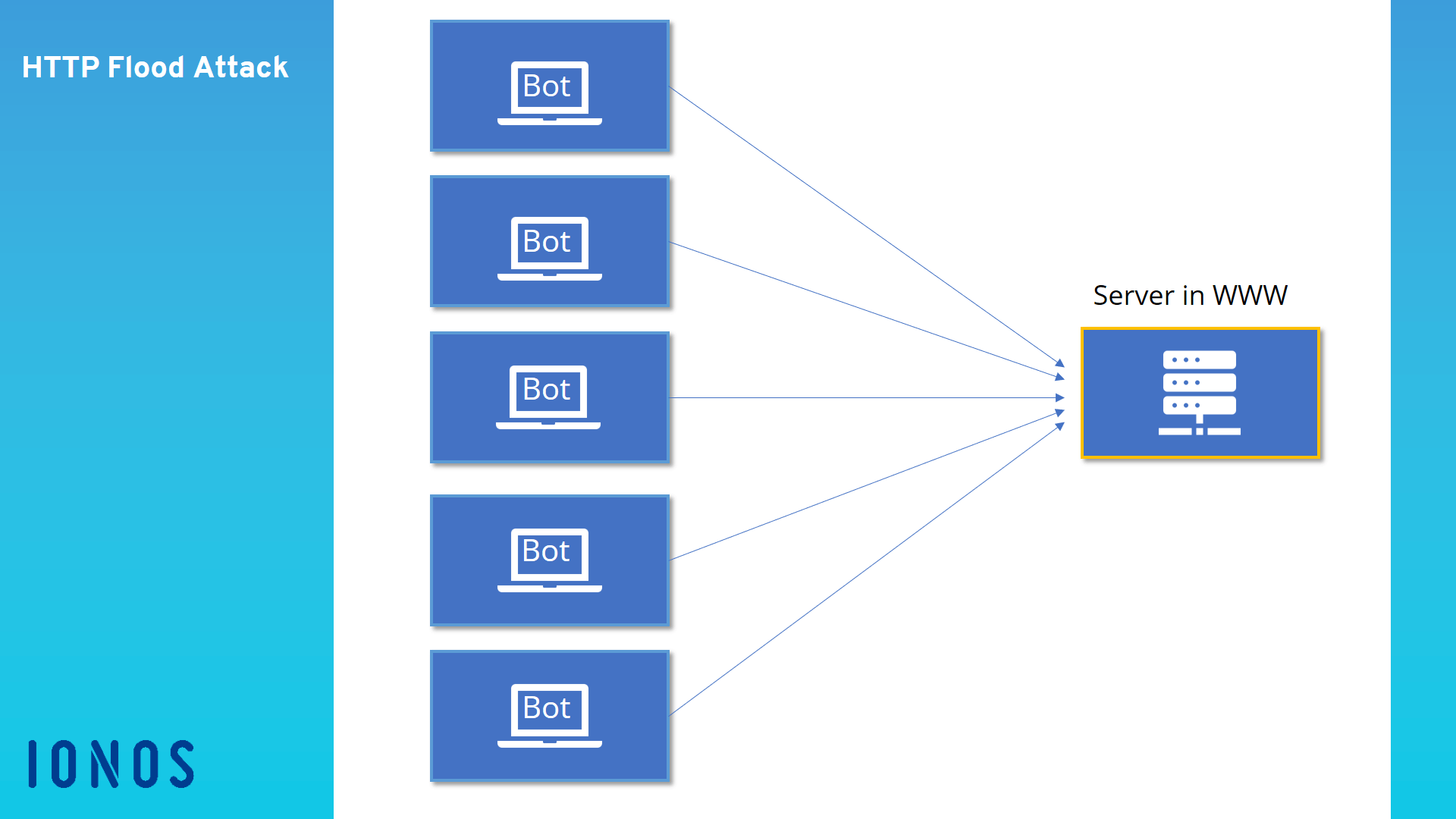
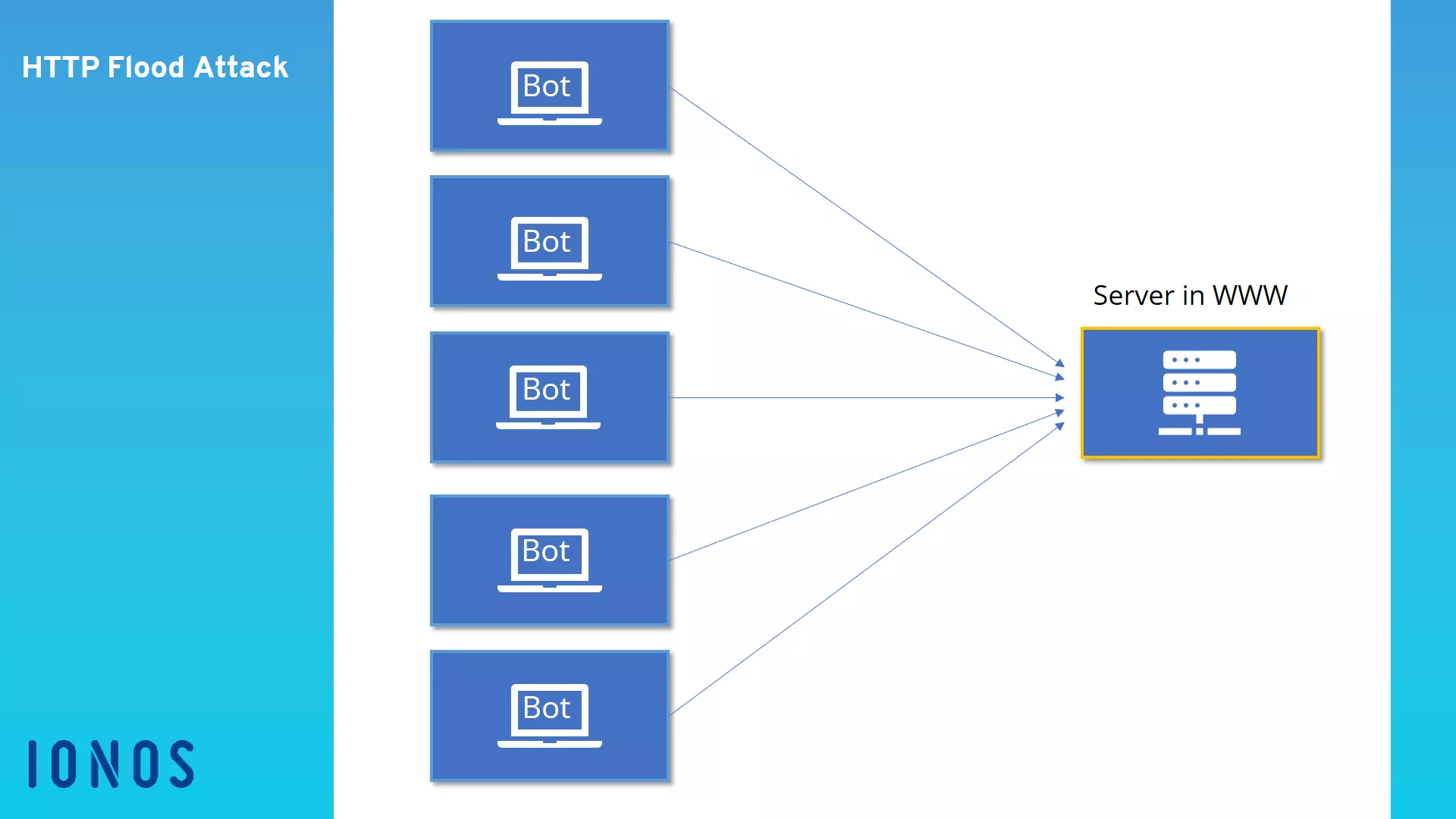
The HTTP flood attack relies on the fact that many requests will be submitted at the same time across a longer period. In doing so, a botnet is usually utilised to increase the volume of requests. The HTTP flood attack is designed in such a way that the server allocates the most possible resources to each request. In a normal situation, this is how the server is supposed to work, as is doesn’t receive thousands or hundreds of thousands of requests per minute. However, with the massive number of requests and call ups, the attacker expects that the server will become overburdened with the sheer number of process-intensive requests and that the website or application will no longer be properly displayed.
How to stop the attack
As it definitely can happen that a page receives a lot of valid traffic, it is difficult to know whether the increased number of requests stem from an attack or are only the result of a successful marketing campaign. If an HTTP flood attack is detected, however, firewalls can identify and block the suspicious IP adresses.
As a first step, you can send a JavaScript Challenge back to the client. This will allow you to analyse whether the client belongs to a botnet or a regular user. Unlike bots, every browser for a normal user can deal with this additional hurdle.
If the attacker’s strategy is known, simple rules can be introduced into the firewall system that automatically block the botnet’s IP address. Normally, an HTTP flood can be identified and stopped in just a few minutes once you know that this is the cause of the system failure.
How can you protect yourself from these attacks?
It is difficult to protect oneself from an HTTP flood attack, as the requests initially look like normal traffic on the website. No malware is sent to the server and there are no attempts to exploit possible security gaps. Instead, the attackers flood the server with authorized accesses. Because this uses considerably less bandwidth than a substantial infiltration into the page code, the attacks are mostly unrecognised in the early stages.
Most websites have recourse to a captcha test that must be manually executed by a real user. In this way, a botnet can be identified beforehand, and the IP addresses can be blocked. However, there are also firewalls for websites and applications. These systems review and analyse the traffic that arrives at the website. They only slow your website minimally, and in exchange guarantee your protection and stability. Should the site itself already be data- and process-intensive, there is the option of integrating a loading screen while the homepage loads in the background.
HTTP flood is only one of the various forms of DDoS attacks. Attackers may also attempt to halt the service of web servers with methods including ping flood, SYN Flood, UDP Flood, and the ping of death.