

HEIF: all you need to know about High Efficiency Image File Format

If you want to take a photo nowadays, you just have to grab your smartphone or tablet and voilà! The respective mobile device also functions as a storage and archiving platform for your own images, however, you often run out of storage space quite quickly, even when using external memory cards. To counteract this problem, Apple has made sure that its iOS 11 and macOS High Sierra operating system (released in September 2017) now also supports the new graphics format, HEIF (High Efficiency Image File Format). The format requires only half as much storage space as the popular JPEG format. This inevitably makes HEIF an interesting format for the World Wide Web: after all, the size of the images and graphics used plays a decisive role, too.
What lies behind HEIF?
The first documents of a more efficient file format for dormant images (which among other things, defined the application scenarios and requirements) date back as early on as 2013. After a development phase of 1.5 years, the Moving Picture Experts Group (MPEG) was finally able to present the final version of a new graphic format called HEIF in summer 2015. The abbreviation stands for High Efficiency Image File Format. HEIF is part of the MPEG-H group, which combines different standards. Formally, this group – which also defines the streaming format MMT (MPEG Media Transport) and the video format HEVC (High Efficiency Video Coding) – is known as ISO/IEC 23008.
What can the new HEIF format do?
HEIF is not an ordinary graphic format, but is more like a container format. It is therefore able to combine any number of images (including metadata) that can be encoded in different formats. Mainly the HEVC mentioned above is used, or the video compression standard H.264/MPEG-4 AVC, and in rare cases also JPEG compressors e.g. for thumbnails. From the very beginning, HEIF was developed with the aim of surpassing JPEG in terms of efficiency. This goal was finally achieved: with the same or even slightly improved quality, the images stored in the new format require about 50 to 60% less storage space than the corresponding JPEG images.
HEIF stores individual images and marks these as 'items', whereby each file can contain any number of items. The container format also enables image sequences known as 'tracks' to be stored. In this case, an indicator is used to show whether the HEIF viewer should display them as animations or as galleries later on.
| Single image files (image items) | Single images, image properties, and thumbnails |
|---|---|
| Supported image files (auxiliary image items) | Image data that complements an item in the HEIF container e.g. depth information or alpha channels |
| Image sequences (image sequences) | Several connected images (e.g. a series of exposures or image animation) including their properties and thumbnails |
| Metadata (image metadata) | EXIF, XMP, and similar meta information belonging to the respective image files |
| Audio and text files | Audio and text data can be integrated into containers in combination with image sequences |
Which file extensions does the HEIF format use?
The default file extensions for HEIF containers are .heif and .heic. In rare cases, however, the extension .avci is also used, which identifies the files encoded with H.264/MPEG-4 AVC by default.
Apple has chosen the .heic extension to implement the container format. The company wants to make it clear that HEVC is the coding system being used. In addition, newer Apple devices (A9 processor required) automatically use the .heics extension when using the container format for image sequences. Similar to this, the file extensions .heifs and .avcis mark containers with multiple images.
What is the High Efficiency Image File Format for?
Apple has broken new ground by switching to HEIF, but many users will be wondering how much they will actually benefit from the new container format. You just need to take a look at the possible usage scenarios where the properties of .heic files come into their own. Photography and image storage with smartphones and tablets as well as digital cameras are undoubtedly the top priorities. This is not only due to the small file size of the photos, but also the possibility of linking images and therefore saving image animations or compilations in a single container i.e. a single file. This way, HEIF not only serves as a space-saving format, but also optimally prepares the image content for further use (i.e. for sharing on social media).
In addition, the container format is especially suitable for image editing: without the need to re-encode, it’s possible to change the alignment, resize or crop images, and then save them in the same file as the original image. HEIF also offers plenty of potential for web development. On the one hand, web projects could benefit from the small file size of .heic images in the future, which would result in shorter loading times – provided that the browsers receive HEIF viewers to be able to play the image files back. On the other hand, the graphic format is tailor-made for the HTML5 element <picture>, which allows the webmaster to specify different sources for a certain image (the user’s browser decides which variant is to be requested later).
HEIF vs. JPEG: how the two graphic formats differ
The High Efficiency Image File Format primarily competes with the established JPEG format, which is not only because Apple has replaced it with HEIF in the newer versions of its operating system. The new format is also an interesting alternative to the current JPEG standard (which was developed and published by the Joint Photographic Experts Group back in 1992) for other systems due to more efficient image storage.
Apple has replaced JPEG in iOS 11 and macOS High Sierra with HEIF as the default image storage format for images – users can also switch back to the familiar graphic format in the operating system settings, if necessary.
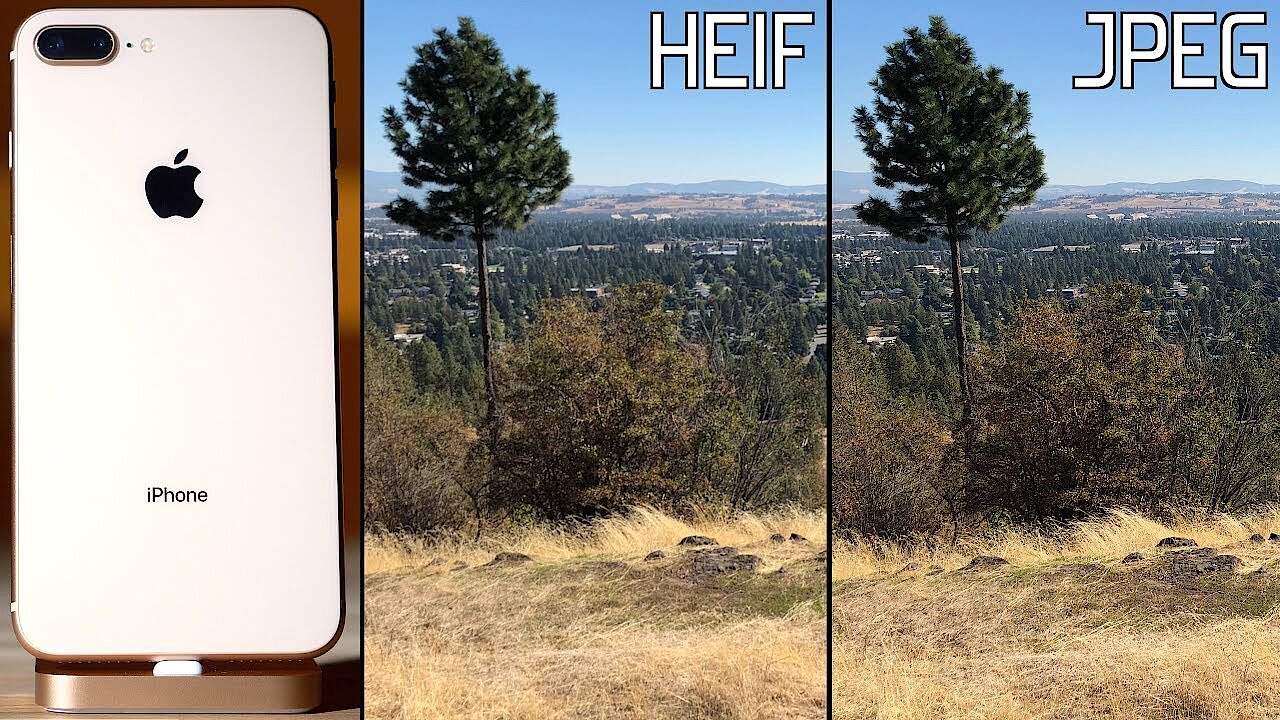
While the JPEG standard primarily describes image compression methods and does not specify how the files should be stored, the HEIF standard defines a type of container that is explicitly intended for storing digital images. Compression also plays an important role in the creation of .heic files, which is just as lossy as JPEG compression. With the same degree of compression, however, an image in HEIF format will have better quality, which is particularly due to the support of colour depths up to 16 bits.
 To display this video, third-party cookies are required. You can access and change your cookie settings here.
HEIF offers the advantage of being able to store considerably more information – such as metadata or text and audio files – as well as entire image sequences. JPEG, which primarily uses the JPEG file interchange format for saving, does not offer possibilities like these. However, this also results in the fact that coding and decoding with HEIF requires considerably more hardware resources, which leads to noticeably longer storing and loading times when there’s a larger number of images. The modern container format is therefore rather unsuitable for older, less powerful devices despite them having efficient storage.
| JPEG | HEIF | |
| Released | 1992 | 2015 |
| Developer | Joint Photographic Experts Group | Moving Picture Experts Group |
| ISO standard | ISO/IEC 10918-1 | ISO/IEC 23008-12 |
| File extension(s) | .jpg, .jpeg | .heif, .heic, .heifs, .heics |
| Compression | Lossy (loss-free compression is also theoretically possible) | lossy |
| Bit depth | 8 Bit | 16 Bit |
| Basic function | Describes different methods of image compression | Container for compressed images and image sequences |
HEIF and Windows: the current situation
Apple is leading the way by switching to HEIF. For this reason, the large corporation has also developed its iOS 11 and macOS High Sierra system versions in such a way that images in .heic are automatically converted to .jpg if they are shared on social networks or exported to older Apple systems and other platforms (e.g. Windows) that don’t support HEIF. If you want to transfer .heic images from your iPhone to your desktop PC with a Microsoft system, you can do so without using additional software. In this case, the advantages associated with the original container file are lost, such as space-saving features or additional image information. It is possible to transfer unchanged .heic images to Windows, etc. (i.e. via e-mail, iCloud, or Google Photos), but there are no tools available to open the .heic files. Several solutions are currently being developed: According to its own statements, the company Zoner wants to offer support for HEIF on Windows with its photo editing software Zoner Photo Studio X.
Convert .heic to .jpg: how it works
It will be a while, however, before HEIF viewers and editing software with HEIF support are available for all the different platforms. If you still have to deal with an image in a container format that has not been converted before e.g. because the automatic conversion hasn’t worked or because the image is part of an e-mail, this problem can quickly be solved. With so-called 'HEIC to JPG' online tools, the files can also be converted into the usual JPEG format afterwards. On heictojpg.com, up to 50 heic or .heics files can be converted at the same time. All you have to do is drag and drop the images or image sequences into the appropriate box.
Author

Vladimir Simovic
Vladimir Simović has been building web projects with WordPress since 2004. He was one of the first German-speaking WordPress bloggers and has published several specialised books as well as over 60 expert articles, and has managed well over a hundred WordPress projects.
Reviewers

Sven Ignor
Sven Ignor is a TYPO3 web developer with over 15 years of experience and specialises in bespoke solutions based on TYPO3. He is happy to share his knowledge and is committed to TYPO3 and the community

Melissa Senn
Melissa Senn has been with IONOS since 2016 and focuses on website, e-commerce, social media, and AI in the Digital Guide. As a digital strategist, she uses her extensive SEO and GEO experience to transform complex technological trends into practical content.