

What is a Vector Image?

There are countless digital image formats, and different platforms call for different types. Vector images are often used for logos and diagrams since they need to be available in various sizes. Compare to raster images (also called bitmaps), vector images can be resized without losing on quality. Keep reading to find out what vector images are, when they are used, and what the common formats are.
- Free WordPress with .co.uk
- Free website protection with one Wildcard SSL
- Free Domain Connect for easy DNS setup
Vector images vs. raster images
To print an image or show it on a screen, the image needs to be broken down into individual pixels. The result is a raster image. When taking a photo with a digital camera, for example, a raster image with millions of individual pixels is created. If you look at an image in a printed newspaper with a magnifying glass, you’ll be able to see the individual points. The same is true when you zoom in too closely on a digital photo - you can spot the individual pixels.
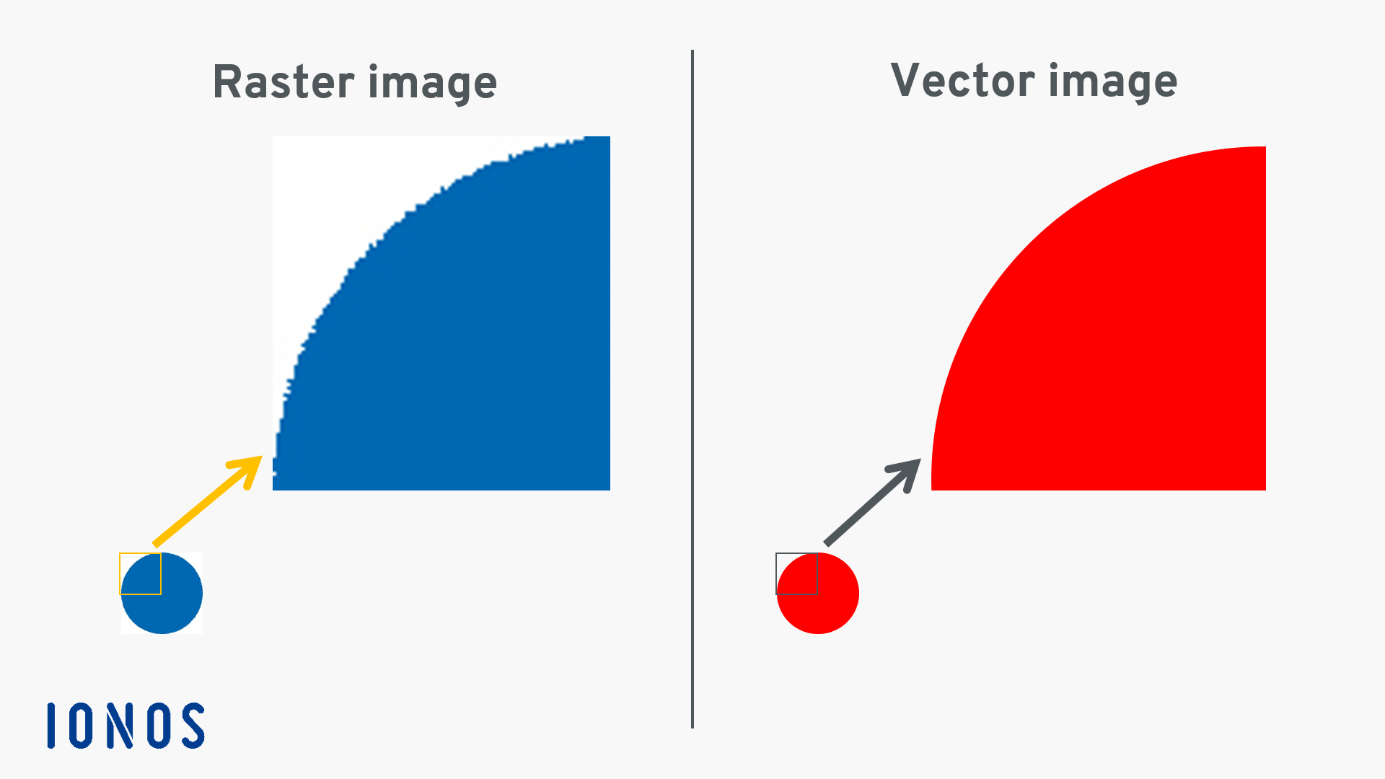
One consequence of building an image with pixels is that individual points become visible when you zoom in closely. Pixilation is visible on the edges of images, which causes the image to look messy and unprofessional. Additionally, raster images take up a lot of memory space.
To avoid these issues, a vector-based format is used for certain types of images. Logos and maps are often created as vector images, for example. The main advantage of the format is that you can easily zoom in and out on images without any difference in image quality.
Want to dive deeper into the differences between raster and vector images? Our guide compares the two formats and tells you all you need to know.
Diving deeper: how do vector images work?
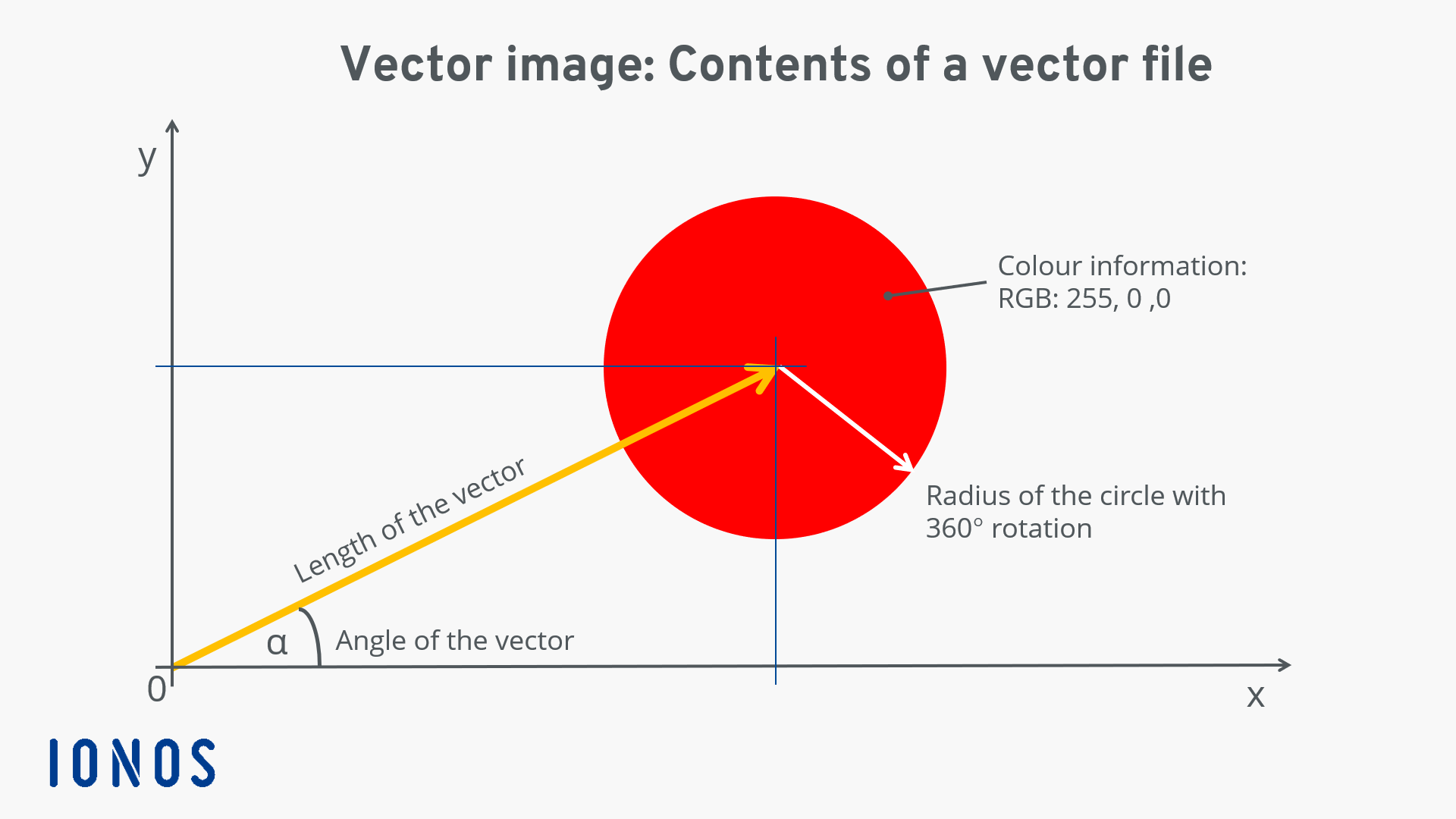
Vector images are one of the oldest graphic formats in electronic data processing. The format came about as a basis for Computer Aided Design (CAD). Vector images display a shape using mathematical formulas (vectors), which are then saved in a vector file.
A vector is comparable to an arrow – it has an origin, a direction, and a length. The tail of the arrow is located at the origin of a coordinate graph, and the head of the arrow indicates a point that is defined based on the length and angle of the vector. In creating a red circle, for example, the head of the arrow will serve as the centre; the radius of the circle is then defined and rotated 360 degrees. Then the information about the colour is added. All this information is summarised in the vector file.
- Set it up effortlessly and start saving files straight away
- Your data is available anywhere and on all devices
- 100% GDPR compliant in European data centres
The construction of complex vector images requires the use of several vectors, each of which point to different points in the image and may include information about curves and the angles of lines.
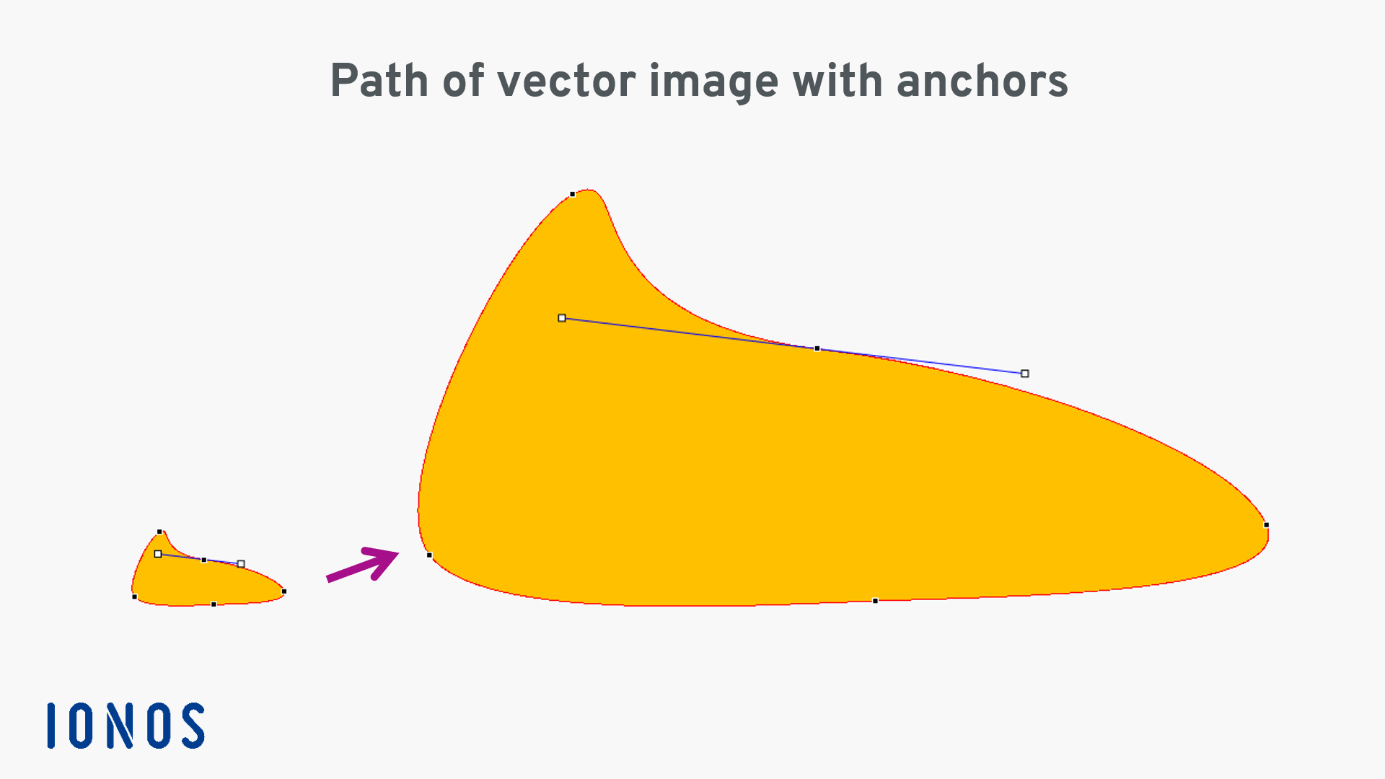
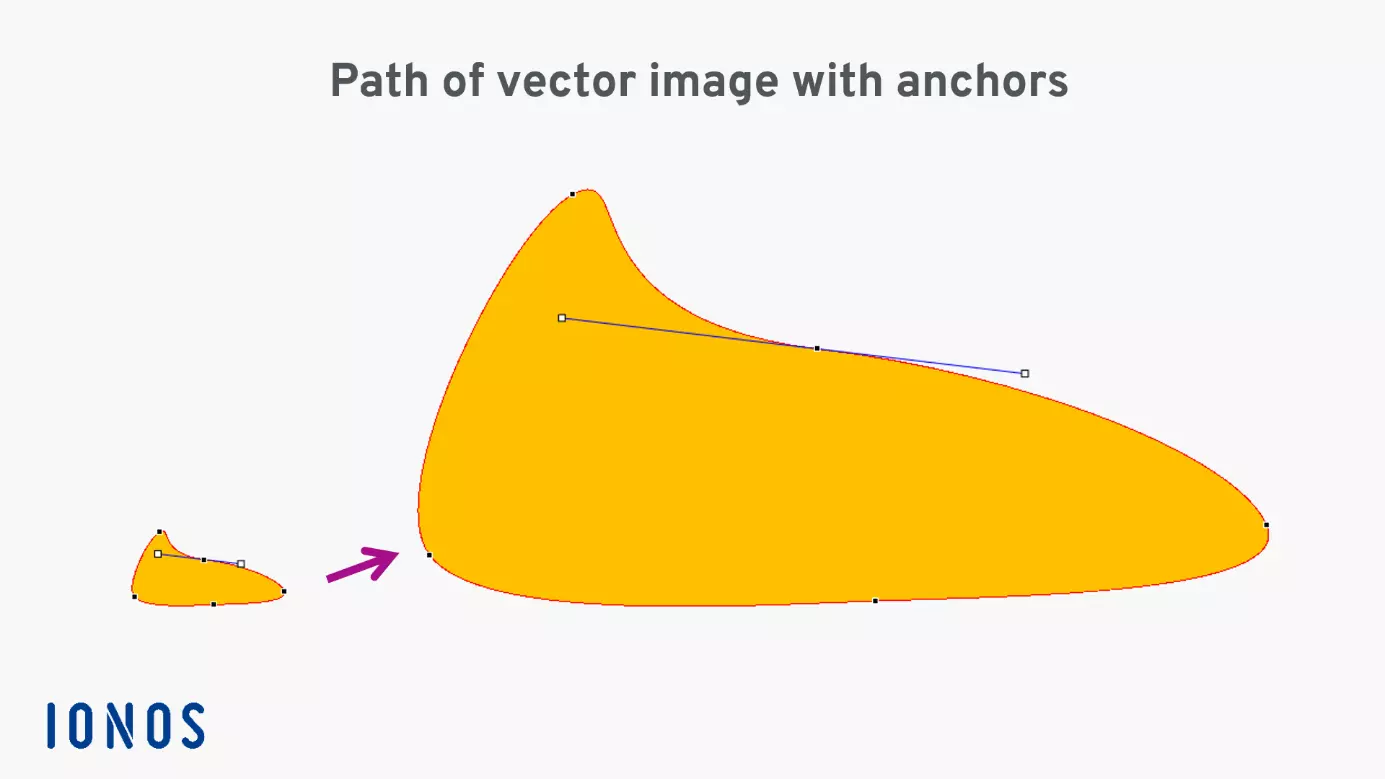
The path that forms the side of the shape results in a smooth edge, no matter how closely you zoom in.
Overview of common vector formats
Various formats for vector files have established themselves over the years.
| Vector format | Abbreviation | Areas of use | Explanation |
|---|---|---|---|
| Adobe Illustrator | AI | Graphics for print and web | Vector-oriented exchange format; saves edited vector images |
| Scalable Vector Graphics | SVG | Web | Scalable image format; can be used for animation and manipulated with CSS |
| Encapsulated PostScript | EPS | Based on the programming language PostScript | |
| Portable Document Format | Print, web, archiving | World-wide standard for sharing electronic documents | |
| Freehand Format | FH | Colour and non-colour illustrations | Saves illustrations with colours and fills |
| Corel Draw Format | CDR | Image creation for print and web | Uncompressed image format with features like AI |
When are vector images used?
Vector images are called for whenever you need to have the option of resizing an image without limit. For example, if you create a logo you’ll need to be able to use it on your website, outside of your office, and perhaps on a large billboard. In this case, a vector image created with Adobe Illustrator is your best choice. This vector file can be exported into numerous other formats that you’ll need later.
It’s important to keep in mind that when the image is displayed in print or on a screen, it will be shown as a raster image. Even the newer SVG format for web graphics is displayed this way on a screen. However, images in this format can be zoomed in and out on without resulting in any pixilation of the kind shown above. Additionally, SVG vector images can be created directly in HTML syntax, manipulated using CSS, and can even be animated.
Advantages of vector images
With a vector image, you can always scale your image to be as small or large as you need it to be. When you change the size of an image, it is the information about distances that is changed rather than the pixels. The same is true when moving an image. If you are working with a vector file that was created with Adobe Illustrator (.ai) or CorelDraw (.cdr), the source file can also be edited. Additionally, vector images can be stored with less memory than raster images. One disadvantage is, however, that even the largest vector image has to ultimately be displayed as a raster image.
There is a variety of software on the market for creating vector images – from free open-source solutions to subscription-based software. Adobe Illustrator is frequently used by professionals. Adobe Photoshop also provides options for creating vector images. Inkscape is a free alternative that’s SVG compatible and offers an attractive set of features.
- Intuitive website builder with AI assistance
- Create captivating images and texts in seconds
- Domain, SSL and email included
Reviewer

Melissa Senn
Melissa Senn has been with IONOS since 2016 and focuses on website, e-commerce, social media, and AI in the Digital Guide. As a digital strategist, she uses her extensive SEO and GEO experience to transform complex technological trends into practical content.