

Flutter

As a software developer, you know the problem: It’s no longer enough to just develop an application for Windows. These days, apps also need to run on Android smartphones, iOS devices, and web browsers to be successful.
In the past, you had to readjust and recompile the source code for each platform. In many cases, extensive rebuilds might be necessary to support the special features of the target platform and ensure that the user interfaces of your app has the look and functionality that users are accustomed to. Flutter simplifies cross-platform development because you only need one codebase for all platforms.
What is Flutter?
Flutter is a framework for developing apps for different platforms. It was created by the Google’s developer community and first released as an open-source project in late 2018. Flutter offers a variety of libraries of standard UI elements from Android and iOS, but it can also be used for developing traditional desktop web applications. Apps developed with Flutter look and behave like apps native to their target platforms. However, as a programmer, you don’t need to take into account the specifics of these platforms.
What is Flutter used for?
Flutter is primarily used for developing Android and iOS apps without having to write a separate codebase for each of the two different platforms. The smartphone versions of the apps run as real native apps on these devices. They are compiled for each platform before release, so you don’t need a runtime module or a browser. You can use the same codebase to create Web apps for browsers and native applications for Windows, Linux, and macOS.
Google uses Flutter for various modules of the Google Assistant and the user interface of the Google Home Hub. Popular e-commerce providers such as eBay, Groupon or the Alibaba Group also use Flutter to lend their web apps and mobile apps a uniform look and feel.
What programming language is Flutter based on?
The Flutter SDK is based on Google’s Dart programming language, which was initially intended as a replacement for JavaScript. Just like the popular web scripting language, Dart also runs as a web app directly in a browser. Dart applications can run on a server. When run in a web browser, they are implemented in JavaScript using the Dart2js transcompiler. The apps for Google’s new Fuchsia platform are developed in Dart, which is similar in structure to well-known object-oriented programming languages like Java or C #.
See our Dart programming tutorial for more detailed information on programming with Dart.
Everything’s a widget – the Flutter concept
Flutter’s 'Everything is a widget' strategy uses object-oriented programming for everything, including the user interface. The interface of an application consists of various nestable widgets. Every button and displayed text is a widget which has different properties that can be changed. They can influence each other and use built-in functions to react to external state changes. Widgets are included for all important elements of the UI and meet the design specifications of Android and iOS or common web applications. If necessary, you can extend the functionality of these widgets or create custom widgets that can be seamlessly combined with existing widgets.
The widgets offer much greater flexibility compared to the tools of other SDKs, but their disadvantage is that all widgets are contained in the source code of the application. This creates deeply nested code that can easily become confusing.
Some simple Flutter examples
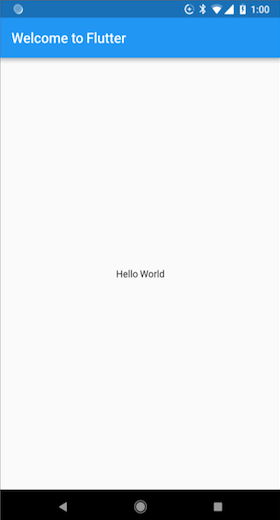
The developers provide numerous examples of Flutter so you can get started right away. A simple 'Hello World' project shows the basic structure of an application with a widget and a simple void Main() function that starts the application.
// Copyright 2018 The Flutter team. All rights reserved.
// Use of this source code is governed by a BSD-style license that can be
// found in the LICENSE file.
import 'package:Flutter/material.dart';
void main() => runApp(MyApp());
class MyApp extends StatelessWidget {
	@override
	Widget build(BuildContext context) {
		return MaterialApp(
			title: 'Welcome to Flutter',
			home: Scaffold(
			appBar: AppBar(
				title: Text('Welcome to Flutter'),
			),
			body: Center(
				child: Text('Hello World'),
			),
	),
		);
	}
}
On a smartphone or in the smartphone simulation, the application displays the 'Welcome to Flutter' title bar from the AppBar() element of the widget. The text 'Hello World' appears in the centre of the screen below the title. This open area of the screen is called the body in Flutter.
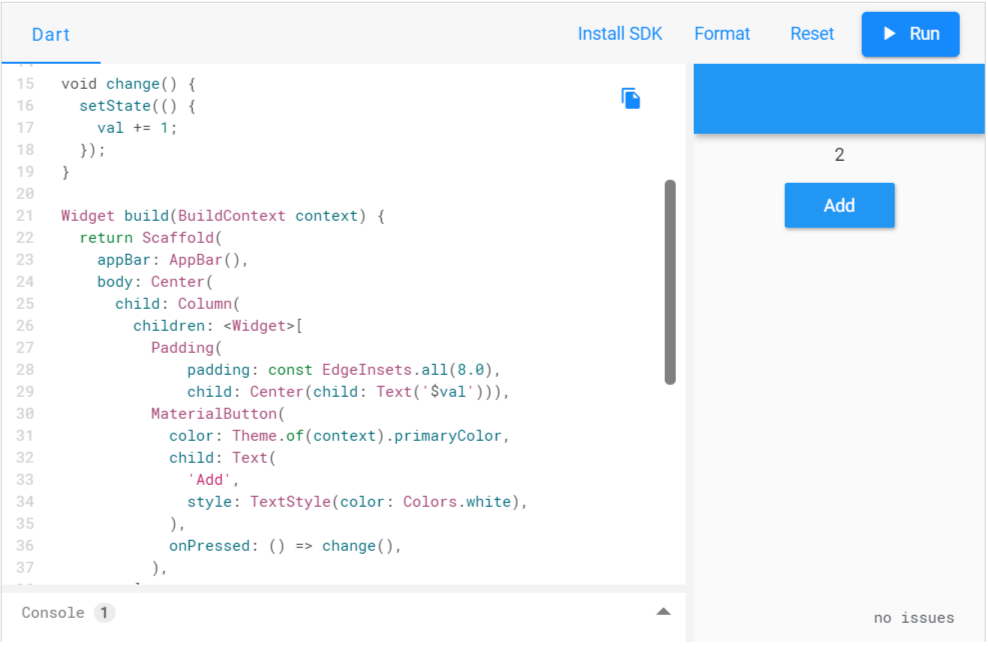
Interactive examples show Flutter apps along with the Dart source code directly in the browser. These examples allow you to change the source code interactively and observe the effects in the app.
The Flutter Gallery is a collection of sample apps that show you how to use standard widgets. As is common for open-source projects, Google deliberately avoided the brand names Android and iOS when it named the categories of UI elements. As a result, the widgets are named 'Material' (after Google’s design language) and 'Cupertino' (after Apple’s headquarters).
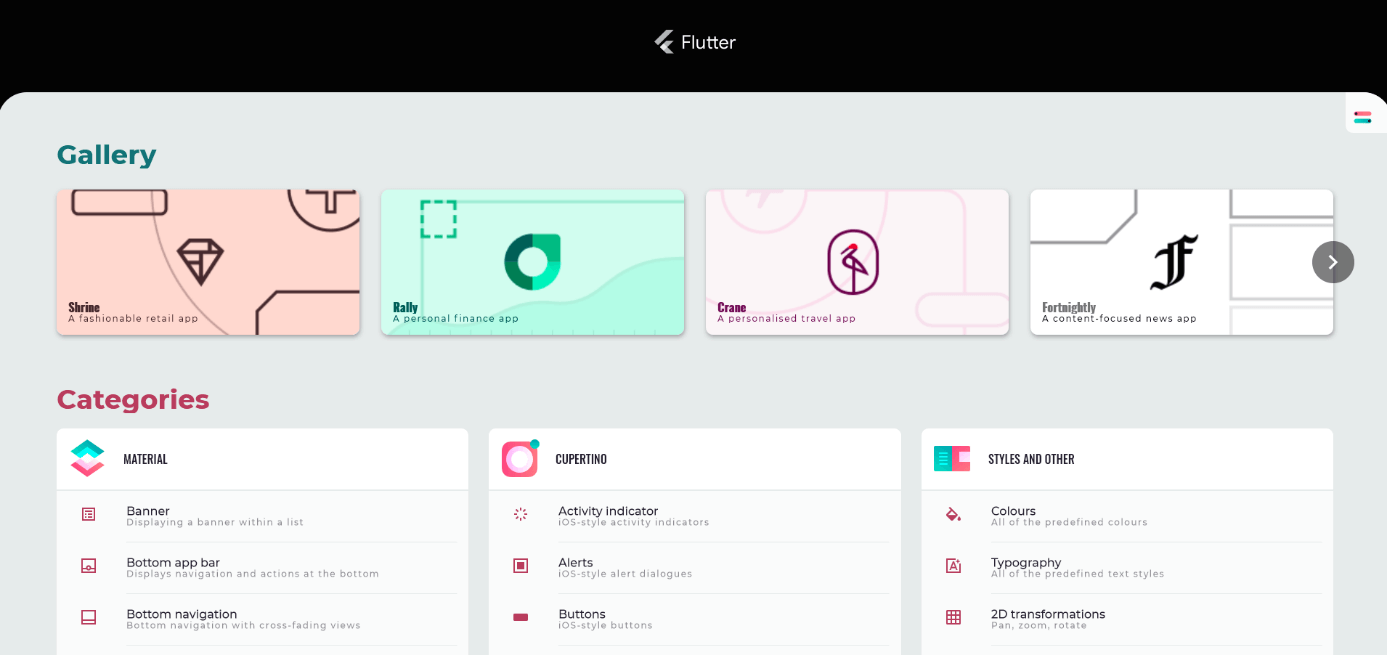
The Flutter team maintains a large collection of sample apps and tutorials on GitHub to help you get started with Flutter development.
What do you need to develop apps with Flutter?
All the libraries and command line tools you’ll need for developing software with Flutter are in the Flutter SDK, which you can download for free from the official flutter.dev website. The Software Development Kit does not have its own graphical IDE, but you can use any text editor to write the source code. Google recommends installing Android Studio for easier programming. Flutter provides plug-ins for Android Studio to allow for easy integration of libraries and automatic syntax highlighting in the editor. Comparable plug-ins are also available for the Microsoft Visual Studio Code development environment.
You can find more detailed information on installation as well as programming with Flutter in our Flutter tutorial for beginners.
Pros and cons of Flutter
Every SDK and programming language has its advantages and disadvantages. In summary, Flutter’s advantages outweigh those of similar systems.
Advantages of Flutter
- One codebase for all major target platforms
- Dart programming language is easy to learn for those with little programming experience
- The 'Everything is a widget' concept offers a wealth of possibilities
- Native apps run smoothly on smartphones
- Extensive libraries of ready-to-use UI elements
- Easy implementation of data streams so that users always have up-to-date information
- Hot Reload feature accelerates testing during development
Disadvantages of Flutter
- Code is slightly confusing due to widget integration
- Flutter modules must be updated when the design specifications of operating systems change. Since modules are embedded in the application, it too must be recompiled and installed on devices.
- Fairly new language that is not yet very widespread; community is still small