

Online Identity Theft

Identity theft involves the unauthorised use and therefore abuse of one’s personal data. Names, addresses, telephone numbers, e-mail addresses, online access data to banking and credit card information; these are just a few examples of types of personal data that can be used against you if left unguarded. When access is gained to just a few of these aforementioned items, fraudsters - whether in the virtual world or in reality - are able to inflict considerable financial damage on their victims. All too often this information falls into the wrong hands faster than one expects.
How do criminals get ahold of my data?
There are different ways for a criminal to gain access to sensitive online data. A security breach cannot always be attributed to careless security: some tricks are so well orchestrated that even the most careful of users sometimes fall victim.
-
Hacker attacks: Accounts with poorly secured passwords are easy prey for hackers, and using the same password for every account makes users especially vulnerable targets to attacks. Hacked passwords belonging to social media profiles can be used to log in to an online store where financial data is commonly stored. Customers are powerless to protect themselves if online retailers or other service providers have security lapses. Time and again tales of large-scale data thefts go around; most often such stories revolve around the loss of customer data, including payment data.
-
Phishing mail: This increasingly popular method involves employing a special type of spam mail. Recipients of such mail are brought via link to a forged web site, such as an online payment service, that resembles the user interface of a known business. Users who fall victim to this ploy and enter their customer data or log-in password are directly forfeiting their personal information to fraudsters.
-
Trojans: Downloading freeware or other files carries with it the risk of infecting your PC with a Trojan virus. The downloaded-software is able to intercept sensitive data and forward them to third parties. Enclosed files from spam mails are also known to contain such malware.
-
Social Engineering: The long-lost “grandson” suddenly decides to come and visit his elderly grandparent and swindle the possibly demented senior out of all the money he can. This tried and true criminal tactic can also be applied online. Fraudsters simply create a fake profile on a social media platform, and, by posing as a friend or family member, they then try to extract sensitive data or passwords through conversations or messages.
The consequences of identity theft
The unpleasant consequences of identity theft are primarily of a financial variety. Once criminals gain access to online profiles, banks, auction portals, etc., multiple financial instruments are at their disposal. Using the name of another person, fraudsters can make large orders and have these shipped directly to their address. PayPal can also be used to make purchases, and in the worst scenario, victims’ entire bank accounts or credit cards can be maxed out. When a hacker is granted access to such data, it is the equivalent of a thief getting their hands on someone’s wallet: IDs, credit cards and debit cards – nothing stands in the way of their next shopping spree.
Spam in my name
Not all cyber criminals are after payment information. In some caseaccess to e-mail accounts or other communication channels, like Skype or Facebook, are enough to satisfy many of their needs. Creating a botnet is the goal of this mischievous undertaking. By using the stolen address of millions of different users, the botnet is able to spread spam en mass, and most of the time the victims remain unaware that their computer or e-mail address has been infected until it is too late.
Cyber bullying and defamation
Identity theft is not always just about financial gain. Data is also often misused for the purpose of harassing others online. By hijacking a social media account, hackers are able to spread rumours or lies, thereby damaging the victim’s reputation or the reputation of others. Misleading messages can be drafted, controversial political views can be expressed, or malevolent statements can be published in the name of the victim. Statements reported as hate speech make the victim appear to be the perpetrator, and, in serious cases, may get the attention of authorities. The resulting damaged reputation is not limited to one’s private life; work-related consequences can also arise from attacks. These types of attacks are very difficult to explain and often involve very long and drawn-out legal action.
Online shops under false names
Another type of scam has been a growing source of much frustration over the past few months. Cyber criminals are using stolen personal data to found and register online shops. Such platforms are commonly used to sell fake merchandise. This particularly ruthless form of identity theft puts victims at risk of being legally confronted by manufacturers whose goods are being counterfeited. Victims should notify authorities as soon as they can in order to increase the chances of their name being cleared. Cases are only very rarely solved, as most of the time the perpetrators leave behind little or no trace of their.
How to prevent online identity theft
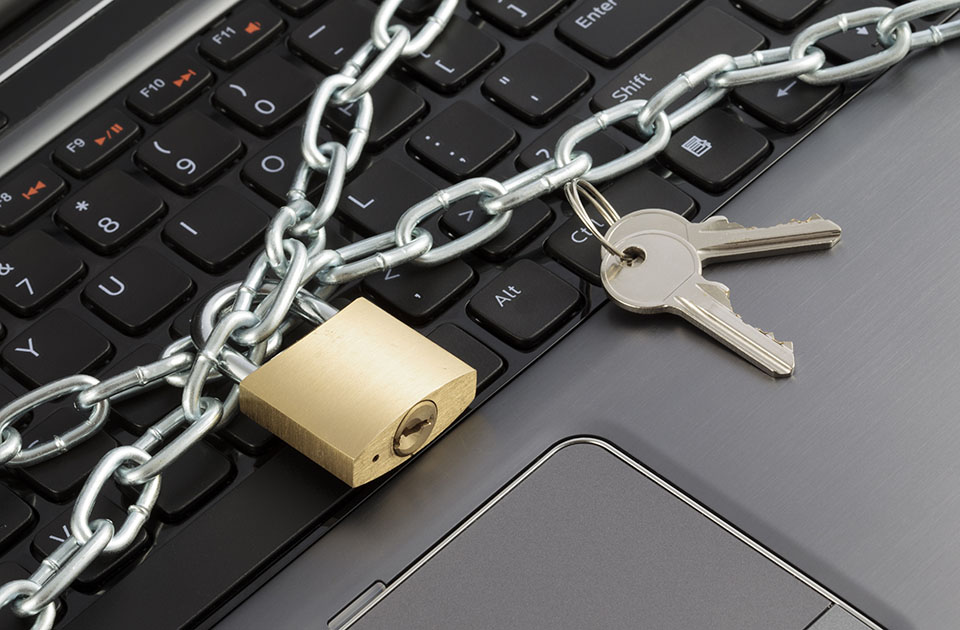
Every user can take preventative measures to ensure their data is safe:
Picking a secure password
Often the biggest security flaw are the users themselves and one of the biggest problems is the topic of password selection. Passwords should be at least eight characters long and should be composed of an arbitrary combination of numbers, letters, and symbols. Every service should have its own individual password and this should also be regularly changed. These useful tips are helpful for managing secure passwords.
2-step verification
Many online services like Google or Dropbox offer the user 2-step or two-factor verification. Users can only log into their accounts after they receive a code that was sent to their mobile. Users are also able to set up the authentication process in such a way that only allows known devices to be used for logging in. Different providers support different apps that generate codes for log in. This is a simple and effective way of preventing third parties form accessing accounts to which they possess both the username and password.
Regularly update software and devices
One common mistake that many users make is not thoroughly making sure that their software has been updated. Browsers, operating systems, and especially anti-virus software should always be kept up to date. New security gaps are constantly being discovered that can easily be filled by completing the provided updates. Only those who regularly install these updates can benefit from such improvements.
Use public devices and networks with caution
Libraries, airports, or other highly frequented public spaces, such cafés and restaurants, often provide access to WiFi networks. Data traffic in these unencrypted networks is public and can, under certain circumstances, be intercepted by third parties. Browser pages should always be accessed through the transmission protocol “HTTPS”, and e-mails should only be sent under an encrypted connection. VPN services offer additional protection and allow data traffic to flow through an encrypted tunnel. Online banking and other sensitive transactions should only be undertaken from privately owned devices, and, in order to minimise any unnecessary risk, an encrypted connection should be used.
Avoid data collectors
The extent to which someone is an easy target for hackers depends on where and how much their data is exposed online. Thinking twice about every log-in and questioning the reputability of the service provider being used is a good practice to get into. Checking the terms and conditions, the data privacy policy, and site disclaimer is a good way of spotting potential dangers. The revealing of personal data should always be approached with caution. Requests for sensitive data, such as bank account information, via e-mail or Facebook should immediatly raise eyebrows. The same rules apply to apps as well. Users should always be aware of which data the programme is trying to access. Free apps are often data collectors in disguise. A programme seeking access to data that is irrelevant to its function (for example a flashlight app requesting your contact data) is a further potential indicator of an untrustworthy service.
Recognising data abuse early
It can take weeks for some individuals to recognise that they have fallen prey to an online identity theft scheme. Only when mysterious bills, request for payment letters, or debt collection notices begin arriving do the victims finally begin to realise what has happened. Being mindful of and reacting quickly to suspicious transactions is the key to stopping fraudsters before things get out of hand. Those who fear that their name is being misused can verify their suspicions with just a few easy steps. Registering a Google Alert for your name is a good place to start. With this service, an automatic e-mail notification is sent to the user anytime the name they are registered with appears online. Google’s reverse image search further allows users to check if their photos have been unrightfully used by others. Most often users are informed and warned in cases where customer data has been stolen from large companies. Ideally, the affected business creates a webpage where users can check to see if they have been affected.
What victims of identity theft can do
All of the aforementioned precautions make it more difficult for criminals to gain unauthorised access to personal information and data. 100 percent security, however, is never possible. In the case that an individual becomes the victim of identity theft, it is best to react as quickly as possible. Unauthorised financial transactions are subject to grace periods by most financial institutions. For this reason, it is best to adhere to the following measures:
- reset all passwords (even the ones that are not from the affected provider)
- inform the respective provider of the security breach
- freeze the accounts of the affected provider
- inform friends and acquaintances of the breach
- check PC for viruses and Trojans
- keep an eye on bank transactions
Want to make your website more secure? Learn more about SSL certificates from IONOS and how they increase your site’s trustworthiness.
Reviewers

Melissa Senn
Melissa Senn has been with IONOS since 2016 and focuses on website, e-commerce, social media, and AI in the Digital Guide. As a digital strategist, she uses her extensive SEO and GEO experience to transform complex technological trends into practical content.

Jeanna Raffa
With over 18 years of experience in online marketing, Jeanna Raffa possesses extensive expertise in digital marketing. Since 2020, her focus has been on providing practical information regarding email, office, and cloud storage solutions.