

How to anonymize Links

A basic element of the World Wide Web are the hyperlinks which connect one website to another. When an Internet user clicks on one of these links, his browser sends an HTTP request to the web server that issues the landing page. In the header there is usually a so-called referrer in addition to the servers’ host name and the desired resource. This is an optional component that contains the referencing web page’s URL, therefore providing the server with information about the visitors’ origin.
The term “referrer” is derived from the word refer. Unlike the verb, the noun is written with two of the letter “r”. The incorrect spelling “referer”, which is common in the http area, refers to a spelling error in the original Request for commands (RFC 1945). When observing other standards, such as the Document Object Model (DOM), the correct spelling is used (see document.referrer).
The referrer function can be illustrated by an example:
The above note box contains a further link to the RFC 1945. IF you follow this link, your web browser sends a GET request to the Internet Engineering Task Force (IETF) web server within a few milliseconds. Clicking on the hyperlink causes your web browser to contact the host with the name tools.ietf.org and request the file /rfc/rfc1945.txt. The reference page (referrer) is the URL of this article. The HTTP header, which is used for this purpose includes (among other things) the following fields:
GET /rfc/rfc2068.txt HTTP/1.1
Host: www.ietf.org
Referrer: https://www.ionos.co.uk/digitalguide/hosting/technical-matters/dereferrer-anonymizing-links-made-easy/
The website server operator is informed which web pages link to the online offer they have provided, and can then process this information during their analysis and subsequently display user-specific content.
Other HTTP header fields usually contain information about the user agent you are using, as well as supported formats, languages, character sets, or encoding methods. The amount of information submitted depends on which web browser you are using and how it is configured.
Referrer data in web analysis
As a rule, web servers store all the information they receive in terms of client requests in a log file. Each request is recorded as a separate line in the log. Website operators use this data as a basis for analysis, giving them useful information about the visitors to their website. In addition, the analytics software used is based on scripts and collected referrer information, as well as other metrics. The information provided in the referrer allows statistical evaluations to reveal where the visitor flows enter the website. Thanks to this information, marketing measures such as advertising banners, affiliate links, paid entries in branch directories, or guest articles on third-party websites can reliably be evaluated and their effectiveness can be checked. Referrer analyses also provide important insights to the scope of your search engine optimisation.
No referrer information is transmitted for direct entry. This is the case, for example, when a user manually enters the desired URL into the web browser’s search bar, or the web page is accessed via a bookmark.
Web analytic tools allow you to automatically read the referrer field and prepare the collected data as a clear report. When you search using a search engine, you can enter the keywords that will lead you to the site.
According to W3-Techs 83% of all website operators who automatically evaluate traffic rely on Google Analytics. We have compiled good alternatives to the market leader in a comparison article on the topic.
However, not all Internet users like the idea of the target link operator (the website referred to by the hyperlink) being able to trace their origins. In principle, the referrer provides information about the website visitors’ behavior. Some Internet users fear that referrer data will be used to create motion logs, and are opting to disable the referrer field on HTTP requests.
Website operators also have a number of methods to prevent the referrer from being submitted automatically. In the past, dereferrer services were used. Today, the new HTML standard (version 5) provides a native noreferrer attribute.
The use of dereferrer technology is usually motivated by security concerns. In the past, hackers were able to use referrer information to retrieve personal data from unpublished web-based areas. Dereferrer and comparable technologies are therefore sometimes used to hide URLs and possible GET parameters, or a session ID in the querystring before the website operator. Another reason to disable the referrer is spam prevention.
Referrer spam
The HTTP referrer has been successfully used (or misused) in the past for SEO methods (Black-Hat-SEO) in the context of spamming. The goal was to falsify referrer statistics and increase the relevance of their own website for search engines. To this end, web pages were scanned by scripts in order to leave traces of their own URL in other websites’ log files. Web blogs that publish their referrer statistics also offer a platform to spam links that are accessible to both users and search engines. Many a porn site has managed to establish itself as a supposedly significant source of traffic.
What is a dereferrer?
A dereferrer (also known as a link anonymizer) is a web page placed between the link source and the link target with the purpose of forwarding users to the new page. The goal is to obscure the referencing website’s URL and therefore prevent the possibility of a trace.
Dereferrer services
There are numerous Internet providers that have dereferrer functions. As a rule, these functions are found on a specially designed website for that function. This manipulates the client’s HTTP request using the meta-tag refresh and server side scripts.
- anonym.to from gulli.com
You can create anonymous links directly from the website with all listed dereferrers. Proceed with the following steps:
- Enter the URL: Enter the desired destination address in the online form provided for this purpose.
- Generate the dereferrer link: Generate the anonymous link by confirming your entry by clicking “Generate”.
Then, copy the dereferrer link and insert it in the desired location on your site.
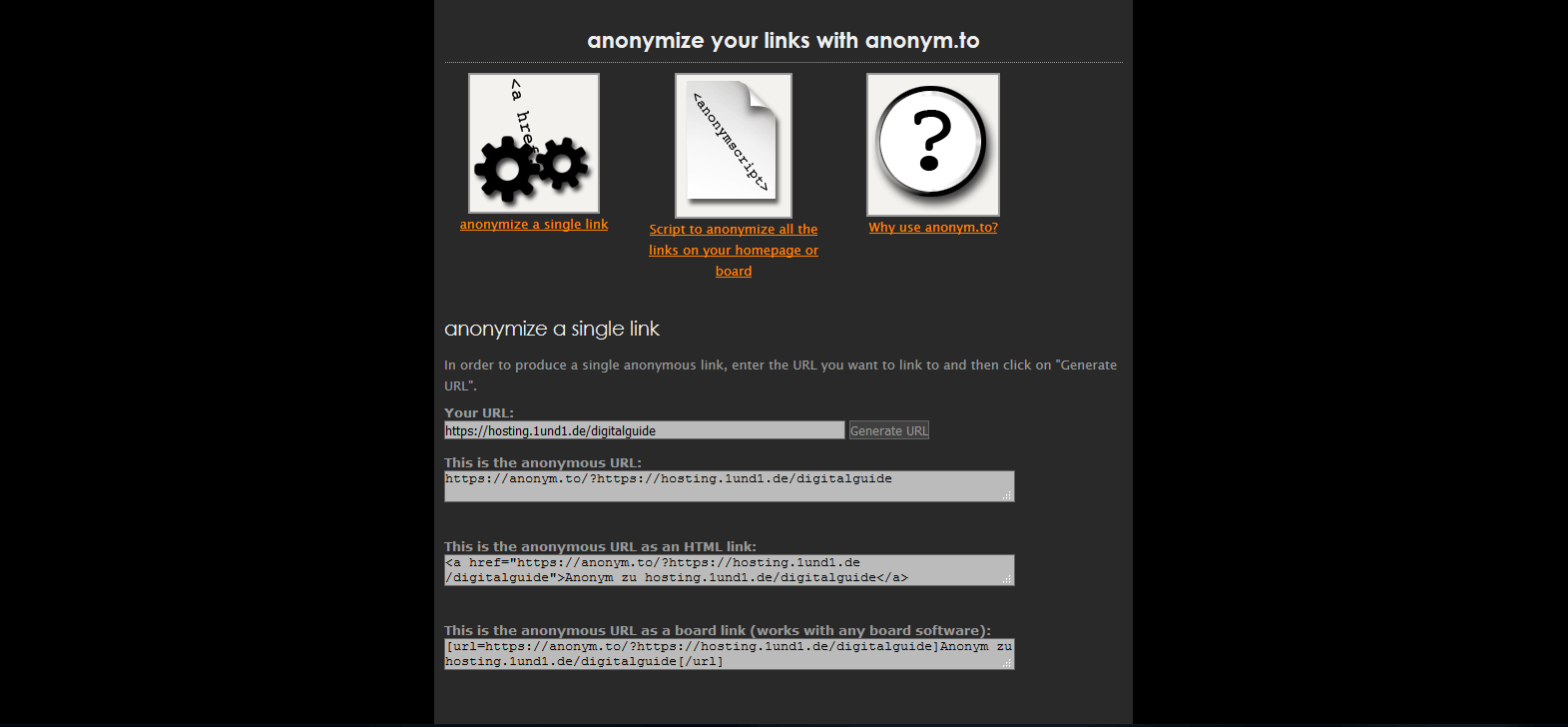
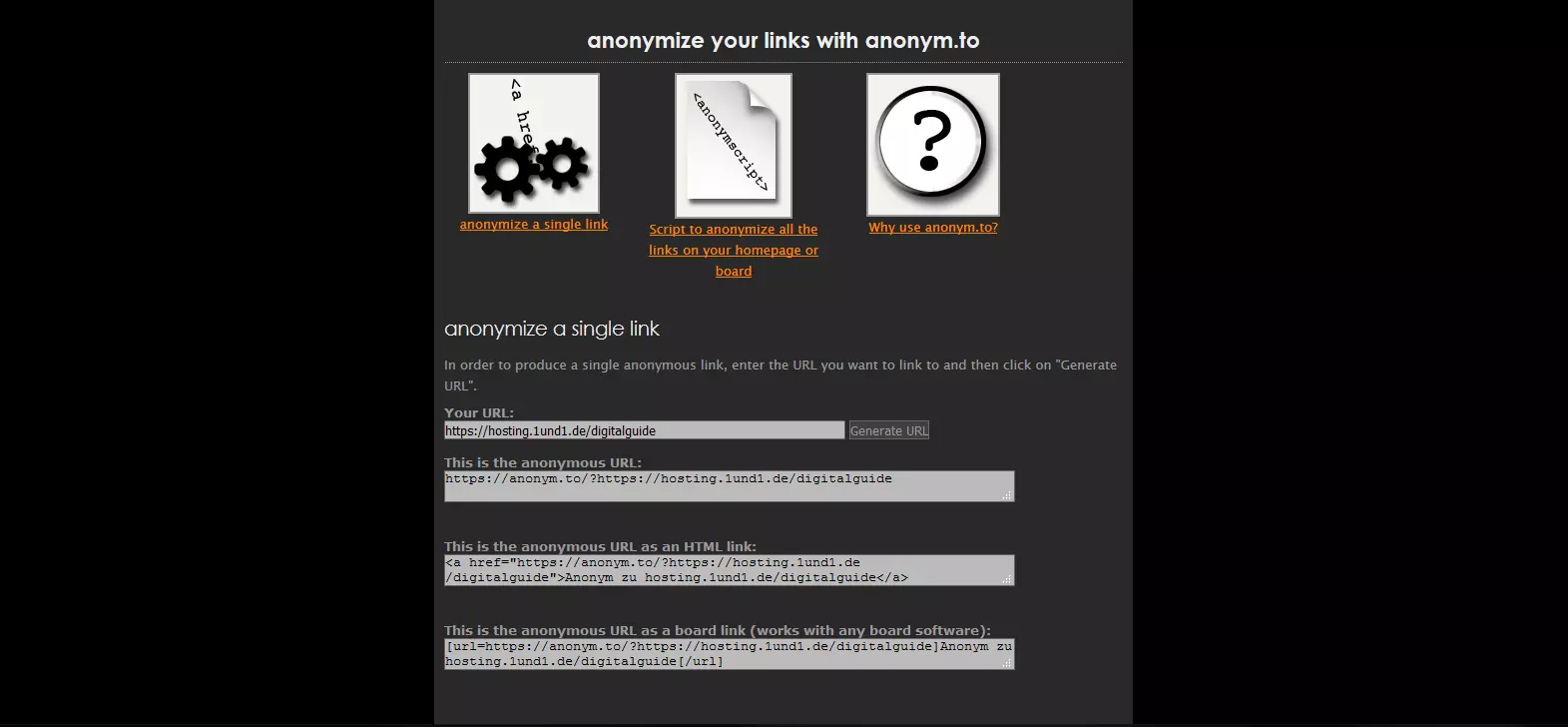
As well as being able to generate links via a web application, all listed vendors provide scripts which, once integrated into the source code of the website, redirect all outgoing links using the corresponding dereferrer.
Dereferrer: an overview of advantages and disadvantages
If you anonymise outbound links using a dereferrer, you hide the referencing website’s URL to the link destination’s operator. However, the provider of the dereferrer service will have full access to all transmitted data. This creates a significant security gap, similar to a proxy server. Skeptics even go so far as to assert that data espionage could be a key motivation behind free anonymisation services on the web. Secret services, in particular, are likely to be interested in learning what the people who use these services are trying to keep secret. However, even if you have opted for a seemingly legitimate dereferrer service, there is always a chance that it may be hacked over time. If that happens, the information you are trying to keep secret would be leaked to third parties. Website vendors therefore usually rely on self-powered dereferrers to protect sensitive information – like IDs or GET parameters – from third-party access. Webmail providers, for example, usually replace links in e-mails by redirecting through an internal dereferrer service. This prevents so-called “session hijacking”. If not, malicious website operators could use referrer-provided session IDs to take over an unsuspecting visitor’s webmail. Note: Referrer information is sometimes used to make certain site features available to visitors. For example, certain content elements of a website can be directed at a country-specific URL. If you use an anonymous link to refer to your website pages, your visitors may not be able to see what you wanted to show.
| Advantages | Disadvantages |
|---|---|
| Referrer-URL remains secret (protection against session hijacking) | The dereferrer supplier has access to all the data traffic |
| Websites that use referrer information for their website may find that they do not work as desired |
Alternatives to Dereferrer Services
Do you want to anonymise links, but do not want the disadvantages and risks associated with dereferrer services? No problem. We will show you how to deactivate the referrer function of your web browser without including add-ons or hyperlinks as anonymous references, using the HTML5 attribute rel="noreferrer".
Disabling referrer in the browser
Dereferrers are primarily aimed at website operators who want to prevent outgoing hyperlinks from being tracked to their own websites. Internet users who want to protect their privacy can implement dereferrer services using a browser add-on. In this instance, the web browser redirects any link that is clicked to a dereferrer site.
Whatever provider is used in this case can usually be adapted. There are extensions available for Mozilla Firefox and Google Chrome. However, they are not necessary, as both web browsers offer the option to permanently disable the referrer function.
Mozilla Firefox
Deactivating the referrer function is only possible with Mozilla Firefox in the hidden browser settings. To adjust it, follow these steps:
- Open hidden settings: Open Firefox and type about:config in the address bar.
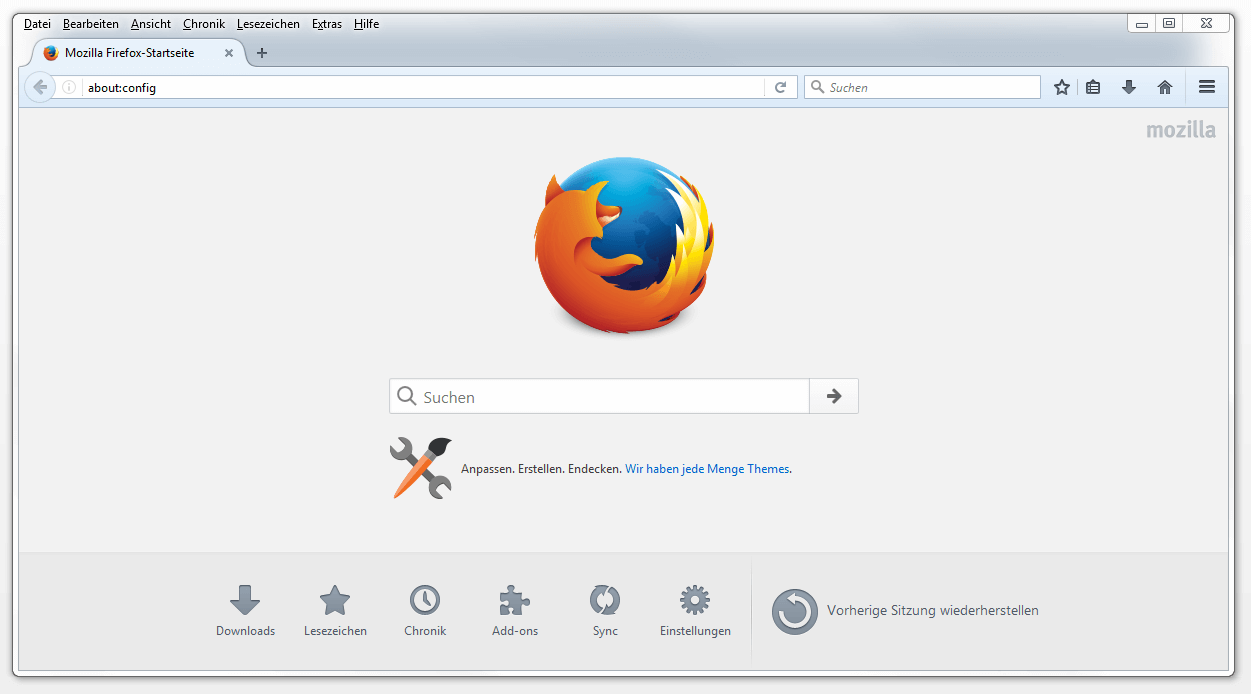
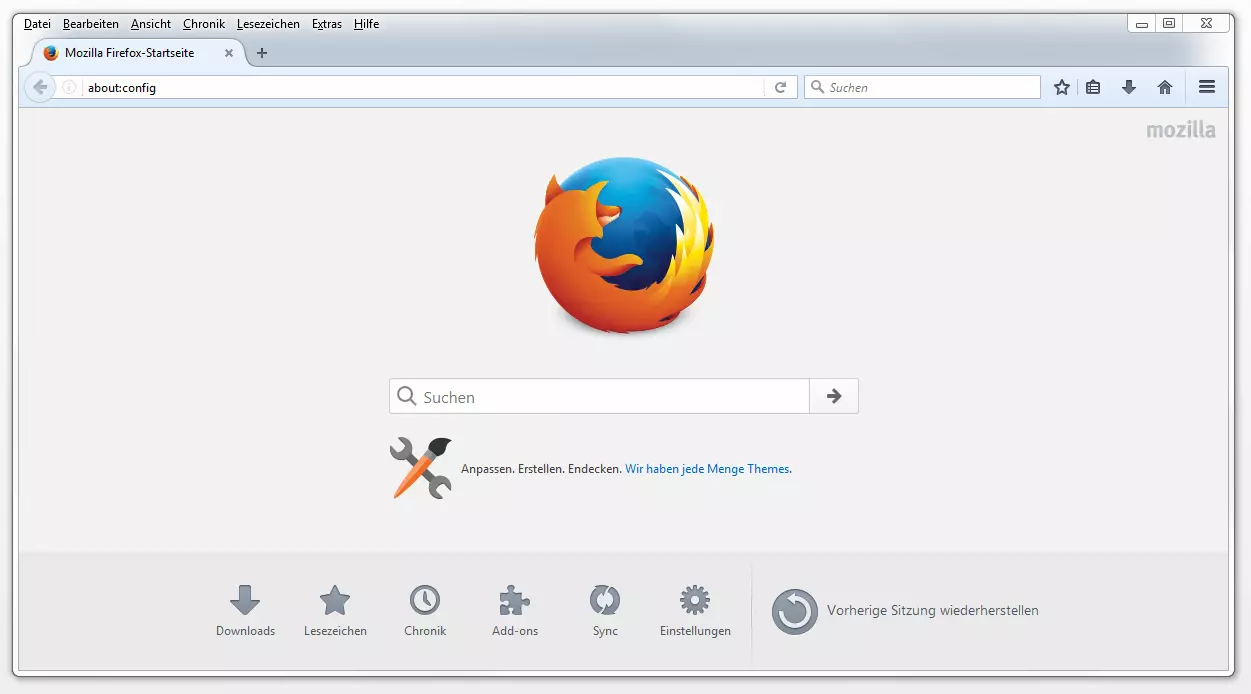
You will receive a warning that changes to advanced browsers can affect the security, stability, and performance of your web browser.
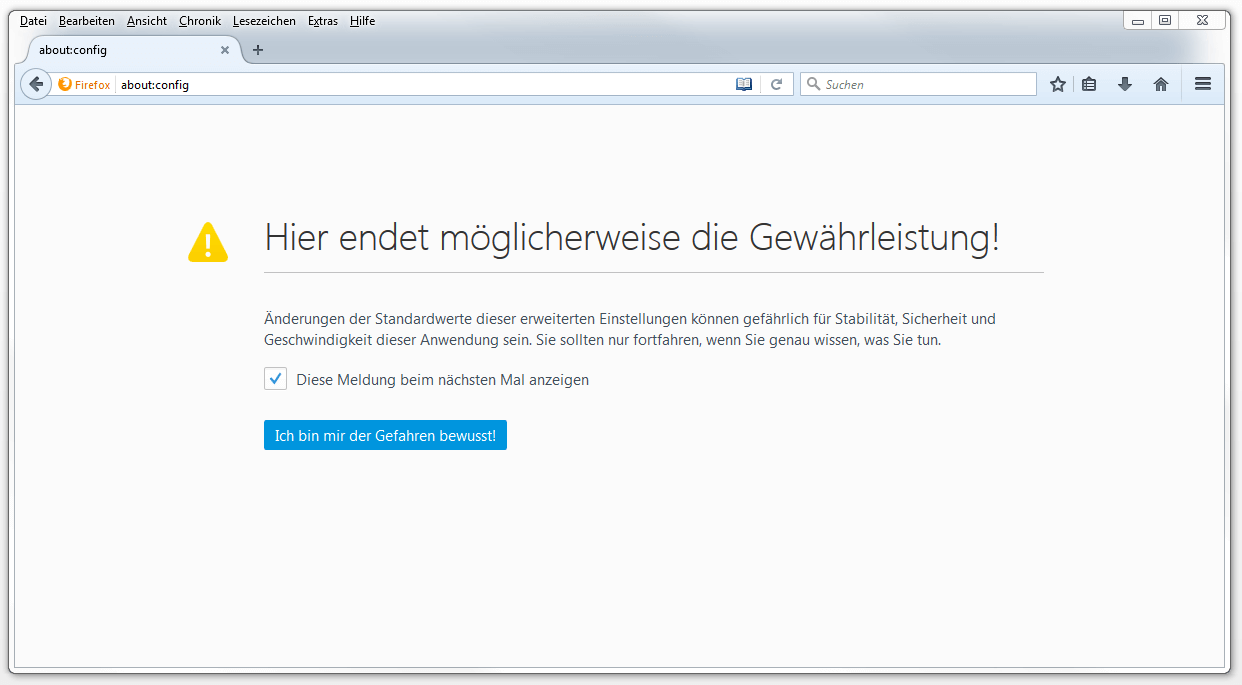
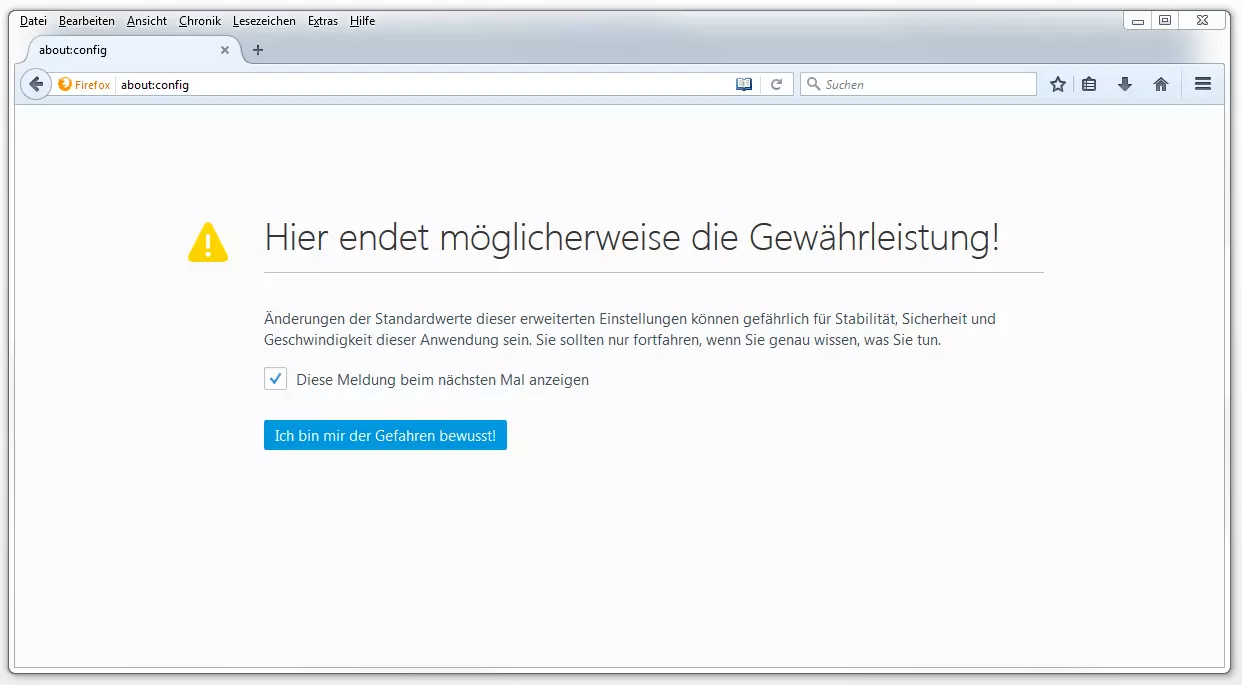
Click on “I am aware of the danger!”
Search for parameters: Use the search bar to navigate to the network parameter network.http.sendRefererHeader. This is what is responsible for providing referrer information.
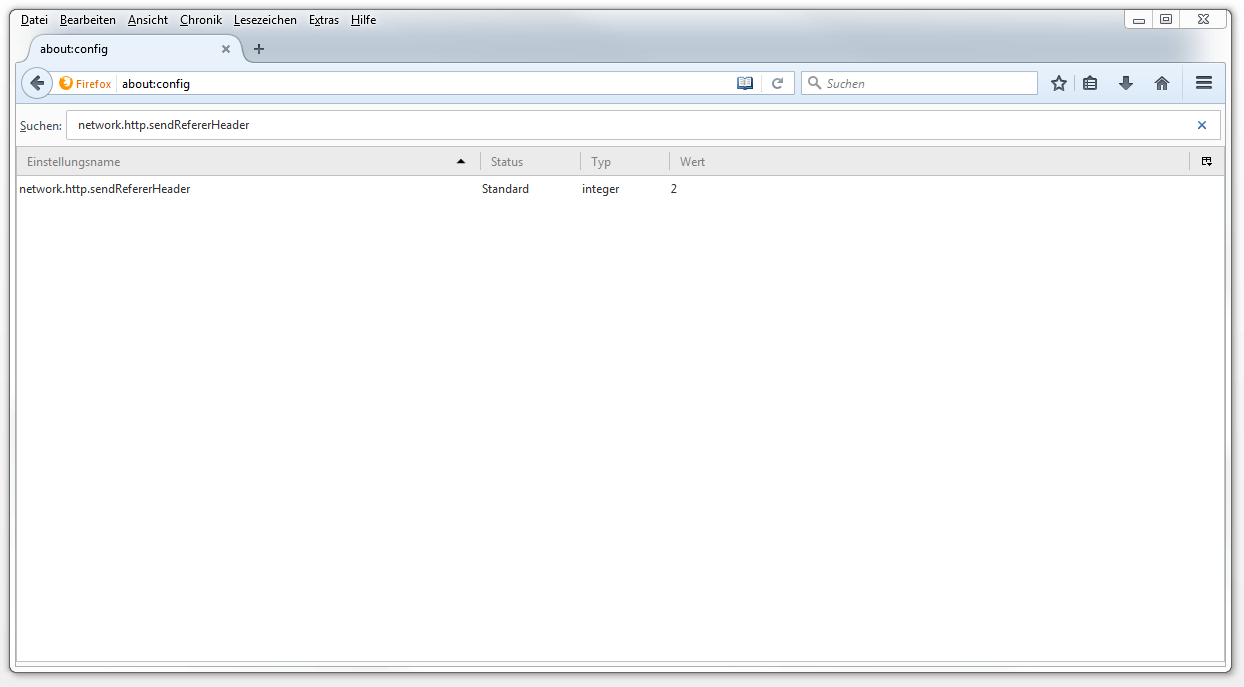
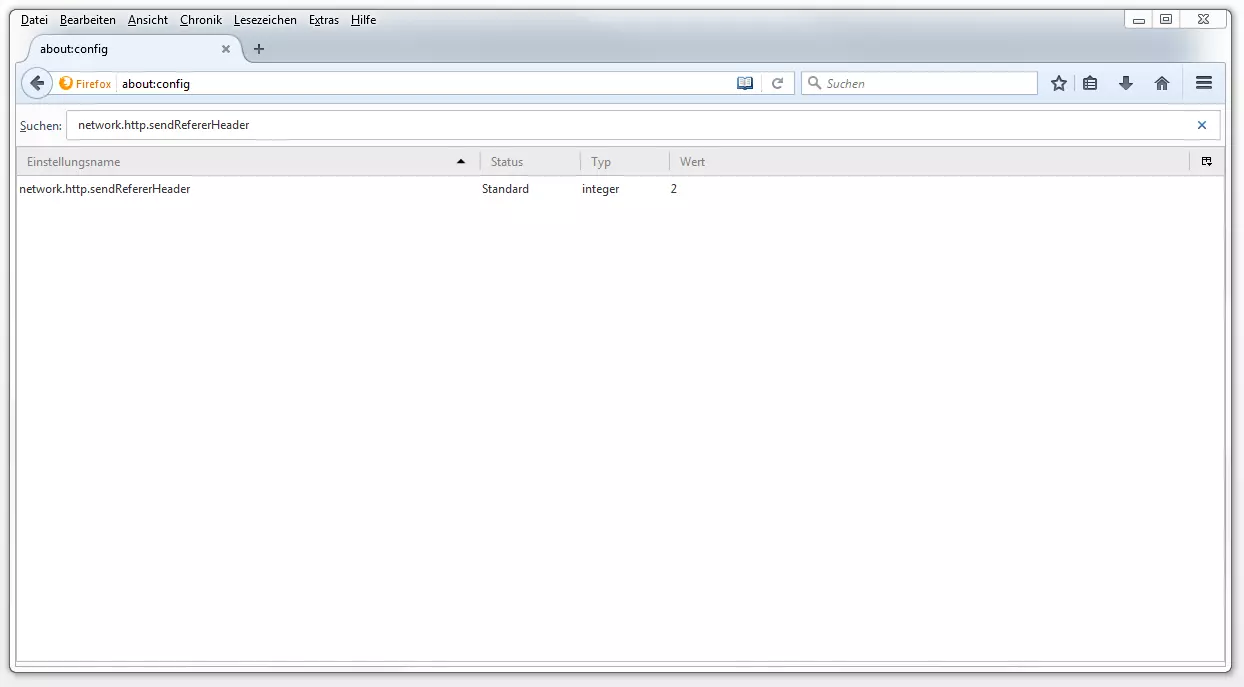
Customise parameters: Double click on the network.http.sendRefererHeader entry. Set the value of the parameter from 2 to 0 and confirm your entry with “OK.”
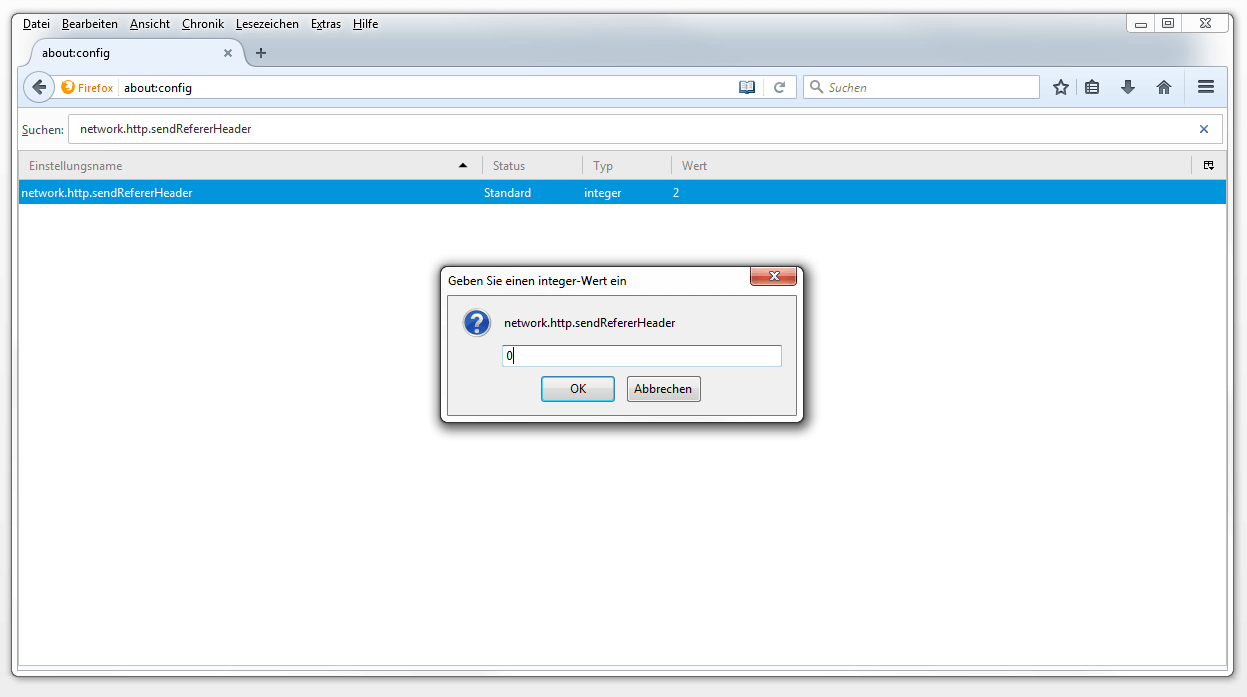
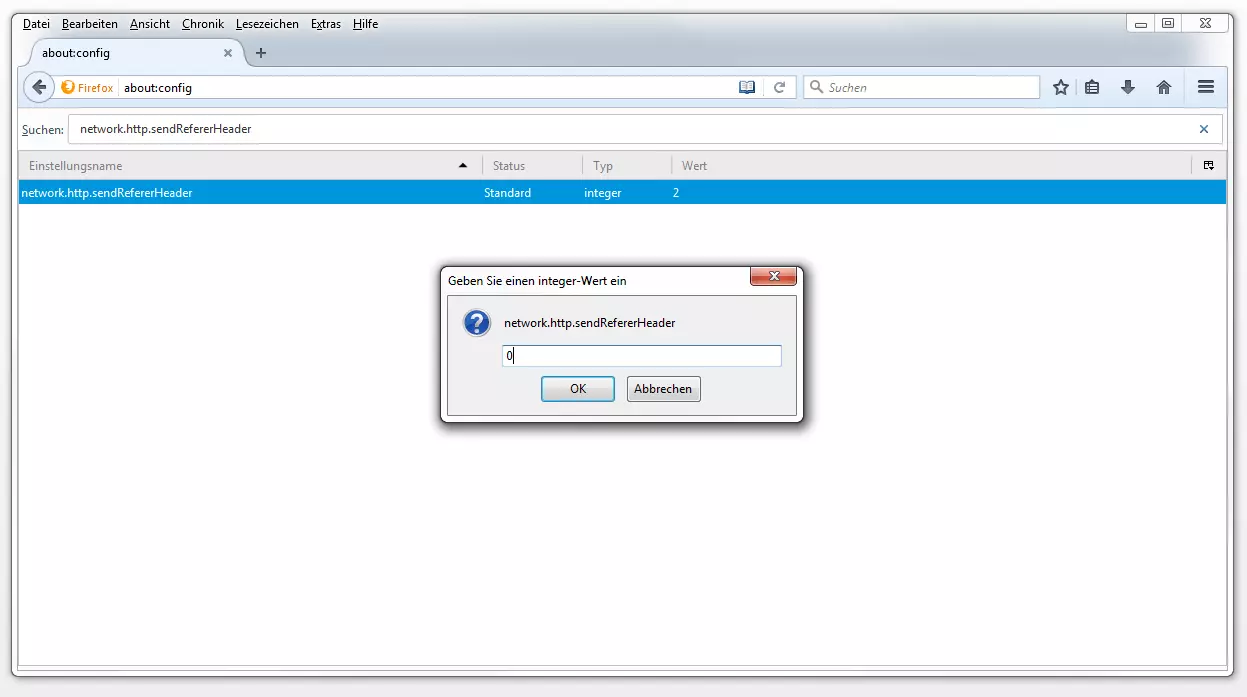
Firefox will now send http requests without a referrer.
An overview of possible parameters for network.http.sendRefererHeader:
| Parameters for network.http.sendRefererHeader | |
|---|---|
| Value | Meaning |
| 0 | Never send referrer URL |
| 1 | Only send referrer URL when links have been selected |
| 2 | Referrer URL for clicked, linked, and all sent resources (e.g. images, scripts, CSS, etc.) |
Most web browsers do not only transmit referrer information when they call a web page. The referrer is usually also transmitted when external resources such as images, scripts, or CSS are queried on the website.
Firefox also provides the ability to disable the referrer’s delivery just for third-party sites.
In this case, leave the value of the network.http.sendRefererHeader parameter set to 2 and adjust the network.http.referer.XOriginPolicy parameter instead. The following options are available:
| Parameter network.http.referer.XOriginPolicy | |
|---|---|
| Value | Meaning |
| 0 | Always send referrer URL (standard). |
| 1 | Send referrer URL only if the participating server’s domain name matches. Example: the referrer is sent with a link from mail.example.com to www.example.com |
| 2 | Send the referrer only if the participating server’s host name matches Example: the referrer is not sent with a link from mail.example.com to www.example.com |
Google Chrome
Google’s web browser does not provide a configuration interface that allows you to set referrer functions, but Chrome will give you a command to disable the referrer function during the program startup. Proceed as follows:
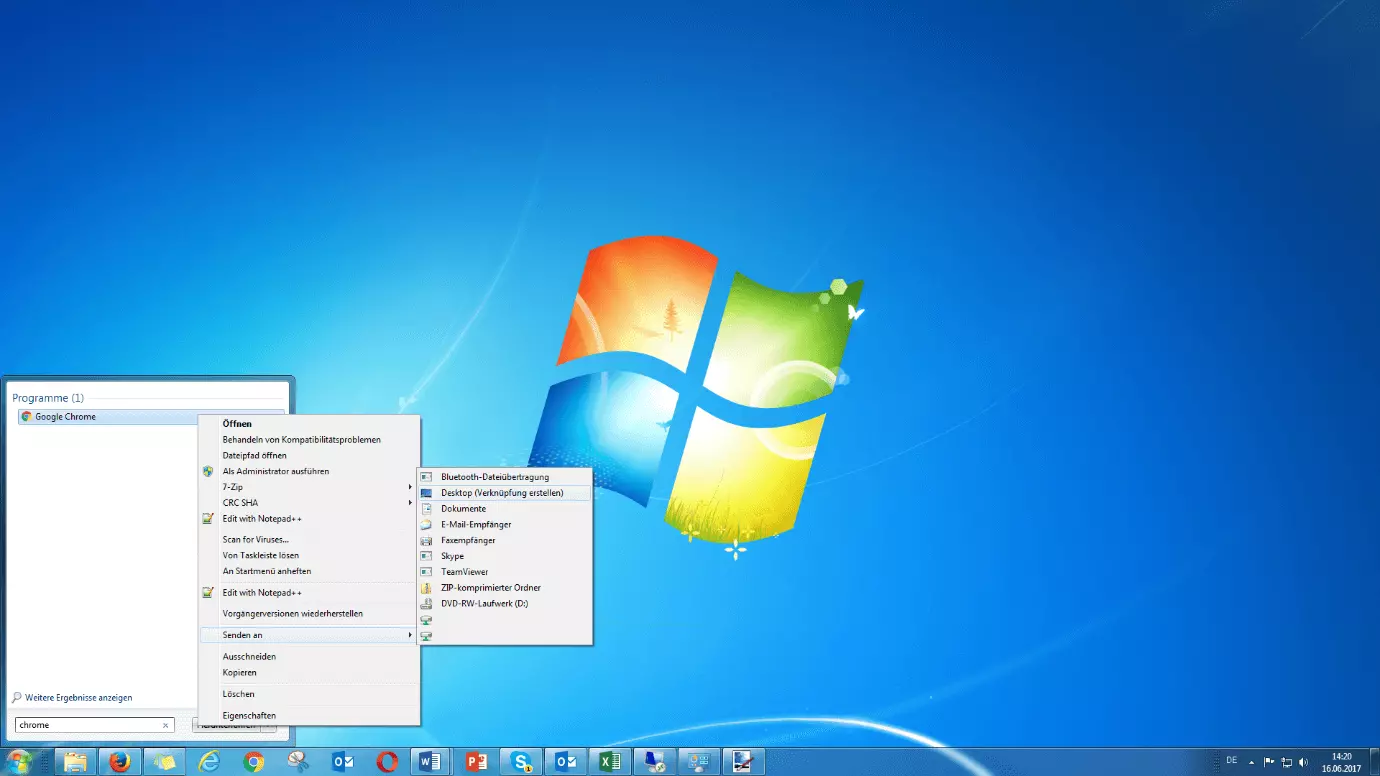
- Create shortcut: First, create a shortcut to your Chrome installation. Enter the program name into the search field in the Start menu and right-click on the Chrome icon.

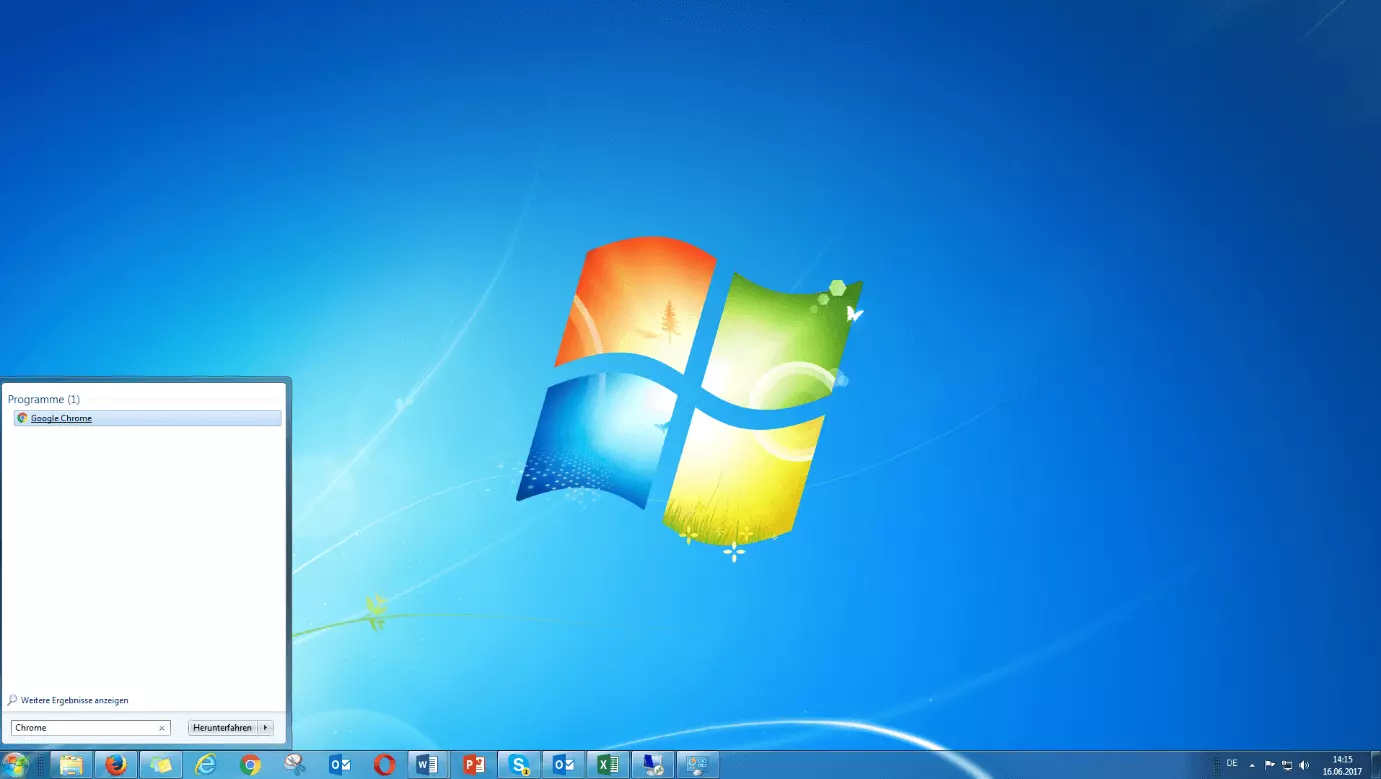
On the Shortcut menu, click “Send To” and choose Desktop.
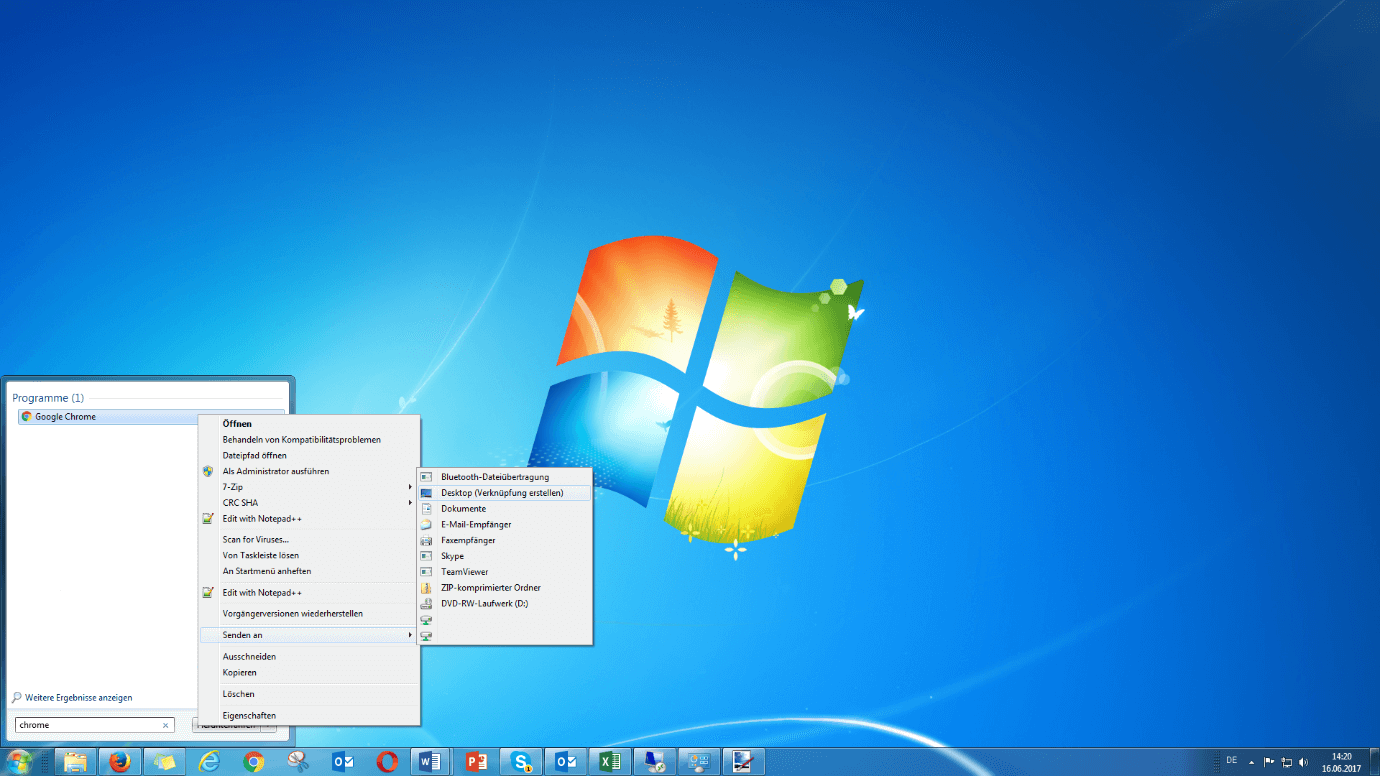
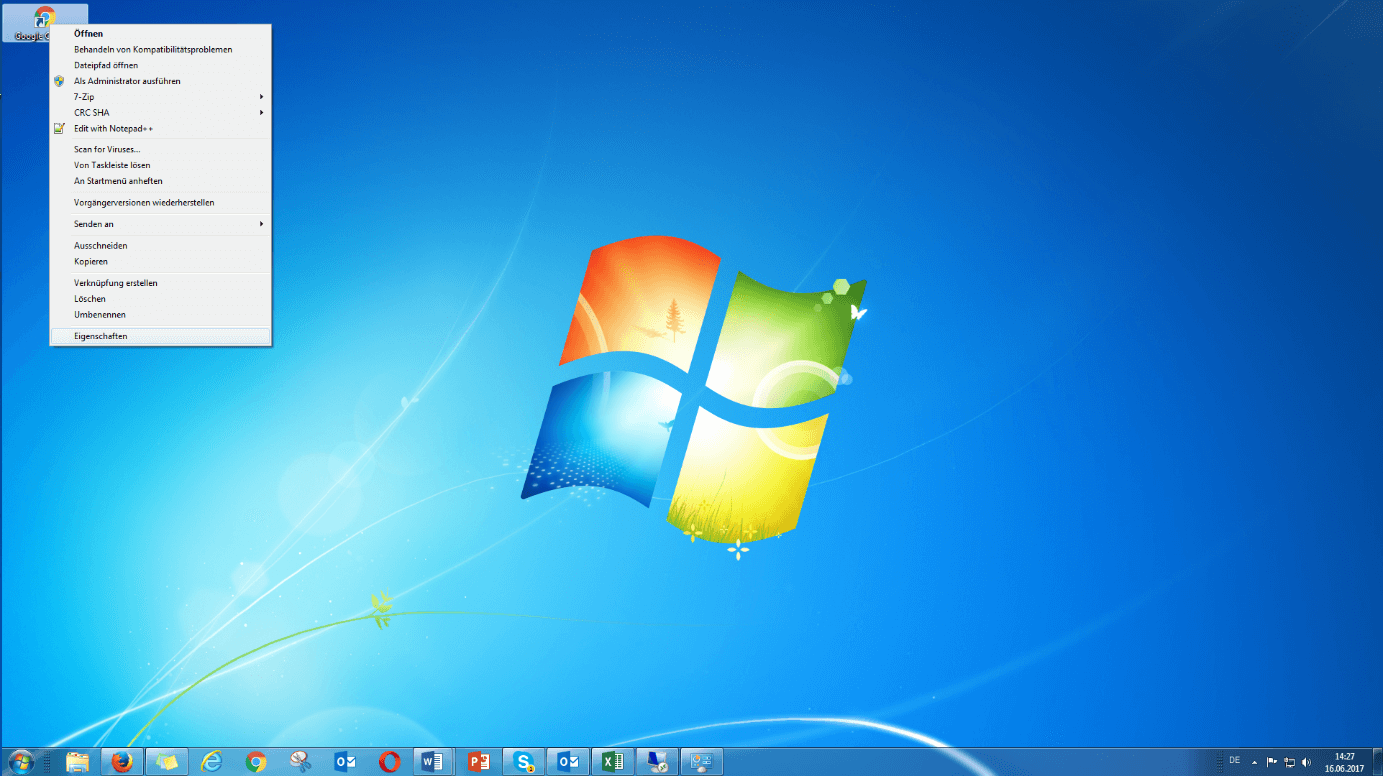
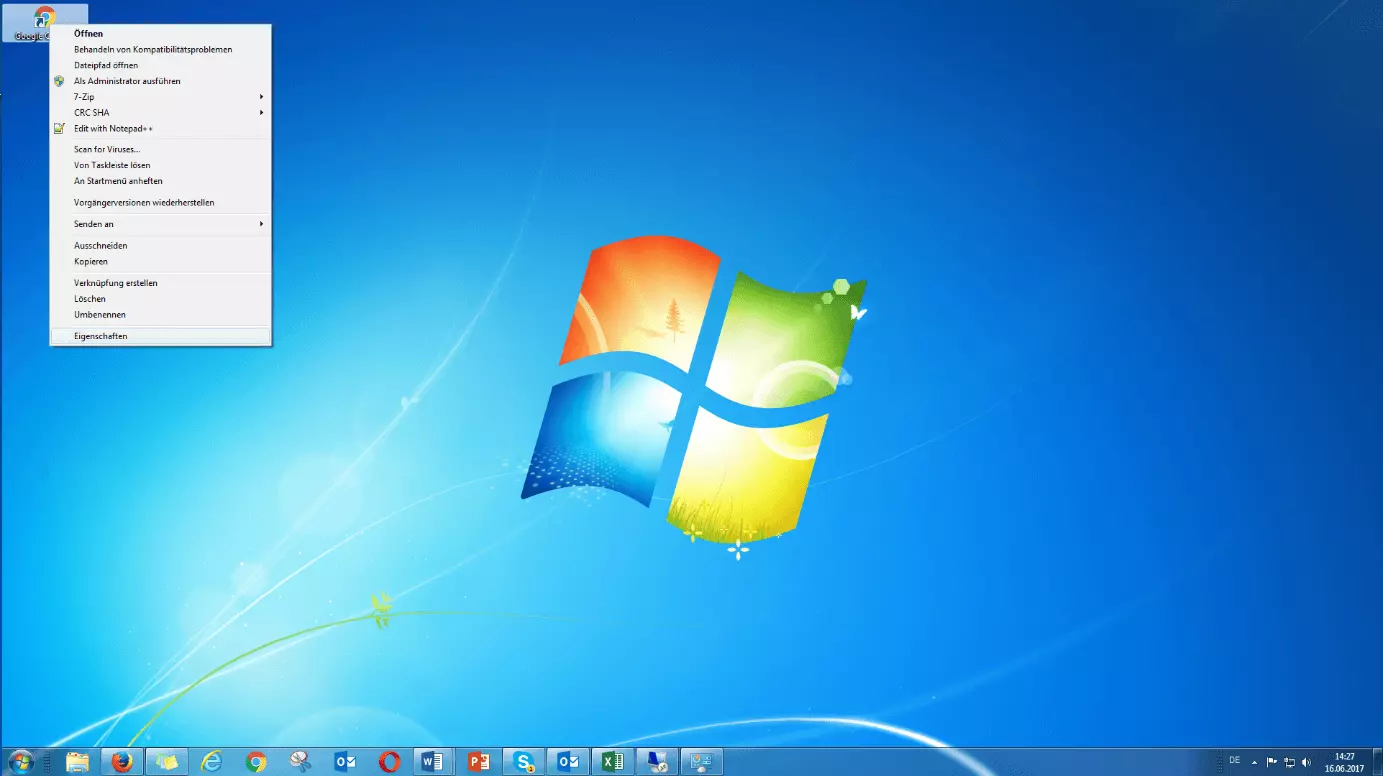
Customise properties: Right-click the newly created shortcut and select the “Properties” menu item from the context menu.
Under the “shortcut tab”, the path to the file is displayed in the “Destination” field. Add the suffix --no-referrers. If you use the default installation path, it should look like this:
"C:\Program Files (x86)\Google\Chrome\Application\chrome.exe" --no-referrers
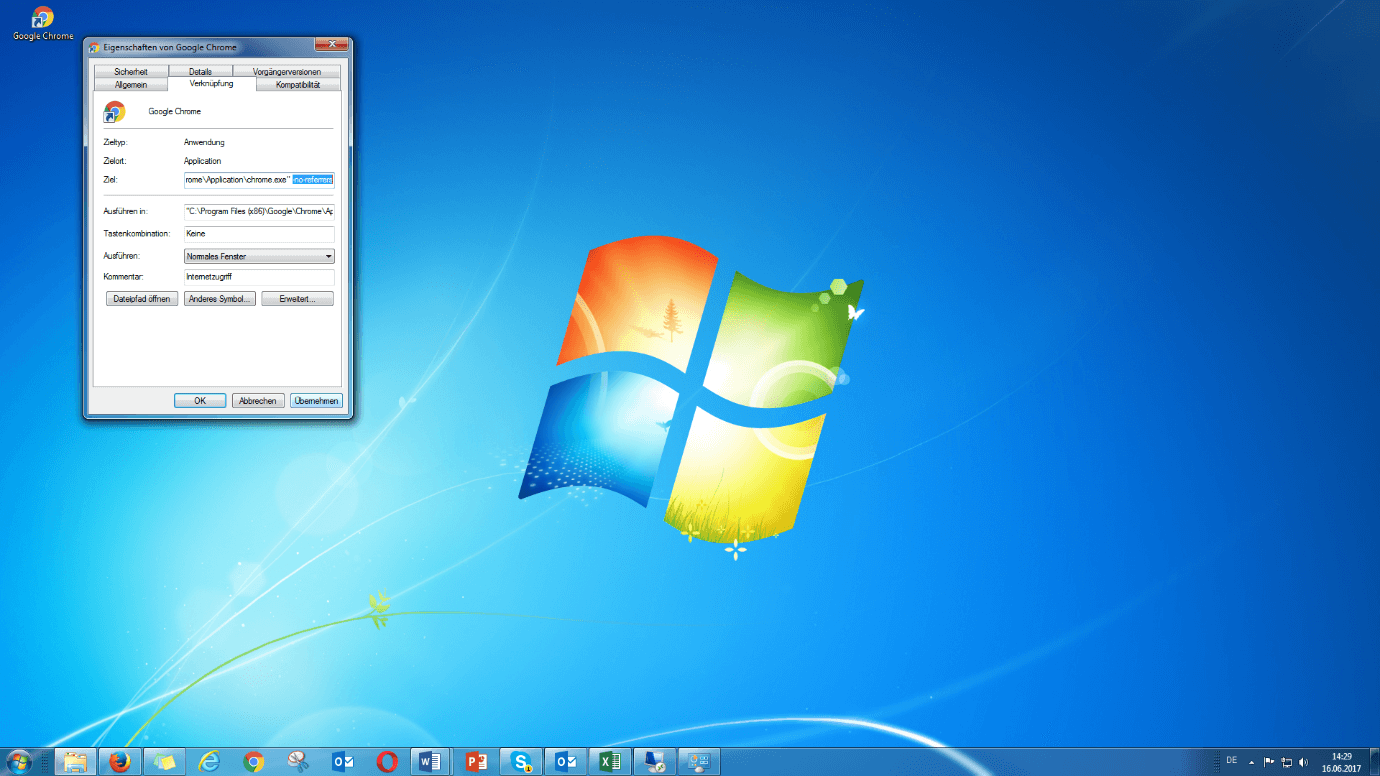
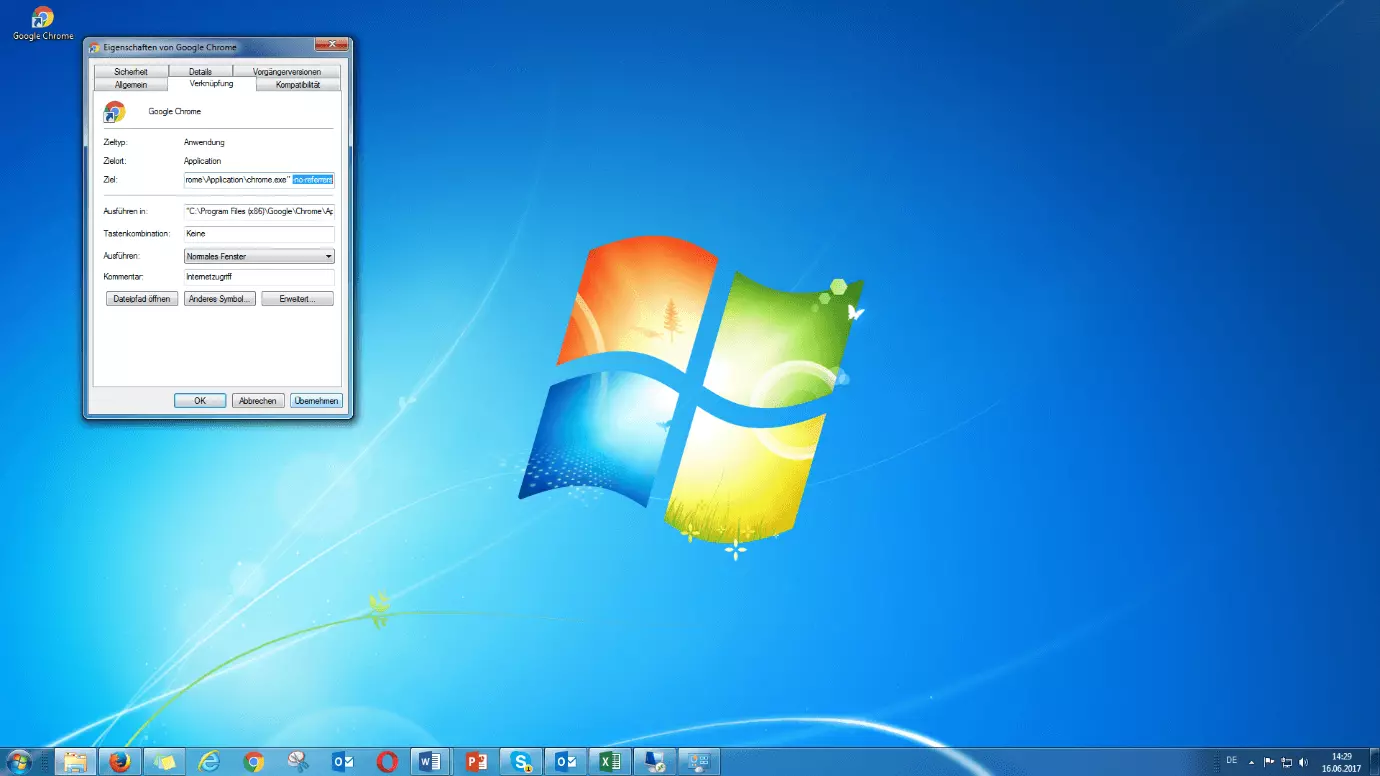
Save the settings by clicking on “Apply”.
Open Chrome by double-clicking the desktop shortcut. HTTP requests will now be sent without a referrer function.
If the web browser’s referrer function is completely deactivated, certain functions of the websites you visit are no longer available.
The Apple Safari and Microsoft Edge web browsers currently do not provide users with the ability to manually configure the referrer function.
HTML5: noreferrer in the rel attribute
With the introduction of the new HTML standard on October 28, 2014, website operators have many more options to define hyperlinks using “link relations.” These include, among others, the keyword no referrer (according to the HTML5 specification the correct spelling it with two “r”), which can be used in combination with the rel attribute and in area elements.
<a rel="noreferrer" href="www.example.com">Anonymous example.com</a>If a webpage in an outbound link uses the rel attribute with the keyword noreferrer, all web browsers that support this feature are directed to place the http request to the link destination without specifying the referrer. The noreferrer keyword in the rel attribute is now supported by the current versions of all popular web browsers.
Additionally, website operators can turn off the referrer for all outgoing links with a single line of code in the HTML header:
<meta name="referrer" content="no-referrer">Note: Soon, this function will not be supported by all web browsers, due to a change in the specifications.
Reviewer

Julia Hertler
With over 18 years of experience in content marketing, Julia Hertler has deep expertise in digital communications. For the past 10 years, she has specialised in the areas of domains and hosting at the IONOS Digital Guide, making complex technical topics easy to understand.