

What is a session ID?

Picture the scene: you’re in a giant convention centre where lots of different activities are on offer. You decide to go for a specific one, get your participant badge and name tag and then go into the relevant room. For this event, you are clearly marked as being a person assigned to your chosen activity. The convention centre is like the server, the individual activity is the web address, and your name tag is your session ID.
These session IDs allow a visitor to a website to be clearly identifiable during their visit to the site by way of an electronic tag granted by the server. Other terms for the session ID include session identifier and session token. In this detailed guide, we will explain how a visitor to a website is assigned a session ID and why this is useful.
Looking for an alternative to the traditional .co.uk extension, or want to grow your online presence? Give .uk a try today.
£1 for 1 year!
Where and why are session IDs used?
A session ID is a little technological helper that allows a user to be clearly identified on a website and assigned to their session. The session ID allows access to data from the user’s recent session. This data is saved on the server of the website in question. The ID is a string of digits and letters. For example, the following string of characters represents a 32-character session ID created with PHP:
<?php
session_start();
    echo "The session ID is:" . session_id();
    $sid=session_id(); //creates a variable with the session ID
?>
If you have your own webspace with FTP access, you can try this very easily with these three lines of code. In this example test session we got the result: ‘The session ID is: 84266fdbd31d4c2c6d0665f7e8380fa3’
When content is requested from the server, this tag is transferred from the server to the user and therefore creates a link to the content belonging to the latest session on the server. The user’s personal data remains anonymous – all that is determined is that the same user is accessing the site. Without this ID, the server considers the request to be new and therefore generates a new session ID.
What’s the point? Session IDs play an important role in e-commerce. For example, the session ID is used to link the contents of a basket or recently viewed items in the store to an individual user. This makes it more comfortable for the shopper and helps improve the website usability. The temporarily saved data from the visited websites shows what content was requested. This same method also has other important functions: using this information – i.e., the session ID – targeted ads can be shown (banners, pop-ups, links, etc.) that are more likely to be of interest to the user; leading to a higher response quota.
Functions of a session ID
A session ID is generated by the server at the beginning of a session and then transferred to the user’s browser and saved when the user sends their request. All data linked to this session is also saved by the server in a dedicated directory on its hard drive. This is generally a temporary directory, ‘.../tmp’. As well as the session ID, other content and data are saved here, such as user IDs and, if required by the site, the contents of a shopping basket. This file might have the following content, for example:
/tmp/sess_84266fdbd31d4c2c6d0665f7e8380fa3
UserID|i:1142;MyCart|a:2:{i:0;s:8:"Item_Nr01";i:1;s:8:"Item_Nr02";}
In the next section, we will explain the two main techniques used to send a session ID to the user.
How is the session ID sent to the user and back again?
There are two different ways to send a session ID.
URIs
After first accessing the website, users send further requests by clicking on links or submitting formulas. Once the relevant session ID has been granted for the first time, this changes the URI (Uniform Resource Identifier), as the session ID is tacked onto the URI as a variable. This link can be viewed using the predefined variable $sid as follows:
<a href="https://www.yourwebsite.com/cart.php?sid=$sid">www.yourwebsite.com</a>Gives the following link in the browser:
https://www.yourwebsite.com/cart.php?sid=84266fdbd31d4c2c6d0665f7e8380fa3An alternative method is to use the session ID as a path:
<a href="https://www.yourwebsite.com/$sid/cart.php">www.yourwebsite.com</a>This gives you the following modified link in the browser:
https://www.yourwebsite.com/84266fdbd31d4c2c6d0665f7e8380fa3/cart.phpThe server is then configured in such a way that the session ID is always included in the path of the relevant user request, therefore allowing them to be identified.
This can also be achieved using a field in a formula by ‘wrapping’ the generated session ID in a hidden field.
<form method="post" action="/execute_action"></form>
	<input type="text" name="CusNo">
	<input type="hidden" name="sessionId" value="$sid">
	< … >
In this way, the session ID is sent back to the server using the defined POST parameter. The sessions belonging to the current user are therefore identified.
HTTP headers
For HTTP headers cookies are required. A cookie is a small text file and an extension to the HyperText Transfer Protocol (HTTP). These text files are saved locally with the user and contain the session ID. When a new request is sent to the server, the content of these session cookies is sent with it to the server, which temporarily saves the session ID at the same time. If the session ID in the user’s cookies and the one on the server match, the request goes ahead.
As per the guidelines of the GDPR in Europe – as of March 2021 – a session cookie is not covered in the opt-in rules. Therefore, no active consent is required for these special cookies. However, this does not mean that users do not need to be informed of this.
The use of such files can be recognised, for example, if information that was once input into a form does not need to be typed again in the same field the next time the form is used. The previously entered data is suggested as soon as the first characters are typed.
How secure are session IDs?
In general, session IDs do not guarantee secure internet use. Anyone with the necessary programming knowledge can access the content of a session unseen, which is called session hijacking.
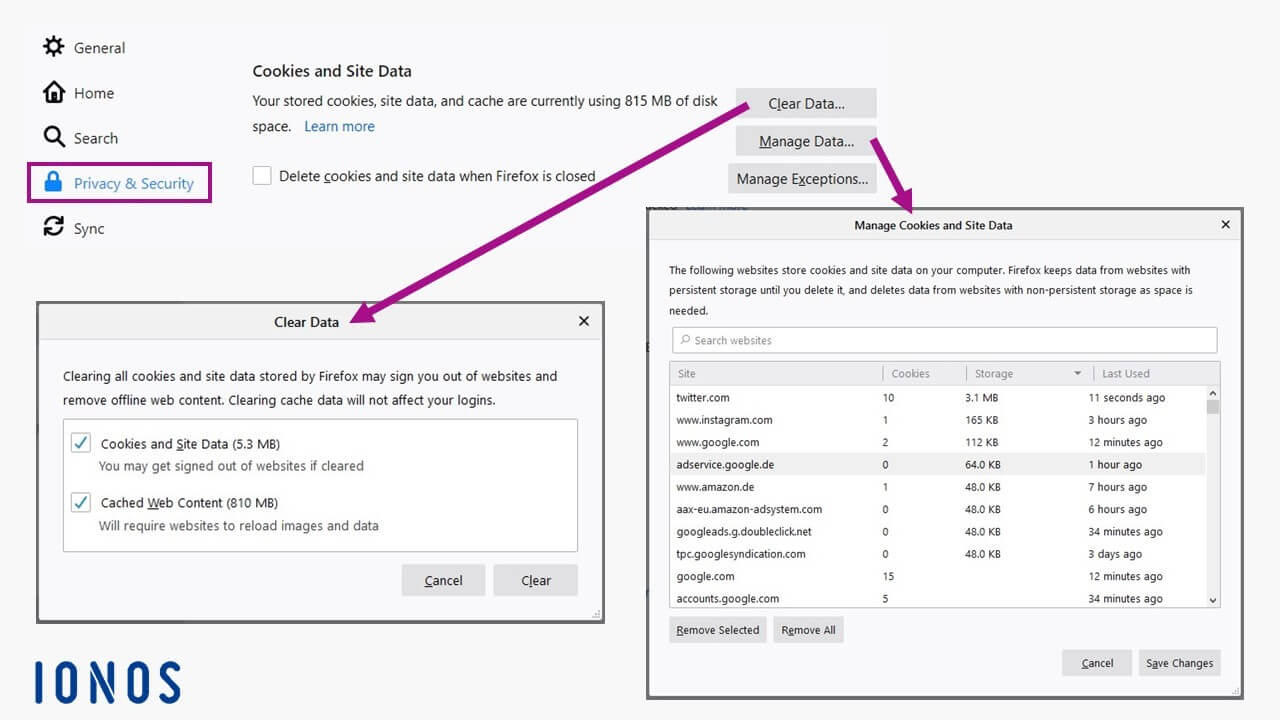
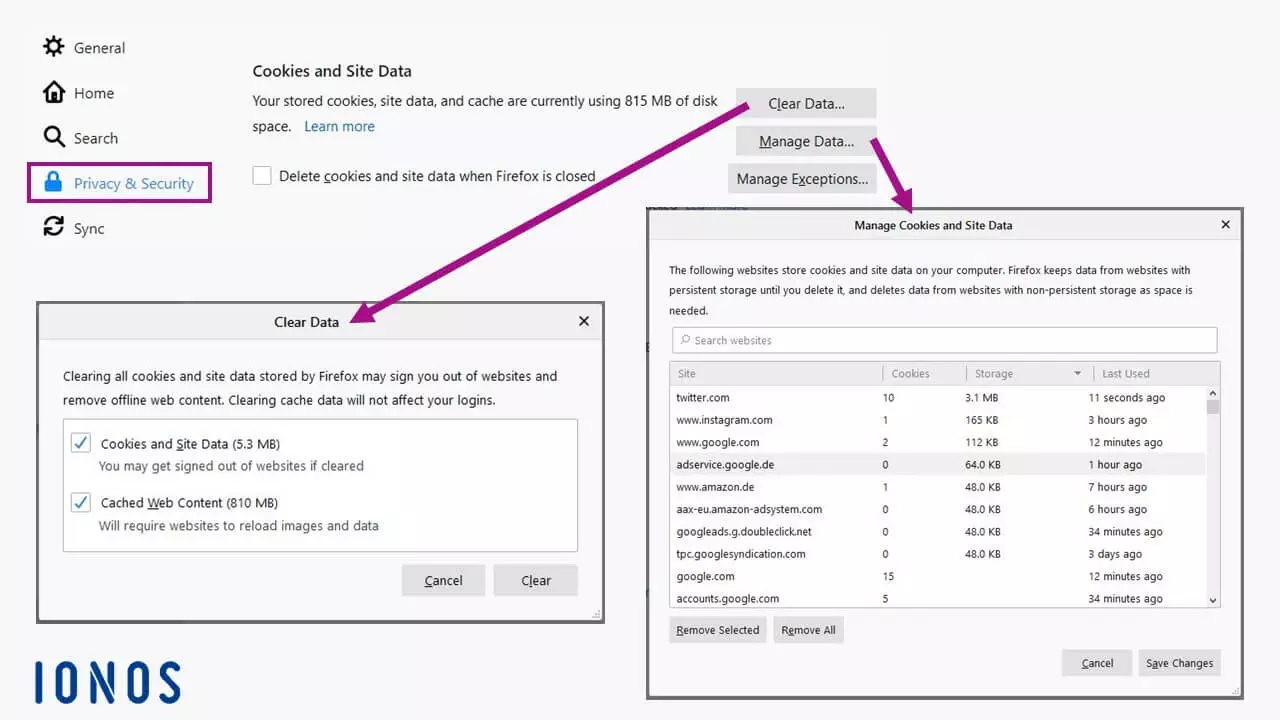
Session IDs that are sent to users and saved using session cookies and are automatically deleted when the browser is closed. Closing only the relevant browser tab is not enough to do this. Session cookies therefore do not represent a higher security risk, unlike cookies that are saved for longer periods.