

Product photography: taking your own professional photos

Product photos are the lifeblood of online retailers, as images can make or break online sales. This is especially true for newer products that browsing customers have yet to encounter ‘live and in 3D’. Individual and creatively conceived photos have the potential of separating your products from the conventional e-commerce competition. And with the right equipment and proper preparation, anyone can produce unique product photos.
Stand out among the masses
In our digital guide article on product photography, we laid out how images can affect an online retailer’s sales and what things are particularly important to pay attention to during the conception and composition phases of a shoot. Separating yourself from the herd with unique ideas is key for this process. Nowhere is this made clearer than on the Google Shopping page. Stock photos provided by manufactures are an all-too-common sight here and do little to attract the customer’s attention. Unique and attention-grabbing photos separate you from the competition and give customers a reason to return to your site.
We have compiled a list of the most important tips on how to take professional-grade photos yourself.
The right equipment
It should come as no surprise that your camera is the most important tool for product photography. But don’t reach for the Hasselblad just yet. Mid-range cameras often offer more than enough capacity for high-quality shots. The most important aspect is that you as the photographer know what you’re doing.
Here are some additional resources:
- Tripods: having to deal with unfocused, blurry photos is best avoided by using a tripod. Having one is especially essential for longer exposure times. Tripods also allow you to take multiple shots from the exact same position.
- Shooting table: small-to-midsized products are best photographed when placed on a shooting table. These help create environments where even and largely shadow-free lighting can be cast on products. A white, or if possible translucent, background or an infinity cove (for free-form select) offer further advantages.
- Soft boxes or light tents: soft boxes and light tents are practical resources for illuminating surfaces and help produce a soft, shadow-free lighting.
- Flash: another useful resource for finding the optimal lighting. Using the flash is especially helpful when shooting in darker rooms, as it is a convenient way of adjusting the source of light.
- Reflectors and brighteners: with reflectors and brighteners, you’re able to illuminate targeted portions of objects. Thanks to this useful resource, no other light sources need to be installed, as reflectors are able to shine light on where it’s needed.

Camera settings
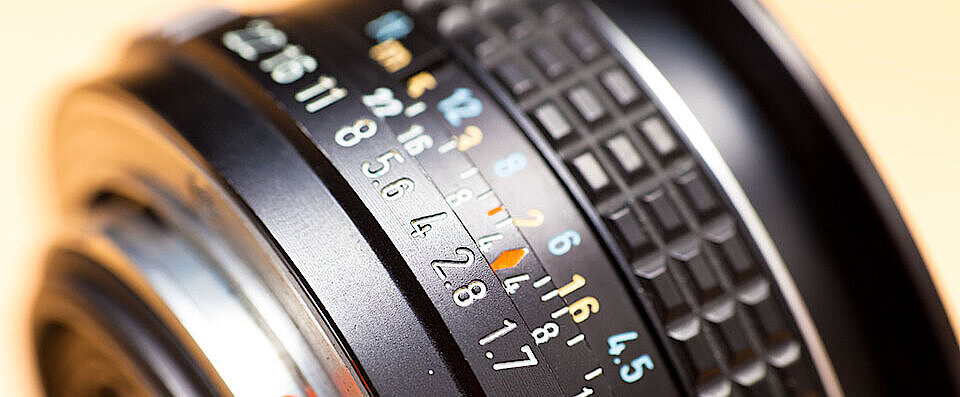
Perhaps even more important than the quality of the camera is knowing how to use the right settings. There are essentially four relevant factors to take into account when dealing with a photo’s exposure: the aperture value, the exposure time, the ISO value, and the white balance.
- Aperture value: among other things, the aperture allows you to adjust the depth of field. This function plays an especially important role for product photography. Here are the basic rules of how it works:
- smaller values = a large aperture opening = blurry background
- larger values = a small aperture opening = focused background
- Exposure time: this is where the length of exposure, or how long the aperture stays open, is adjusted. Many cameras have good automatic settings (manually adjusting the aperture requires trying out many different settings). Too short of an exposure time leads to underexposure, while too long of an exposure time leads to overexposure.
- ISO: ISO values let you determine how light sensitive the camera’s image sensor is. It’s best to select a high ISO value when working under poor lighting conditions. Given the generally excellent lighting of product photography objects (see next paragraph), this setting plays a less important role for this task. The value should generally be kept as low as possible (max. 800). This helps ensure that no losses of quality occur.
- White balance (WB): a white balance should be carried out before the first photo is taken. This setting affects colour temperature. White balancing allows white to truly be depicted without a blue cast or yellow cast appearing in the photo. Modern digital cameras feature an automatic white balance, and experienced photographers should be able to adjust these setting manually.
The right light for product photography
Products can only truly come into their own when cast under the right lighting. Many hobby photographers prefer shooting under natural lighting. But when it comes to product photography, most experts recommend artificial lighting. No matter what time you wish to shoot photos for your online store, such lighting conditions are easier to control and reproduce.
The ideal lighting environment can be set up by using the resources mentioned above.
Final touches: editing product photos
Before you upload the photos to your site, there’s one final step: editing. Digitally optimising photos isn’t easy, but with a little bit of practice, even novices equipped with photo software can work wonders on their product photos. The most popular software on the market is Photoshop, but there are also many affordable Photoshop alternatives that are more suitable for beginners. These include names like: GIMP, Krita and PhotoScape. Steps for the finishing touches:
- Adjusting picture detail
- Adjusting picture orientation and perspective
- Optimising colour and brightness
- Contrast settings
- Retouching smaller picture elements
Conclusion: concept before action
Following the tips from above can help you achieve your goal of producing professional product photos. Just remember: putting your product in the limelight has to start with a well-devised concept. Sometimes it helps to look for inspiration in advance. Take a look online to see what other online retailers are doing with high-quality photos or use Google’s image search for brainstorming ideas. And if it’s the cost of equipment you’re worried about, then renting always remains a viable option.