

Core Web Vitals: What’s the point of Google’s key figures

The world’s most common search engine is constantly trying to improve its search results for users, including by way of regular Google updates. Users surfing the web should be able to obtain information quickly and at the same time have a positive experience while visiting websites. That’s why Google is supporting admins and content creators in creating better websites. One of the measures to improve web content is the Google’s Web Vitals initiative: uniform metrics for clear statements about the technical quality of a website. If you run a website yourself and do not want to sink in the SERPs, then Web Vitals should be part of your SEO strategy.
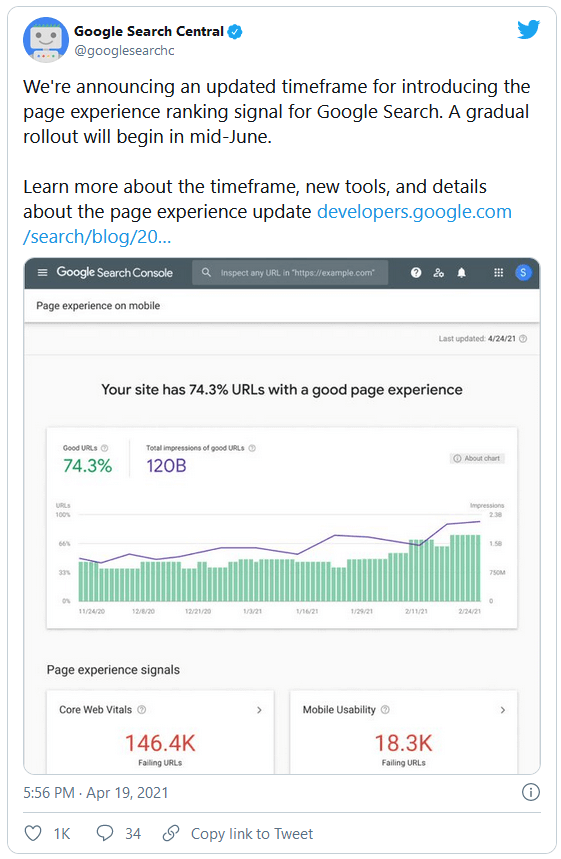
You can already view your own website’s Core Web Vitals and start optimising them. However, the metrics will only gain real relevance from August 2021 onwards. Google has announced that the Page Experience update, which the Web Vitals will be a large part of, will be rolled out from mid-June. The impact of the update will probably first be seen around two months later. Learn how you can prepare yourself now!
What are the Core Web Vitals?
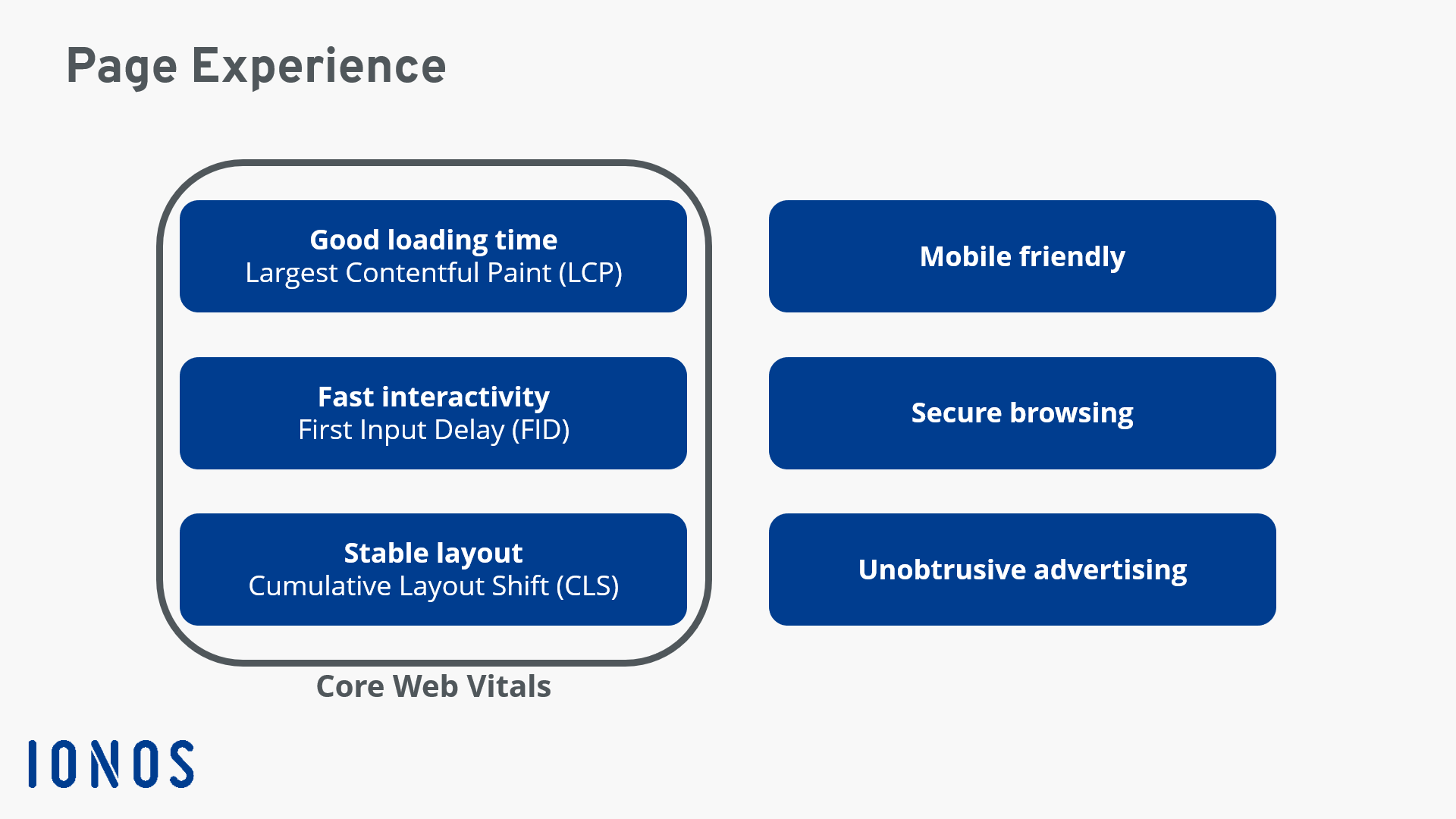
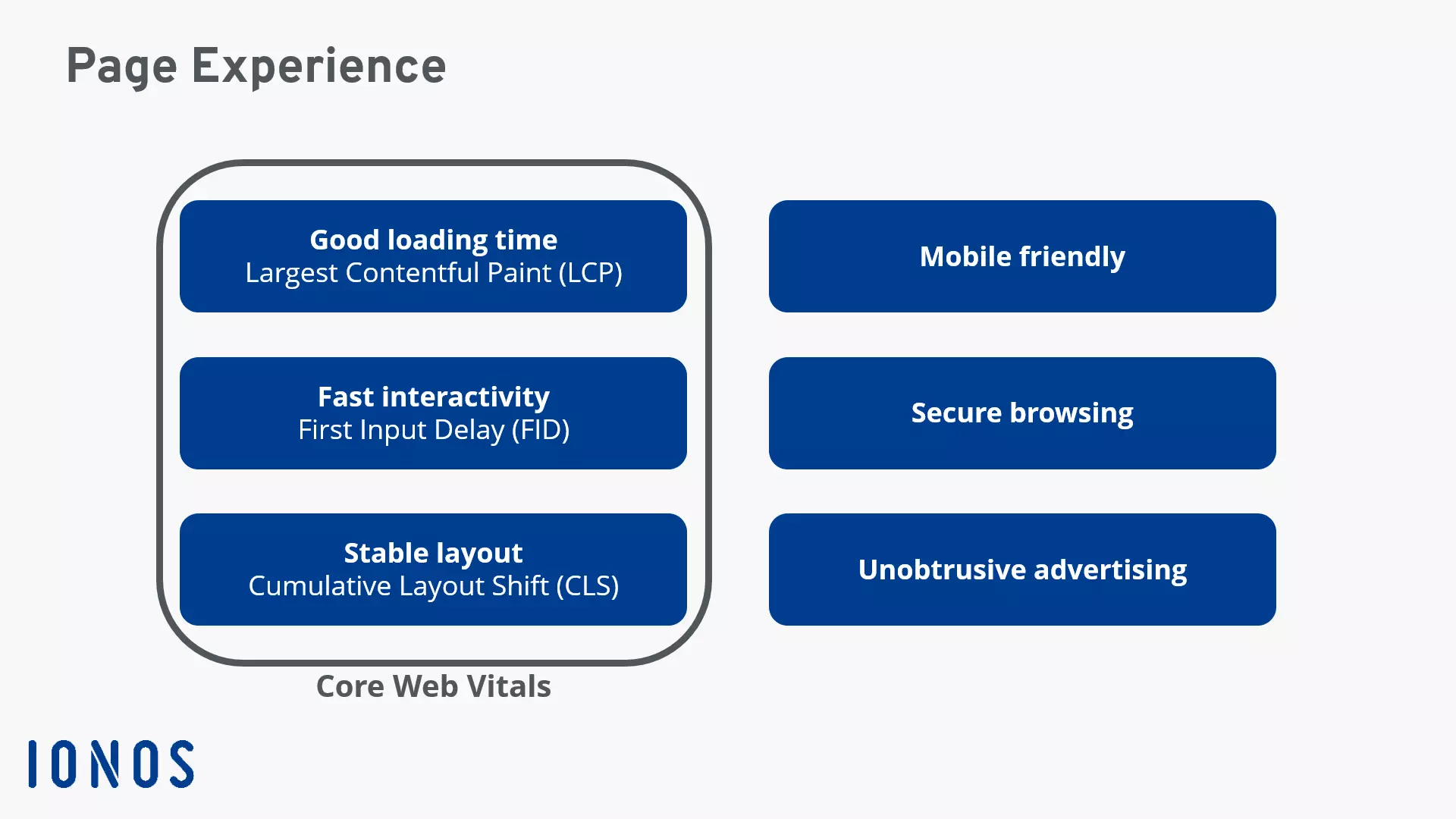
With Core Web Vitals, Google introduces key figures that provide website operators with information on the quality of their Internet presences. But the focus here isn’t on the content on the respective website. Web Vitals measure technical aspects that affect the user experience. More precisely, the metrics refer to the experience that website visitors have in the first few seconds. Google has defined three values for this:
- Largest Contentful Paint (LCP): How fast does the largest element load?
- First Input Delay (FID): When can users interact with the website?
- Cumulative Layout Shift (CLS): To what extent does the layout move while the page is loading?
For the Web Vitals, Google records the experience of website visitors. To measure this, Google evaluates data from the Chrome browser and uses it to create the Chrome User Experience Report. Here, mobile data and measured values from desktop PCs are measured separately. In the report itself, you will also always find a total score that includes 75 percent of website visits. This is important because different users sometimes have very different experiences. But ideally, you want to design your website in a way that all users have a positive experience.
Googles Core Web Vitals introduced
Up to now, Google has introduced three different values. In the future, additional values could be added though. Primarily, already existing Web Vitals focus on elements of interactivity on a website.
Largest Contentful Paint (LCP)
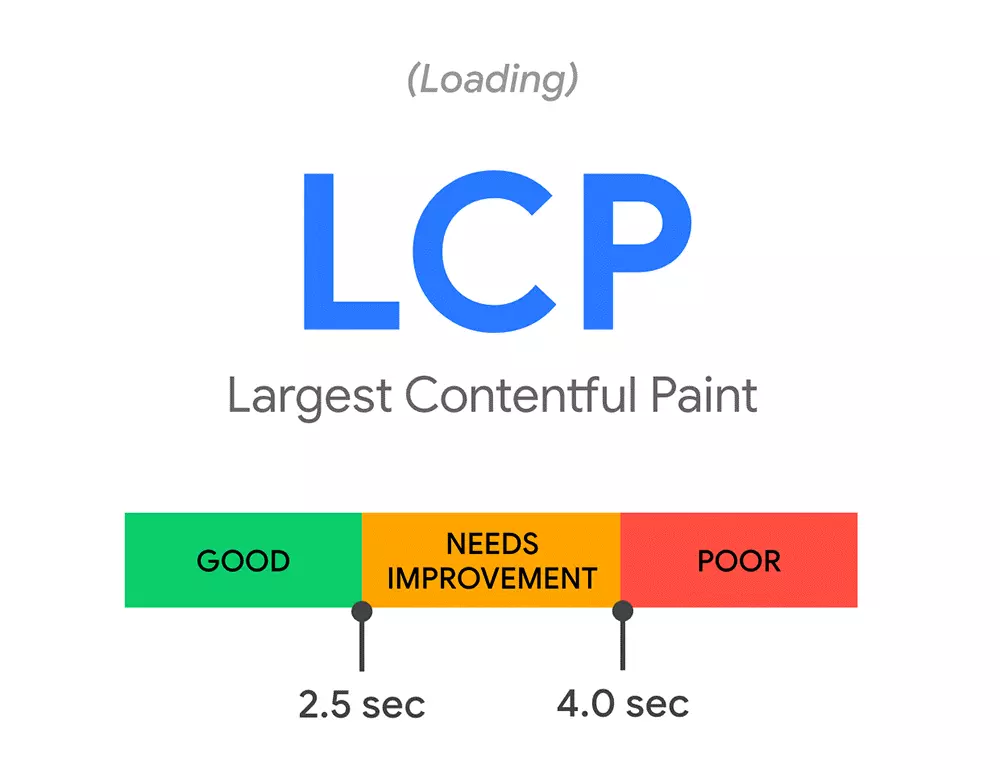
How quickly can the user recognise content on the website? Google uses LCP to measure when the largest visible content block (in terms of visual presentation, not data volume) is displayed to the user. This can be text, images, or videos, for example. Since the largest element is usually loaded at the end and it’s often the main content element on the page, Google can get a very good impression of how long it takes for users to read or interact with the website.
With LCP, the search engine manufacturer has developed an alternative to older metrics such as load or DOMContentLoaded. These metrics tend to provide information that’s more on the theoretical end. Largest Contentful Paint, on the other hand, relates much more to the actual user experience. The very similar value First Contentful Paint (FCP), on the other hand, simply indicates how fast the first element was loaded. In many cases, however, this is completely irrelevant to the actual content of the website. Similarly, the First Meaningful Paint (FMP) metric has proven to be too complex and error-prone in the past.
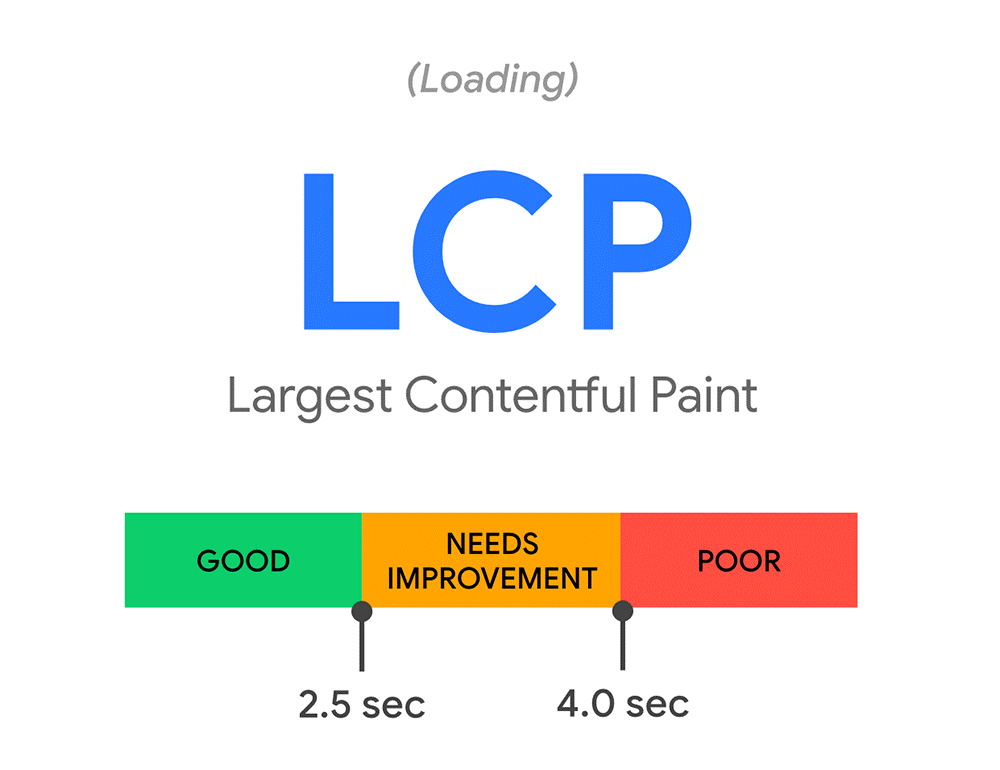
As a guide, Google says that 2.5 seconds should cover everything from the first time the website is called up until the Largest Contentful Paint appears to users. It is important that this value also applies to all users. Values that you achieve as a webmaster in tests can differ greatly from the experience of different users.
The following tips can help you improve the LCP value:
- Use a framework instead of a large HTML page, so that you can better control how different elements on the page play out.
- Use a content delivery network so that a user’s location doesn’t have any influence on server access.
- Be careful when using CSS and JavaScript, making sure that the browser isn’t overloaded.
- Make images smaller to lower file sizes and reduce loading times.
- On static websites, a server cache can speed up access times.
- Build a connection to external sources ahead of time to avoid bottlenecks.
Get an even closer look at how the loading time of the largest content element can be shortened in this article on Google’s LCP.
First Input Delay (FID)
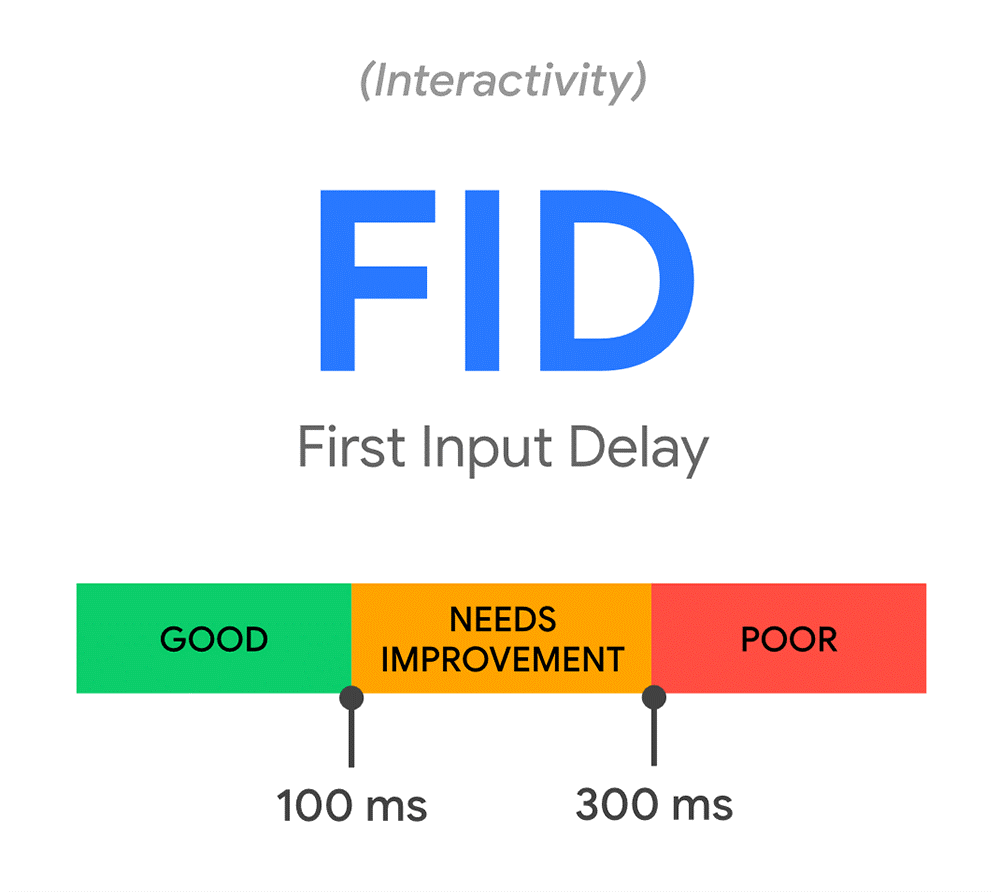
Once the website is loaded, users will want to interact with it. First Input Delay indicates the length of time between the website visitor’s first interaction with the website and the response of the website. This can be a login attempt, for example, but could also be a simple click on a link. To avoid spoiling the first impression, servers should process the input as quickly as possible. But server speed is only part of the challenge of achieving a good FID score: Webmasters should also consider users’ browsers. If the software is busy with other tasks, they cannot process the input. The most common weakness is therefore large JavaScript files that keep the browser busy for a long time.
Google states that it should take about 100 milliseconds from the moment a user triggers the interaction to the time the change is visible in the browser.
If you want to improve the First Input Delay of your website and provide visitors with a better experience, you should consider the following optimisation measures:
- Try to split long tasks into smaller parts. If a JavaScript task is running, the browser cannot process other jobs. Google considers processing times of more than 50 milliseconds to be long tasks, so you should avoid them.
- Load the most important interaction elements first. This way, users can act faster and don’t have to wait for longer loading times.
- Use a so-called web worker. These processes make it possible to execute more complex tasks in the background.
Do you want to learn more about how you can improve the FID score of your website? Google has got a detailed article on how to optimise the First Input Delay and how to respond faster to user interactions.
Cumulative Layout Shift (CLS)
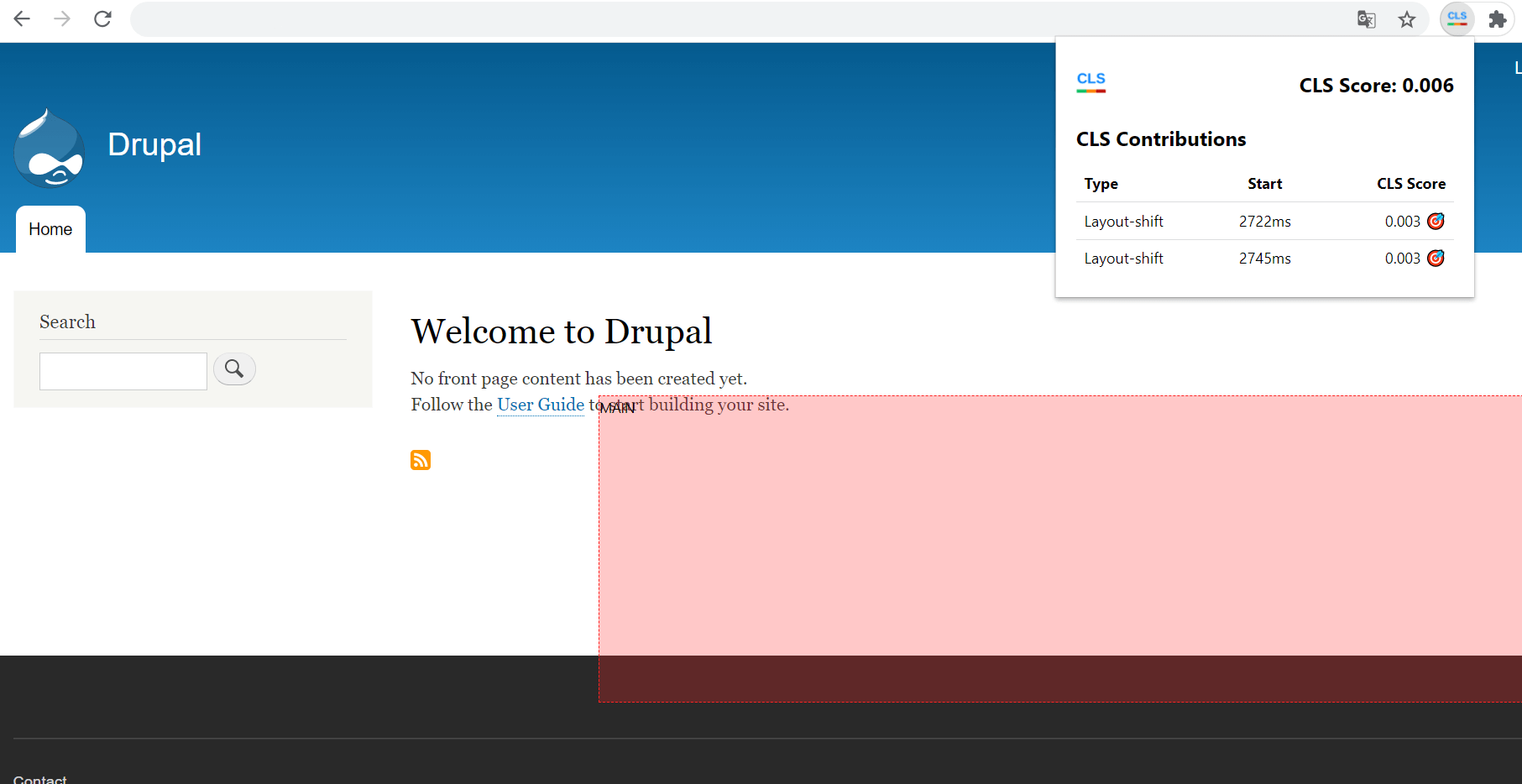
Often a website is loaded in such a way that visitors can already use it before the last element appears in the browser. This has great advantages in terms of the LCP but can cause the layout to continue to shift. Content elements that jump around, however, result in users either getting confused while reading or unintentionally clicking on the wrong element.
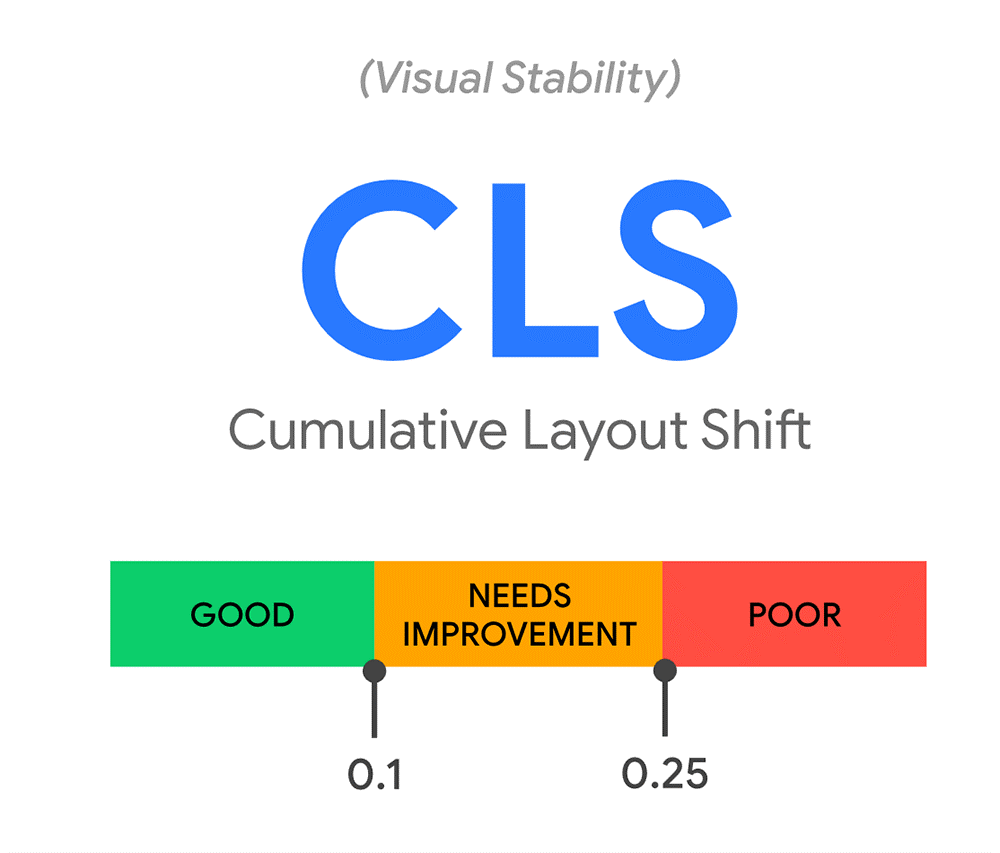
For the CLS value, Google measures changes in the layout of a page. Every time an element unexpectedly moves about, it is recorded. Intentional changes due to user interactions are excluded here. Google not only pays attention to how many objects move and how often, but also measures how far the respective elements move. All of this is included in Cumulative Layout Shift.
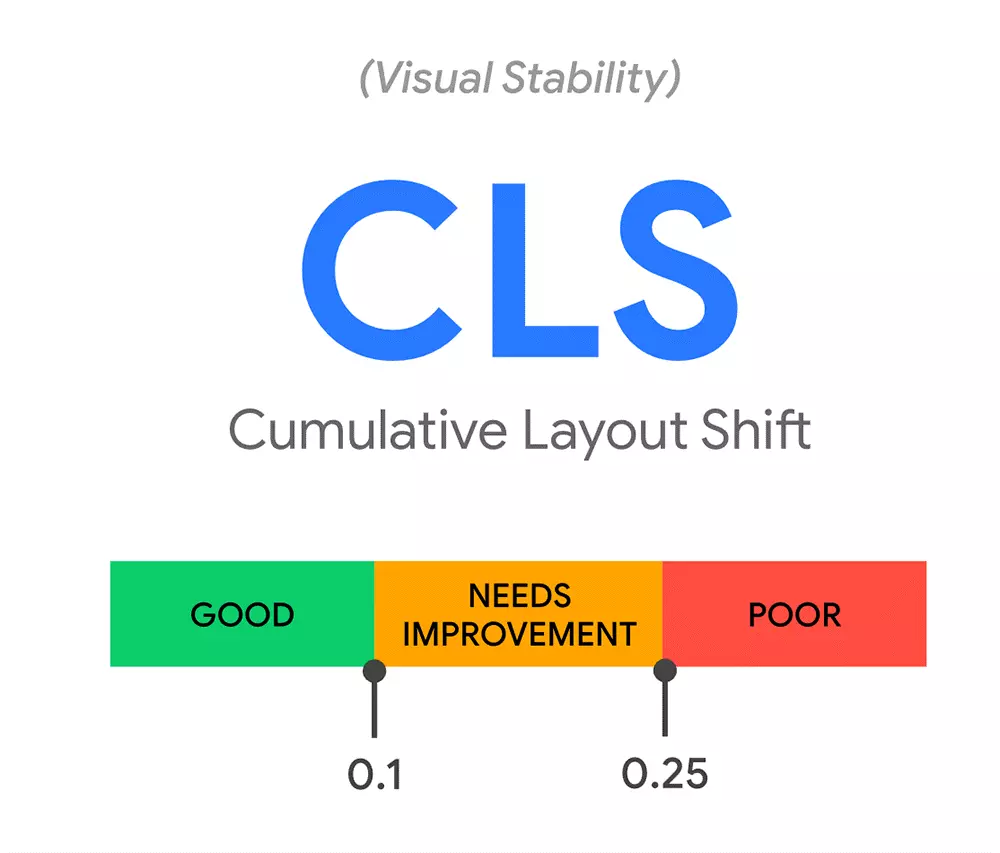
For Google, a CLS value of 0.1 is considered good. If you are significantly above this, you should optimise your website. The following options can help:
- Always specify the dimensions of the built-in images in the source code of the website. This way, the browser can already reserve the corresponding space when building the layout.
- Dynamic ads that are placed on the site by external providers also mess up the layout. For this, it’s recommended to set a sufficiently large placeholder statically for the ads to avoid objects moving around.
- When trying to load fonts from the web, the layout can sometimes unexpectedly shift. That’s why it’s recommended to preload the fonts.
Google also offer many good tips on how to optimise CLS on your website.
Why are the Core Web Vitals important?
Google is trying to help shape the web. To do so, the Internet company is making the most of its market power: Websites that don’t appear on the top pages of Google’s search engine results are never noticed by most people. Webmasters and SEO experts therefore go to great lengths to set up their web content with the interests of the search engine in mind. Yet not all ranking factors are officially known. With the Web Vitals, however, Google has now presented concrete values that website operators can use to show off their website in the best possible way.
To find out more about the Web Vitals of your own website, you can use the Google Search Console, for example. With this online tool you can get an independent analysis for both mobile and desktop. Good to know: Since the Core Web Vitals values are derived from real user data, you may have to wait a bit with new projects until Google has been able to gather enough information for a meaningful analysis. The key figures are also displayed in other Google tools: In Google Lighthouse, Page Speed Insights, and the Chrome User Experience Report, the values are also integrated.
Googles Core Web Vitals will soon become one of the key factors in terms of search engine optimisation. Do you want to get your website to the top of the results? The rankingCoach from IONOS can help you out with your SEO strategy.