

Google News: submitting and optimising your website

If you want to get the latest news from various sources at a glance, Google News is an efficient option. Google’s excellent algorithms are responsible for article composition, and users often trust Google’s newsfeed more than the sources themselves. For your website to be recognised by Google News’ algorithms and for your site’s articles to land on the news portal, you must first submit your website to Google News. Due to the high level of competition, however, news sites and their articles have to comply with certain guidelines communicated by Google.
Submitting your website may well be worth it – after all, news.google.com is ranked 112th worldwide. As mentioned, many users trust news articles which appear in the Google News feed more, but even more important is the integration of the news portal into Google's search engine, by far the most visited website in the world wide web. Those who get into Google News will also improve their presence in the search engine overall, and that's exactly what leads to success on the internet. This makes it all the more important to put time and effort into submitting your website to Google News – sites which appear in the Google News results can expect to get a lot of traffic.
The IONOS guide will tell you how the news portal works, and how to register your website. This guide also offers a wealth of tips on how to optimise your website for Google News so you can increase your chances of success through Google News.
How Google News works
Google News automatically collects all current articles from registered news sites and sorts them by relevance. In addition, Google's algorithm combines articles on the same topic into a primary topic. This results in a list containing the most relevant headlines of the day with a main article and related articles.
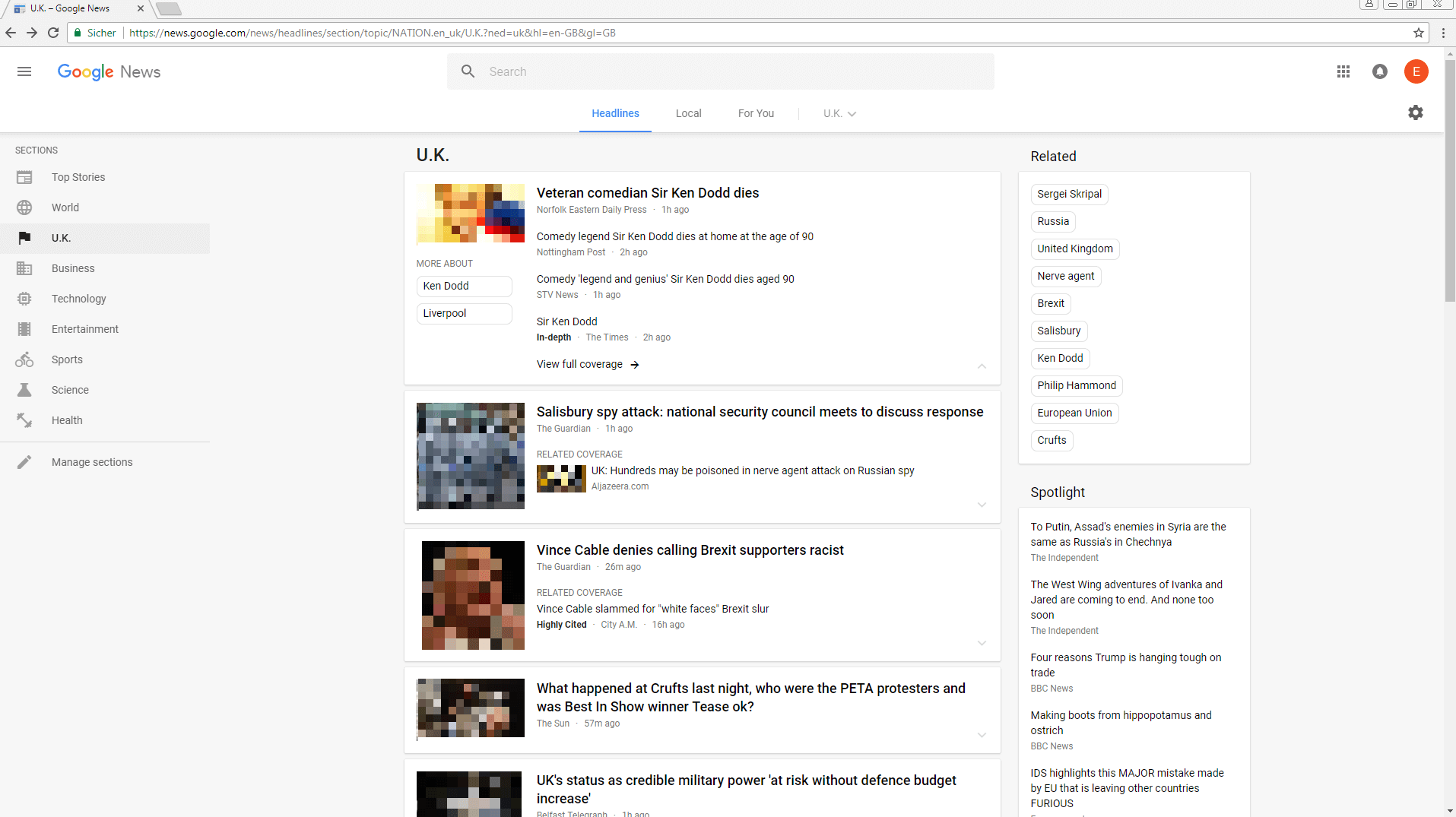
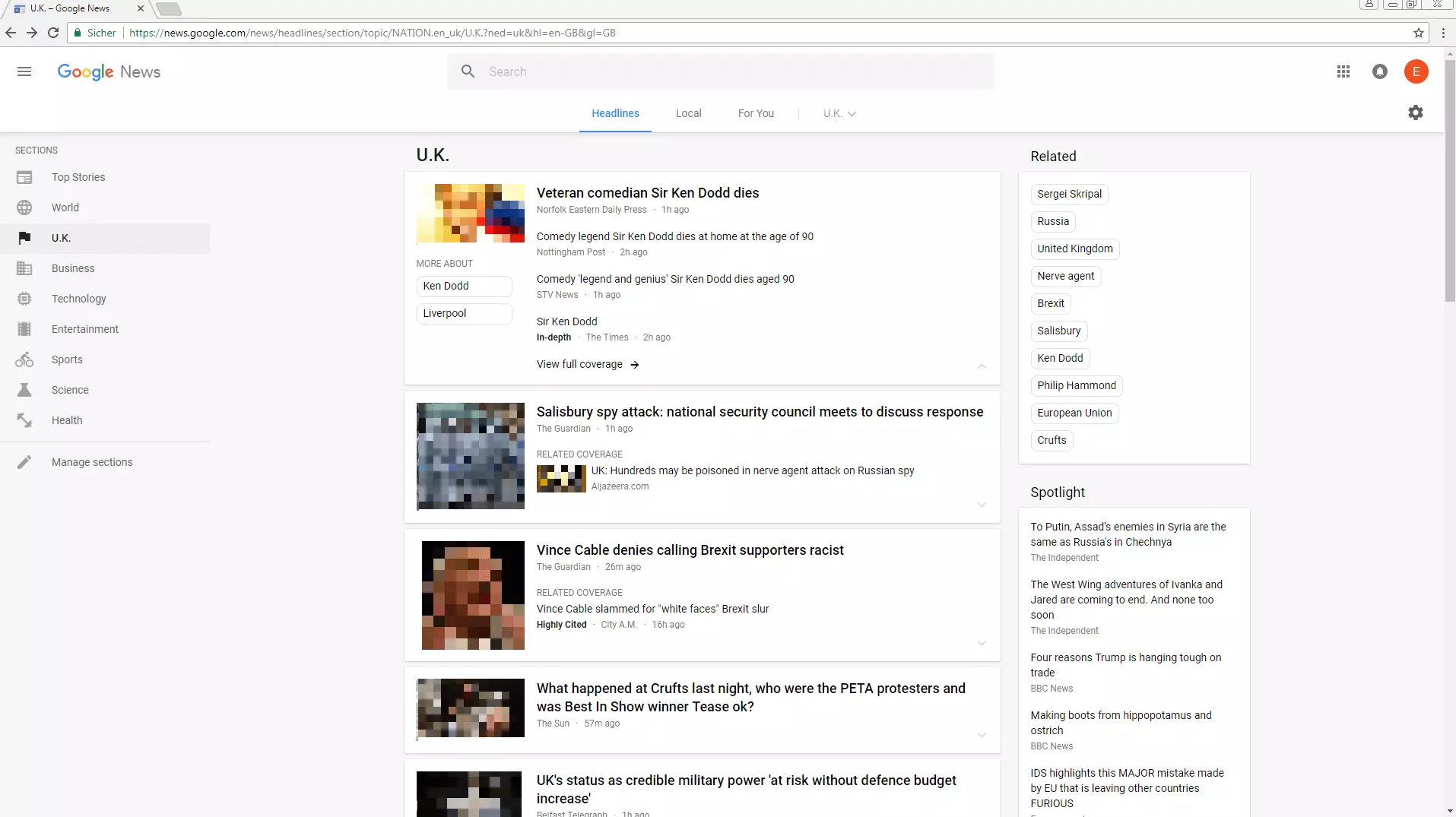
On the right-hand side, you’ll see the keywords that Google currently considers relevant, under the heading In the News. Clicking on a keyword takes you to a page where news articles regarding that keyword are listed, displayed as a news feed containing the latest articles from major publications. Under that box are sections for weather forecasts, editorial recommendations, and a news panorama.
The core of Google News is the main feed in the middle. This begins with the most relevant general headlines and then lists the most important news for certain sections such as technology and sport. Further links take you to dedicated section pages, where articles are also published that have been rated as less up-to-date or urgent. So, if you find your article on the Google News main page, you've "made it", as these articles receive the most immediate exposure.
If you take a look at the news sources whose articles appear on the Google News feed, you’ll see that mainly heavyweights such as BBC, The Independent, The Guardian, The Telegraph and so on. Competing with this online reporting 'elite' is likely to be extremely difficult for newcomers. Smaller websites have higher chances of being included by the algorithm in the sections dedicated to a specific topic, i.e. health.


Another key way in which submitting your website to Google News could boost readership, is the integration of Google News into the search engine. The algorithm of Google News also plays a role here. The more relevant Google decides your news is, the higher up it will appear in the search results under the News tab. The goal should be for you to land your article as high in the results as possible. That way increased traffic is guaranteed. Under certain circumstances, your news article may even move into the results of the normal search if the keyword searched is up to date.
Submitting your site to Google News
Google News checks each and every site that registers. According to the guidelines, the website will then be listed or rejected within 60 days. For your website to be checked by Google, you must first register in the Publisher Center.You can then apply for your website’s inclusion in Google News search results, and wait for the evaluation from Google. Sounds very simple, but there are a few boxes to tick, and things to watch out for, so paying close attention to the Google News guidelines is essential.
Google News Guidelines
Guidelines and legalities are among the core concepts of successful SEO. This is no different with Google News. In order for your content to have a chance of appearing, some preliminary work is necessary. You need to optimise your website and your articles so that Google News considers them relevant and receptive. The following points should be considered:
- To successfully submit your website to Google News, it’s vital to follow the general webmaster guidelines. Essentially, this means that Google can find your website and recognise its contents, and that your website is issue-free.The guidelines include basic quality standards such as: "Think about what makes your website unique, valuable, or engaging. Make your website stand out from others in your field.", general notes on the use of important keywords, but also technical notes that should be observed. This also includes avoiding practices such as spam and user deception. Review Google News' guidelines carefully and implement appropriate optimisations where possible.
- Pass a critical eye over the neutrality of your content and your content flow. Google News is a news curator and not a marketing platform. For your site to be recognised as a suitable news portal, it’s best to have a good archive as "proof" for neutral and relevant reporting. This is one of the biggest hurdles, especially for young websites, but it's the only way Google News can ensure that your site meets its quality standards and has the clear characteristics of a news portal (rather than an advertising-oriented site). Therefore, it’s advisable to wait at least 3 months until your website has a frequently updated archive of good, well followed content before submitting your website to Google News.
- You should strictly adhere to good journalistic standards. This means you should:
1) Ensure your website stands out for its unique content
2) Never plagiarise
3) Attach great importance to the quality and individuality of your content
4) Use an appropriate amount of resources for quality assurance
Although a fair amount of content is important, without quality writing your website is worthless to Google News – and for readers looking for serious news sources as well.
- Add author names to your articles. Google tends to penalize anonymous content more often by simply disregarding it. Introduce your team of authors and give each a face. A possibility for interaction, e. g. via a comment function or a contact form, also adds value for readers, and more website visibility.
- Remove technical barriers. In order for Google News's web crawler to consider your site relevant, some technical requirements must be fulfilled. This applies above all to the URL structure of your articles. For example, it’s important that your articles have permanent URLs, preferably in the form of an HTML link. Likewise, your website should offer articles in the same language throughout, should not use alternating domains, and should have a clear page layout. Explore the technical requirements of Google News in depth and put them into practice.
Once you've checked and, if necessary, implemented the above points, you can submit your website to Google News. Don't worry: even if you’re initially rejected, you can try to register again after 60 days after making some changes, and/or writing more quality content.
Submitting your website to Google
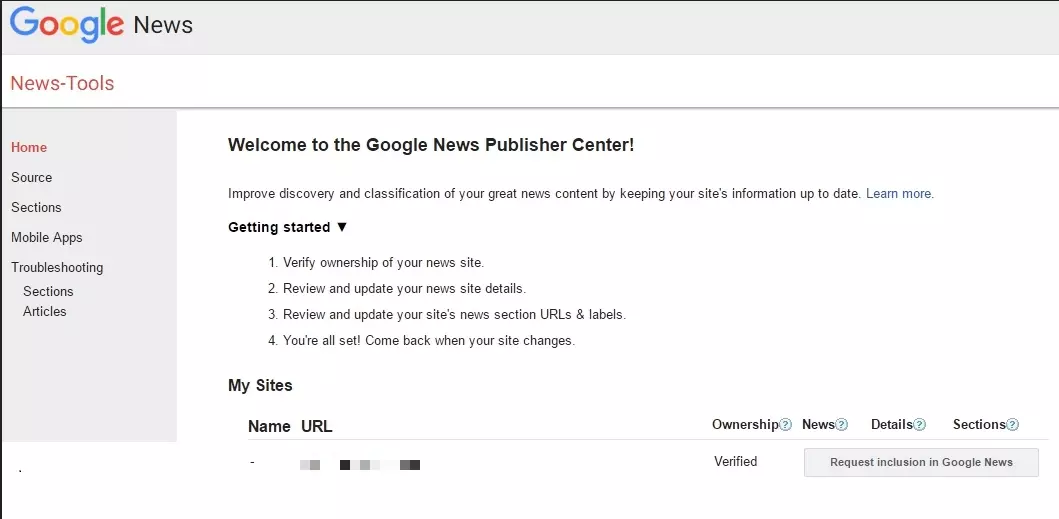
If you think your website is ready to be submitted to Google News, you should claim authorship for it by registering it as your property in the Google Search Console if you’ve not already done so. The website will then appear in the Publisher Center under My Websites. From here you can access, complete, and submit the Google News application form.
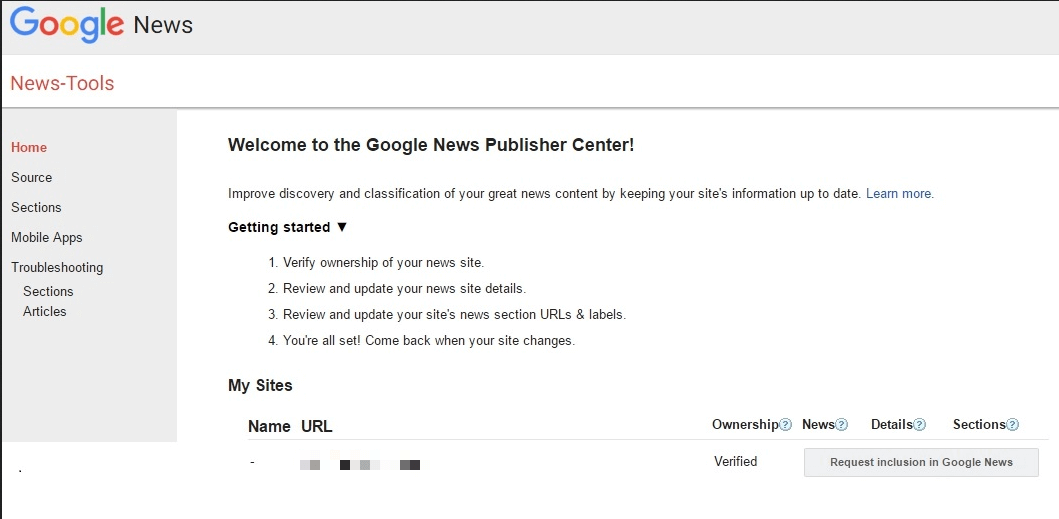
The registration form is very simple. In addition to the necessary metadata, Google News asks for a description of your website in a few words. Keep your description short and concise. This is not so much about advertising your site as it’s about communicating the content and topics of your site in a compact and understandable way. After all, you want to make it as easy as possible for the Google News team to consider your website a worthy news source. Text which is extensively detailed or excessively self-promoting should be avoided.
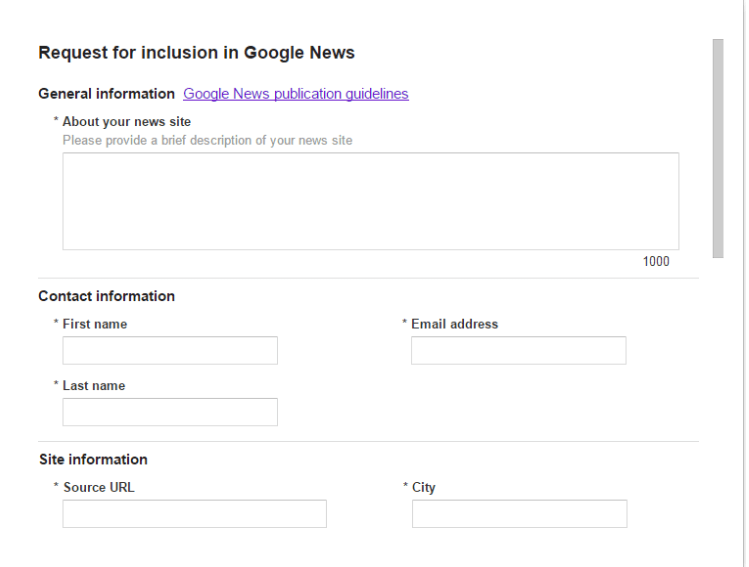
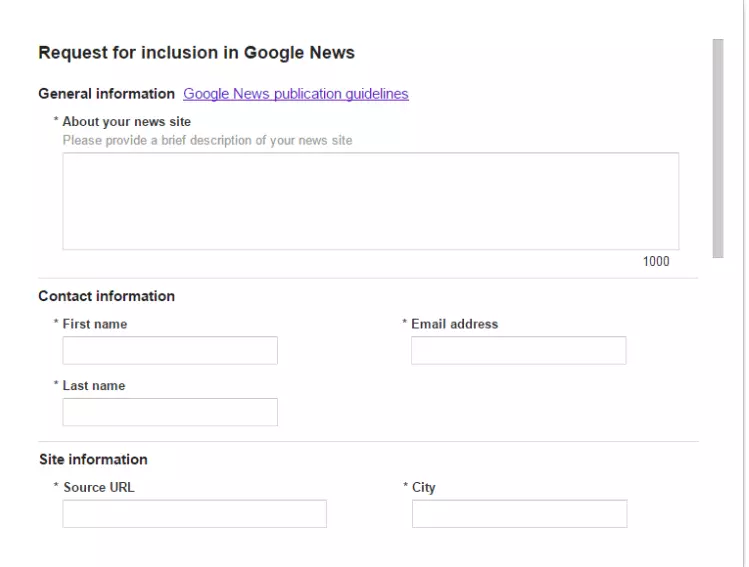
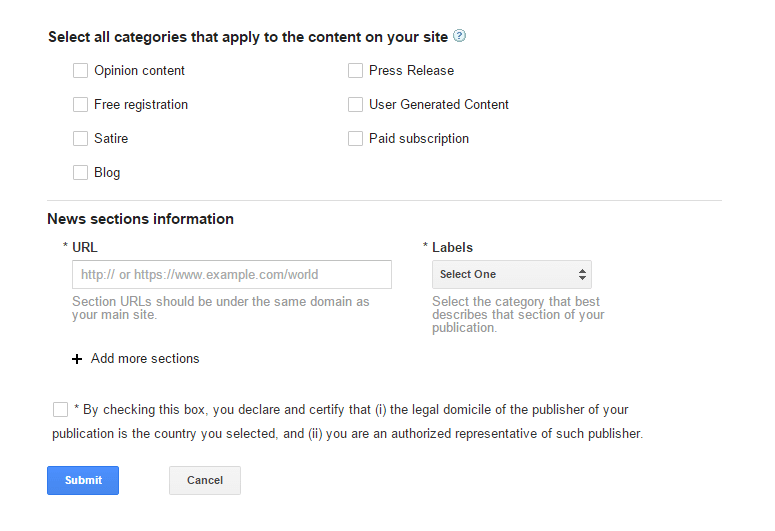
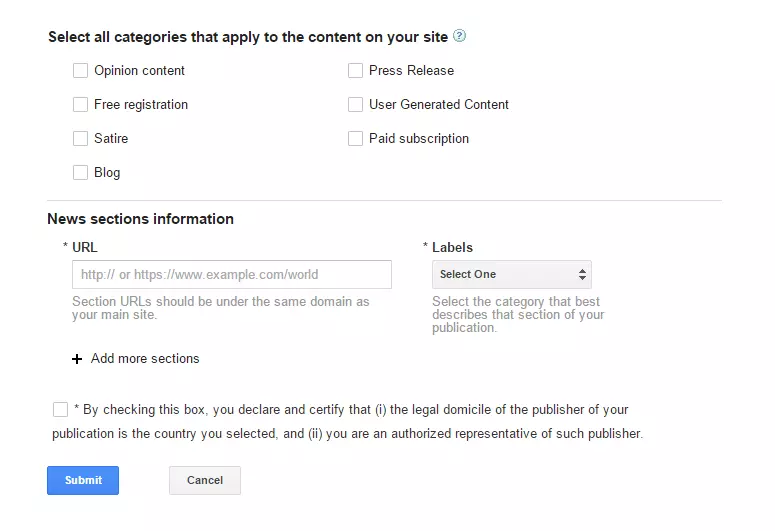
Once you have submitted your form, you’ll receive an e-mail from Google requesting a response. Take this opportunity to address the Google News guidelines. In this way, you show Google that you have related to them, taken them into account, and carried out the necessary optimisations. In your response, make sure you pay attention to the following points:
- Follow the Google News guidelines closely and make sure you comply with them.
- Link to a page where your team of writers is introduced, and to your copyright & legal notices page if present on your website – this will help fulfill the accountability and transparency requirement as set out in the guidelines.
- Explain your website structure concisely. Show Google News that you have a functioning /news-URL with running IDs, and therefore no obstacles to Google’s web crawler.
- Ensure that journalistic standards are adhered to.
- Also, make it clear that your offering delivers valuable, original content instead of just sharing news items such as weather reports or soccer scores.
Once you have sent your reply, you’ll receive an active ticket from Google News. You’ll then have to be patient for about one to two months. During this time, it’s important that your website continues to do what you promised in the response – the regular publication of good content. Only then will you have a chance of getting into Google News. Google will contact you with either an acceptance into the Google News group, or a rejection. If you receive a rejection, you can start a new registration procedure after 60 days – just keep writing and publishing good news articles!
Google does not have to justify a rejection and is not able to support you individually. However, certain help forums for publishers on the internet may be useful. In Google's own forum, find experts who sometimes voluntarily check websites for Google News guidelines and identify possible reasons for rejection.
It’s quite common to be rejected by Google News at first. This is simply due to the enormous competition in this field, and the wealth of good news sites. As a result, the service's requirements and guidelines have become increasingly strict over the years. So, it’s important to be aware that getting into Google News means a lot of effort and possibly several attempts. But managing to submit your website to Google News successfully will mean a wider readership and ultimately higher chances of success on the web.
The process of submitting to Google News – an overview
- Have a functioning, fluid, user-friendly, up-to-date, and frequently visited news site running for at least 3 months; adhere to Google News guidelines and optimise if necessary
- Submit your website to Google
- Complete and submit the registration form in the Publisher Center
- Respond to Google's e-mail – include your awareness of the guidelines regarding website structure, journalistic standards, high-quality articles, and a link to your writing team
- Wait for a response (on average 30-60 days); if you cancel your registration: optimise your website for Google News and try again after 60 days of registration
Optimisation: successfully submit your website to Google News
There are many ways to increase your chances of getting into Google News. The deciding factors are above all the quality of the articles, the state of your website, and the activity rate. Careful content structuring is important to Google News for successful SEO.
Optimisation of individual articles
Optimise individual article headings (H1). If possible, place the main keyword at the beginning and keep the title short, concise and limited to the essentials. Topicality is also key to a successful headline.
| Good example | Bad example |
|---|---|
| Olympic Dressage Medal in London: Britain’s Charlotte Dujardin takes the Gold! | “Dujardin’s dedication to her sport pays off at the Games in London as she wins the Olympic Gold Medal!” |
| “NHS issues apology after outpatient follow-up failure” | “After failing to send out outpatient follow up letters to the patients’ GPs, the NHS bosses issued an apology.” |
Use the headlines that land on the homepage of Google News as a guide. They are all search engine optimised. Learn from the pros, but make sure you don’t plagiarise their work!
The teaser should also be concise and contain keywords and at best should make the reader curious. It appears in the News section of Google's web search under your headline and may be the final factor in getting a reader’s clicks. Since Google News also uses this information to determine the relevance of your article, a good teaser contributes to your success on getting into Google News, and further success once you’ve been accepted.
| Good example | Bad example |
|---|---|
| Charlotte Dujardin rode her way to Olympic Gold in London yesterday, while the other British riders won further medals in team dressage, showjumping and eventing. (Many keywords in the first sentence, and the teaser promises more information) | Thanks to all the hard work she and her team have put in over the last years, Dujardin managed to get a medal last night, as did her teammates. (Too few keywords: Olympic, Gold and dressage are missing, medal too late. The teaser is too wordy and not positive enough – managed to as opposed to won) |
The image for the article should reflect the topic in a concise way and have a suitable alt-text containing the news’ main keyword. Host this image on the same server as your website, use JPEG file format, and keep the file size as small as possible. You can also use a caption. This image will appear as a preview on Google News and is especially important to attract the reader's attention, and get them to click on your article, instead of others. But don't use obvious Clickbait, such as unnecessarily sexualised content or large red arrows – Google penalizes this by ignoring your article and website in their search results.
The meta description is like a hidden teaser for Google’s web crawler. Write a description of the respective article with a focus on keywords, keeping it concise. You can use your teaser as a template without using it word-for-word.
Google News' own keyword meta tag (news_keywords) should contain 5 to 10 keywords relevant to your article. Although this meta tag has become less important for SEO, it’s still a factor to consider.
The article length should be at least 80 words to be recognised by Google News as relevant content. Urgent news can be 80 words short, but for regular headlines, articles of at least 125 words are better. More detailed news starts at around 200 to 250 words.
Optimising your website’s Google News sitemap
Google News requires a separate news sitemap that includes the latest articles and collects detailed information about the type of content in your listing. This allows the web crawler to easily pick up and embed the latest content, while you can control which of your news articles you want to have processed. It’s essential that you follow Google's own guidelines for the sitemap. If you have set up a sitemap, you should also register it in Google's Search Console – but only after your website has been included in Google News.
It’s important that you keep your sitemap as up-to-date as possible. Ideally, it would contain only articles from the last 48 hours. You should also remove old articles from the sitemap, especially if your sitemap exceeds the 1.000-article limit. Make sure that the publication name (<news: publication>) is identical to the name you specified in the Publisher Center. In this way, you avoid Google News incorrectly assigning your article.
More tips to optimise your website for Google News
- Make sure that your website runs quickly and smoothly, so that both web crawlers and readers can access your site without long loading times. It’s best to aim for a maximum charging time of 200ms. Keep your page's resource complexity as low as possible. This applies to integrated advertising in particular.
- Advertising: don’t exaggerate when integrating advertising space. This applies to elaborate advertisements such as embedded videos and animated banners in particular. Make sure that your content is the main part of your site. The best thing to do is follow Google's AdWords guidelines.
- Stick to your subject area. If you have a specialised website, avoid thematic jumps. For example, if you run a news portal for football, you should refrain from reporting on winter sports. Only then will Google News recognise you as a relevant news page for a specific area. Otherwise, your page will be recognised as a general news page. In that case, you’ll be competing with the heavyweights of the news world, which you may wish to avoid if you’re a smaller or new site.
- Work in clear HTML. It’s best to follow the conventional order of heading, picture, date, and body text. This makes it easier for the web crawler to recognise and accept your site.
- Aim to publish on current events as much and as quickly as possible. Google News rewards speedy publishing on current topics with more attention – especially on breaking news. But careful! Don’t compromise the quality of your work in being hasty – balance is key here.
- A comment function under your articles may cause problems for the web crawler. The crawler may read the comments and identify them as part of the article, which can lead to annoying crawler errors. Either do not use a comment function or externalise comments, for example with a link to a forum.
- Google's web crawler is indeed quite intelligent, but by no means flawless. Familiarise yourself with common problems that can prevent the web crawler from reading your website correctly.
Reviewer

Melissa Senn
Melissa Senn has been with IONOS since 2016 and focuses on website, e-commerce, social media, and AI in the Digital Guide. As a digital strategist, she uses her extensive SEO and GEO experience to transform complex technological trends into practical content.