

Twitter Ads: Twitter for businesses – part 3

In the first two parts of the ‘Twitter for businesses’ series we discussed strategies for a successful business account and methods for measuring success with Twitter Analytics. Here, in the third and final part of the series, we show you how you can make use of Twitter advertising, so-called Twitter Ads. What exactly are Twitter Ads? Twitter Ads are posts within Twitter’s advertising system, with which Twitter users can promote their tweets on other users’ feeds. Switch on adverts on Twitter, and then the sponsored content will appear in the timelines of selected audiences, similar to an organic tweet. If you do decide to advertise on Twitter, you should ensure that none of the offered Twitter ad campaigns differ from the character of a tweet. Ads will appear to the user as ‘sponsored’, but in every other way will have the same layout and function of an organic tweet – you can reply to them, like them, and retweet them). On the one hand, this is advantageous for the advertising customers, as their ads are integrated easily into the timelines of a certain target audience. It also makes it easier for the user to engage with the sponsored content. On the other hand, it also means that advertising on Twitter is limited to 140 characters, as with every other tweet. Remember that the ‘rules’ for writing a good tweet, which we wrote about in the second part of this series, also apply to Twitter advertising. In a nutshell: use hashtags for reach, links for informational content, and photos or videos for aesthetics. And of course, talk about topics relevant to the audience, using clear and crisp language. And what exactly is the difference between a Twitter ad and a tweet? Or phrased slightly differently: why even use Twitter Ads instead of actually just tweeting? The most important difference between a Twitter ad and an organic tweet simply lies in the reach. This is because Twitter Ads significantly increases the visibility of a tweet or an account, which in turn then promises increased conversions. A second important difference is the targeting of audiences that makes Twitter Ads different. An account’s best content will find itself in the timelines of certain user groups, who you wish to have as new followers or as visitors to your website. Twitter Ads are effectively a ‘booster’ through which you can further an already existing Twitter strategy and spread your own content more efficiently. Twitter offers customers of its advertising service various campaigns, which are tailored towards different advertising goals: campaigns for more website clicks, more followers, increased reach, campaigns for more frequent app downloads, or more video views. Every advantage that Twitter originally offered and led businesses to create an account for social media marketing purposes, comes into effect with a Twitter advertising campaign. This includes maintaining industry contacts, increasing brand awareness, creating customer contacts, or generating traffic for a website – for all these purposes, Twitter has a campaign. Twitter Ads is an especially interesting prospect for small and medium-sized businesses because of its transparent and easily adjustable cost structure. Below we show you the different campaigns that you can use with Twitter Ads. Apart from this, we also give you a step-by-step guide as to how you can easily start your own advertising campaign.
Types of Twitter Ads campaigns – an overview
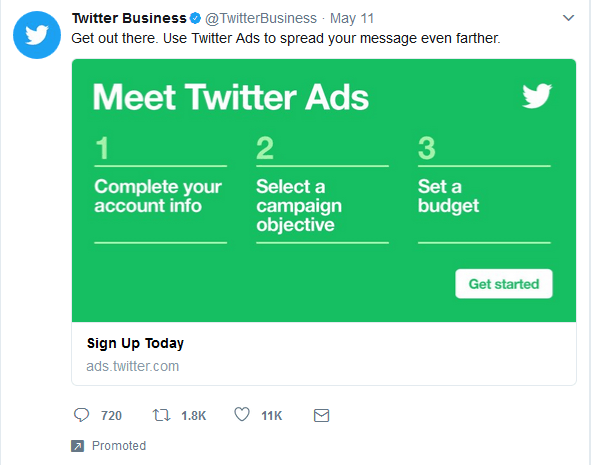
The average Twitter user encounters advertisements in three different forms; sponsored tweets, sponsored accounts, and sponsored trends (this last one refers to popular topics or events, which will only be displayed to users who are likely to be interested in these events). The sponsored content is then primarily placed towards the top of the timeline, as are the suggested trends and accounts, and then over time they will organically move downwards as they are replaced with newer tweets.
 REDPIXEL.PLShutterstock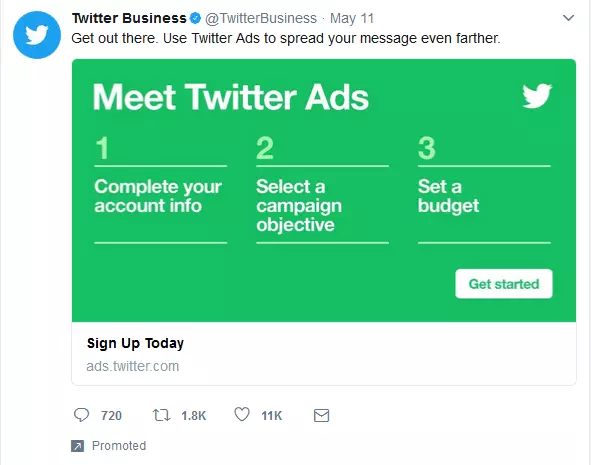
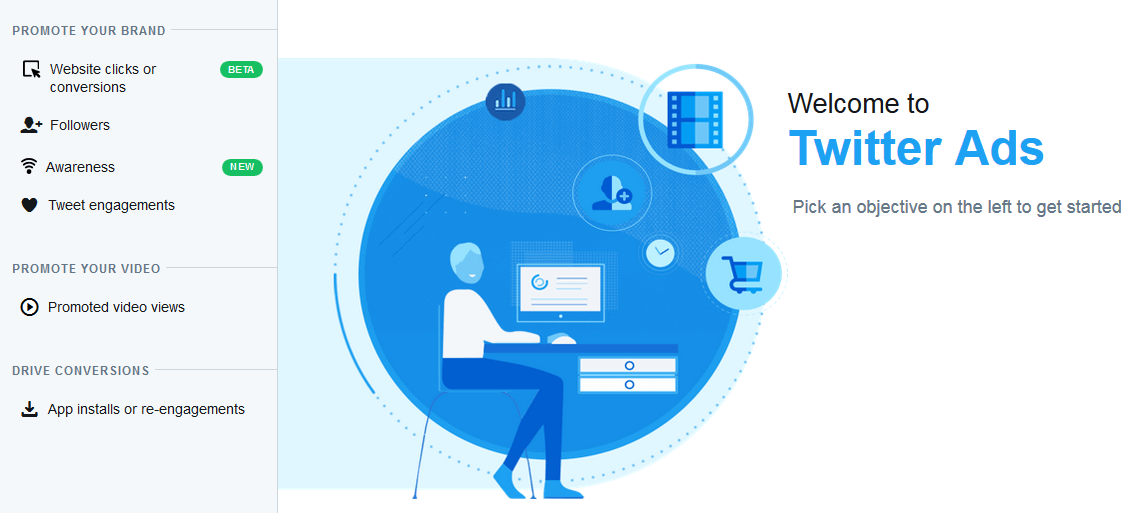
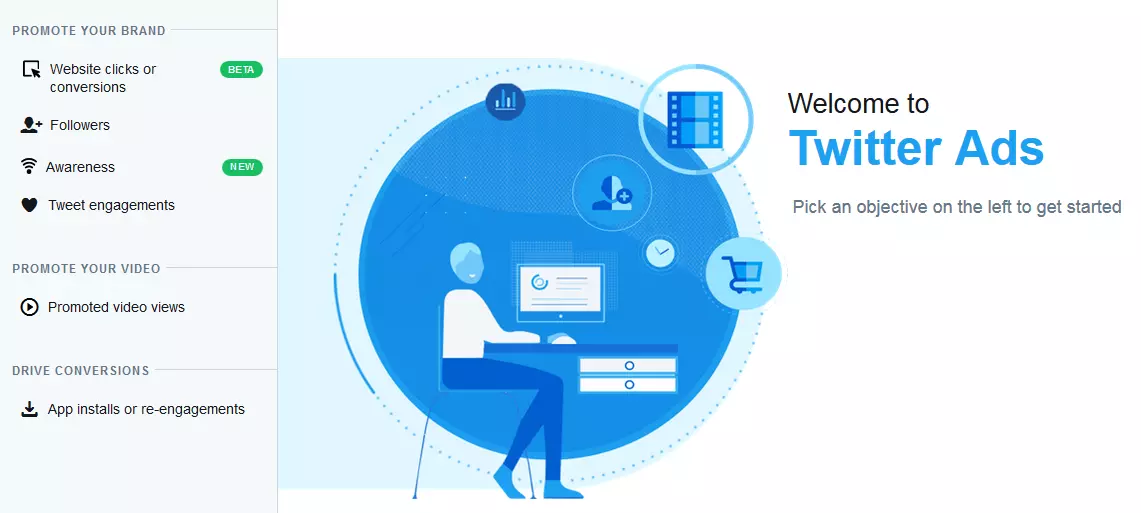
If you wish to have a go at advertising on Twitter yourself, Twitter offers its advertising customers six different types of campaigns; one for website clicks, one for gaining more followers, one for brand awareness, one for engagements, one for video views, and finally one also for app downloads. Therefore the path to a Twitter campaign that is suitable to a certain company is entirely dependent on what the specified goals are: Do you want to use Twitter to foster customer relations? Then you should opt for the engagements campaign. Is it your aim to sell products on your website? Then go for the website campaign. In this way, Twitter makes the choice easier for customers.
‘Website clicks’ campaign: Website Cards
If your primary goal is to get more people to visit your website, and thus through more traffic generate more conversions, then this campaign is the right choice for you. This campaign allows you to promote selected tweets that then link further to your website. These tweets are already optimised for target audiences and therefore only appear on the timelines of relevant users. This means that every click on the link is already much more likely to end in a conversion. Of paramount importance is the composition of the tweet, as it is decisive for the user’s click behaviour; instead of simply having the respective text of the tweet and hyperlink, you could use a Website Card, which tend to be more eye-catching. Further information on the advantages of Twitter Cards can be found in the IONOS Digital Guide.
‘Followers’ campaign: sponsor your account
This campaign’s title speaks for itself: Every successful business account benefits from its large and qualitative selection of followers. If you wish to increase the amount of your followers, then this campaign is the one that you should choose. It does not involve the sponsoring of certain tweets, but instead the sponsoring of an entire account. Depending on your specified target audience, your Twitter account will be displayed to the right hand side of the timeline. This increases your presence on Twitter and as a result also increases the chance of gaining new followers.
Increasing reach: the campaign for brand awareness and engagements
Twitter offers two campaigns with which you can increase the reach of your account – one for greater brand awareness and one for more engagements. The sponsored content within both campaigns is primarily aimed at reaching a lot of people, and thus increase the awareness and resonance of the business account in question. In both cases this happens in the form of Sponsored tweets – sponsoring means that every organic and newly published tweet can be displayed in the timeline of users, who are not followers of yours but still within your target group. Users can then engage with these tweets in the same way that they might with organic ones. Depending on what kind of budget you have, this approach can allow you achieve a significantly higher visibility among very relevant groups of users.
Above all, the differences between these two campaigns lies in the area of payment. The brand awareness campaign involves organic tweets appearing as targeted ads on certain accounts; the price to be paid is then dependent on the number of impressions. With the ‘Engagements’ campaign, on the other hand, you pay for each engagement with your tweet. These two types of campaigns are especially suitable for increasing awareness of your business, for product releases, and for promoting dialogue with customers (both current and potential).
Promote videos
Do you want more people to be viewing your GIFs and/or videos? With this purpose in mind, Twitter offers a campaign in which you pay per video click. The embedded video within a promoted tweet plays automatically as the user scrolls through his/her timeline, and this way attracts even more attention. A call to action then invites the user to also click on the media file.
The app campaign
The app campaign is aimed at those clients who are looking to use Twitter Ads to promote their mobile app. Twitter users are encouraged to download the app directly from the tweet. Of course the app campaign is aimed at a smaller target group. However, given that the competition on the app market is fairly large and complex, this sort of campaign can prove quite valuable for app providers. The sophisticated targeting of specific groups means that the scatter loss during the promotion of a mobile app is comparably smaller.
Create your own Twitter ad campaign – a step-by-step guide
Getting started with Twitter advertising is very easy. All that you need for the initial advertising campaign is a Twitter account (further registration is not necessary), a credit card (for the processing of costs), as well as a good idea for a first tweet – because at the end of the day you want to be able to convince with a well thought out advertising strategy. Before you get to the official user interface of the advertising service, Twitter asks for two further pieces of information: which country and which time zone the account holder is in. The reason for this is so that the relevant currency and taxes can be applied. Now you can get started.
If you want to switch on advertising on Twitter, then you have the choice of the campaign types mentioned above. The types of campaigns are named after the aims of the respective campaigns. Once a campaign type is selected, Twitter will always take you through the same four steps relating to the outline of the campaign:
- General campaign details
- Target audience details
- Budget details
- Details on sponsored content


Depending on the type of campaign, the options within these four steps will vary ever so slightly. In general, though, they are very similar to one another, meaning that certain guidelines are valid across all campaigns. Here we go through the four steps involved in setting up a Twitter Ads campaign.
General details on the campaign
Twitter will first ask about general details on the campaign – e.g. the name of the campaign and exact time in which it should take place. A campaign can begin either right away or can be run over a selected period. With the latter option you have the possibility of preparing an advertising campaign specifically for a particular sales/product push, time of year, etc. the selected time period will impact the cost of the campaign. Twitter will calculate the time period based on the available budget and allocates it in the most cost-effective way possible.
Target audience details
In the second step, Twitter Ads will offer various options for defining the target group of the ad – e.g. relating to location, gender, and language. You can even select what devices (iOS, Android, Laptop, Tablets) the audience should possess, as well as the exact time that the ad should first appear.
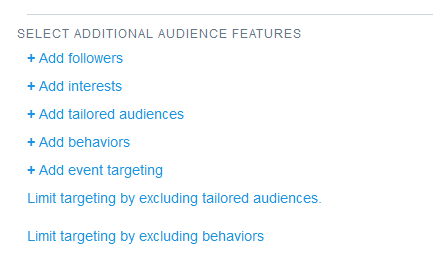
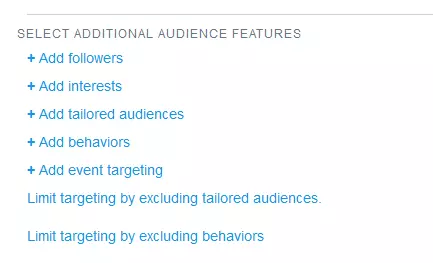
Twitter recommends defining as a precise a target audience as possible in order to achieve a better placement of the ad. This is why further defining of the target group is possible; keywords, interests, or events all allow you to further specify the users you wish to view the ad. It is even possible to include or exclude very specific ‘customised target groups’. For example, through the use of mailing lists, Twitter IDs, or website visitors. This way you can shape the target audience nicely to fit your campaign.
Budget details
Without a doubt the details regarding Twitter advertising costs are essential. Not only because this is what controls the amount spent, but also because it influences both the rhythm and time of the campaign. Three options – maximum daily budget, total budget, and price structuring – allow each client to decide on their individual pricing model.
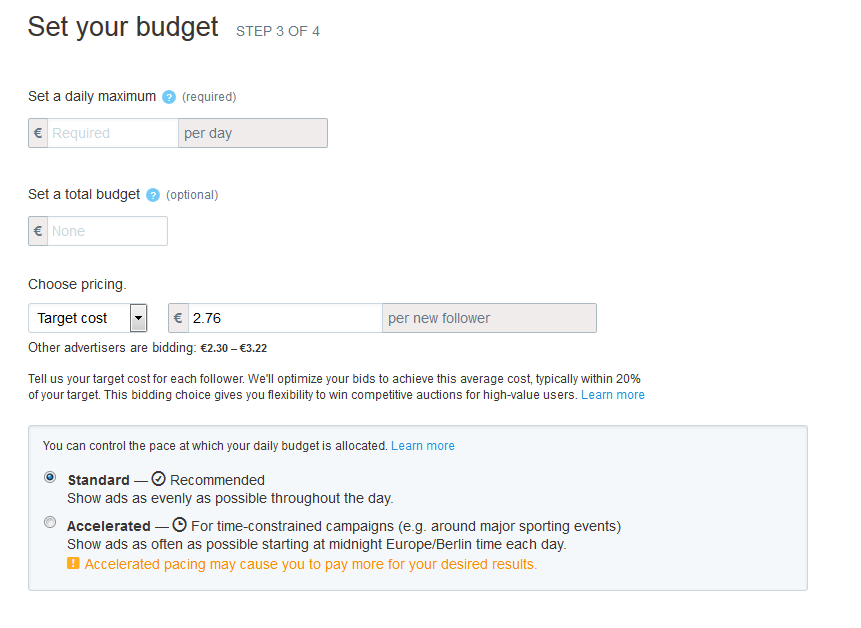
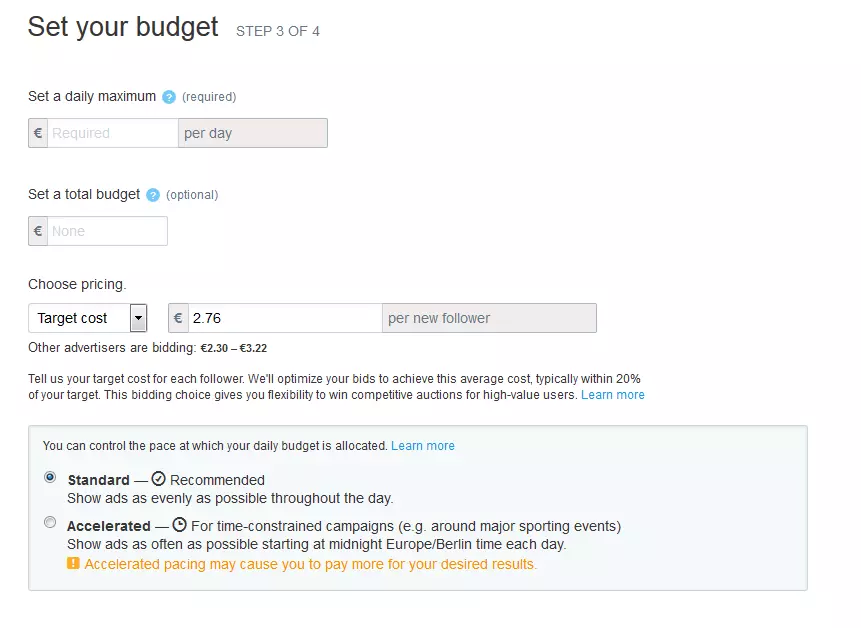
Here the only mandatory field is the daily maximum budget. After this, if required, Twitter will adjust all further components automatically. This should ensure that the best possible result can be achieved from the set budget. You can find out more about the different pricing structures in the ‘Pricing model’ chapter below.
‘Creatives‘ details
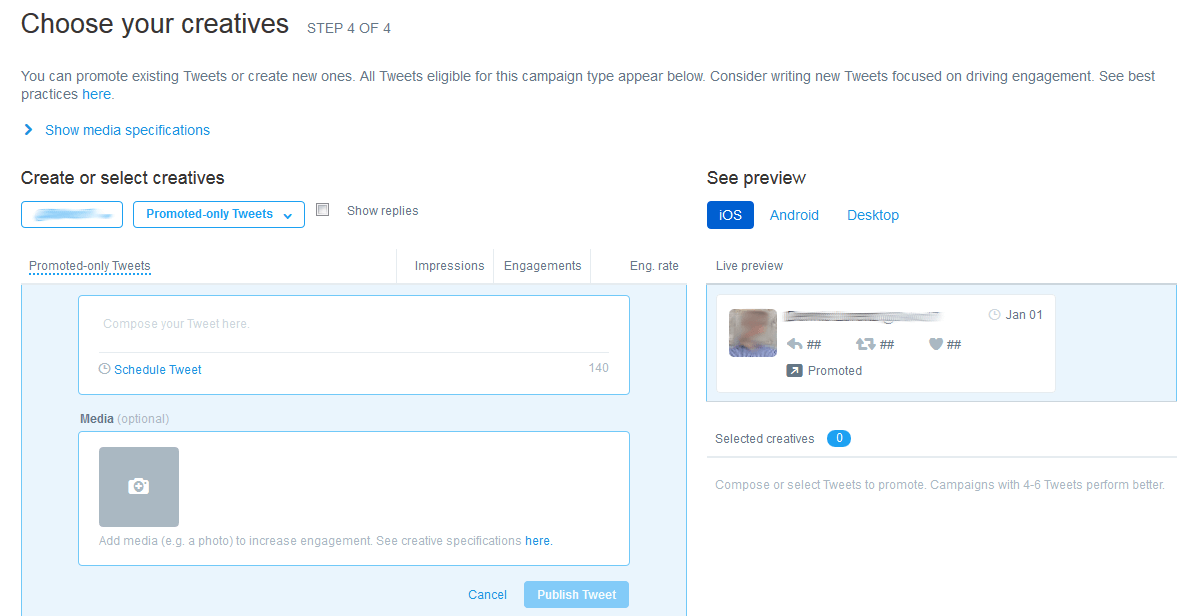
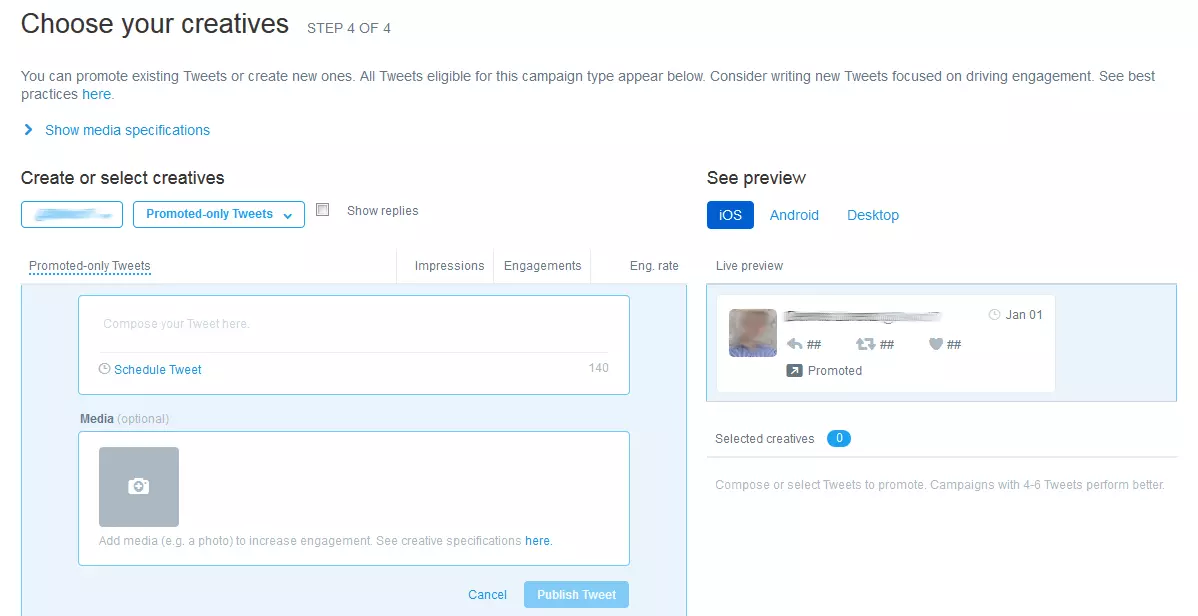
The last step, the choice of ‘Creatives’ involves the actual content of the campaign. All you need to do here is enter the tweet around which the campaign will be based in the required field. You can also select the organic tweet that you wish to promote. And just like that, the campaign is finished.
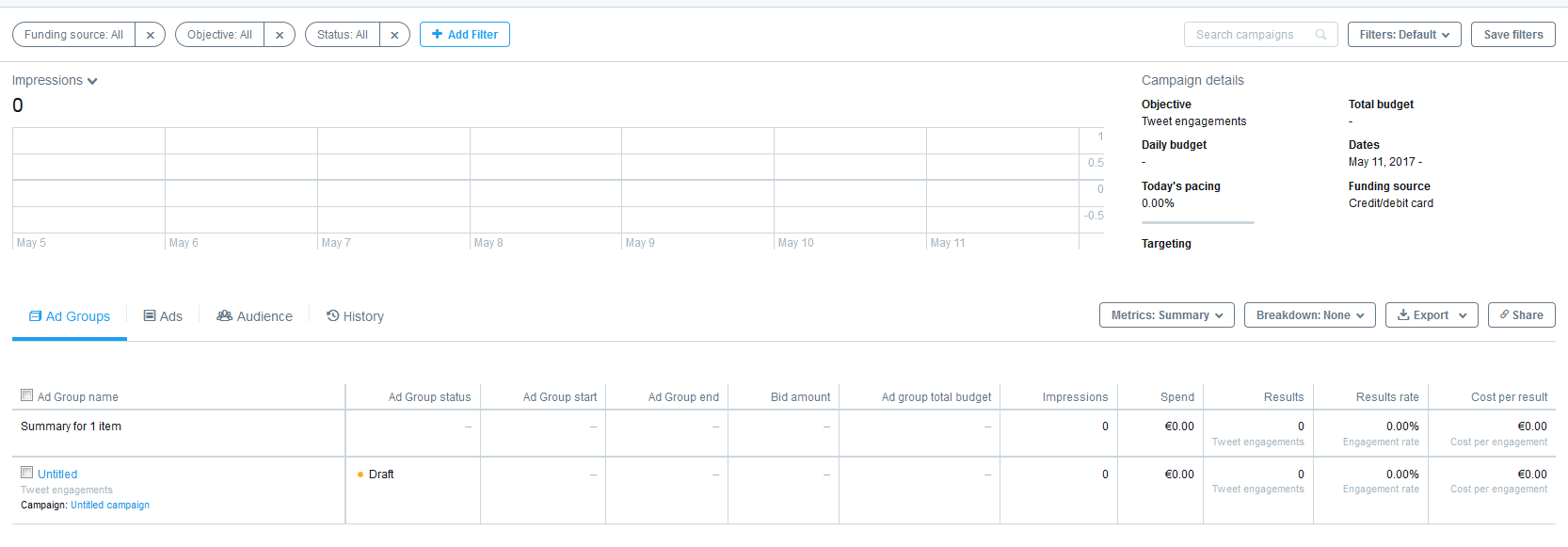
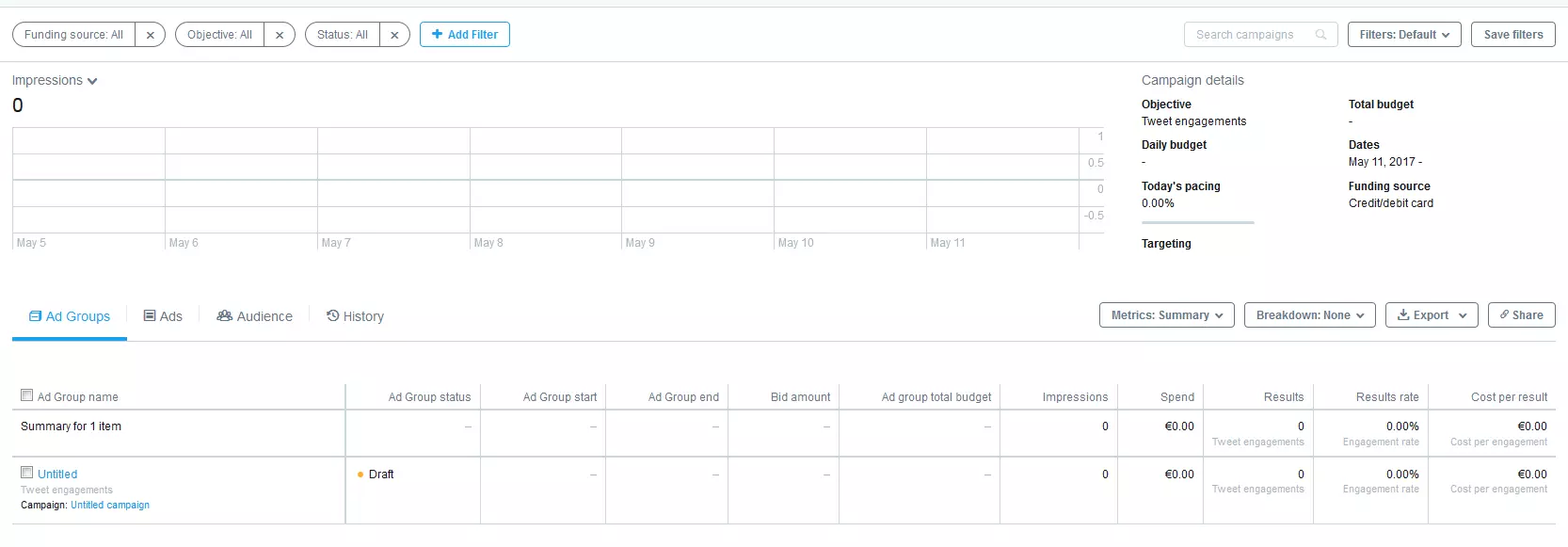
Once the campaign has been saved, you will be brought to the campaigns overview. Here you can view and manage all past, current, and future campaigns. From now on this dashboard will be the starting point from which you can access individual campaigns and of course also create new ones.
The pricing model of Twitter Ads
The thing that makes Twitter Ads particularly interesting for small and medium-sized enterprises are the costs involved. With very little money it is possible to make other Twitter users aware of your business. Of course with Twitter the principle is that the more money is invested, the more users will see your ad.
Principles of the Twitter Ads pricing model
The pricing model for Twitter advertising is designed in a way that is transparent. Fundamentally, the costs of Twitter Ads will only apply if the corresponding aim of the campaign is achieved. This means that the client pays per newly acquired follower, per engagement, or per click on their website. In a nutshell: no advertising success = no advertising costs.
With Twitter Ads, you pay primarily for the original target action of the entire campaign. If, for example, a follower campaign was launched, the advertising client will pay for the newly acquired followers, but not for clicks on their profile, engagements with the tweet, or some other aspect to do with the tweet.
Alongside this, Twitter advertising costs are easy to regulate. Twitter Ads calculate costs based on an auction principle: The more an advertising client is willing to pay for a conversion, the more frequently and for more high-profile users the sponsored content will appear. The lower the deployment of ads, the lower the chances of visibility.
Pricing model and payment options
The course of a campaign is mostly dependent on two aspects: the time of the campaign as well as the budget. If one of these variables is limited, this will affect the campaign process. To gain a better understanding of this, we should take a closer look at the payment options for a Twitter Ads campaign.
- The maximum daily budget is the only information field that must be filled out. Once the budget for the day has been exhausted – e.g. the specified number of conversions has been reached – then the advertisement will no longer be live. The daily maximum therefore plays the role of a regulator; if one ad is particularly successful then this system will stop the entire budget running out in the space of a few days. The daily budget also allows you to dictate the rate of the campaign. On the one hand, you can decide the frequency that sponsored content appears daily in the timeline of other users. On the other hand, you can also control how quickly the envisaged budget runs out, and thus how quickly a campaign comes to an end.
- It does not have to be explicitly stated what the entire budget for the campaign is, however this will also not be decisive in determining the individual pricing model. At the end of the day it is the extent of the whole budget that will determine how long a campaign runs. As soon as the overall budget has run out, the campaign is over. This provides the client with the peace of mind that their own financial limitations will not be exceeded. Once the campaign begins, it can be allowed to run without any worries that costs will get out of control.
- The third and final option is in relation to the type of price structuring per target that is hit, i.e. the highest amount that you are willing to pay per new follower, per link click, or per engagement. This is where the Twitter Ads auction principle comes into play: Every time a client’s ad could theoretically be displayed, an auction takes place between them and another of Twitter’s advertising clients, who is also competing for a similar demographic of Twitter users. The higher the client’s maximum offer is, the greater the possibility that their ad will be displayed on particularly valuable accounts. And because Twitter’s default setting for pricing is to bid automatically, this means that this system is in no way as complicated as it might originally sound. This setting ensures that the advertiser does not have to submit bids manually the entire time.
“Your bid will be optimized to get the best results at the lowest price (within your budget).” (Source: https://ads.twitter.com/)
As it is usually the case that you pay less than what you have set as your highest bid, for a successful campaign you should therefore not set the highest bid too low. To give you an idea of what to expect: at the moment Twitter charges £2-3 per new followers, with more local campaigns being more towards the £2-3 end of the scale. Additionally, Twitter shares information on the bids that other clients of Twitter Ads have been making. More information on the topic of bids and auctions can be found on Twitter Support.
Alongside the automatic bidding and manual highest bid, the Followers and Website campaigns also offer the third option of target costs. More details on this can be found on the Twitter support page.
Both Twitter and its advertising customers share a common goal: to use the campaign budget and daily budget to its full potential. One very obvious advantage of this payment model is that there is no money wasted on campaigns with little or no resonance. A campaign runs for as long as there is still money in the advertising budget.
Measuring the success of Twitter Ads
Last but not least, just like with tweeting itself: having an exact success analysis of Twitter activities is half the battle with Twitter Ads. Twitter Analytics is designed for evaluating your Twitter account as well as the success of Twitter Ads. With Twitter Analytics, it’s possible to see how many people have seen your sponsored tweets, what rate of interactions and engagements they have registered, and how many followers your account has gained. Keeping track of this kind of information allows you to ensure that your money invested in advertising is well spent, as well as making sure that future Twitter Ads campaigns are even more effective.