ownCloud vs Nextcloud, how do the two cloud solutions compare?

When storing files, security is always top of mind, especially when it comes to sensitive data. Hosting your own cloud service is a great way to ensure your files are secure. Two powerful solutions for self-hosted cloud storage are ownCloud and its spin-off Nextcloud.
Overview of ownCloud vs Nextcloud
| ownCloud | Nextcloud | |
|---|---|---|
| Website | owncloud.com | nextcloud.com |
| Developer | ownCloud GmbH | Nextcloud GmbH |
| Release year | 2010 | 2016 |
| License | Open source / proprietary | Open source |
| Clients for Cloud access | Windows, macOS, Linux, iOS, Android | Windows, macOS, Linux, iOS, Android |
| Enterprise support & features | ✓ (Enterprise Edition) | ✓ (Enterprise Edition) |
| Option to self-host | ✓ | ✓ |
(Updated: March 2025)
- Keep your data safe with industry-leading security
- Save time on updates and maintenance
- Easily add apps and online office tools
ownCloud vs Nextcloud in-depth comparison of the open-source clouds
On June 2, 2016, Frank Karlitschek, founder of ownCloud, left the financially weakening ownCloud project as did most of the developers. In the same year, the newly formed team released its own cloud solution, which focused more on collaboration. It was named Nextcloud. The software has been continuously expanded over the past few years and today, the platform is one of the most popular self-hosted collaboration solutions in the world.
Licensing issues were a significant factor in the split. The key difference between the two open-source clouds lies in their approach to licensing. This is because ownCloud restricts certain functionalities to its Enterprise edition, which requires a commercial license, whereas Nextcloud offers all of its components under the free AGPLv3 license. In what follows, we will explore the two cloud applications and the features that set them apart.
ownCloud
| ownCloud Pros | ownCloud Cons |
|---|---|
| ✓ Desktop clients and mobile apps are available for all major platforms | ✗ Updates are irregular |
| ✓ Minimal system requirements (hardware and software) | ✗ Room for improvement in terms of security (slow bug fixing and vulnerability disclosure) |
| ✓ Highly expandable thanks to its modular structure (various apps are available in the marketplace) | ✗ Performance issues with many small files |
| ✓ A wide range of guides and extensive documentation due to long-standing market presence | ✗ Costs for support from developers |
The ownCloud project was launched by Frank Karlitschek in 2010. It was intended to offer users a free alternative to commercial cloud services. Prior to this project, the German-born software developer had primarily been an active member of the KDE community, which is dedicated to the development of free software. At the heart of ownCloud is the server application ownCloud Infinite Scale, which can be installed on any server or web hosting space.
In terms of additional software, manufacturers have provided the following specifications for the current version of ownCloud:
| ownCloud system requirements | |
|---|---|
| Operating system | Ubuntu 20.04 and 22.04, Debian 10, SUSE Linux Enterprise Server 12 (SP 4/5) and 15, Red Hat Enterprise Linux 7, 8, and 9, openSUSE Leap 15.2 |
| Database | MySQL 8+, MariaDB 10.2 to 10.11, Oracle 11 and 12, PostgreSQL 9 to 14, SQLite (not for production!) |
| Web server | Apache 2.4 (with prefork-MPM module and mod_php) |
| Scripting language | PHP 7.4+ |
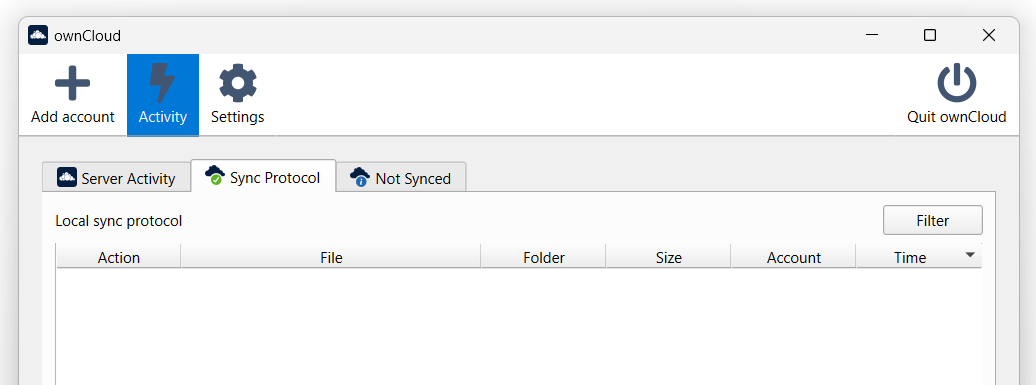
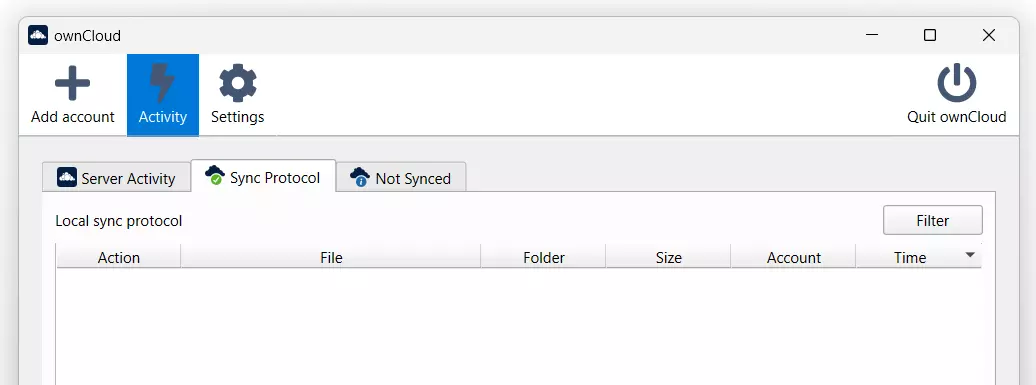
When the ownCloud server is installed and set up, files can be uploaded to it using the desktop program. This is a Digital Guide article explaining how to do this on a Raspberry Pi. In addition to free desktop clients for macOS, Windows and Linux, there are also mobile apps for Android and iOS in the Google Play Store and Apple App Store. Using these applications, you can create your own local directory, which can be synchronised with the cloud server whenever and wherever you want (assuming you are connected to the internet). Thanks to the file-sharing feature, files can also be shared with other users (password-protected if necessary).
For businesses, the ownCloud team optionally offers professional, paid support, with two different subscription models available (as of March 2025):
- The Standard Subscription includes email support on business days and starts at €5.24 (around £4.50) per user per month (for a minimum of 25 users). The price decreases as the number of users increases. This support model is tied to the standard free AGPLv3 license, meaning that all modifications to the cloud software must be shared with the community.
- The more expensive Enterprise Subscription, starting at €15.67 (around £13) per user per month (for a minimum of 25 users), is linked to the ownCloud Commercial License. It provides companies with global email and phone support, along with access to a range of exclusive enterprise features.
ownCloud offers various additional features that optimise the cloud’s usability. Here is an overview of the product:
| ownCloud Features | |
|---|---|
| Activity stream | The activity stream provides an overview of all the cloud users’ actions. When a file is uploaded, edited or shared, it is automatically recorded in this event log. |
| Managing groups and user access | Create groups to make file sharing easier for a specific group of users. Access to shared content can also be restricted based on different permissions (delete, modify, create, share). |
| Unlimited file size | The online storage software allows you to store and share files of any size. ownCloud theoretically supports files up to 8 exabytes in size. |
| Collaborate on Office documents | Thanks to integrations of Office suites such as Collabora Online or OnlyOffice for ownCloud (requires Enterprise or ownCloud SaaS), Office documents can be edited in a team directly via the web frontend of the cloud storage service. |
| File saving and versioning | Files can be locked at any time to prevent complications when accessing them. ownCloud also ensures that the clouds are versioned, so previous versions can be restored at any time. |
| Impersonation | Admins can log in as any user if the cloud storage is configured appropriately. This can be helpful when dealing with technical issues, for example. |
Other features can be added using ownCloud Marketplace apps.
The ownCloud package is rounded off with various security features, although there are some minor differences between those included in the free version and the Enterprise edition.
| ownCloud Standard | ownCloud Enterprise | |
|---|---|---|
| Server-side encryption (AES-256) | ✓ | ✓ |
| Two-factor authentication | ✓ | ✓ |
| SAML/SSO authentication | ✗ | ✓ |
| Virus scanner (ClamAV) | ✓ | ✓ |
| Ransomware protection | ✗ | ✓ |
| File firewall | ✗ | ✓ |
| Password rules | ✓ | ✓ |
| Audits logs | ✗ | ✓ |
If you are unsure whether you need the enterprise features for your cloud, you can test them for free for 30 days. All you have to do is request the test version via the contact form. You’ll then receive an email with the download link.
Nextcloud
| Nextcloud Pros | Nextcloud Cons |
|---|---|
| ✓ The interface design can be easily changed at any time to suit the user | ✗ In the SME sector, this option is only recommended with an external hosting service provider |
| ✓ Brute force protection and various other security features enabled by default | ✗ Not all of the available add-on apps are as high-quality as the cloud solution itself |
| ✓ Provides file-sharing and other collaboration features, like audio and video entertainment | ✗ Performance issues due to many small files |
| ✓ Relatively fast updates for bugs or security vulnerabilities | ✗ Developer support is paid |
When Nextcloud was released for the first time in 2016 as an independent spin-off of ownCloud, it was essentially just an open-source version of the same software, but with a new design. Since then, Nextcloud GmbH, which includes Karlitscheck and other former ownCloud developers, has sped up their software redesign.
The basic application is Nextcloud Server and can be installed on almost any web hosting space or server. The development team recommends at least 512 MB of memory for stable cloud operation. Nextcloud does not differ significantly from its predecessor in terms of software requirements either.
| Nextcloud system requirements | |
|---|---|
| Operating system | Ubuntu 22.04 LTS (recommended), Ubuntu 24.04 LTS, Debian 12 (Bookworm), SUSE Linux Enterprise Server 15, Red Hat Enterprise Linux 8 and 9 (recommended), CentOS Stream, openSUSE Leap 15.5 |
| Database | MySQL 8.0 or 8.4, MariaDB 10.6, 10.11 (recommended), or 11.4, Oracle 11g, 18, 21, 23 (only as part of an enterprise subscription), PostgreSQL 13, 14, 15, 16, 17, SQLite 3.24+ (only recommended for testing and minimal instances) |
| Web server | Apache 2.4 with mod_php or php-fpm (recommended), NGINX with php-fpm |
| Scripting language | PHP 8.2, 8.3 (recommended), 8.4 |
Desktop clients are available for all common operating systems so that users can upload files onto the ready-to-use Nextcloud server. Windows and macOS users will find the installation files on the program’s website. Linux users (openSUSE, Arch Linux, Fedora, Ubuntu, Debian) can find them in their Linux distribution’s package management. Free apps for Android and iOS can be used to access the server on mobile devices. The client allows one or more local folders to be synchronised with the server. Thanks to the file manager and file-sharing feature, all stored files can be easily viewed and shared with others in the cloud or via public links.
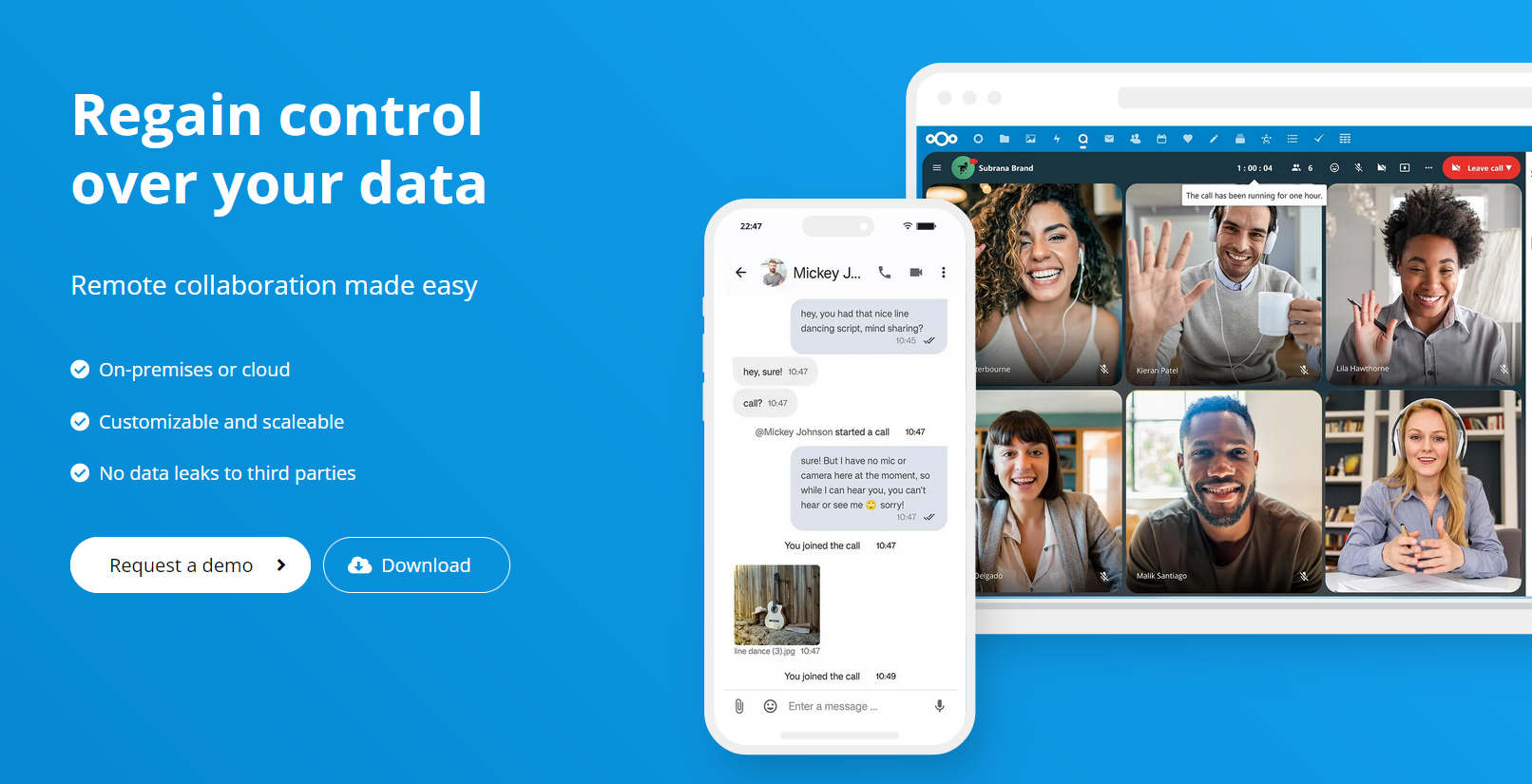
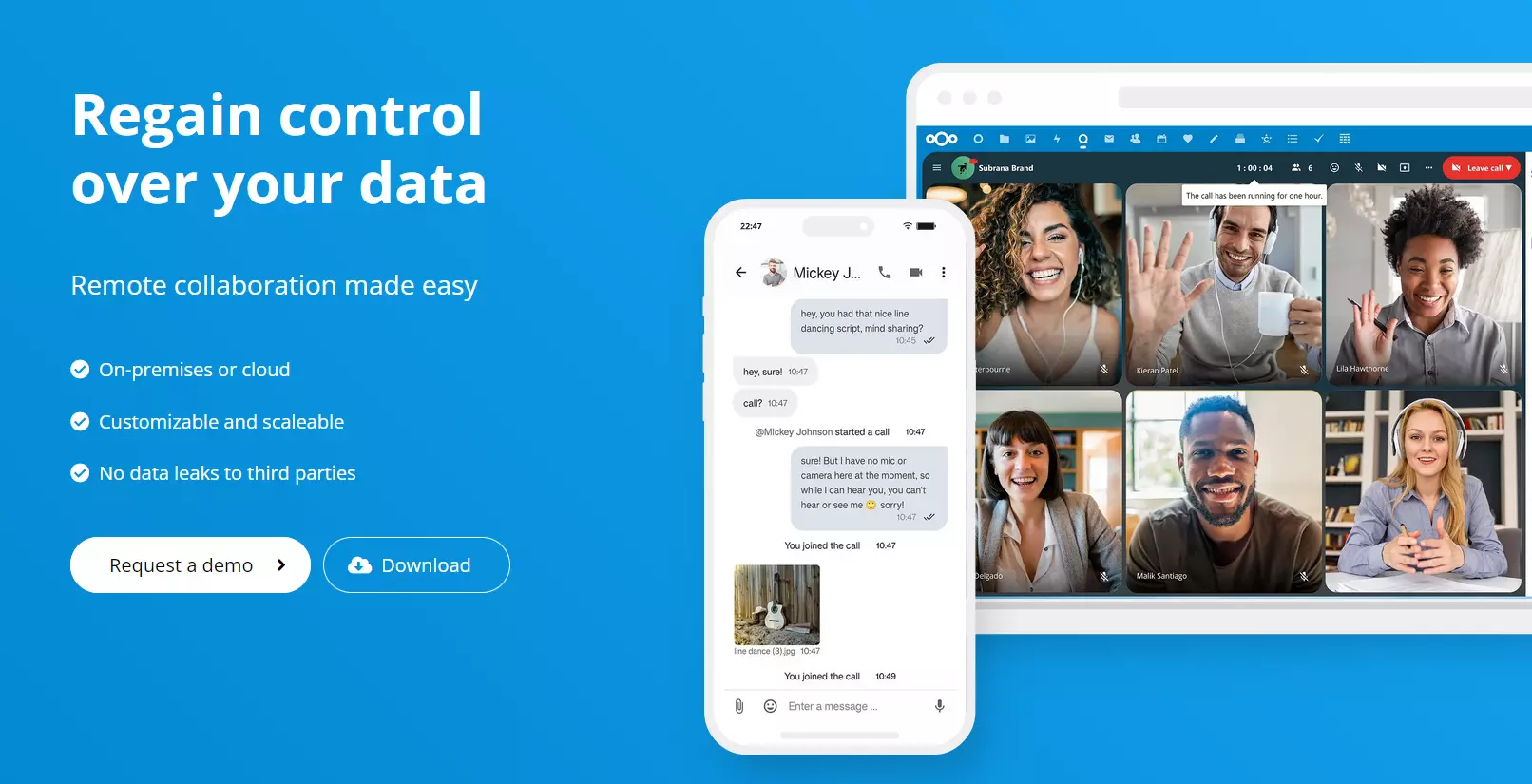
Since a commercial license does not align with the philosophy of the development team, all Nextcloud components are exclusively licensed under the free GNU AGPLv3 license. However, Nextcloud GmbH also offers paid enterprise packages (starting at 100 users) that include professional support, collaboration tools, and various integrations. Customers can choose from four different pricing models:
- Basic: Starting at €37.49 (around £30) per user per year (for a minimum of 100 users), this package includes email support (response within three business days), access to the Nextcloud knowledge portal, and one year of long-term support.
- Standard: At €67.89 (around £60) per user per year, this subscription offers branding, installation review, phone support during official business hours, and one year of long-term support.
- Premium: Priced at €99.99 (around £85) per user per year, the Premium package provides planning security for 5+ years, extended phone and email support, and assistance with scaling cloud storage if needed.
- Ultimate: Starting at €195 (around £165) per user per year, the Ultimate package grants access to the full Nextcloud feature set, including 24/7 support, professional tool integrations, and a SIP bridge that connects Nextcloud Talk to professional IP telephony via a SIP provider.
 To display this video, third-party cookies are required. You can access and change your cookie settings here.
Nextcloud is not just limited to uploading and downloading files, it is also packed with features that make it easy for both basic users and administrators to simplify file storage:
| Nextcloud Features | |
|---|---|
| Workflow management | Workflow features such as file access control or automatic file capture help administrators stay in control. Based on an easily configurable set of rules, certain actions can be blocked for specific user groups. |
| Server monitoring | Nextcloud provides an overview of user activities and informs users about actions like making changes or downloading shared files, for example. The monitoring module also provides information on the performance and stability of your own cloud server. |
| Integrated Office solutions | Nextcloud Hub has natively integrated tools for real-time document management. With popular solutions such as Collabora Online or OnlyOffice, you can work together with other people on Office documents (LibreOffice/Microsoft Office). |
| Branding & theming | The theming app can be used to modify the look of your cloud. Without additional costs, you can insert your own logo, select a different background image and change your name and slogan. |
| Full-text search | In combination with the Apache Solr or Elasticsearch indexing service, you can set up a full-text search for cloud storage. Solr can search through text, PDF, image, and audio files, as well as Office documents (Microsoft office and LibreOffice). |
| Collaboration | Workspaces give Nextcloud users the ability to populate folders with notes, to-do lists and other collaborative tools. Users can edit this information in real time or mark it as done, for example. The dashboard also provides information about the status of other users: Are they online or offline? Have they opened a file or are they currently replying to a comment? |
| All-in-one installation | To simplify installations for small and medium-sized companies, Nextcloud is available as an all-in-one Docker or VM image. Direct installation in various cloud environments such as Azure and AWS is also possible. |
Thanks to its modular structure, one of the cloud storage platform’s strengths is its high degree of expandability. Nextcloud apps can be used to add a wide range of functionality to different Nextcloud areas such as ‘Integration’, ‘Multimedia’, ‘Office & Text’ and ‘Authentication & Authorization’. Nextcloud lists all officially supported extensions in its app store. You will not only find documentation and download links for the over 200 extensions available, but also a guide on how to program modules.
Equally crucial to having an extensive range of features is the safeguarding of data stored within ‘private’ clouds via the software. This is why Nextcloud provides operators with effective tools to ensure the best possible protection:
| Nextcloud Security & Protection | |
|---|---|
| Server-side encryption (AES-256) | In addition to standard data transfer via SSL/TLS, all information can be encrypted on the server. |
| End-to-end encryption | Nextcloud enables files/folders to be stored and exchanged with end-to-end encryption. |
| Brute force protection | By default, Nextcloud provides protection against brute force attacks. |
| Content Security Policy 3.0 | The open-source cloud’s web interface can be secured thanks to Content Security Policy 3.0 (CSP). |
| Two-factor authentication | Administrators can enable or disable two-factor authentication from the command line. |
| SAML/SSO authentication | Nextcloud supports SAML markup and single sign on. |
| Password rules | Administrators can set up password creation policies (login, file sharing). |
To test Nextcloud, you do not have to download and install the cloud software. On the website, you can try a demo of the software and try out the features listed here for one hour.
What are the main differences between ownCloud and Nextcloud?
In many respects, it has become clear that Nextcloud is much more ambitious than ownCloud when it comes to collaboration. Since the 2016 release, Nextcloud has evolved from a simple file syncing and sharing solution to a premium alternative to cloud suites like Microsoft 365. The differences in terms of file storage and file sharing are only minor.
Key differences come when you look at add-on and security features. On the one hand, ownCloud’s licensing policy ensures that certain components such as full-text search, workflow management or branding are only available to paid Enterprise customers. Nextcloud users do not have these limitations, as only support and update services cost extra.
With features such as integrated real-time document management or audio and video calling, Nextcloud has outshone its predecessor in terms of functionality just as it has in terms of security. Built-in brute force protection, easily implemented two-factor authentication and server-side file encryption are just a few of the Nextcloud security features worth mentioning.
- Set it up effortlessly and start saving files straight away
- Your data is available anywhere and on all devices
- 100% GDPR compliant in European data centres
Reviewer

Jeanna Raffa
With over 18 years of experience in online marketing, Jeanna Raffa possesses extensive expertise in digital marketing. Since 2020, her focus has been on providing practical information regarding email, office, and cloud storage solutions.