

The Esc key and its most important functions
Most users don’t even notice the ‘Esc’ key located in the upper left corner of their computer keyboards. Yet it offers plenty of useful functions. Find out what the Esc key is for and which windows or operations you can control using the key. We’ll show you the most important Escape key combinations.
What is the Esc key?
The Esc key, simply 'Esc' on a keyboard, is a control key. Like the function keys or the Alt and Ctrl keys, it doesn’t generate a character when writing a text.
The Escape key originates from command line-based operating systems like DOS and UNIX. Developed at the same time as the ASCII standard, it was originally used to enter special characters – so-called escape sequences. In today's operating systems, however, this function is no longer used.
Where is the Esc key located on a keyboard?
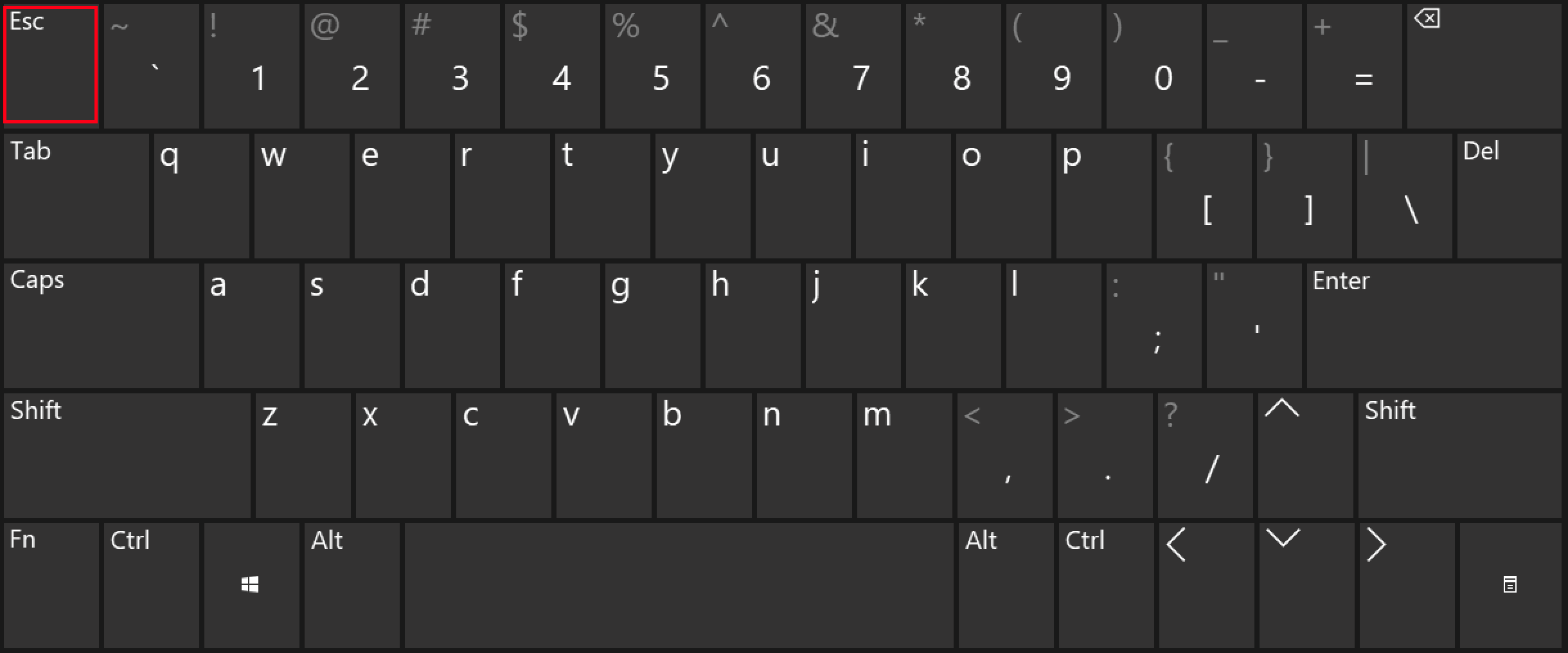
The Esc key is located in the upper-left corner on all keyboards, right next to the function keys. On a Windows screen keyboard, it is also located in the upper left corner, next to the number keys, since the function keys are missing here.
Escape key: functions
True to its name, the Esc key acts like a ‘Cancel’ button on most computers. On Windows, for example, the key can be used to close a dialogue box without having to click ‘Cancel’ with a mouse button.
You can also use the Esc key to cancel loading a website in a browser. In many games, actions can easily be terminated in this way. In input dialogues, you can remove an incorrect entry using the Escape key to clear the input field. Browsers and media players in full-screen mode can be switched back to normal window mode with the Esc key.
The Start menu and the pull-down menus of most programs can be shut down fast with the Esc key. This is useful when you have opened the respective menu via a key combination rather than the mouse. The same applies to context menus, which you can either open with a right-click or by clicking the menu key on a keyboard.
Similarly, the Esc key is one of the most important Mac shortcuts – offering mostly the same functions as under Windows. However, newer Mac keyboards no longer incorporate the key.
Which windows can be closed using the Escape key?
Any Windows dialogue boxes that include a ‘Cancel’ button can be closed by pressing the Esc key. With a few exceptions, this also applies to dialogue boxes of third-party programs that do not come with Windows systems.
The Windows task view – accessible via the combination Windows key + Tab –, the search window in Windows 10, the notification centre at the right edge of the screen and the voice assistant Cortana can also be closed by pressing the Esc key.
Toolbars and menus that appear when you click on ‘Icons’ in the notification area of the taskbar also disappear after pressing the Escape key.
Furthermore, you can shut down many of the applications to view files quickly by pressing the Esc key. This applies to image applications like IrfanView or file preview with the file manager add-on QuickLook.
Useful key combinations with the Esc key
With Windows 10, there are two shortcuts that involve the Escape key:
- [Ctrl] + [Esc] launches the Windows Start menu. The same can be achieved by pressing the key with the Windows logo.
- [Ctrl] + [Shift] + [Esc] opens the Windows Task Manager.
Using the keyboard manager of the Windows 10 PowerToys available on GitHub, you can redefine the function(s) of the Esc key if desired or create your own key combinations with the Escape key.