

How to build your own restaurant website

A restaurant website lets you attract new guests while keeping regulars engaged — for example, with a digital menu or an easy-to-use reservation system. Tools like content management systems (CMS) such as WordPress or a website builder make it simple to build a restaurant website.
Why is a restaurant website useful?
These days, hungry customers often browse a restaurant’s website before visiting to see what dishes are on offer. What kind of food can they expect? What is the price range? Does the atmosphere match their desired mood? A well-crafted restaurant website can guide visitors to the perfect dining spot.
- Visibility: Most potential guests now use Google and other search engines to find nearby restaurants. With your own restaurant website, you can build a strong presence in search results.
- Offer: An online menu lets you spark the appetite of future guests even before they walk through the door.
- Ambiance: Just like your restaurant’s interior, design your website with attention to detail. High-quality photos of your space and dishes give guests a taste of what’s to come.
- Functions: More and more restaurants use their websites to support daily operations. Offering a reservation system or online ordering provides added value for both your customers and your business.


What options are available when building your own restaurant website?
There are various ways to launch a website online. HTML or CSS knowledge is not necessary, although it can be beneficial. You can either use different tools or invest directly in professional experts.
Content Management System (CMS)
A content management system (CMS) is software specifically designed to make publishing content on a website easy. Using templates and plugins, you first create the website within the CMS. For example, creating a website with WordPress requires comparatively little effort, making it quick to build a custom restaurant website. Many of these systems are available for free, though you should plan a budget for web hosting and possibly for paid add-ons. It’s worth comparing different CMS options beforehand to make the best choice.
- Stress-free, no matter your skill level with easy AI tools
- Full customisation with themes and plugins
- Hassle-free updates and less admin
Website builder
A website builder is a user-friendly online tool that lets you quickly and effortlessly create a website for your restaurant. It typically offers ready-made building blocks that you can arrange and customise within an online interface. However, this ease of use comes with limited flexibility — when using a builder, you’re restricted by the system’s built-in design and functionality options.
- Professional templates
- One-click design changes
- Free domain, SSL and email
Web design service
Some hosting providers offer a design service in addition to the basic technical setup. In this process, specialists work with you to create individual websites based on various design templates. Therefore, you don’t need either technical know-how or expertise in design matters. The design service staff takes care of all aspects of creation—while you do have significant input, you have more time to focus on your core business.
- The easy way to get your website online quickly
- Build your brand with your own domain name and email
- Includes maintenance and updates after your site is live
Agencies & freelancers
Another option for building a restaurant website is to work with professional web design agencies or freelance designers. With their expertise, you have complete creative freedom — anything that’s technically possible can be implemented. These professionals also ensure that your restaurant’s online presence is polished, functional, and visually appealing.
What is the right solution for your restaurant website?
The choice of how to build a restaurant website depends on three key factors: individuality, know-how, and budget. If you want a highly customised website but don’t have the required expertise, you’ll need to factor in the higher costs of hiring professionals. If a simple yet stylish website is enough, you can create it quickly and cost-effectively with a website builder.
| Advantage | Disadvantage | Difficulty | Price level | |
|---|---|---|---|---|
| Content Management System | Highly customisable | Hosting and domain must be booked separately | Medium to hard | + |
| Website builder | No technical know-how needed | Limited customisation | Easy to medium | + |
| Web design service | Often available with a hosting package | Limited possibilities for later changes | Easy | ++ |
| Agencies & freelancers | Support from specialists | Recommended only for large projects | Easy | +++ |
What should be included on a restaurant website?
Because a restaurant website needs to serve many different purposes, it should be just as comprehensive. A one-pager — while a visually appealing web design solution — is usually not clear enough for the food service industry. You should therefore plan the following subpages for your restaurant website:
- Homepage
- Menu
- Premises
- Reservations
- Ordering system
- News
- About us
- Directions
- Contact
- Privacy policy (if the restaurant collects personal data)
Homepage
All visitors will see your homepage first, so it’s important to make a great impression. Include one or two photos of a signature dish or your restaurant’s interior to give a quick glimpse of what guests can expect. It’s also a good idea to display your opening hours directly on the homepage.
Menu
The heart of every restaurant is, of course, its food. That’s why a virtual menu is an essential part of any restaurant website. While many restaurants and bars upload their menu as a PDF—since it’s often easier to update—this can cause issues for visitors using a phone or tablet. It’s better to integrate the menu directly into your website. If you have professional photos of your dishes, include them as well, as appealing visuals can instantly spark your guests’ appetite.
Premises
Many guests likely visit not just for the good food, but also to enjoy the ambiance. Therefore, it is worthwhile to post a few photos online to offer a glimpse of the premises before the visit. Such a page is even more important if you rent the venue for private events. Additional information, like the size or possible seating arrangements, can be a useful addition.
Reservations
Table reservations provide added security for both your business and your guests. To encourage bookings, the process should be as simple as possible. An easy-to-use reservation system on your website offers several benefits: visitors who are already on your site can quickly and conveniently reserve a table without switching platforms.
For you as the owner, such a system reduces organisational workload and helps cut down on phone calls. You don’t have to build this system yourself either — there are many providers whose reservation tools can be seamlessly integrated into your website.
Ordering system
If your restaurant also offers delivery or pickup, you should consider an ordering system. Your customers can skip the phone call and instead browse the offerings at their leisure. For this purpose, there are also external providers whose systems can be integrated into your website. Often, payments are handled through the software as well.
News
There are always updates you’ll want to share with your guests — whether it’s the start of the season for a special dish or a new wine on the menu. A blog is perfect for these kinds of announcements and gives guests a glimpse behind the scenes, helping to build stronger engagement. Combining a blog with your social media channels is also a highly effective approach.
About us
While the focus of a restaurant is certainly on the individual dishes, the team forms the soul of the establishment. Introduce yourself and your staff on a subpage to give your business a personal touch. This is also a great place to include a team photo or provide a behind-the-scenes look with pictures.
Directions
Many people visit a restaurant’s website specifically to find its address. That’s why you should create a dedicated subpage for this information. You can also include additional directions—especially if your location is hard to find. Details about nearby public transportation are often appreciated by visitors as well. By embedding Google Maps, you can also provide visual navigation assistance.
Contact
It’s important that customers can easily get in touch with you. On a separate subpage, you can list different contact options. Provide both a phone number and an email address. An interactive contact form further simplifies communication. Visitors to the restaurant website need only to enter their inquiry into the text field and click send.
Privacy policy
Almost every business website in the UK must include a privacy policy to comply with the UK GDPR and the Data Protection Act 2018. This policy explains how your website collects, uses, and stores personal data — for example, information gathered through contact forms, online reservations, ordering systems, or analytics tools. A clear privacy policy is especially important if your site uses cookies or processes customer data such as names, email addresses, or payment details. You can find many privacy policy generators and templates online to help you create a compliant and easy-to-understand policy for your restaurant website.
How to build your own restaurant website step by step
No matter which option you choose to create a website for your restaurant, building a strong online presence always involves a few key steps — from selecting the right domain to boosting the visibility of your new site.
Step 1: Stand out with the right domain
Your domain is your restaurant’s address on the internet and often the very first thing visitors see. That’s why choosing the right domain is so important. It should be memorable, clear, and unique. From an SEO perspective, it’s also helpful to include your restaurant’s location in the URL — either by adding it with a hyphen or by using a local top-level domain (TLD) like ‘.london’.
Step 2: Choose a consistent design
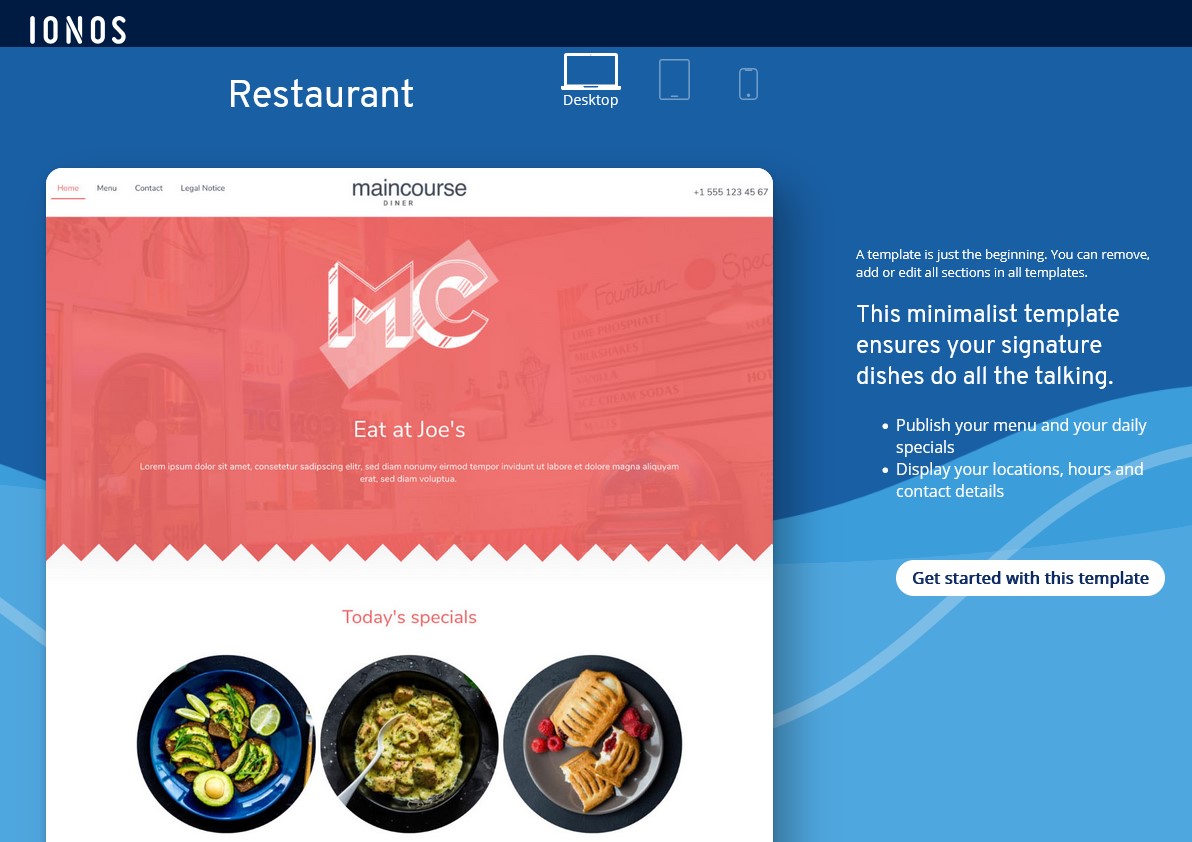
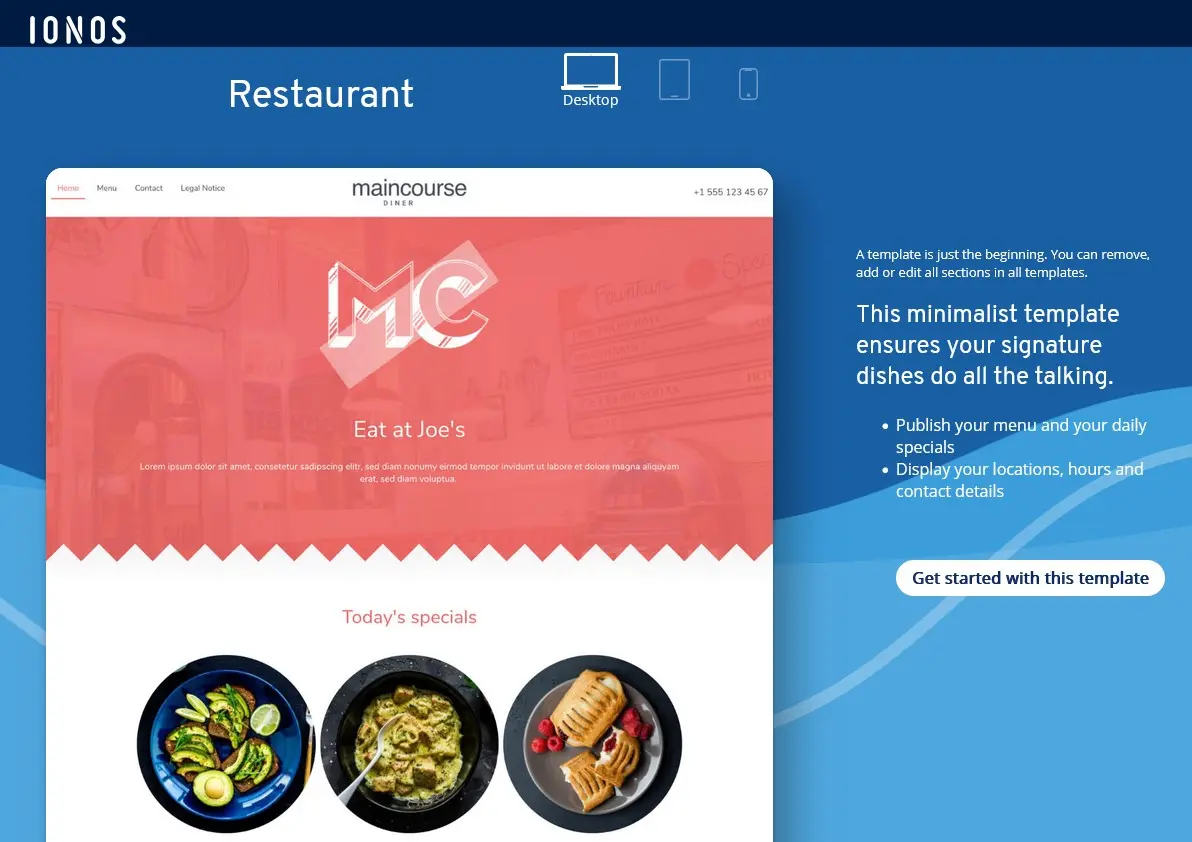
Your website’s design should reflect the style of your restaurant. If your venue has a minimalist interior, your online presence should also feature a clean, simple design. If it’s a rustic tavern, that atmosphere can be mirrored on the website as well. However, web design isn’t the same as interior design — it follows different rules. With user-centred design, the focus is on the experience of your website visitors. Users should be able to find the information they need as easily and intuitively as possible. This also means ensuring that your site works just as well on mobile devices as it does on a PC or laptop.
If you decide to design the website yourself, you don’t have to start from scratch. Whether you use a website builder or WordPress, there are plenty of restaurant-specific web design templates available to get you started.
Step 3: Fill the restaurant website with content
The right design ensures that the main focus of your website — the content — stays front and centre. Good content is characterised by the following qualities:
- Informative: Most visitors come to your website looking for specific information. Highlight it clearly and avoid burying key details in long paragraphs. In this case, less is often more!
- Current: If your opening hours change or your drink menu gets updated, reflect those changes online immediately. Outdated information can lead to misunderstandings and frustration.
- Neat: Make sure your text is error-free and your images are properly placed. Spelling mistakes or formatting issues can seem unprofessional and create a negative impression.
- Helpful: Include useful features like an interactive map or an online reservation form. These tools can make a positive impact on guests even before they visit your restaurant.
Step 4: Promote the restaurant website
Ideally, your restaurant website should also help you attract new guests. To promote your website, it’s important to design it with search engine optimisation (SEO) in mind. Several factors influence whether your website ranks well on Google and other search engines:
- Keywords: Use relevant keywords in your website text. This includes the type of cuisine (e.g. ‘Italian’, ‘comfort food’, ‘fine dining’) as well as your restaurant’s location (e.g. ‘London’, ‘Town centre’, ‘Riverfront’).
- Performance: Make sure your website loads quickly and displays correctly on mobile devices (smartphones and tablets).
- Local SEO: Google allows you to create a business profile for your restaurant directly in search results. This helps Google know exactly where your restaurant is located and show it to local searchers.
- Social media: Create social media profiles and link them to your website. This can help you reach more customers and stay connected with your guests.
- Reviews on websites: Consider embedding positive star ratings your restaurant has received on other platforms. Google often displays these stars directly in its search results, which can attract more attention.
- Improve your Google ranking without paying an agency
- Reply to reviews and generate social media posts faster
- No SEO or online marketing skills needed