

What are Third-Party Cookies?

Cookies have come under fire from those concerned about data protection. Their criticism is primarily aimed at third-party cookies, which are used by advertisers or ad servers to track user behaviour, and generate virtual user profiles. If you've ever seen an ad that exactly matched your recent web activity, it's no coincidence. Third-party cookies have probably “tracked” you and interpreted an interest in something from your surfing history. This personalised advertising is one of the most effective tools of online marketing, but also one of the most controversial. However, before you form a final opinion about third-party cookies, you need to understand them properly.
Third-party cookies: a definition
Third-party cookies are those that do not originate from the website operator, but from a third party – such as an advertiser. If you visit a website for the first time, the web server usually generates a so-called first-party cookie, which stores all the necessary settings and inputs of the user. When you return to the site, this first-party cookie is read to retrieve settings and other information such as log-in information. This improves usability.
Third-party cookies, on the other hand, are hosted by an advertiser's server (“ad server”) and primarily record the user's behaviour and path on the internet in order to subsequently create a user profile. On the basis of this user profile, it is then possible to display personal adverts to the user. Third-party cookies are powerful online marketing tools and are frequently referred to as “tracking cookies” and “targeting cookies”.
Third-party cookies are those cookies that are not generated by the website operator but by a third party using advertisements, targeting pixels or similar. Third-party cookies primarily collect marketing-relevant information such as age, origin, gender, and user behaviour data, and through this collection are powerful online marketing tools, especially for personalised advertising.
What are third-party cookies used for?
Third-party cookies are mostly used for web analytic purposes. This can happen if your web browser loads an advertisement or a so-called targeting pixel that is not hosted on the server of the visited website. Your web browser generates an additional cookie, the third-party cookie, because it is not assigned to the server of the website, but to that of the advertiser. Nevertheless, this third party cookie reads all the information that the first-party cookie notes anyway - and sometimes even more.
Because web analysts are primarily interested in user behaviour, the third-party cookie usually documents the page history on a website. However, this cookie often gains really valuable data only when it “recognises” you on another website. Since your web browser communicates again with the same ad server, it can trace your path on the internet, and not only that: your behaviour on the web reveals a lot about your interests and your consumer behaviour. This creates a user profile that enables targeted and personalised advertising.
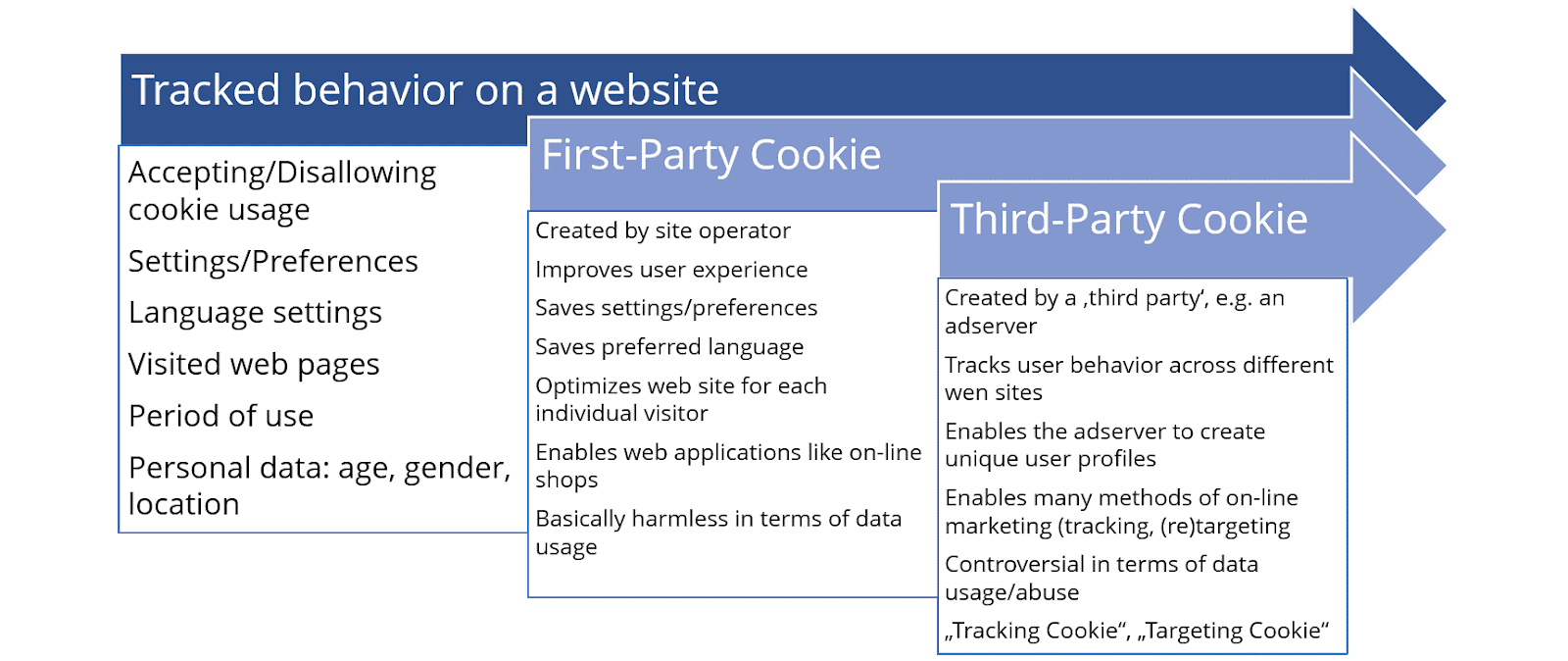
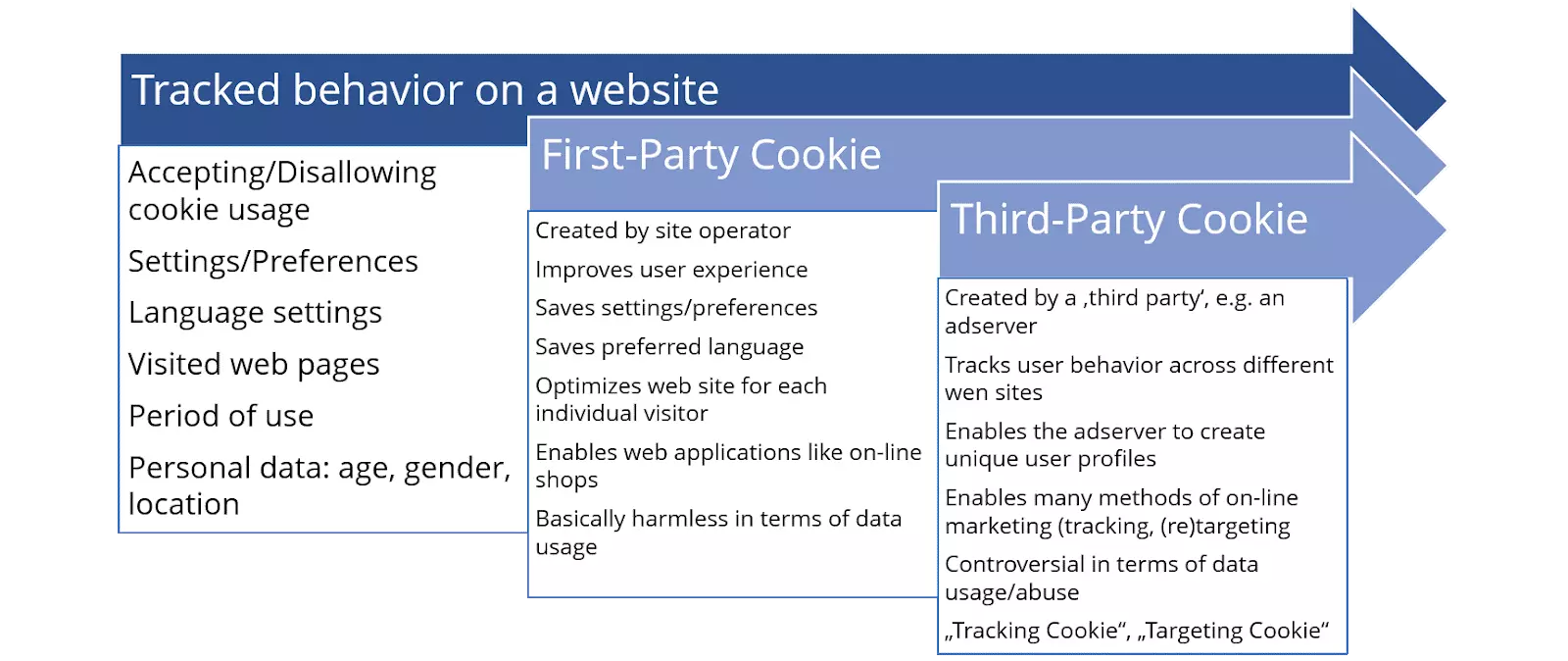
Example: How third-party cookies work
Imagine you are visiting an online shop for the first time that you have found using a search engine. The website contains advertisements for holiday providers that are hosted by an external web server.
- First of all, webpages will inform you about the use of cookies by means of a text display. These are intended to improve user friendliness. Cookies also collect user-relevant information from advertisers. You’ll mostly have to accept the explanation to use the website, and your web browser will generate two cookies: a first-party cookie from the website operator, and a third-party cookie from the advertising ad server. From this point onwards, both cookies collect information about your behaviour on the website.
- The website for this example is an online fashion shop where you can browse for the products you want. Say you’re particularly interested in brown leather bags, and therefore load several product pages that offer this type of bag. So that you can compare them easily, you put a few bags in your shopping cart - which the first-party cookie stores so that the shopping cart doesn't empty itself, even if you're not logged in. The third party cookie also collects this information because it is interested in what kind of product you might want to buy.
- There is an advert on the website for a holiday, but seeing as you’ve just come back from a trip, you’re not really interested, and do not click on it.
- You’re not quite satisfied with the selection of bags on the website, and open a new browser window to visit another online shop.
- This online shopalso informs you about the use of cookies and generates a first-party cookie. In addition, ads from the same advertiser appear here. The third-party cookie from this provider is already there. These adverts also show a holiday deal.
- You actually want to look for brown leather bags. It occurs to you that you also need a new winter jacket, and so you visit some product pages of this other product type. Both cookies will record this.
- You have decided to buy a winter jacket, but not a bag. The third-party cookie remembers this, and the ad server interprets it in such a way that you are still interested in purchasing a brown leather bag.
- You close the browser windows of both shops. The session is over and the cookies are “shut down”, but will not disappear from your hard drive (unless you have set your browser to delete them after each session)
- A few hours later, when you want to check your e-mails, you notice ads for exactly the same leather bags you were looking at, where before your holiday, you saw travel deals. Now, the ads will advertise brown leather bags because the ad server “knows” that you are interested in this type of product. This works by the ad server reading its third-party cookie, which is still stored on your computer.
- Based on this cookie, the server sees that you a) looked at brown leather bags and winter jackets, that you b) spent quite some time on the product pages of brown leather bags, and that you c) finally only bought a winter jacket, but not a bag. The ad server decides that you’ll get targeted advertising for brown leather bags because the ad server assumes that you will click on these ads rather than on ads for travel agencies. With just one click, the advertiser and possibly also the website operator could earn money from your online behaviour.
What kind of data do third-party cookies collect, and why?
Third-party cookies collect the following relevant data in particular:
- Personal data such as age, gender, and location (if readable)
- Visited website via which the cookie was generated
- Subpages visited on the visited website
- Time spent on the page and its subpages
If this data is collected across websites, an individual user profile can be created that enables personal advertising. Online marketing uses third-party cookies in particular for targeting, tracking, and retracking.
Read our guide on the topics targeting, retargeting and behavioural targeting to see how advertisers use third-party cookies for personal advertising.
What are the pros and cons of third-party cookies?
Cookies are usually only helpful for users in the form of first-party cookies, as these are primarily responsible for user comfort. Third-party cookies are powerful tools, especially for advertisers, with which they can generate targeted advertising. The advantages and disadvantages of third-party cookies for the parties involved can be summarised as follows:
| Advantages for users | Advantages for website operators | Advantages for advertisers | |
|---|---|---|---|
| Personalised advertising makes the internet seem more individualised | Technically easy to implement; the 'work' is done by the ad server | Enables a wide range of methods of online marketing | |
| Interests traced by third-party cookies generate suitable advertisements – so you won’t see something you’re not interested in. | Visitors see relevant advertising that motivates them to click on an ad. This increases advertising revenue | Visitors see relevant advertising that motivates them to click on an ad. This increases advertising revenue | |
| Website operators must be transparent with regard to cookie usage | Easier and more efficient than tracking with first-party cookies | Easier and more efficient than tracking with first-party cookies | |
| Many web browsers allow third-party cookies to be blocked, if required | The advertisements in question are not hosted on your own server. |
| Disadvantages for users | Disadvantages for website operators | Disadvantages advertisers | ||
|---|---|---|---|---|
| The cookies read personal data that enables personalised advertising; questionable or controversial under data protection law | Controversies over third-party cookies can cause website visitors to mistrust your site. | Controversies over third-party cookies can damage the relationship of trust with website operators; many operators move away from third-party cookies | ||
| Text ads with notices on cookie usage are often annoying | Website operators have to inform visitors about the use of cookies through text ads, some of which are annoying to many users | Many users automatically block third-party cookies via web browsers and AdBlockers, so the benefits are decreasing | ||
| Legalities are always changing, and you need to be on top of the most current legislation | Unstable legal situation may soon force strategic reorientation or application of other technologies | |||
| Third-party cookies can have a negative effect on search engine optimisation (indexing) |
How should I handle third-party-cookies?
There are several ways to limit or even prevent the use of third-party cookies. Most web browsers have options to help you better protect your privacy. While first-party cookies are usually harmless and should remain activated to maintain your ease of use on the web, there are many more understandable reasons to critically evaluate and consciously manage third-party cookies.
Read our instructions on how to delete cookies, disable cookie tracking entirely and how to reactivate cookies.
This short video shows you how to delete cookies from the Chrome browser:
 To display this video, third-party cookies are required. You can access and change your cookie settings here.
 If you have installed an AdBlocker, which directly blocks advertisements from most common ad servers, this usually also prevents ad servers like these from generating third-party cookies. However, you should be aware that these programs disrupt or make many websites inaccessible.
What significance does the GDPR have for third-party cookies?
Because users were rarely informed about the existence of third-party cookies in the past, advertisers quickly found themselves criticised for collecting data unnoticed and unsolicited. The EU’s General Data Protection Regulation (GDPR) demands website operators to inform visitors about the use and purpose of cookies on their websites. The planned EU ePrivacy Regulation will probably lead to further restrictions; advertisers will then find it increasingly difficult to record data unnoticed and unauthorised by third-party cookies - provided that third-party cookies still exist in their present form.
Text advertisements and explanations about cookies
You will probably encounter many text advertisements that inform you about the use of cookies. The IONOS Digital Guide also notifies you as soon as you visit the site for the first time. The notice links to our declaration on the subject of cookies and data protection, where we disclose the origin and usefulness of all cookies used. You can also disable third-party cookies from our site.
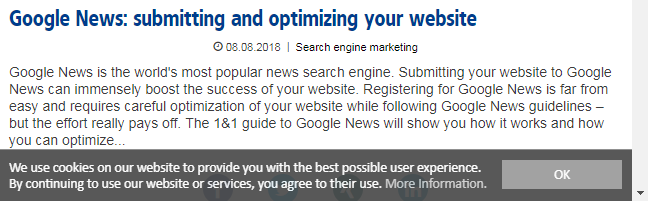
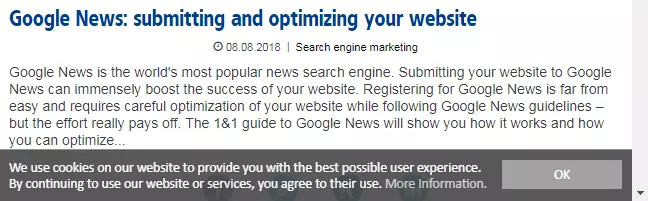
This is how most website operators are doing things at the moment. From easily overlooked hints in the sidebar to full screen pop-ups, you'll find many different text hints as you click from site to site. However, the privacy statements rarely provide settings for individual third-party cookies and their ad servers, so you'll need to resort to other options such as your browser settings.