

Captcha: codes, images and puzzles for spam protection

"Spam will be a thing of the past in two years!" declared Bill Gates at the World Economic Forum in Davos in 2004. A false statement that still makes the internet community laugh today and probably means that the Microsoft co-founder’s name will be on the list of the most spectacularly incorrect IT declarations of all time.
Not even Gates had an idea of how much spam would develop in the next 13 years. Even today, there’s not a day that goes by where internet users aren’t confronted with automatically generated advertising content: be it in their e-mail inboxes, on their favourite blogs, in the comment section of an online shop, or in their website’s guestbook.
In fact, spam bots are getting smarter. These generally autonomous computer programmes search the internet for forms and other interactive webpage elements to place advertisements – and even overcome sophisticated anti-spam procedures.
The captcha has been used as spam protection for a long time. But these annoying puzzles often pose more of a problem for human users than the spam programmes. In fact, recent studies on captcha technology have shown that the established spambots often have a lower error rate when it comes to captchas than humans. Is this the end of captcha codes, image tests, and logic puzzles? We provide you with an overview of the applications of captcha technology, compare different types of captchas, and present other types of spam prevention.
What is a captcha?
Captcha is a method used to protect websites against spam. The goal is to stop interactive websites from being spammed by filtering out automatically generated input. The acronym CAPTCHA stands for 'Completely Automated Public Turing test to tell Computers and Humans Apart'. As early on as the year 1950, the computer scientist Alan Turing suggested a method for testing the intellectual capacity of artificial intelligence. According to the computer pioneer, a machine is able to mimic the human mind when it manages to converse with people in a chat without then realising it is a computer.
The Turing Test went down in the history of AI (artificial intelligence) research and was first passed by a computer programme in 2014: As the first machine in the world, chatterbot Eugene Goostman, succeeded in deceiving more than 30 percent of an independent jury for at least 5 minutes. Eugene pretended to be a Ukrainian teenager with guinea pigs, who was also a big Eminem fan.
What sounds like science fiction, is now one of the core problems on the internet. Interactive websites need to be able to distinguish human website visitors from computer programmes within the framework of Human Verification. More and more sophisticated captchas are being designed to help prevent automated spam and click robots (bots).
What is the purpose of captchas?
Captchas are usually used when web applications require user input. Imagine you are running an online shop and want to give your customers the opportunity to write product reviews in a comments section. In this case, you want to ensure that the entries are actually from your customers or at least from human site visitors. You will often come across automatically generated spam comments – in the worst case linking to your competition.
You can reduce the risk of this happening by protecting online forms with a captcha, by making users verify that they are human before they can submit their comment. Captchas are now found in almost all sectors where human users need to be distinguished from bots. For example, this includes registration forms for e-mail services, newsletters, communities and social networks, as well as online surveys or web services, such as search engine services.
Over time, various methods have been developed to carry out Human Verification. In principle, however, no established procedure offers 100% protection against spam and the captcha technology is often associated with decreased user-friendliness.
What type of captchas are there?
The concept of captcha is based on the assumption that, despite the rapid advances in AI research, there are still differences between the mental capacities of a person and those of a computer programme. Each captcha therefore needs to present a task that is easy for human users to solve, but not machines.
Captcha-based methods for Human Verification can be roughly divided into text and image-based captchas, audio captchas, mathematical captchas, logic captchas, and gamification captchas.
Text-based captchas
The oldest form of Human Verification is the text-based captcha. Known words or random combinations of letters and digits are alienated. In order to continue, a user has to decipher the code represented in the captcha box and enter the solution into the text box. Classic techniques used to create text-based captchas are Gimpy, ez-Gimpy, Gimpy-r, and Simard’s HIP.
The alienation involves distorting, scaling, rotating, or curving the individual characters and even combining them with additional graphical elements, such as lines, arcs, dots, colors, or background noises. The following graphic shows a selection of possible text-based captchas that can be encountered online.
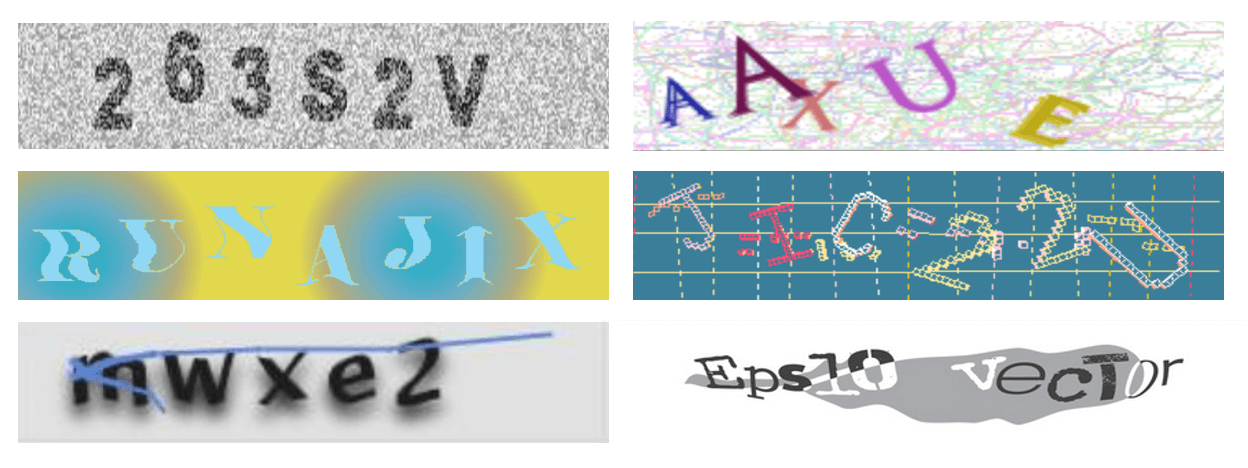
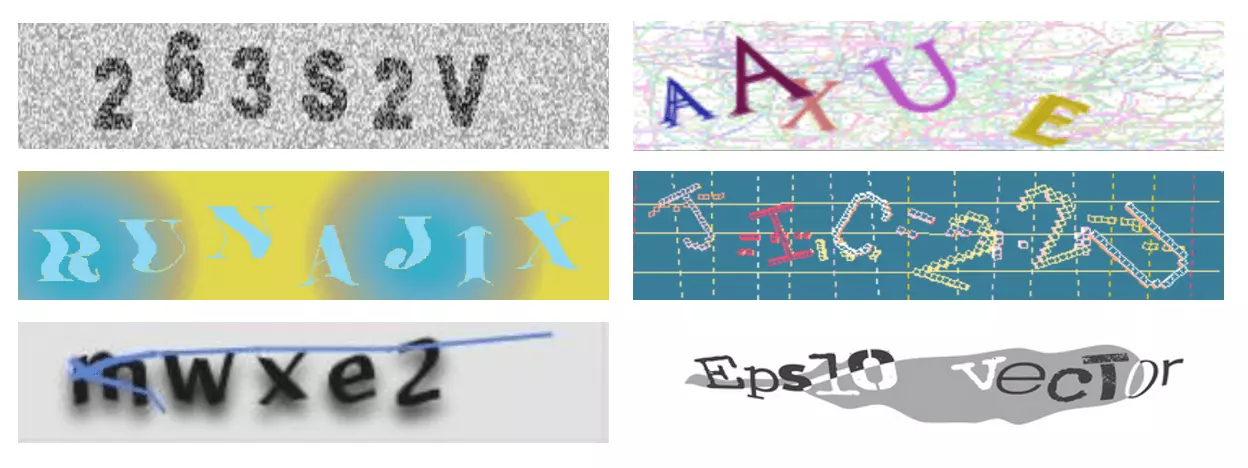
Text captchas only provide reliable protection against spam when the solution can’t be cracked by programmes with automatic text recognition. As a rule, however, this requires alienation, which also significantly limits readability for human users.
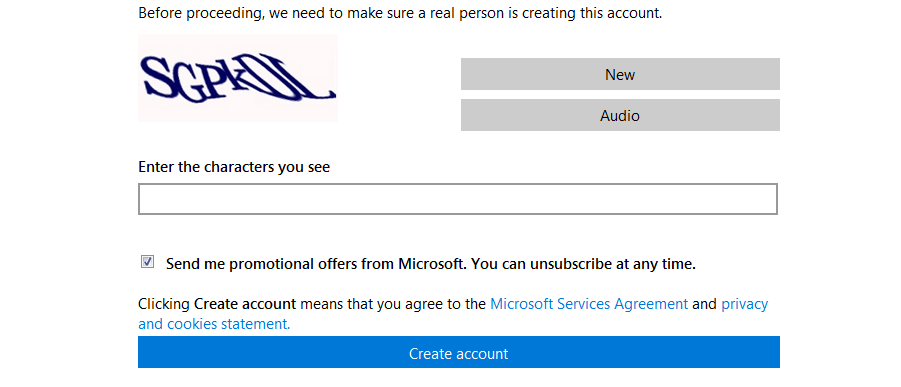
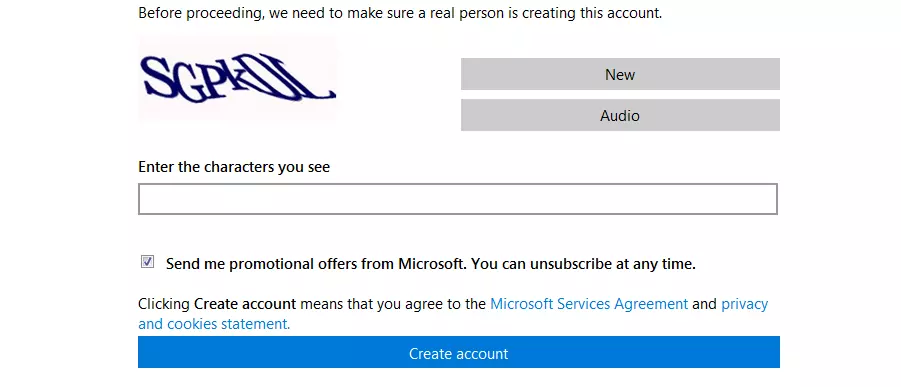
This can be demonstrated with the following examples. If you want to create a free account with Microsoft, you first have to enter letters in the box, so the user would write 'SGPKDL'. Spambots, on the other hand, wouldn’t be able to recognise these contorted letters.


The correct sequence here is '1VYEJX' although the last character is difficult to read as it could either be the letter 'X' or a plus sign '+'. While the first example could pose problems for mature recognition software, but not humans, the example above is even more distorted so that it might even be difficult for human users to solve. Many well-implemented captcha codes offer the option of skipping to the next one if the first one proves too tricky to read. In the above example, the user can click on 'Refresh confirmation code' to be presented with the next sequence, which is hopefully easier to decipher. Despite this option, many visitors do find captcha codes troublesome.
As a result, many alternatives to text-based captcha technology now exist to combat this problem. Google offers a prominent version of the classic text captcha named reCAPTCHA. Instead of generating random words, reCAPTCHA pulls content from various digitalisation projects, such as Google Books or Google Street View. For example, users receive street names, house numbers, traffic signs, and fragments of scanned text sections, which they then have to decipher and enter into a text field. The software always offers two elements – one that is already confirmed, and one that isn’t. In principle, users only need to recognise the first element to successfully complete the captcha. Users, who also decipher the second element, then take part in Google’s Digitalization Project. The input is verified on a statistical basis. The elements, which need to be deciphered, are always presented to several users. The correct answer is the one that is given most often.
The following example shows two differently designed reCAPTCHA queries, which users encounter, for example, as part of community applications.
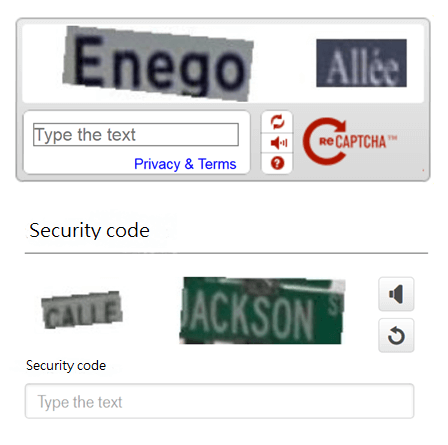
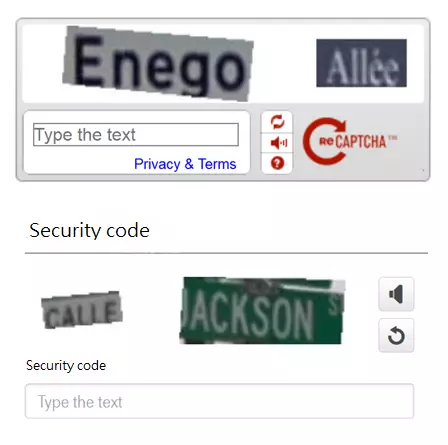
Image-based captchas
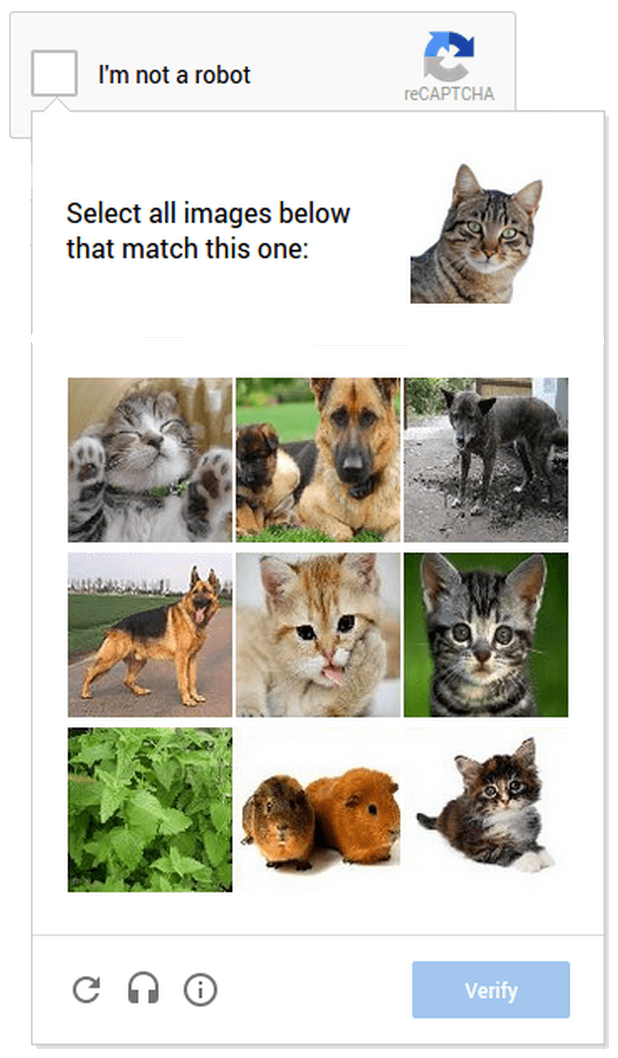
An alternative to text captchas is the image-based method. Instead of presenting users with an alienated solution comprising of numerals and letters, image-based captchas are based on quickly recognisable graphical elements. As a rule, several photos of everyday objects are displayed side by side. The user has to click on the images that are similar to the original image, or to show which ones represent a semantic content.
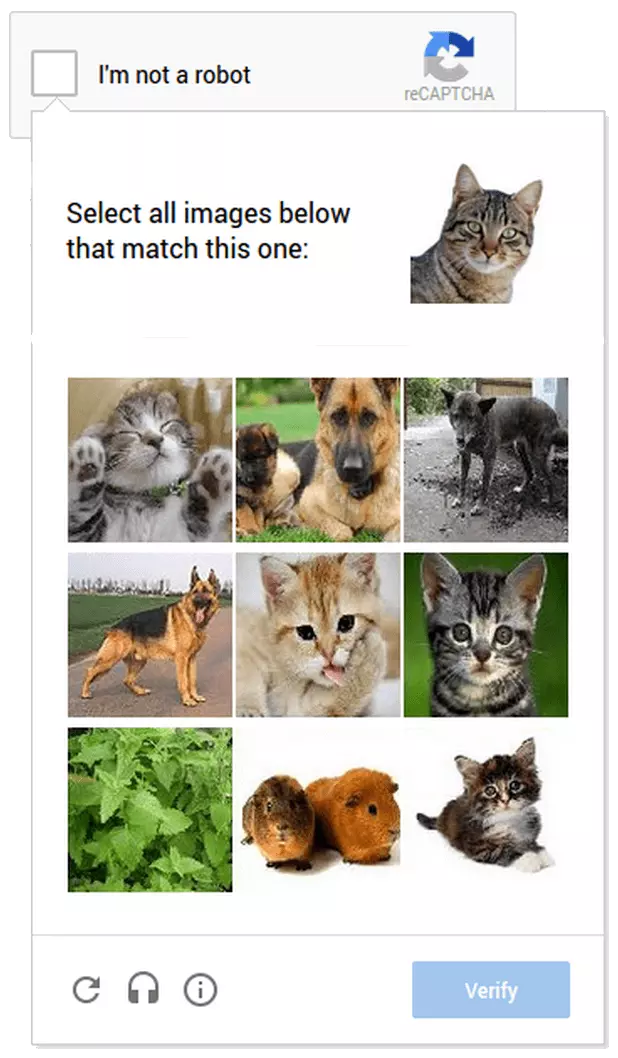
This next example shows a cat as the main image. The user then has to decide which of the other 9 photos depict cats, and then click on them in order to complete the captcha.
Google alternatively uses captchas from Google Street View where users are asked to enter a house number or street sign into the text box.
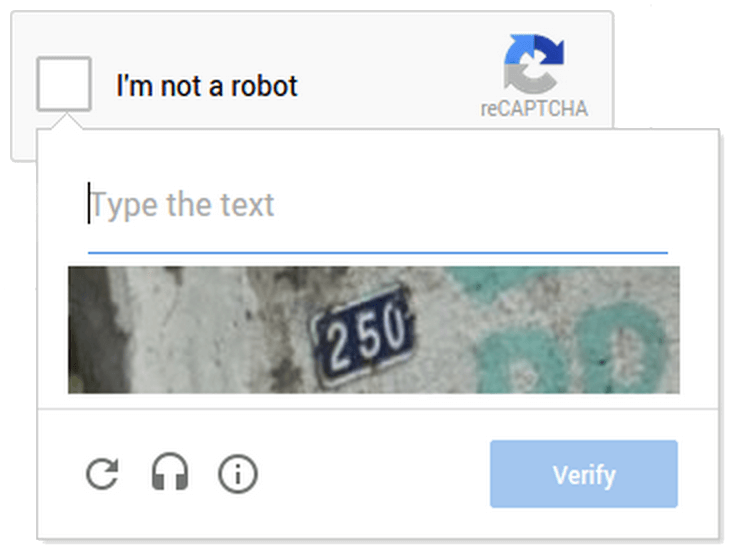
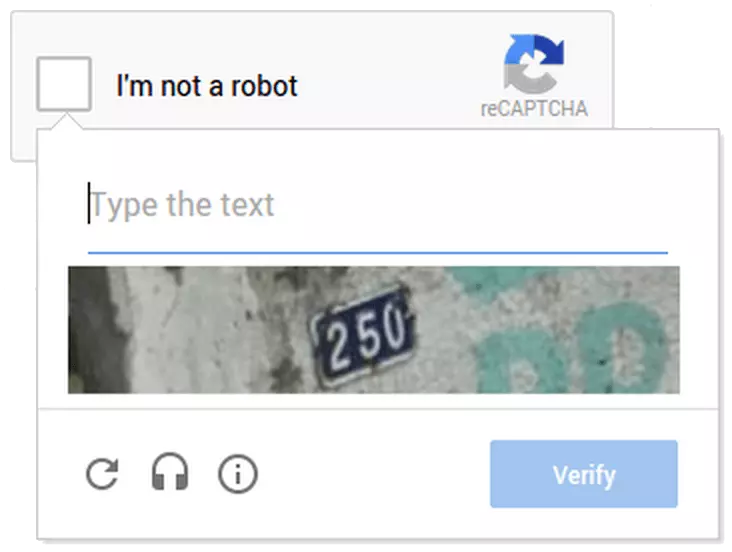
It only takes a few seconds for most users to solve an image-based captcha. However, a computer program’s ability to capture a depicted image, then classify it semantically, and then work out similar ones, is somewhat limited. Image-based captchas therefore give more protection than text-based methods.
Audio captcha
Text and image captchas can be assigned to the graphical Human Verification process. Whether a human user can easily pass this step depends on how good their ability is to recognise the displayed text or image information. How will a visually impaired person be able to read a captcha? Website operators should ensure that their selected captcha method has several solutions to increase their website’s usability.
So that visually impaired people can also successfully solve captcha codes, text-based or image-based test methods are usually combined with so-called audio captchas. There’s often an extra button that the user can press in order to hear an audio recording, e.g. a short sequence of numbers, which is then entered into the input field.
On the example below, you can see the volume button to the right of the text box:
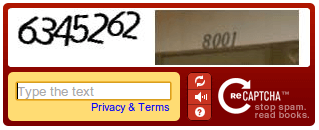
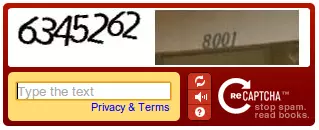
To ensure the captcha is as user-friendly as possible, the recorded audio should be easy to understand and adapted to the user’s language.
Mathematical tasks and logic captchas
A captcha alternative, which also takes into account the needs of the visually impaired, relies on mathematical tasks or puzzles to filter out spambots. A task like the following can be read out with a screen reader, if required, meaning that it can also be used by users with non-visual output devices.
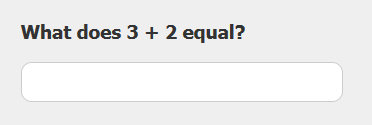
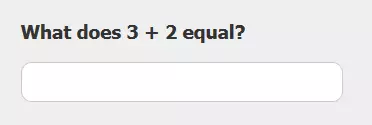
These mathematical equations are simple to solve, but the problem is that they aren’t much of a hindrance to computers since computer people are good at dealing with numbers. This type of captcha is therefore often combined with various kinds of text alienation so that it’s impossible for screen readers to make sense of it. It is much more difficult for programmes if the result isn’t a figure, but rather a word, or if only a single digit of the result has to be entered (e.g. calculate 7 x 7 and only enter the first digit of the result in the box. The result would be 49, so the captcha solution would be 4).
In addition to computing tasks, logical tasks and general knowledge questions are also used as captchas. Often with thematic reference to the respective website. In a forum about SMF (Simple Machines Forum) software, the visitor must answer two questions about the subject before they can proceed with the registration.
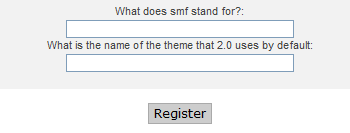
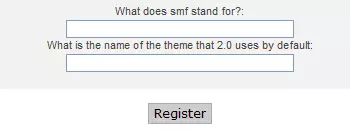
Logic captchas are comprised of questions that may seem trivial to human users. However, classic spambots are usually not able to understand the context in the following examples.
Name all the colours in the list: apple, green, banana, tomato, yellow (answer: green, yellow)
Enter the fifth word in this sentence (answer: in)
What is the third letter of the penultimate word? (answer: n)
How many udders does a cow have? (answer: one)
These kind of captchas are usually designed in such a way that several answers are possible (e.g. upper and lower case letters).
Gamification captchas
Website operators, who are worried about scaring their visitors away with cryptic text captchas or tricky math problems, should take advantage of the gamification trend. Providers such as SweetCaptcha and FunCaptcha offer entertaining mini-games, which are known as gamification captchas.
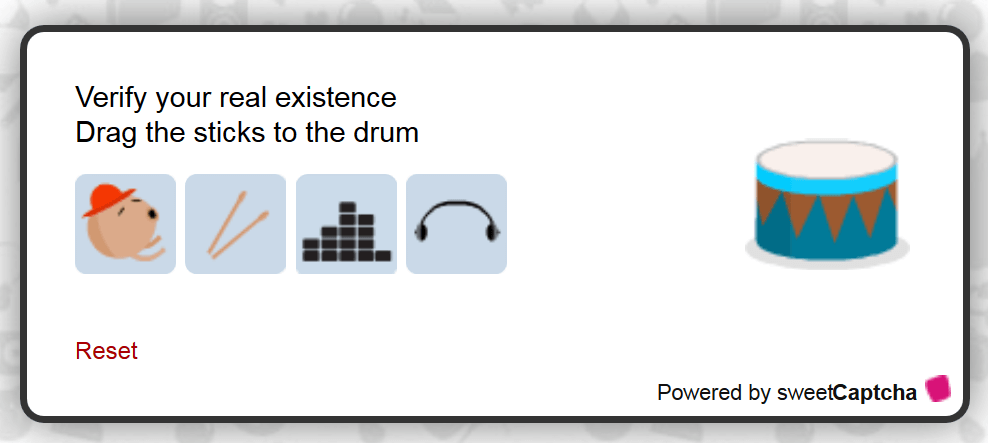
SweetCaptchas rely on people’s ability to associate and present website visitors with simple assignment tasks. The following example requires the user to drag the drumsticks to the drum to prove that they are, in fact, human.
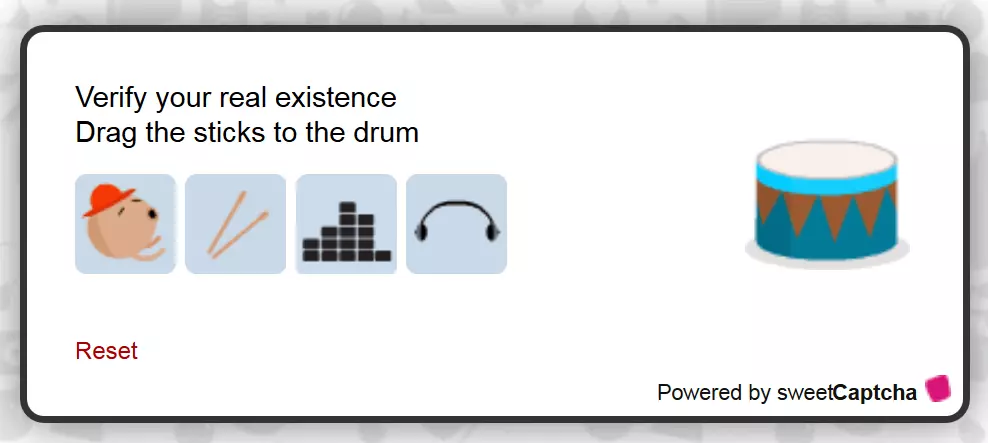
SweetCaptcha uses a variation of classic puzzle captchas, in which users have to drag and drop picture elements into the correct position.
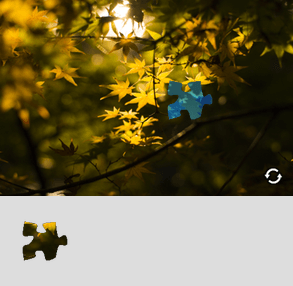
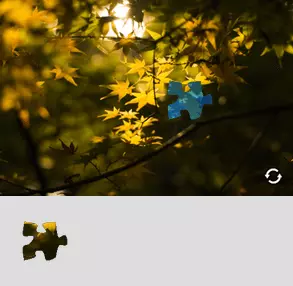
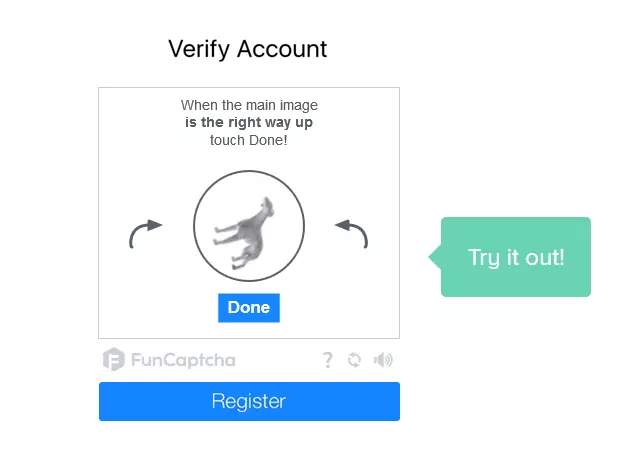
With FunCaptcha, on the other hand, everything revolves in a circle. Use the arrows to position the dog correctly, then click on 'Done'. If the dog is the right way up, the software will allow you to move onto the next step.
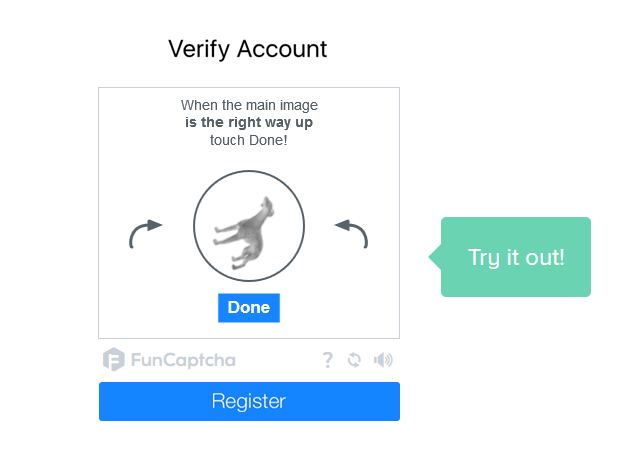
Admittedly, it’s not the most fun you could have, but a gamification captcha does look better than a distorted text snippet.
Advantages and disadvantages of captchas
If a captcha is capable of warding off spambots, but allows users to easily pass through, this considerably reduces the amount of administration needed for the website. Site operators, who offer user-generated content, won’t need to manually verify posts. In addition, the server will be significantly disburdened when automatic inputs and queries are already blocked before the system’s resource-intensive reactions come into play. But what makes a good captcha? AI research is making steady progress. Specialised programmes are becoming better at reading distorted texts and solving logical problems. In 2014, a Google research team published a concept, with which 99.8% of classic reCAPTCHAs could be automatically solved. The database used 10 million annotated house numbers generated via Google Street View. Many captcha providers are trying to compensate for advancements in machine learning by making the tests even more difficult. In practice, however, captchas end up being unsolvable. In 2010, researchers at Stanford University revealed that many captchas present a big challenge for human internet users. In a study, more than 1,100 people were asked to solve more than 318,000 captchas from the most common schemata at the time. On average, the test subjects completed the graphic captchas in 9.8 seconds. For audio captchas, the subjects needed more than three times as much time, taking 28.4 seconds on average. When the same graphic captcha was shown to three different people, they only came to the same conclusion in 71% of cases. With audio captchas, this number was down to 31%. In addition, the researchers recorded a bounce rate of 50% for audio-based captchas. Whether Human Verification is used and how this is implemented, affects how the visitor sees the website and how much they decide to interact with it. In 2009, the SaaS company, MOZ, published a blog article on how much captchas affect conversion rates of web forms. In a case study, YouMoz author, Casey Henry, examined more than 50 different company websites over a period of 6 months and concluded that the conversion rates of online forms (e.g. in regards to newsletter subscription) fell by an average of 3.2% when captchas were activated. However, spam was reduced by 88%. In particular, companies that generate their income from user interactions on their site should consider whether a bounce rate this high is acceptable. The costs of alternative anti-spam methods need to be offset with the income lost from captchas being used.
Captchas and accessibility
It is difficult to choose suitable captcha technology for website operators who want to make their internet services easy to use for those with impairments. The internet can offer relief to many users who are living with limitations. Despite this fact, many online services aren’t 100% accessible to everyone. Captchas can make things more difficult e.g. if the user can’t solve them due to limited vision or hearing. The Web Content Accessibility Guidelines (WCAG) from the Web Accessibility Initiative (WAI) of the World Wide Web Consortiums (W3C) addresses the problem of accessibility regarding captchas and specifies the following points as minimum requirements for accessible captchas:
- If non-text content (i.e. a graphic) is used to distinguish human users from computer programmes, a text alternative should be provided that explains the purpose of the non-text content.
- If captcha technology is used, it should be designed in such a way that alternative solutions are available that take different forms of impairment into account.
Besides these minimum requirements, it’s recommended to always embed captchas with accompanying text. Website operators using captchas as a means of spam prevention should ensure that users understand how they can verify themselves as human users. This includes easy-to-understand instructions on the Turing test in machine-readable text form as well as sufficiently-labelled input fields. Users should always have the option to skip an unreadable captcha and retry with a new one if the answer they entered was incorrect. In addition, captchas should never be the only way to use a website. As an alternative, you should always provide the user with the option of contacting the administrator or customer service. You’re also recommended to keep the use of captchas to a minimum. If a user is already successfully logged onto the system, no further captchas should be needed for verification.
Are there alternatives to captchas?
Even though captchas seem to be everywhere today, the methods based on the Turing test aren’t the only way to secure interactive websites against spam. As early on as 2005, the WAI developed a proposal catalogue without captchas: 'Inaccessibility of CAPTCHA – Alternatives to Visual Turing Tests on the Web' with the Working Group Note 23. Over time, numerous methods have been established to identify automatic queries and inputs.
- Black lists: If you notice that lots of spam or automatic queries are coming from a specific source, you can block the IP address by adding it to a black list, which you can create manually via .htaccess. All IP addresses on the black list will be blocked from contacting you in the future. Alternatively, there are various anti-spam networks as well as professional service providers, which provide centralised, continually updated black lists.
- Honeypots: Some website operators expose potential black list candidates by setting up online forms to lure cyber attackers in. These decoys are known as honeypots and work by providing input fields hidden from users via CSS or JavaScript. Simple spam bots, on the other hand, usually only read a website’s HTML code and fill in the hidden fields with automatically generated content. This is a clear indication that the interaction with the website isn’t through a web browser and therefore not performed by a human.
- Content filter: One way of preventing comment spam on blogs, in online shops, and on forums, is to use a content filter. These also work with black lists. To do this, website operators need to define 'hot words', which are frequently used in spam content, so that the entries can be automatically identified as computer-generated. If content filters are used, however, there is a risk that contributions by human users will also be blocked if words they’ve used appear in the black list.
- Server-side filtering: Most web servers use a filter software, which makes it possible to detect abnormal interactions with certain areas of a website, which limit the damage that spambots can cause. Spam filters are based on static, heuristic, and behavioural analyses in order to be able to identify unusual characteristics and known patterns. Spam filtering analyses are based on the user agent’s technical characteristics. The scope of the requested data, the IP address, the data entry methods used, as well as signature data and previously visited websites, are analysed. In addition, it is possible to calculate using time stamps how much time has passed between an online form first being displayed and being filled in. In contrast to human users, spambots are particularly fast when completing forms.
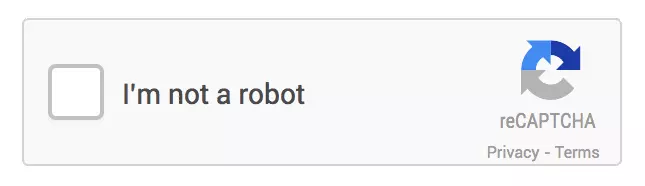
A widely used alternative to the classic captcha, which is based on behavioral analysis, was also created by Google. Google has offered the Human Verification service named 'No CAPTCHA reCaptcha' since 2013. It reliably protects interactive websites against spam and, in most cases, doesn’t require a captcha. Instead of providing users with a visual, auditory, or logical context, Google’s new reCAPTCHA is just a simple tick box.
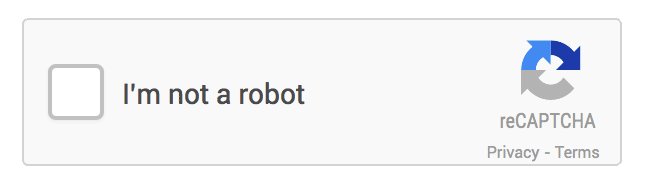
If the user ticks the box next to 'I’m not a robot', the software runs a check in the background to work out the probability of this being an automatic input by using advanced risk analysis. The company won’t reveal which test steps this testing algorithm includes. The following features have been discussed, however:
- Cookies
- IP addresses
- Mouse movements in the tick box area
- Length of stay
If the software concludes that it’s a human user, it lets them continue without a problem. If the result of the analysis shows that there might be a high spam risk, a captcha has to be completed. No CAPTCHA is therefore an upstream test method, which decides whether Turing test verification is necessary or can be skipped. Usability is increased, but this could lead to data protection problems. Website operators using the new reCAPTCHA automatically submit their users’ motion data to Google. Users must therefore be told that third-party software is being used to prevent spam. Google specifies the general conditions of use as well as global data protection declaration for the new reCAPTCHA. This is also the case with other Google services. You therefore can’t rule out that Google won’t use the data collected to optimise its own services, for example, in advertising. This issue is discussed in an article from the online magazine, Business Insider. On the current website of the reCAPTCHA project (as of January 2017), Google announced Invisible reCAPTCHA, which is a development of No CAPTCHA reCAPTCHA, but without the interactive tick box.
In theory, the Invisible reCAPTCHA works as follows: if a user completes an online form, various analysis processes take place in the background, but Google still won’t reveal what they are.