

What does Google know about me?

Whenever you use a Google app, you agree to their terms of service. Every single Google ToS tells you that they collect personal information. This includes search history, websites visited in Chrome, GPS location on Google Maps, IP address information, and much more.
Data collection and security in the age of Google
There’s a saying: ‘If something is free online, you’re the real product’.
What could be so special about you that Google is willing to run awesome services like YouTube, Gmail, Docs, and Search without ever charging you? Your personal information. You become their product as they serve targeted advertising to you based on every breath you take and every move you make.
How deep do they dive to serve relevant ads? One look at the Google Ad Services console should tell you most of the story. At minimum, they combine your age, location, search trends, and travel habits to place accurate ads. But if you use a bunch of their services, have an Android phone, and aren’t using any kind of proxy, they have so much more at their disposal.
Increase your reach in Google searches with Google Ads Management from IONOS. Make your targeted ads appear in related Google searches.
Which data is Google allowed to collect?
Google data security and usage policies tells you the non-anonymised data that the company collects. This is important because their pseudo-anonymised data is so much more insidious.
Sure, you can lie about who you are, but you can’t completely dodge the obligation to provide personal data. Whether or not you log in, at some point you have to agree to the Google Search privacy policy and ToS. If you do create a Google account and log in, you agree to all that and willingly provide a bunch of personal data.
You can delete your Google search entries. There is also the right to be forgotten. But none of that helps. If you continue to use Google products, they have the right to keep collecting your data.
The non-anonymised information that Google collects includes:
- Usage data for Google services and apps
- Telephone number
- Credit card details
- Email address
- Searches
- Photos
- Calendar entries
- Contacts
Google also collects a range of end device data like IP address, info on the make and model you’re browsing on, and SIM card numbers. VPN service are a good way to avoid them knowing your IP address.
Take a look at a rundown of the top search engines and learn about what they do with your data.
What data does Google collect anonymously?
To really answer the question of ‘what does Google know about me’, we need to dig deeper. Non-anonymised data doesn’t even come close to their total knowledge. In fact, most of the data they collect from you is either anonymised or semi-anonymised.
How? By analysing your device, network, and browser parameters, Google performs a kind of browser fingerprinting on you. What that means is that even if you use a VPN service, and even if you lie about your identity, they simply assign a number to you and track your habits. 95% of people who have scripting turned on can be tracked in this way. Some methods include:
Canvas testing: The website opens an invisible canvas that appears behind your browser window, and determines draw speed, browser dimensions, menu bars, colour depth, browser version, OS version, fonts, and more.
Sound testing: Using brief tones above or below human hearing, a test is run that also pulls up your audio preferences. This determines your audio drivers, sound card, microphone and headphone capability, your preferred formats for A/V playback, and more.
Helper app testing: Any apps that are linked to the browser and are script-accessible, which would be most addons and resident firmware programs, are queried. This results in a partial or full plugin list, time zone, geolocation settings, battery status (or the lack of a battery), keyboard layout, and more.
The combination of all these statistics, taken over time, will render most people unique. Google doesn’t need your name at that point. They have your number, and they can serve incredibly personalised ads without ever needing your photo ID or address. All it takes is any correlation (social media posts, business information, etc.), and they could easily correlate your real-life data with that generated ID number.
Can you stop this? Yes, but there are only two highly effective ways at the moment.
- You can turn off scripting (which breaks most websites and apps on the internet), never use public WIFI, always use Tor Onion browsing (far slower than normal, as it needs to pass through three extra nodes), and use an ad blocker.
- Or you can use a cloud or other virtual machine to remotely open a browser and stream the browsing results back to your client. This sets up an information gap between you and advertisers. All they get is the browser and virtual hardware statistics of a generic Linux machine that randomly shifts certain attributes every time. Over the long term, your profile will be completely amorphous. It’s like trying to tackle water.
These options are either painful or highly technical. Third party services that provide streaming virtual browsers are still in development (the most promising recent entry being Hoody, but they’re still pre-launch).
According to Google, they use the data to improve user experience by resizing websites, changing sound options, and the like. But their new advertising model in the wake of phasing out third-party cookies says differently.
Google’s new ad platform for 2023 is something called Topics API. They refused to adapt to most of the industry’s privacy concerns. Big advertisers will have a browser fingerprinting advantage over smaller ones. These are all things that the former version of the project, FLOC, was supposed to address. But it was scrapped in favour of Topics, and now there’s no going back.
How do I find out what Google knows about me?
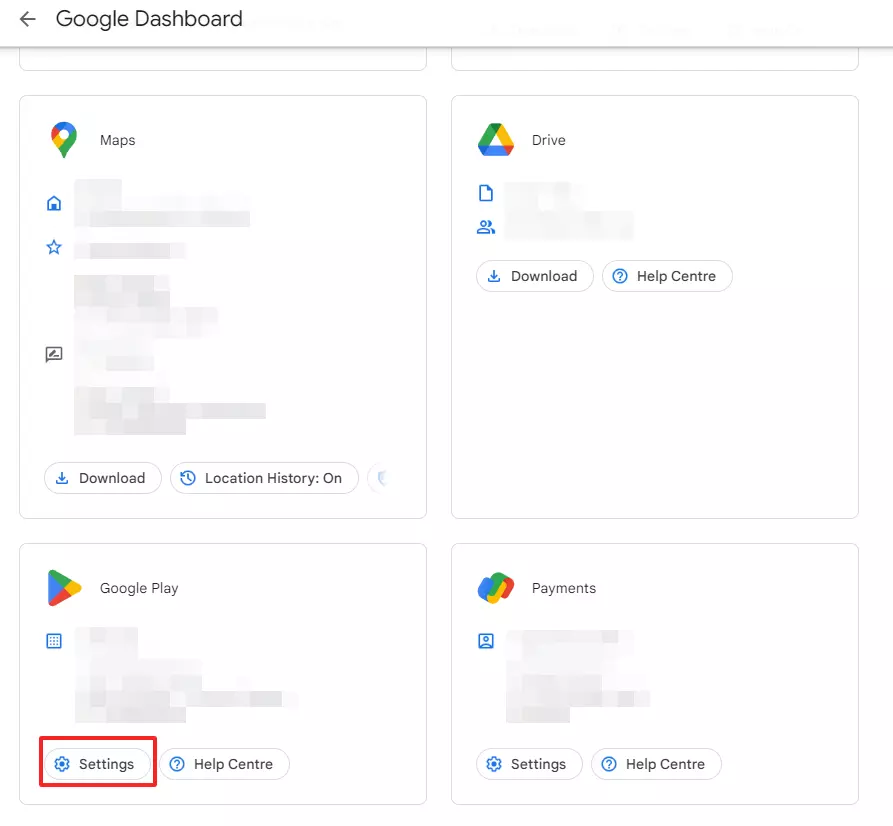
In your Google Account dashboard, you can see what is being collected non-anonymously in the Data & privacy section.
Individual Google apps and services collect differing amounts of information. The privacy settings on each can be used to reduce this to a minimum, but never below what is stated in the ToS.
What data does Google stores via its browser
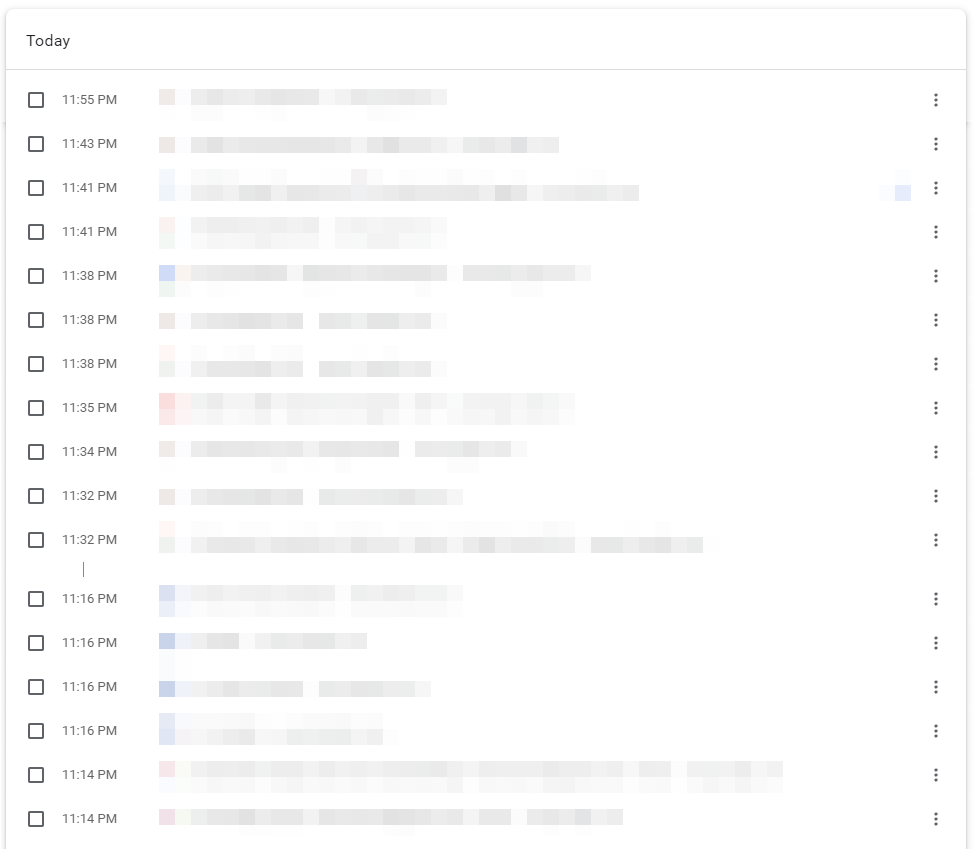
Chrome stores all your search queries and website history in the browser if you’re logged in and not in Incognito mode. With Device Sync enabled, your open tabs can be shared across devices.
Viewing your Google Chrome browser history:
- To view your Chrome browser history, click the three dots to the right next to the search field.
- Select ‘History’. This displays a list of your search queries.
- Another click on ‘History’ shows the full overview. You can view it using the key combination [Ctrl] + [H].

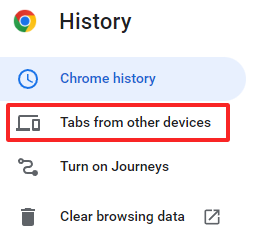
- You can also view ‘Tabs from other devices’ to view the Chrome browsing history of your smartphone, for example.
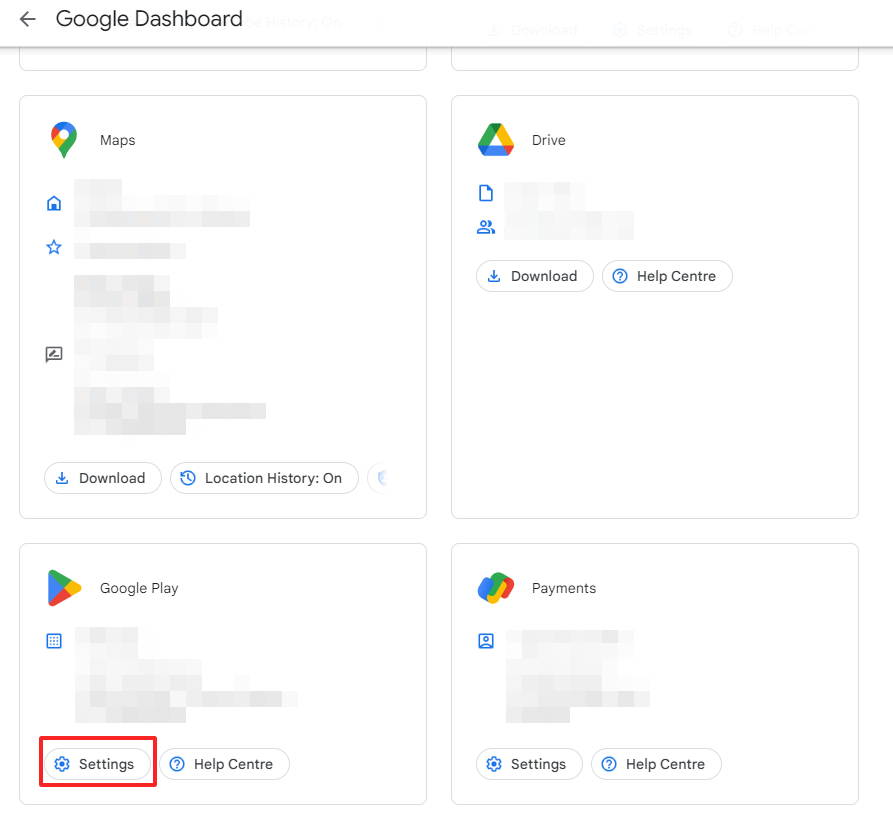
Manage your settings in Google Dashboard
The Google dashboard lets you view accounts, account services and change the settings to fit your preferences.
Your team synergises more effectively with Google Workspace from IONOS. Use Google’s group and individual Gmail, Docs, and Calendar to make collaboration easy.
How to block collection of data
Here are a few ways to restrict Google from collection your history and browser data:
- Adjust your browser settings from your account if you use Chrome.
- Use Firefox instead of Chrome.
- Use Google alternatives to search online.
- Switch off location tracking in Google Maps.
- Use alternative services such as LibreOffice or OpenOffice instead of Google Docs.
If you use Google services, you’re paying with your data
Google’s services are wonderful. They benefit from decades of perfecting the user experience. Large portions of the world simply don’t function without Google Search and Android OS.
The cost of this is giving them copious amounts of user data. And browser fingerprinting under the new Topics API is going to make that collection even more complete.
If you want to reduce the data Google collects about you, adjust the settings in each Google service and app. They’ll still collect core data, however. If that disturbs you, stop using their services and OS.