

How to use ChatGPT API

With ChatGPT API keys, you can use OpenAI’s ChatGPT API features for your websites or apps. We’ll show you how to generate keys and use the API.
What is the ChatGPT API?
ChatGPT can not only be used online via a free OpenAI account. It can also be integrated into your projects. In March 2023, OpenAI released an API programming interface, more commonly known as an API, to support developers. This API is used to exchange data and functionalities between applications and projects. By leveraging intelligent speech generation and text creation in your services via the ChatGPT API, you can expand your opportunities in online marketing, customer service, and product development. ChatGPT uses transformer neural networks for intelligent natural language processing. To do this, the chatbot uses publicly available data and information from search engines like Google and other databases, among other things.
Chatbots in online marketing are a great example of this. They play an increasingly important role in improving services like Google or Bing. This is already evident in the speed with which Microsoft expanded its partnership with OpenAI after the release of ChatGPT. In a very short time, Microsoft made its own AI-powered copilot chatbot in Bing available with the help of ChatGPT. Thanks to the API, other developers can use ChatGPT’s features for their own projects.
Find out more about the basics of ChatGPT in our articles on artificial intelligence and deep learning.
How do you use ChatGPT’s API?
There are some requirements to using ChatGPT’s API to develop or optimise your own software. These include:
- OpenAI account: All users who want to use ChatGPT or the ChatGPT API need an OpenAI account. To do this, register on the OpenAI website with your email address, name, and phone number. You can also use an existing Google or Microsoft account. It’s free to create and takes about a minute. If you already have an account with OpenAI, you can use it for the API.
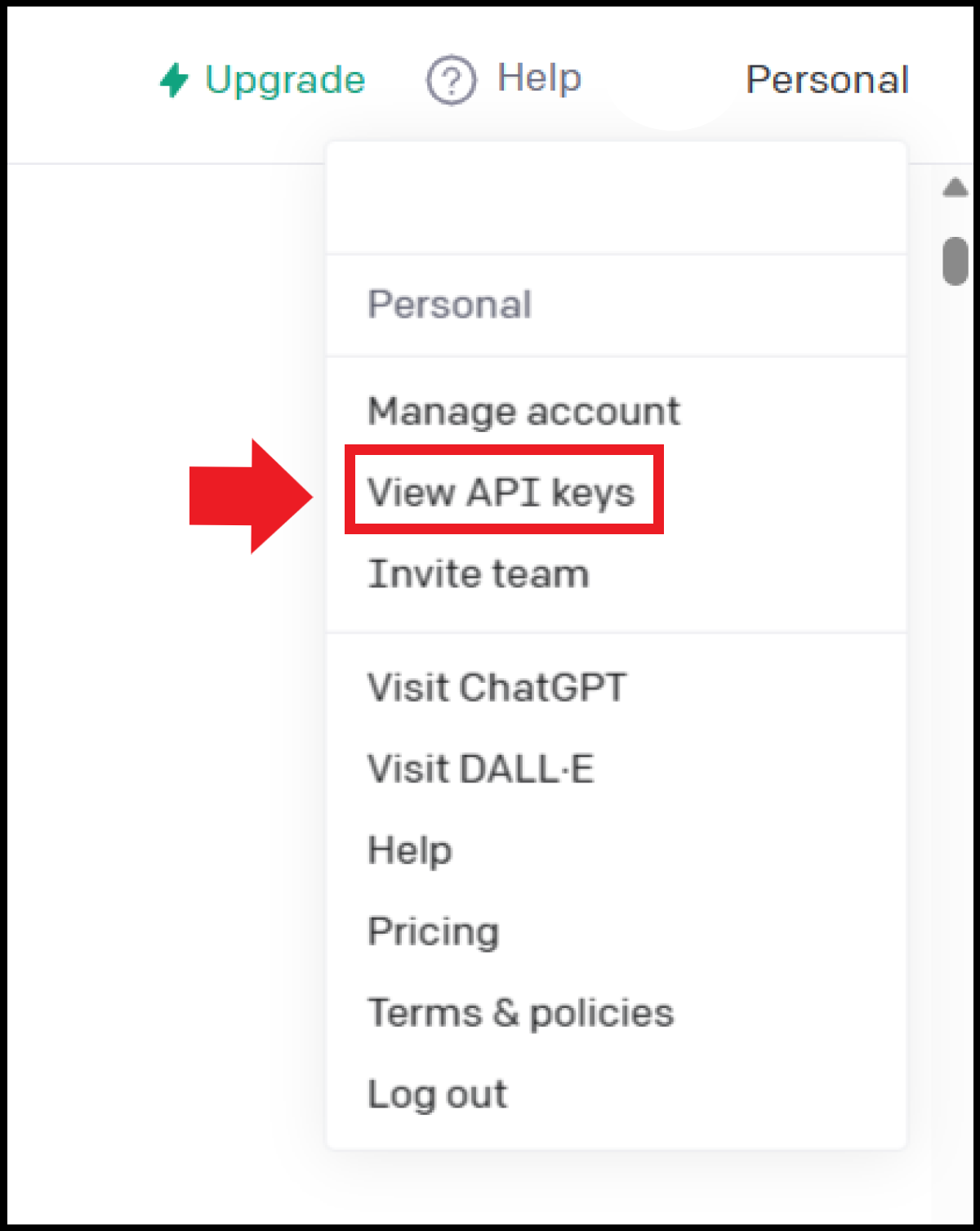
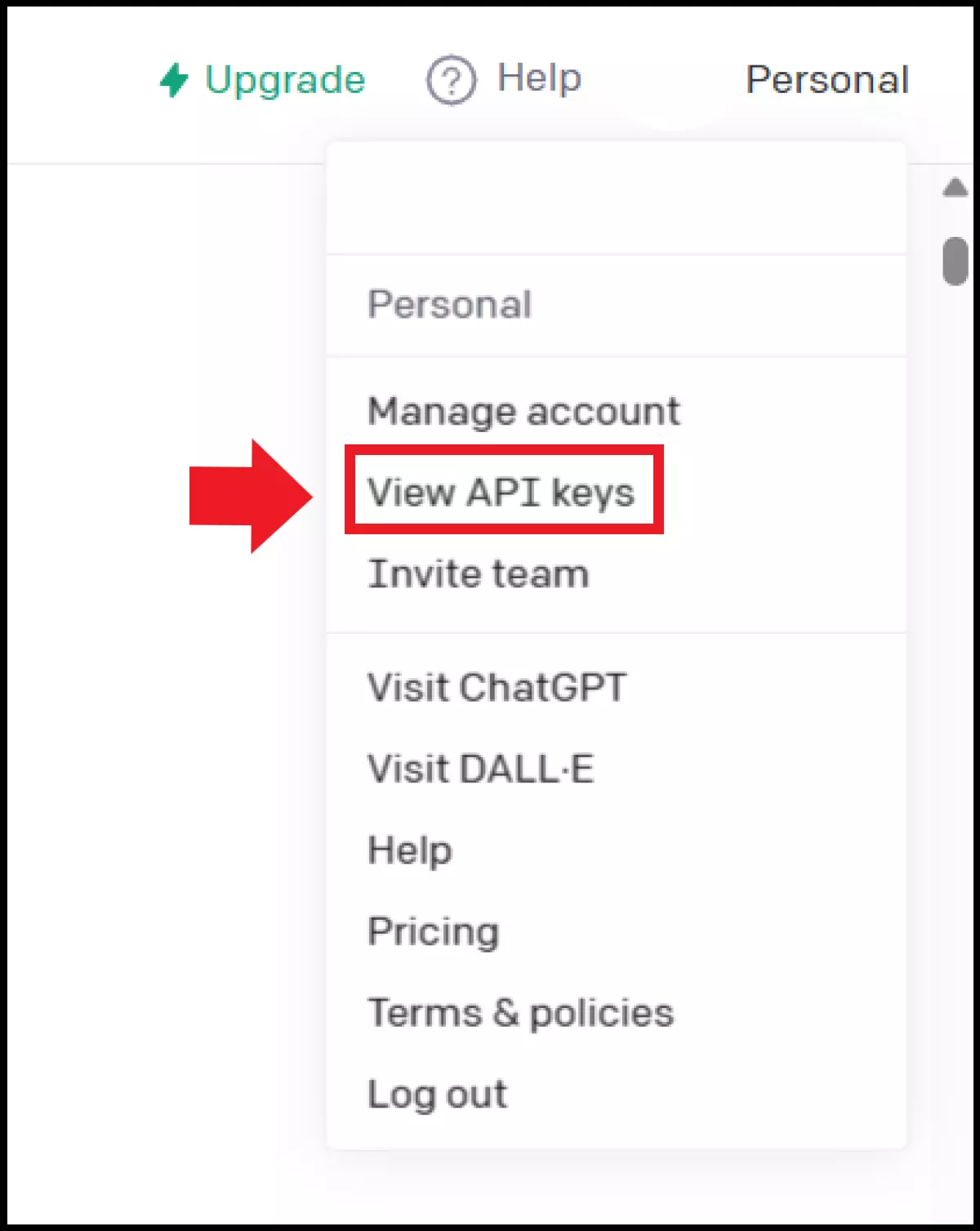
- ChatGPT API keys: To use ChatGPT’s API, you need an API Key to give you authorised access. You can create these via the item ‘View API keys’ in your account menu or via a direct link to ChatGPT’s OpenAI API keys.
- ChatGPT integration: You can now use API keys to integrate ChatGPT’s text- and voice-based functionalities directly into your websites, applications, or projects.
- 100% GDPR-compliant and securely hosted in Europe
- One platform for the most powerful AI models
- No vendor lock-in with open source
How do you request ChatGPT API keys?
Creating and integrating API keys are at the heart of the ChatGPT API, because without authentication keys, you don’t have access. That’s why we’re dedicating the next section to ChatGPT API keys, to show you how to create a key and where to find your API keys:
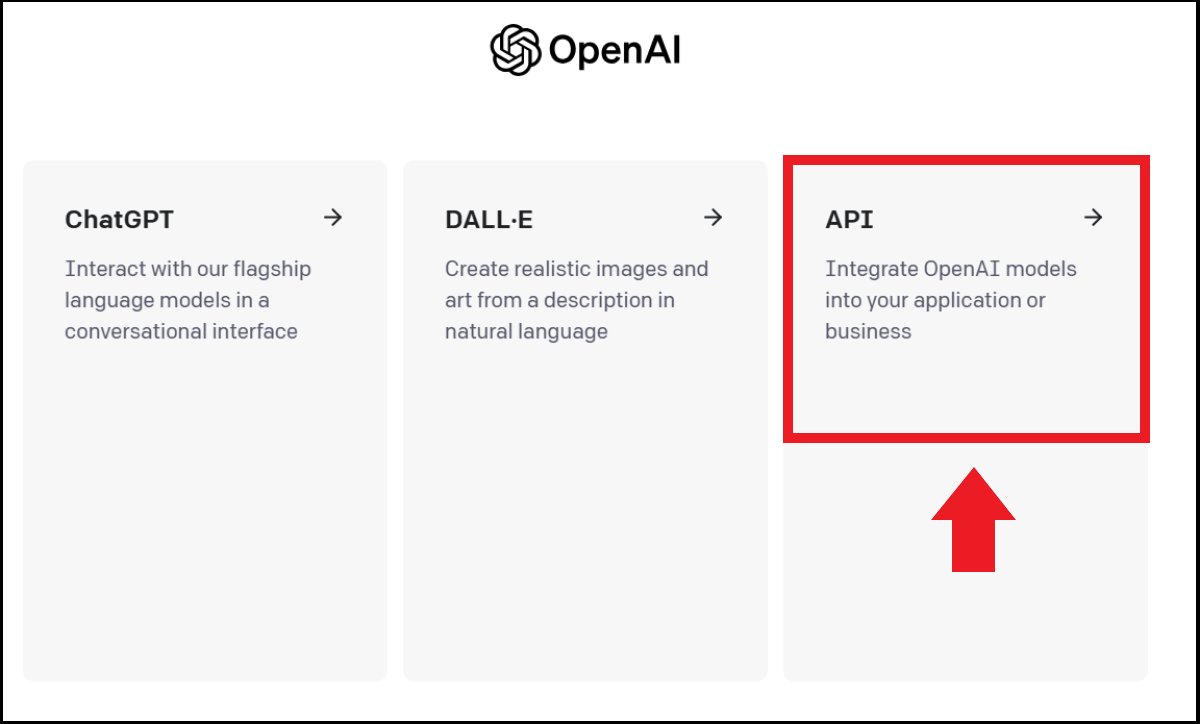
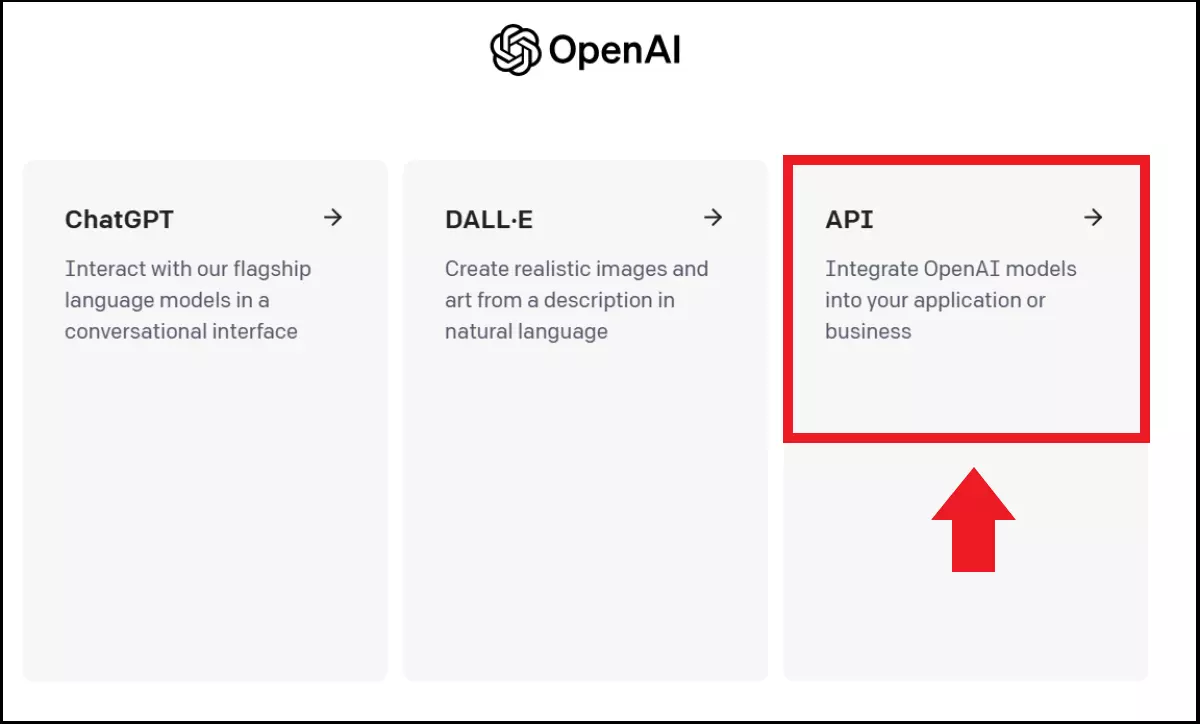
Step 1: Log in using your OpenAI account or your linked Google or Microsoft account. Here you’ll see the item ‘API’.
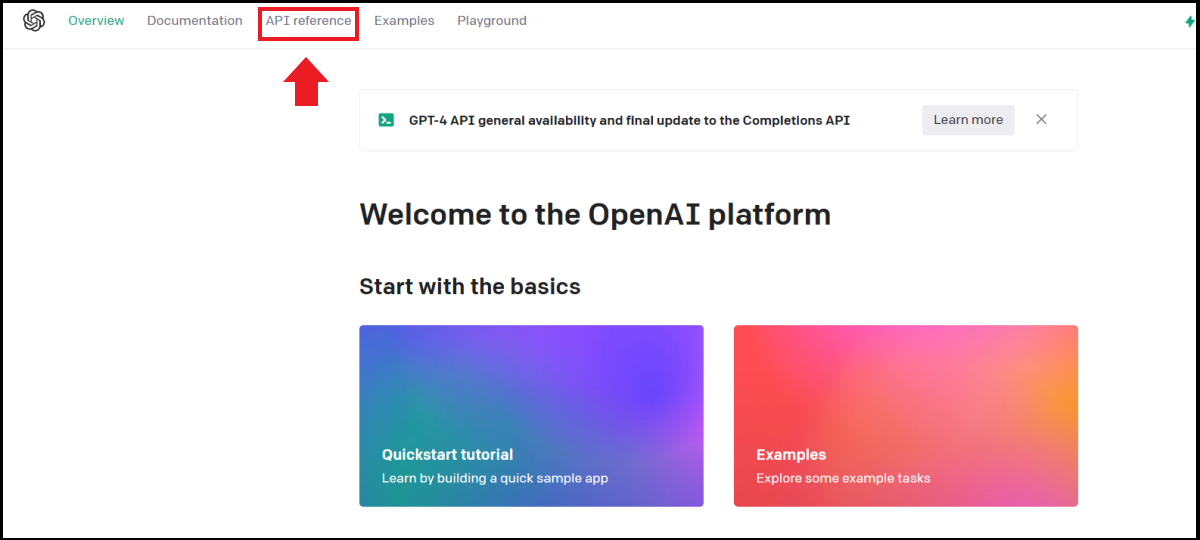
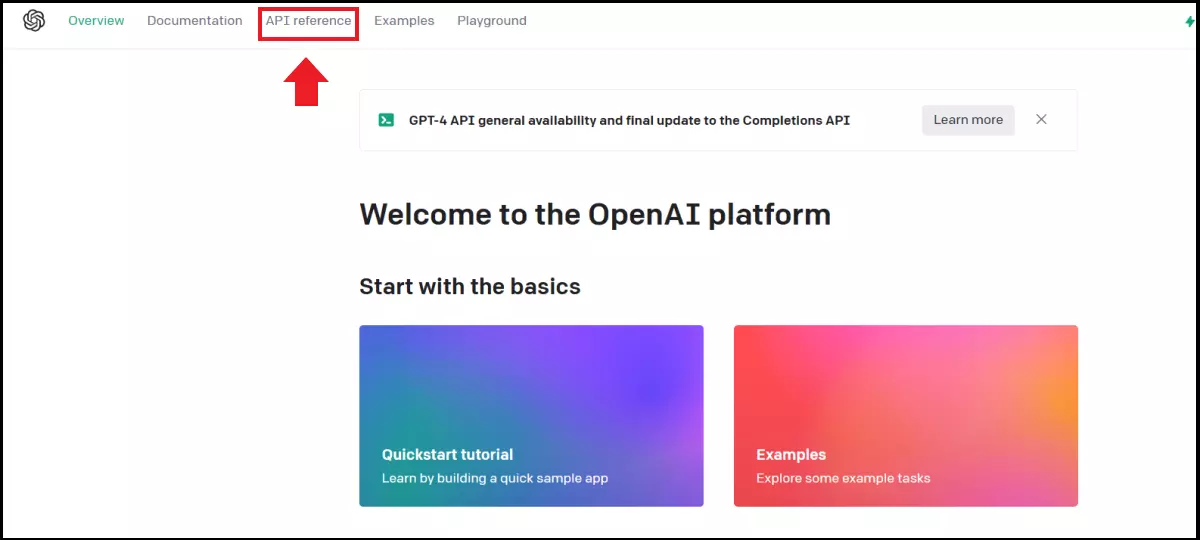
Step 2: Detailed information on the purpose and application of APIs can be found in the OpenAI menu under ‘API reference’.
Step 3: Go to ‘View API keys’ in the menu or go directly to the page for OpenAI API keys. Here you’ll find API keys that are already created and in use with information on when they were created and last used.
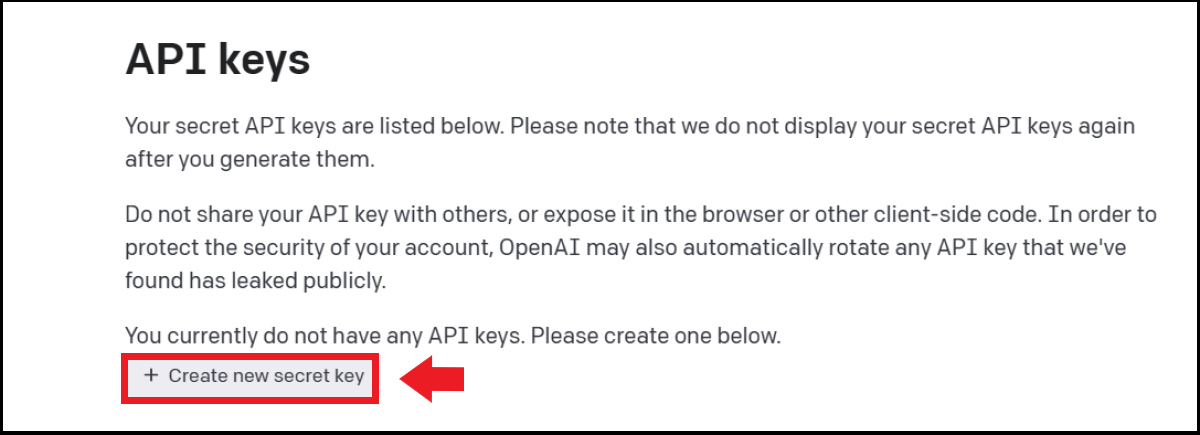
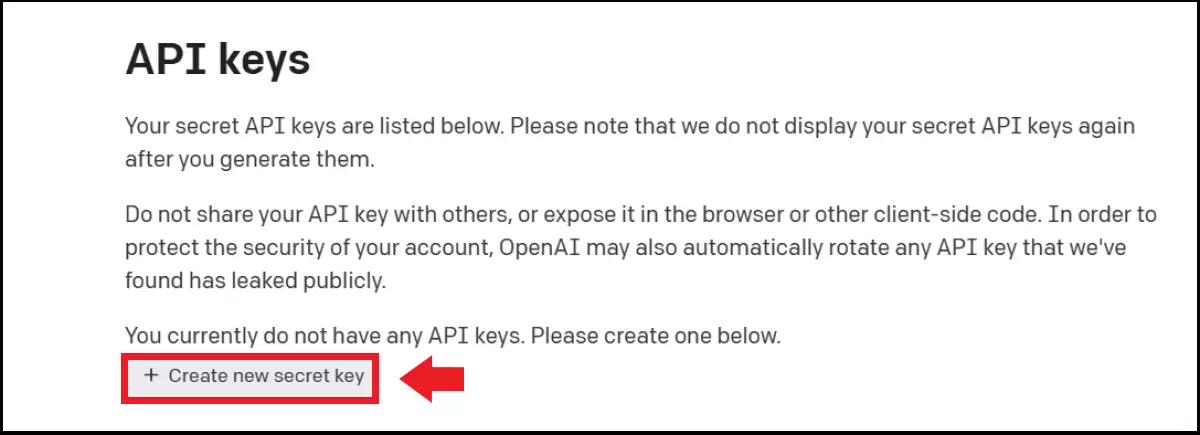
Step 4: Create a new API key by clicking on ‘Create new secret key’. You can now use the generated key for your own applications or services. Each key provides access to GPT-4 functionalities as well as ChatGPT models.
Not only does OpenAI let you create keys in the API Keys menu, it also gives you access to API documents, tutorials, and examples. You can even test out the functionalities in the OpenAI Playground first. Here you can learn how to integrate a chatbot via the API, how to embed ChatGPT in programs, complete code, or use image generation and text completion.
- DNS management
- Easy SSL admin
- API documentation
How much does the API cost?
Unlike an OpenAI account, using the ChatGPT API and API keys isn’t free. Depending on the number of words generated through ChatGPT’s API, you’ll pay a certain amount. This is calculated in tokens from OpenAI. It’s good to know that the paid use of the API isn’t included in the paid subscription for ChatGPT Plus. Subscribers will be charged an extra $20 ( around £17) per month. New users will also receive $5 (around £4) worth of free tokens, which they can use to test the API playground.
Roughly speaking, you can plan for the following costs. Although the specific costs are still subject to changes by OpenAI:
- About 750 words equals 1,000 tokens
- With GPT-4, 1,000 tokens cost about $0.03 to $0.12 (around £0.025 to £0.10)
- With GPT-3.5 Turbo (Davinci version), 1,000 tokens cost about $0.02 (around £0.016)
- To avoid unmanageable costs, the maximum amount can be capped
Our Digital Guide is packed with more how-tos to help you with other API keys:
Reviewer

Christian Heldmaier
Christian Heldmaier is an experienced online marketing and SEO specialist from Karlsruhe. He has been working as an SEO Manager at IONOS since July 2020.