

How to create a Steam API key

A Steam API key lets you embed Steam features into your websites, apps, or applications. But first, you’ll need a Steam account. In this article, we’ll show you how to create Steam Web API keys.
What is a Steam API?
Would you like to make Steam features like group info, friend lists, game achievements, or social network info available, and keep it up to date? Then you’ll need access to Steam’s HTTP-based web API. Valve’s API is called Steamworks and can be used as a programming interface for external applications, websites, or apps. Steam’s API enables secure and reliable data transfers, helping you optimise projects with your Steam information.
What is a Steam API key?
To use the Steam API, you’ll need an API key. This is a secret, one-time key that you use to authenticate authorised access. When the Steam API confirms your Steam Web API key, you can start using Steamwork’s tools and services. Together with the Steam Guard Authentication Token, the API key provides a protection mechanism to enable authorised external access and data transfers.
What features does the Steam API offer?
Some of the key features you’ll get with Steamwork’s Steam API include:
- ISteamNews: View news feed for any Steam game
- ISteamUserStats: View or unlock game achievements and stats
- ISteamUser: Get information about Steam users, as well as leaderboards, group lists, and friend lists
- ITFItems_440: Get information about users’ items
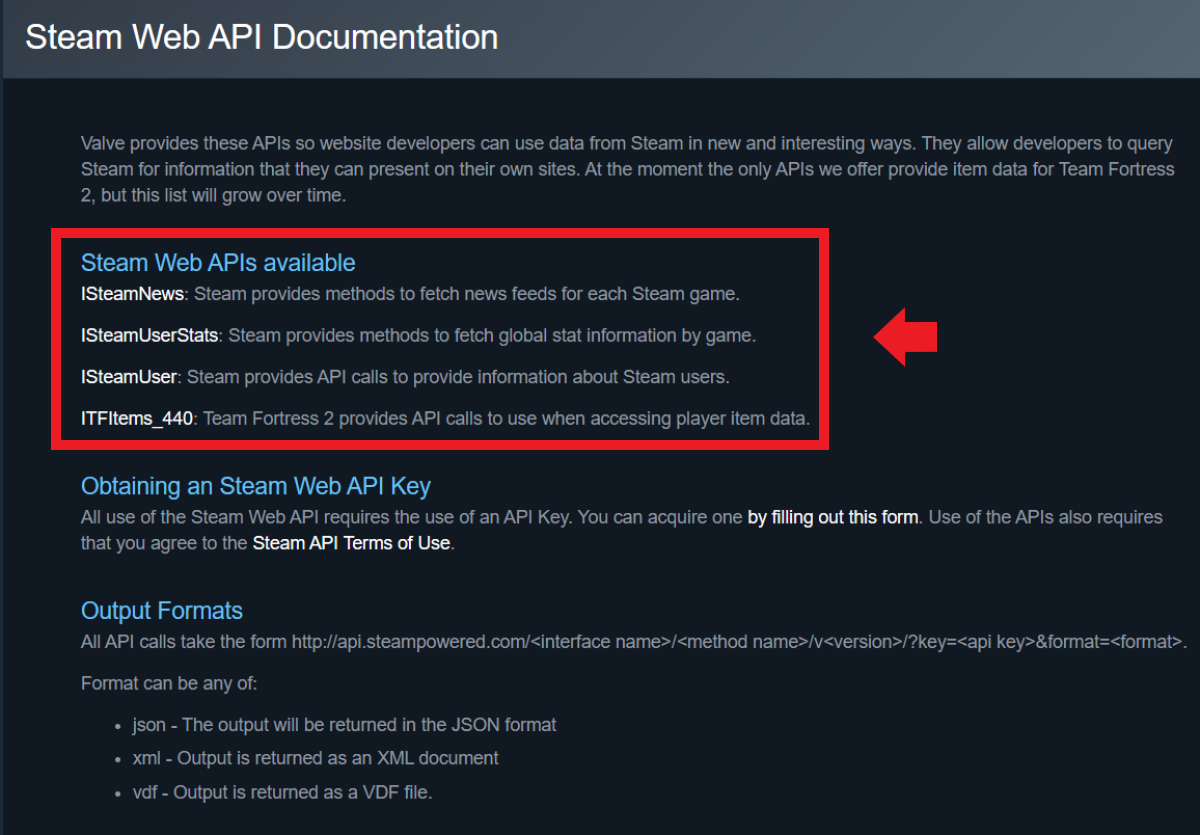

Get an overview of all Steam APIs in Steam’s Web API Overview.
Is Steam’s API free?
Currently (August 2023), Valve is offering the Steam API for free, including access to Steamworks’ features. This means you can integrate select features into external services and applications via the API. All you need to do this is a Steam account with admin rights and a Steam ID.
What are the advantages of the Steam API and API keys?
Steam is considered the biggest and most successful online platform for buying and distributing games. By embedding popular features like achievements and statistics, your own social Steam networks, or group and friend lists, you can boost your website or app’s user experience. This can be especially useful and effective for online multimedia marketing that focuses on gaming to showcase variety in your offering.
What should you know about Steam API keys?
If you’ve created an API key for your Steam account, make sure not to share it with unauthorised people or publicly. A stolen or compromised key can lead to account hijacking or data misuse. Scammers and fraudsters target API keys to get information only intended for users with access rights.
What’s the difference between a User Key and Publisher Key?
Steam API keys can be distinguished between these two variants:
- Steam User Keys: User Keys are Steam API keys that can be created by anyone with a Steam account. You can use the key to integrate Steamworks functions into external services.
- Steam Publisher Keys: Publisher keys are required when sharing sensitive data or performing protected actions that need access rights. With appropriate key parameters, you can specify which methods the API key is used for. Publisher keys are associated with a publisher group and provide access to all app IDs in the group. Typically, these keys are only available to secure publisher servers, must be kept secure, and shouldn’t be shared with a game. The creation also requires admin rights.
Can Steam API keys be deleted or disabled?
You can delete a Steam Web API key at any time from Steam’s API page. To do this, simply sign in with your account and go to Revoke My Steam Web API Key. The key will then be deactivated and can no longer be used to access the API. If you have a key that you think has fallen into the wrong hands, you can also exchange it for a new one. To do this, simply generate a new key.
- DNS management
- Easy SSL admin
- API documentation
How to generate a Steam API key
To create a Steam Web API key, follow these steps:
Step 1: Go to the Steam API keys community page and sign in to your Steam account.
Step 2: Add a domain name or a placeholder name for your Steam API key. Agree to the Steam Web API’s terms of use and click on ‘Register’.
Step 3: A new window will now open with the generated API key consisting of 32 characters and digits. Copy and paste the key into your code, app, or CMS (content management system).
Curious about creating API keys not only for Steam, but also for services like Google Maps, OpenWeather, or YouTube? Have a look at our guides:
- ChatGPT API
- OpenWeather API key
- YouTube API key
- Google Maps API key
How to find Steam API keys
If you want to find, disable, delete, or recreate API keys you’ve already created for Steam, follow these steps. To start, sign in to the Steam API keys community page. Here you’ll find a list of created API keys, which you can delete at any time with the ‘Revoke My Steam Web API Key’ button.