

What is a hypervisor?

A hypervisor is a software or firmware that facilitates the creation and management of virtual machines by abstracting the hardware resources of a physical computer, allowing multiple operating systems to run concurrently. Rather than constructing an entire system with hardware and an operating system, it creates a virtualised version—essentially simulating a complete PC environment.
- Total control over your data
- Benefit from the highest security standards
- No vendor lock-in for maximum flexibility
How does a hypervisor work?
When creating a virtual machine (VM), it operates based on a non-virtual, actual machine—such as a PC. The VM is dependent on the physical hardware. Therefore, there is a layer between the two levels responsible for management: the hypervisor. The hypervisor is software that takes over the management of the required resources. This program, also known as a Virtual Machine Monitor (VMM), allocates resources within the system. This way, multiple and different virtual machines can run on a host system, as the hypervisor ensures that they do not interfere with each other and all have the necessary capacities available.
The hypervisor thus creates an abstraction layer between the hardware and the operating systems running on it. It does this by dividing hardware resources into logical units and simulating a unique environment for each VM. The VMs feel as though they are running directly on real hardware, even though they are sharing resources with other VMs.
The strict separation between different virtual machines not only ensures a good distribution of resources but also enhances security. The hypervisor ensures that a guest system cannot access files from another guest system. This is especially important for testing purposes, so a faulty program does not damage other test environments.
Memory management
In CPU virtualisation, the hypervisor uses techniques like time-slicing to fairly distribute processing power among VMs. Modern processors have special virtualisation features (e.g., Intel VT-x or AMD-V) that support the hypervisor and reduce overhead.
Memory (RAM) is managed through paging and mapping techniques. The hypervisor assigns virtual memory addresses to physical memory blocks, so each VM sees only its own memory space. When memory is scarce, it can use mechanisms like memory overcommitment or ballooning to distribute memory efficiently among VMs.
I/O and device management
Virtual machines access hardware devices like hard drives, network cards, or graphics cards through virtual interfaces. The hypervisor emulates these devices or directly forwards requests to the physical hardware (using Direct-I/O or pass-through techniques). This ensures a balance between compatibility and performance.
Isolation and security
A significant advantage of virtualisation is the isolation between VMs. Each VM operates in its own environment, so errors or attacks in one VM have no direct impact on other virtual machines or the host system. The hypervisor employs various security mechanisms to ensure strict separation, including memory protection, access controls, and sandboxing techniques.
If you also want to use a virtual machine, you have a choice among different virtualisation software. For end users, options like VirtualBox or Hyper-V, Microsoft’s virtualisation solution, are suitable choices. For large enterprises, the virtualisation suite from VMware Broadcom is an option.
Different types of virtual machine monitors
There are two different types of virtual machine monitors: Type-1 vs Type-2 hypervisors. Each is characterised by very specific advantages. The former is also the older version. Virtualisation with this technology was already being pursued in the 1960s.
Type-1 hypervisor
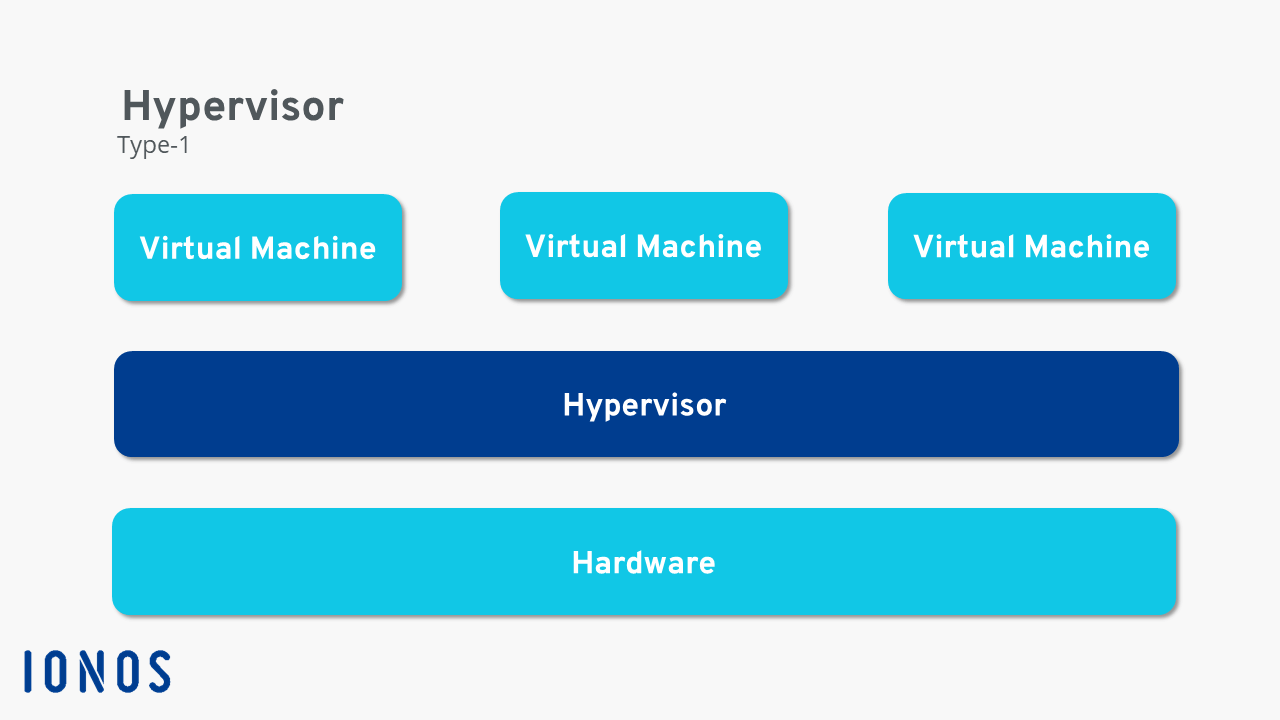
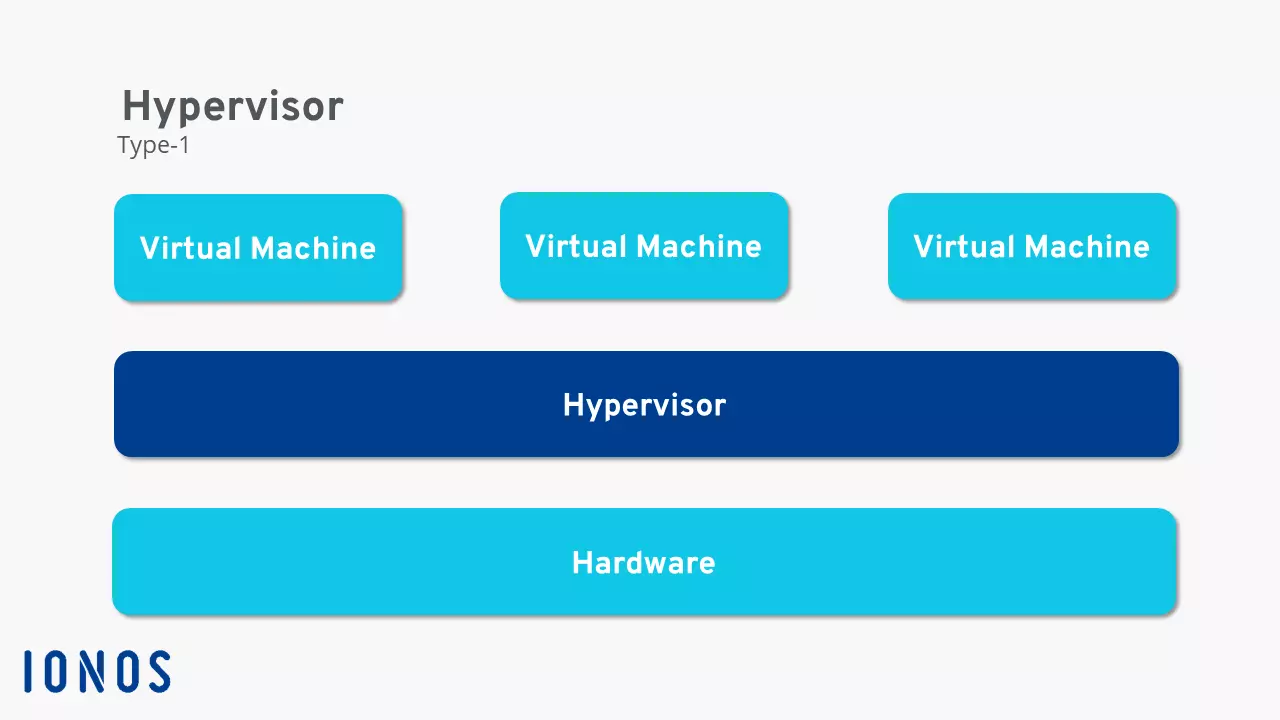
The first type of hypervisor is called a bare-metal hypervisor or native hypervisor. This kind of VMM is installed directly on the physical hardware, bypassing the host’s operating system. As a result, it must include all necessary device drivers. Resource consumption with a Type-1 hypervisor is relatively low because computing power doesn’t need to pass through the host operating system. This type of hypervisor is primarily designed for users looking to set up a virtualisation server. However, for smaller home projects, a Type-1 hypervisor tends to be too complex.
Type-2 hypervisor
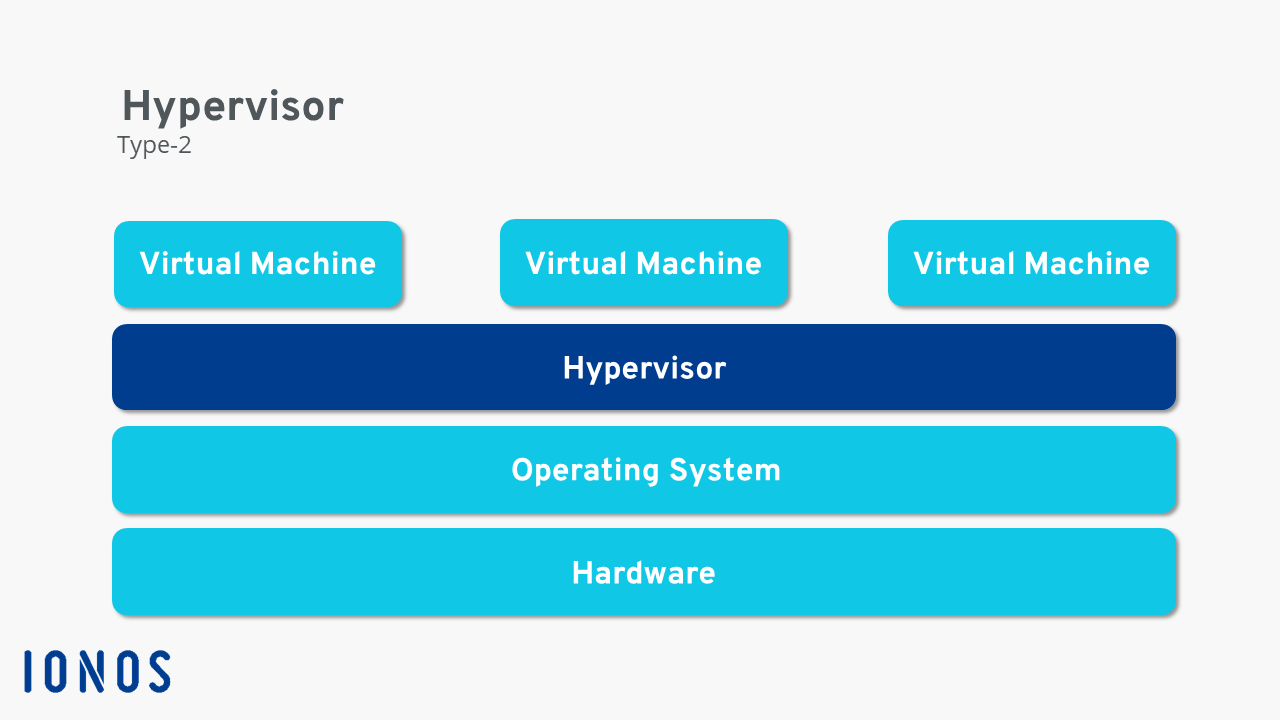
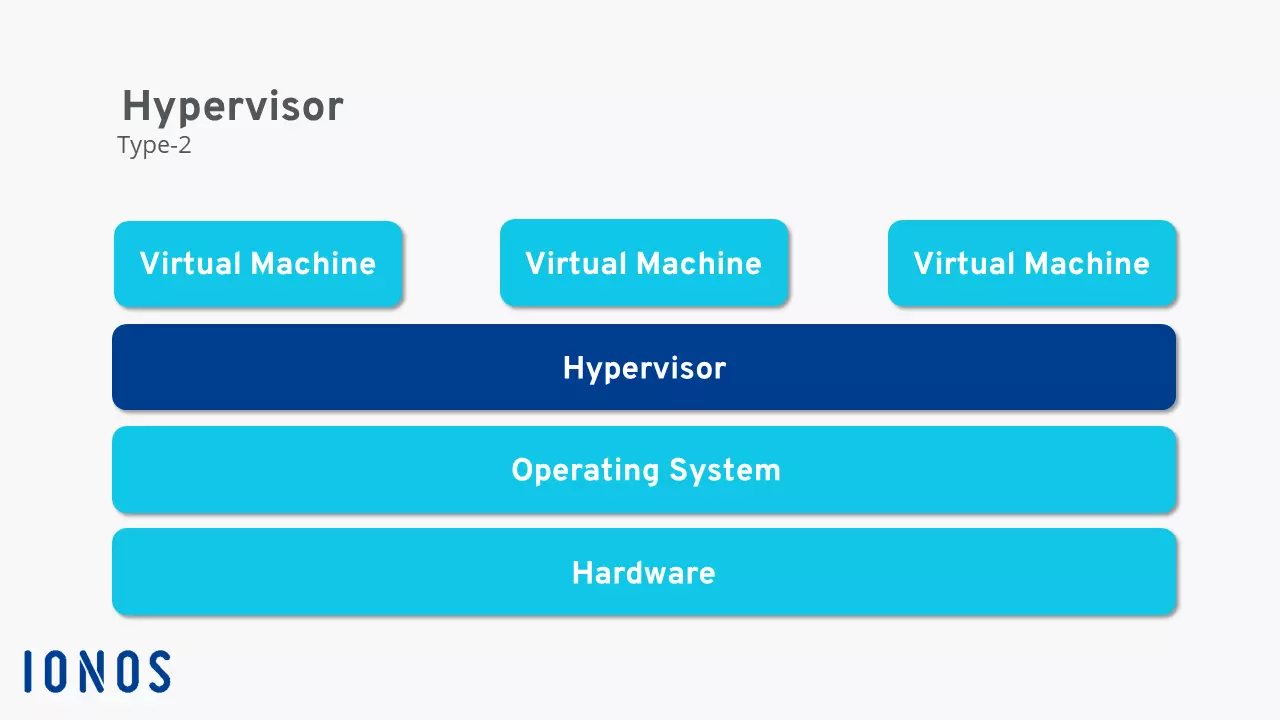
The second variant (also known as a hosted hypervisor) requires an existing operating system, which is built on the physical hardware. A Type-2 hypervisor is installed just like any other program. The VMM then manages the virtualisation. Device drivers do not need to be installed in the hypervisor, as the actual operating system can simply pass them to the software. However, this convenience comes at the expense of performance. A significant portion of the resources are already consumed by the host’s operating system. Due to the easy installation and configuration, Type-2 hypervisors are perfect for smaller projects.
- Cost-effective vCPUs and powerful dedicated cores
- Flexibility with no minimum contract
- 24/7 expert support included